
Wstęp
Thank you for choosing the Generic 2-Key Mechanical Gaming Keyboard. This compact, programmable keyboard is designed for efficiency and customization, offering a streamlined experience for various tasks, including gaming and productivity. This manual provides essential information for setup, operation, maintenance, and troubleshooting to ensure optimal performance of your device.
Produkt ponadview
The Generic 2-Key Mechanical Gaming Keyboard features two customizable mechanical keys with a hot-swappable design, allowing for easy switch replacement. It connects via a Type-C USB interface, ensuring broad compatibility and reliable performance.
Główne cechy:
- Two Programmable Mechanical Keys: Customize functions for enhanced workflow or gaming.
- Przełączniki z możliwością wymiany na gorąco: Easily change mechanical switches without soldering.
- Kompaktowa konstrukcja: Small footprint for portability and space-saving.
- Trwała konstrukcja: Made with high-quality ABS material.
- Łączność przewodowa USB: Reliable Type-C interface.
Zawartość opakowania:
- 1 x 2-Key Mechanical Keyboard
- 1 x USB Type-C Connection Cable (approx. 1.5m)

Image: The 2-key mechanical keyboard connected to a laptop via its USB cable, demonstrating its compact size and connectivity.
Organizować coś
Setting up your 2-Key Mechanical Gaming Keyboard is a straightforward process. It is designed for plug-and-play functionality.
Podłączanie klawiatury:
- Locate the USB Type-C port on the back of your 2-key keyboard.
- Podłącz jeden koniec dołączonego kabla USB typu C do portu klawiatury.
- Connect the other end of the USB cable to an available USB port on your computer (laptop or PC).
- The keyboard should be automatically recognized by your operating system (Windows compatible). No additional drivers are typically required for basic functionality.

Image: The 2-key mechanical keyboard positioned next to a laptop, illustrating its compact size and readiness for use.
Instrukcja obsługi
The 2-Key Mechanical Gaming Keyboard offers both default functions and extensive customization options.
Default Functionality:
Out of the box, the keyboard's two keys are typically pre-programmed for common actions:
- Klucz 1: Copy (Ctrl+C or Cmd+C)
- Klucz 2: Paste (Ctrl+V or Cmd+V)
These default settings allow for immediate use in various applications, providing quick access to essential commands.
Customization and Programming:
The true power of this keyboard lies in its programmability. You can assign a wide range of functions to each key, including:
- Pojedyncze naciśnięcia klawiszy (np. „A”, „Enter”)
- Keyboard shortcuts (e.g., Cut, Undo, Select All, Pause, Forward, Backward)
- Macro sequences
The programming instructions are saved directly onto the device. This means that once programmed, the custom functions will remain active even when the keyboard is connected to a different computer, without needing to reset or re-program.
Note: Specific software or a web-based tool is usually required for programming custom key functions. Please refer to the manufacturer's website or included documentation for detailed instructions on how to access and use the programming utility.
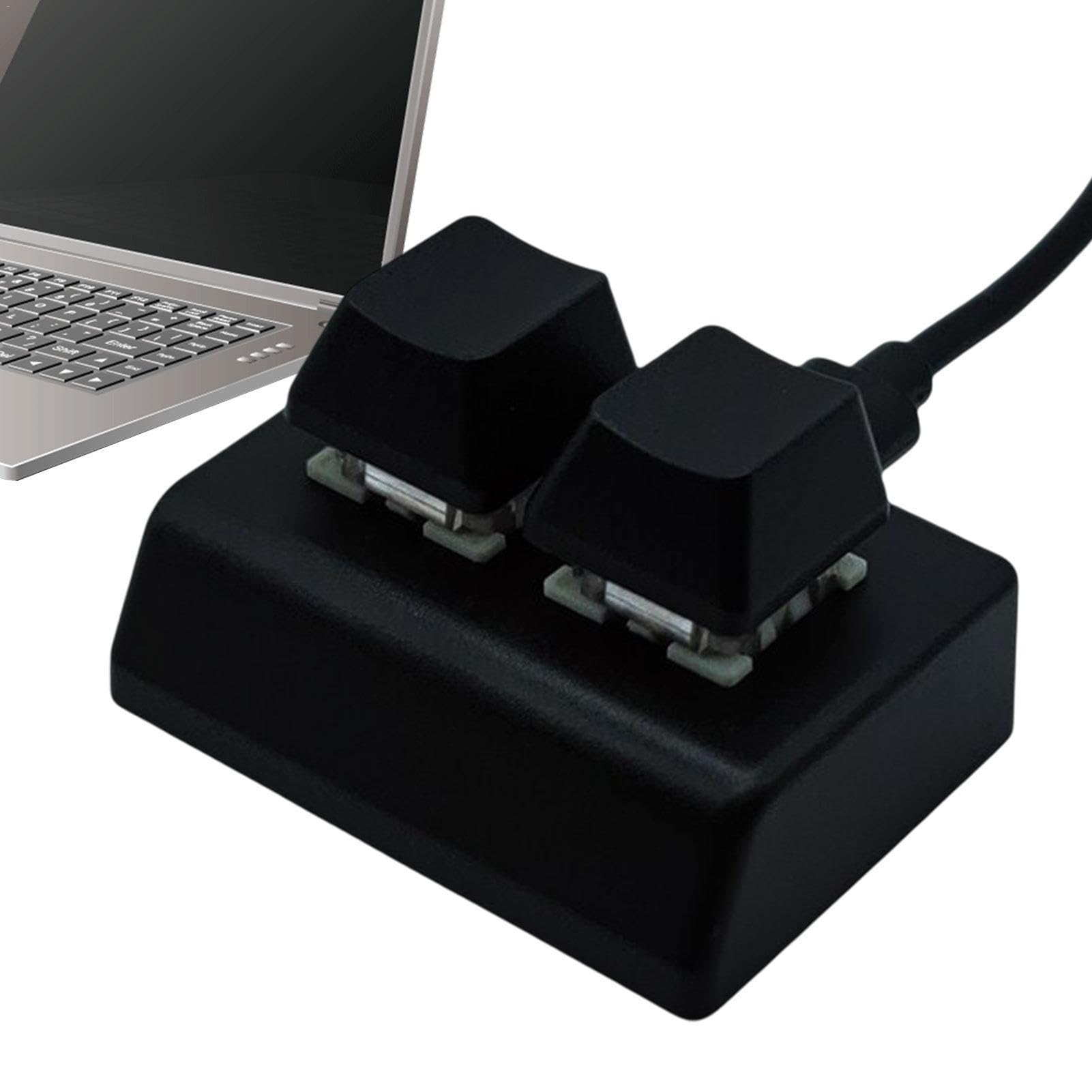
Image: A user operating the 2-key mechanical keyboard, demonstrating its integration into a typical computer setup.
Konserwacja
Proper maintenance ensures the longevity and optimal performance of your 2-Key Mechanical Gaming Keyboard.
Czyszczenie:
- Przed czyszczeniem odłącz klawiaturę od komputera.
- Use a soft, dry cloth to wipe down the ABS casing.
- W przypadku uporczywych zabrudzeń, należy użyć lekkiego detergentu.amp cloth with mild soap can be used, ensuring no liquid enters the keyboard's internal components.
- Use compressed air to remove dust and debris from around and under the keycaps.
Wymiana przełącznika (z możliwością wymiany na gorąco):
The keyboard features hot-swappable mechanical switches, allowing you to easily replace them without soldering. If a switch becomes faulty or you wish to try a different switch type:
- Gently pull off the keycap using a keycap puller (not included, but commonly available).
- Use a switch puller (not included) to carefully extract the mechanical switch from its socket.
- Align the pins of the new mechanical switch with the holes in the socket.
- Dociśnij nowy przełącznik mocno, aż usłyszysz kliknięcie. Upewnij się, że jest prawidłowo osadzony i nie jest wygięty.
- Załóż ponownie nakładkę klawisza.
Rozwiązywanie problemów
If you encounter issues with your 2-Key Mechanical Gaming Keyboard, try the following troubleshooting steps:
Klawiatura nie odpowiada:
- Sprawdź połączenie USB: Ensure the USB Type-C cable is securely connected to both the keyboard and your computer. Try unplugging and re-plugging it.
- Wypróbuj inny port USB: Connect the keyboard to another USB port on your computer to rule out a faulty port.
- Try a Different Computer: Jeżeli to możliwe, przetestuj klawiaturę na innym komputerze, aby ustalić, czy problem dotyczy klawiatury czy też konfiguracji oryginalnego komputera.
- Restart komputera: Problemy z łącznością często można rozwiązać poprzez proste ponowne uruchomienie.
Keys Not Performing Programmed Function:
- Verify Programming: Re-check your programming settings using the customization software/tool to ensure the desired functions are correctly assigned and saved.
- Konflikty oprogramowania: Ensure no other software or background processes are interfering with the keyboard's input.
Physical Damage or Loose Switches:
- Sprawdź przełączniki: If a key feels loose or unresponsive, carefully remove the keycap and check if the mechanical switch is properly seated or if its pins are bent. Replace if necessary, utilizing the hot-swappable feature.
Specyfikacje
| Funkcja | Szczegół |
|---|---|
| Numer modelu | WVE6DN6R3S4B4V1HCR |
| Marka | Ogólny |
| Liczba kluczy | 2 |
| Typ klucza | Mechanical, Hot-Swappable |
| Łączność | Wired USB (Type-C interface) |
| Kompatybilne urządzenia | Laptop, komputer osobisty |
| Kompatybilny system operacyjny | Okna |
| Tworzywo | Wysokiej jakości ABS |
| Kolor | Czarny |
| Wymiary klawiatury | Ok. 5.2 cm x 4.8 cm x 3 cm (2.04 cala x 1.89 cala x 1.18 cala) |
| Waga klawiatury | Około. 22g (sam korpus) |
| Długość kabla | Około. 1.5m |

Image: A visual representation of the keyboard's dimensions, showing its length, width, and height.
Gwarancja i wsparcie
Information regarding specific warranty terms and customer support for the Generic 2-Key Mechanical Gaming Keyboard (Model WVE6DN6R3S4B4V1HCR) is not available in the provided product details. For warranty claims, technical assistance, or further inquiries, please refer to the retailer where the product was purchased or contact the manufacturer directly if contact information is provided with the product packaging.