
AFEXOA ZH083K
AFEXOA ZH083K Digital Sunrise Alarm Clock User Manual
Model: ZH083K
Wstęp
Dziękujemy za zakupasing the AFEXOA ZH083K Digital Sunrise Alarm Clock. This device is designed to enhance your waking and sleeping experience with its natural sunrise simulation, customizable alarm sounds, multi-color night light, and sleep aid features. Please read this manual carefully to ensure proper use and optimal performance of your new alarm clock.
Zawartość opakowania
- AFEXOA ZH083K Digital Sunrise Alarm Clock
- Kabel zasilający USB
- Instrukcja obsługi
Produkt ponadview
Familiarize yourself with the components and controls of your AFEXOA ZH083K alarm clock.

Obraz 1: Przód view of the AFEXOA ZH083K Digital Sunrise Alarm Clock, showing the digital time display and control buttons on the top panel. The light dome is visible above the fabric-covered speaker base.
Przyciski sterujące:
- OPORNIK: Adjusts the brightness of the clock display.
- CZAS: Służy do ustawiania aktualnego czasu.
- ALARM: Used for setting and activating the alarm.
- ALARM WŁ./WYŁ.: Włącza i wyłącza funkcję alarmu.
- WYŁĄCZNIK CZASOWY: Activates and adjusts the sleep timer function.
- , Adjusts values (time, brightness, volume) up or down.
- Ikona żarówki: Controls the night light/mood light.
- Przycisk drzemki: Located on the bottom, activated by pressing down the clock.
Organizować coś
1. Podłączenie zasilania
Connect the provided USB power cable to the alarm clock and plug it into a suitable USB power adapter (not included) or a USB port. The clock display will illuminate.
2. Ustawianie aktualnego czasu
- Naciśnij i przytrzymaj CZAS Naciskaj przycisk, aż wyświetlacz godzin zacznie migać.
- Użyj +/- przyciski do regulacji godziny.
- Naciśnij CZAS Naciśnij przycisk ponownie, aby zatwierdzić godzinę i przejść do ustawiania minut.
- Użyj +/- przyciski, aby ustawić minuty.
- Naciśnij CZAS Naciśnij przycisk jeszcze raz, aby zapisać ustawienie czasu.
Instrukcja obsługi
1. Ustawianie alarmu i symulacji wschodu słońca
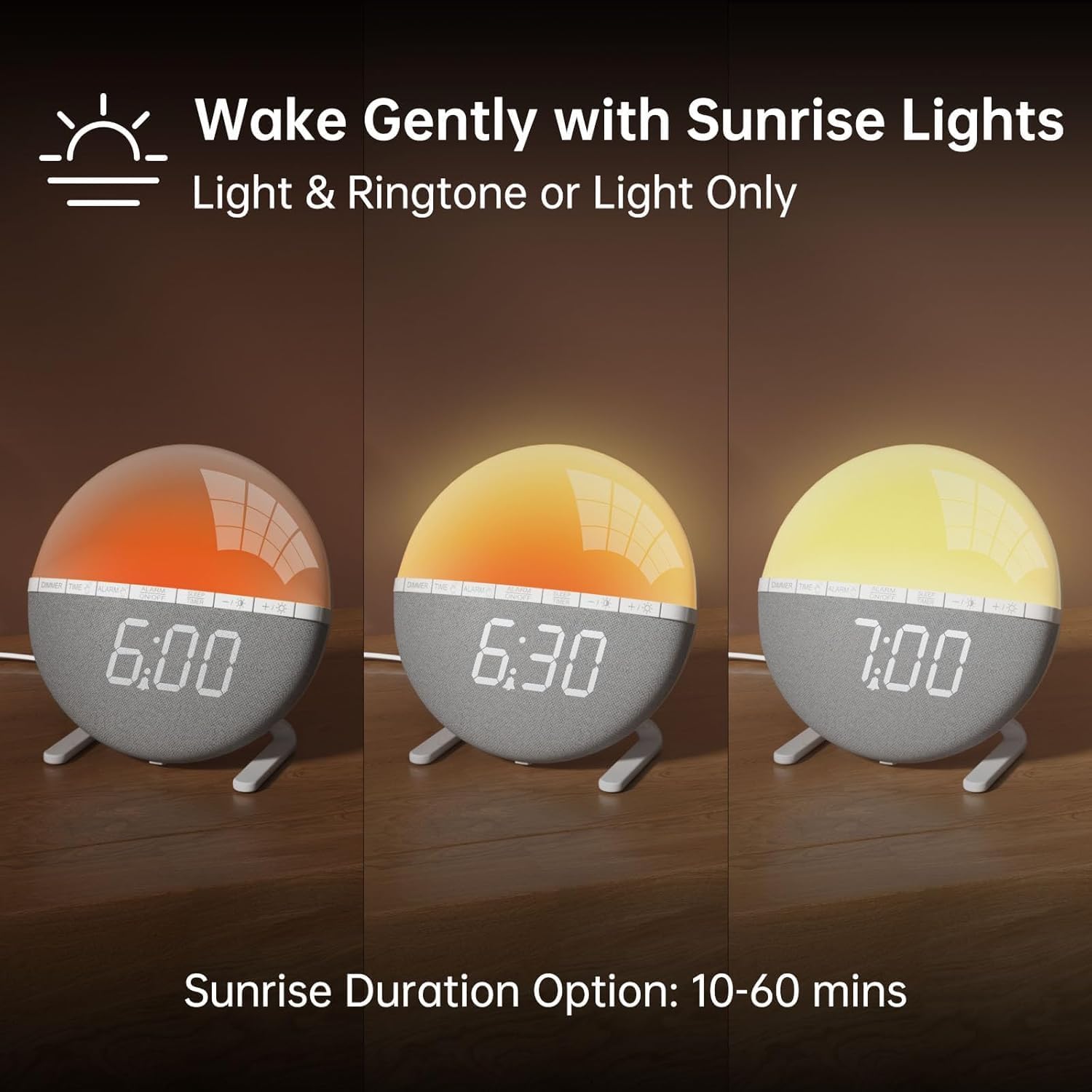
Obraz 2: Illustration of the sunrise simulation feature, showing the light gradually changing from dim red to bright yellow over a period, with time indications of 6:00, 6:30, and 7:00.
- Naciśnij i przytrzymaj ALARM button until the alarm time display starts flashing.
- Użyj +/- przyciski umożliwiające ustawienie żądanej godziny alarmu.
- Naciśnij ALARM button to confirm the hour and move to minute adjustment.
- Użyj +/- przyciski umożliwiające ustawienie żądanych minut alarmu.
- Naciśnij ALARM button to confirm the minutes and proceed to sunrise duration setting.
- Użyj +/- buttons to select the sunrise simulation duration (10-60 minutes). This is the period before your set alarm time when the light will gradually brighten.
- Naciśnij ALARM button to confirm the duration and proceed to alarm sound selection.
- Użyj +/- buttons to cycle through the 7 available alarm sounds or select "OFF" for light-only alarm.
- Naciśnij ALARM button to confirm the sound and proceed to volume adjustment.
- Użyj +/- buttons to set the alarm volume (10 levels).
- Naciśnij ALARM button once more to save all alarm settings.
Aby aktywować lub dezaktywować alarm, naciśnij przycisk WŁĄCZANIE / WYŁĄCZANIE ALARMU przycisk. Po aktywacji na wyświetlaczu pojawi się ikona alarmu.

Obraz 3: A visual representation of the seven built-in wake-up ringtones, including icons for Beep, Bell, Birds, and four types of Soft Music. It also shows a 10-level volume adjustment bar.
2. Funkcja drzemki
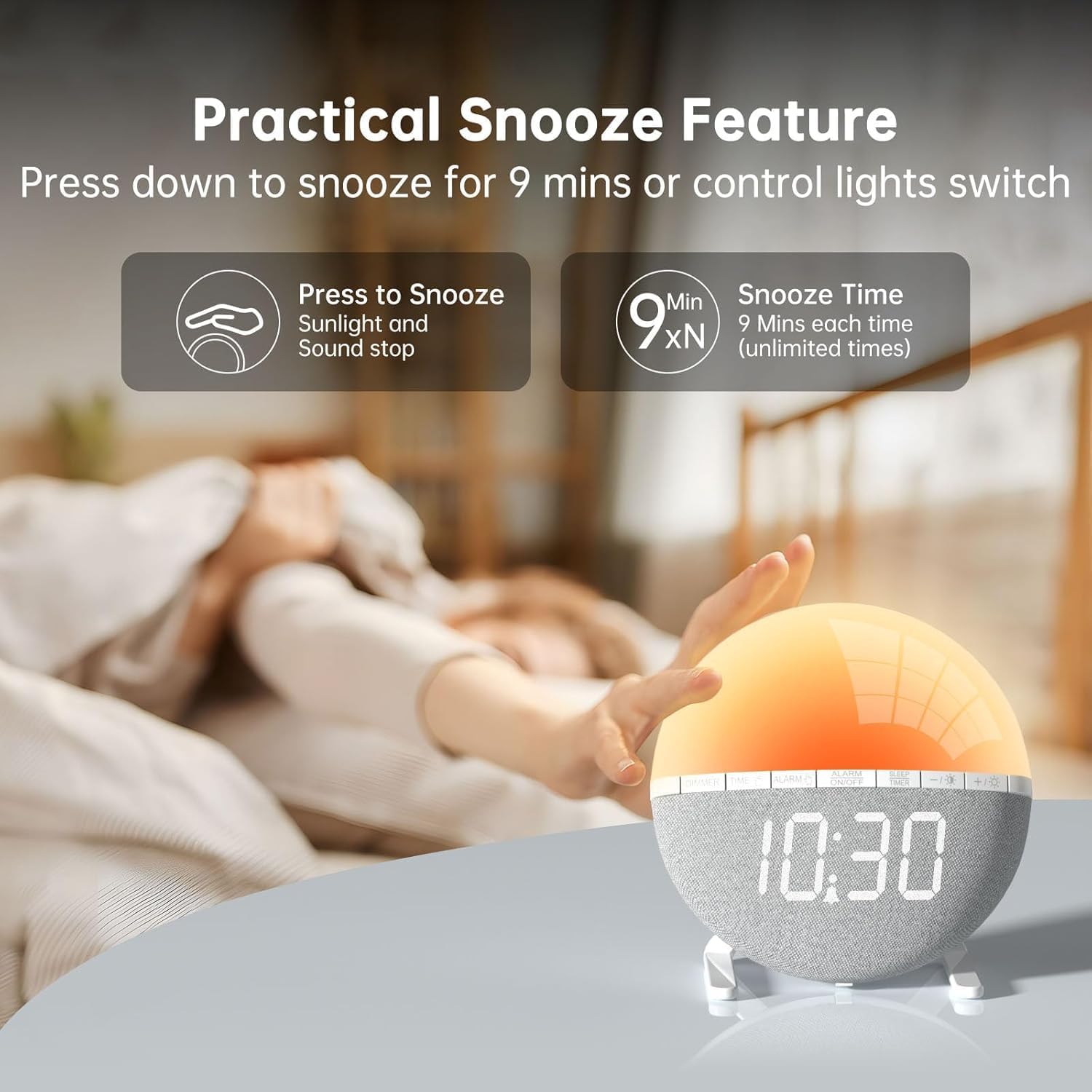
Obraz 4: A hand pressing down on the top of the alarm clock to activate the snooze function. Text indicates that pressing down snoozes for 9 minutes and can also control the light switch.
When the alarm sounds, gently press down on the top of the alarm clock to activate the snooze function. The alarm will pause for 9 minutes and then sound again. This can be repeated an unlimited number of times.
3. Night Light / Mood Light

Obraz 5: A display of the various solid color and RGB mood light options available on the alarm clock, shown as a spectrum of colors from light blue to purple, with the clock displaying each color.
- Naciśnij Ikona żarówki przycisk, aby włączyć lampkę nocną.
- Naciśnij Ikona żarówki button repeatedly to cycle through the 7 solid colors and 2 mixed RGB mood light options.
- Użyj +/- buttons to adjust the brightness of the selected light (10 levels).
- Naciśnij i przytrzymaj Ikona żarówki przycisk wyłączający lampkę nocną.
4. Wyłącznik czasowy

Obraz 6: An image illustrating the sleep aid function with an auto-off timer, showing options for 15m, 30m, 60m, 90m, and 120m. The alarm clock is shown emitting a soft, warm light.
The sleep timer allows the light to gradually dim and turn off after a set period, aiding in sleep.
- Naciśnij TIMER SNU przycisk.
- Użyj +/- buttons to select the desired sleep timer duration (15, 30, 60, 90, or 120 minutes). The light will gradually dim and turn off after the selected time.
- Aby anulować timer uśpienia, naciśnij przycisk TIMER SNU button repeatedly until the timer is off, or press and hold the button.
5. Regulacja jasności wyświetlacza

Obraz 7: Four images of the alarm clock demonstrating different display brightness levels, from off to full brightness, highlighting the dimmable and eye-caring features.
Naciśnij OPORNIK button to cycle through the 4 display brightness levels: 0% (off), 5%, 50%, and 100%. This allows you to adjust the display visibility according to your preference, especially at night.
Konserwacja
- Czyść urządzenie miękką, suchą ściereczką. Nie używaj środków czyszczących o właściwościach ściernych ani rozpuszczalników.
- Trzymaj urządzenie z dala od wody i dużej wilgotności.
- Unikaj upuszczania urządzenia i narażania go na silne uderzenia.
- Nie próbuj samodzielnie demontować ani naprawiać urządzenia. W przypadku problemów skontaktuj się z obsługą klienta.
Rozwiązywanie problemów
| Problem | Możliwa przyczyna | Rozwiązanie |
|---|---|---|
| Wyświetlacz zegara jest wyłączony lub nie działa. | No power connection or power adapter issue. Display brightness set to 0%. | Ensure the USB cable is securely connected and the power adapter is working. Press the OPORNIK button to increase display brightness. |
| Alarm nie włącza się. | Alarm not activated. Alarm volume set to 0 or sound option set to "OFF". | Naciskać WŁĄCZANIE / WYŁĄCZANIE ALARMU to activate. Check alarm settings to ensure a sound is selected and volume is not 0. |
| Sunrise simulation does not work. | Sunrise duration not set or set to 0. | Verify the sunrise duration is set to a value between 10-60 minutes in the alarm settings. |
| Lampka nocna nie włącza się. | Light function not activated. | Naciśnij Ikona żarówki przycisk, aby włączyć światło. |
Specyfikacje
- Model: ZH083K
- Marka: AFEXOA
- Wymiary: Wymiary 9.5 x 3.81 x 9.5 cm
- Waga: 400 gramów
- Tworzywo: Plastikowy
- Typ wyświetlacza: Cyfrowy
- Źródło zasilania: Electric Cable (USB)
- Cechy szczególne: Sunrise Simulation, Mood Light, Color-Changing Night Light, Loud Alarm, Snooze, Sleep Timer, Dimmable Display
Gwarancja i wsparcie
The AFEXOA ZH083K Digital Sunrise Alarm Clock comes with a standard manufacturer's warranty. For detailed warranty information, please refer to the product packaging or contact your retailer. If you encounter any issues or have questions regarding your product, please contact AFEXOA customer support through the retailer's platform or the official brand webaby uzyskać pomoc.
Proszę zachować paragon jako dowód zakupu na wypadek reklamacji.
Ask a question about this manual
Ask about setup, troubleshooting, compatibility, parts, safety, or missing instructions. Manuals+ will review the question and use this page’s manual context to help answer it.