
1. Wprowadzenie
Thank you for choosing the Phomemo M834 A4 Portable Thermal Printer. This device offers a convenient, inkless printing solution for various needs, from business documents to personal use. Its compact design and versatile connectivity make it an ideal companion for professionals, students, and home users. This manual provides essential information for setting up, operating, maintaining, and troubleshooting your printer to ensure optimal performance.
2. Koniec produktuview
Główne cechy
- Druk termiczny bez użycia atramentu: Eliminates the need for ink cartridges or ribbons.
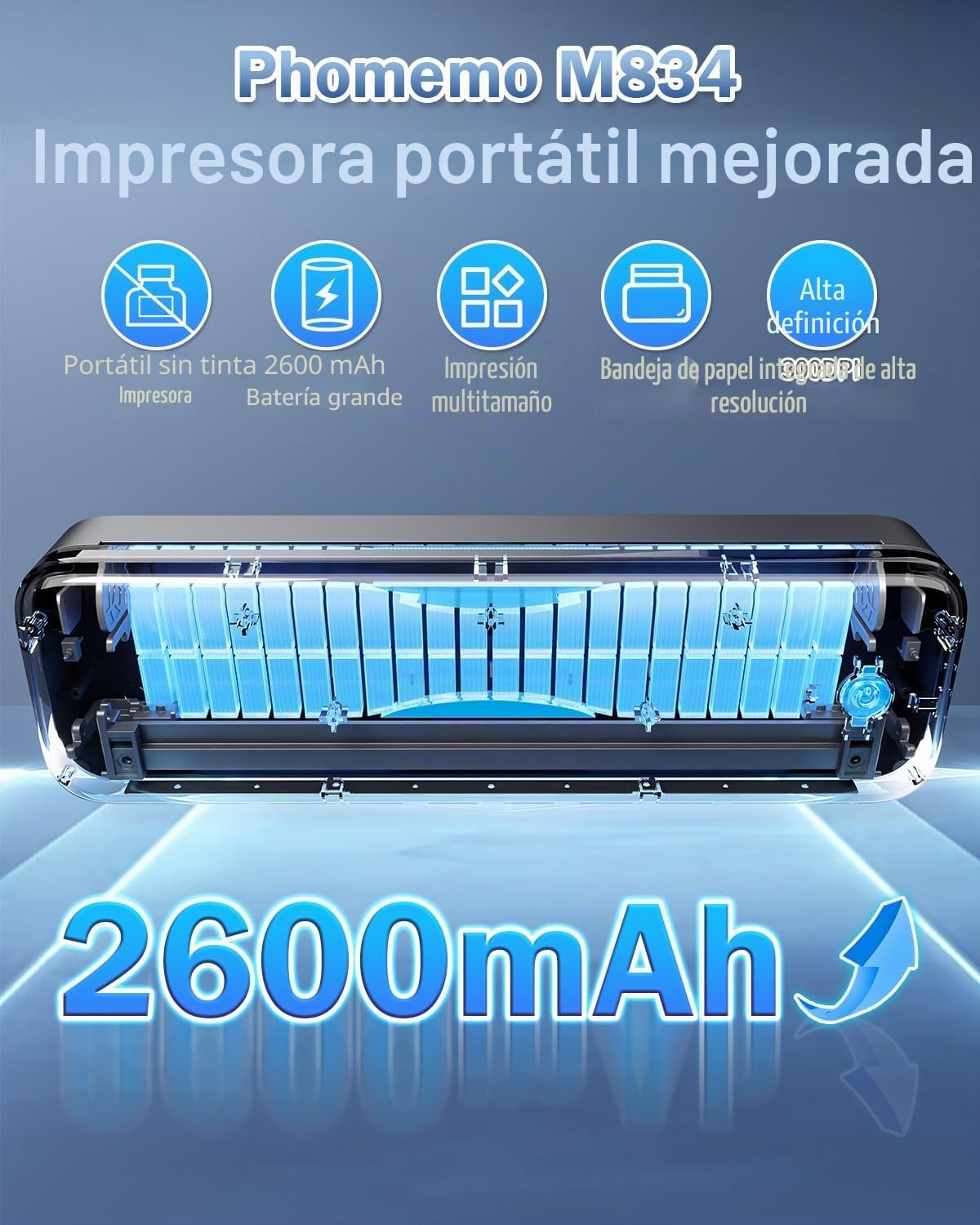
- Wysoka rozdzielczość: 300 DPI for clear and sharp prints.
- Przenośna konstrukcja: Weighs approximately 690g with dimensions of 26.4 x 7.8 x 4.5 cm, similar to a 500ml water bottle.
- Obsługa wielu rozmiarów papieru: Compatible with 210mm (A4), 110mm, 80mm, and 53mm thermal paper, including roll, sheet, and folded paper.
- Wszechstronna łączność: Supports Bluetooth for smartphones/tablets (iOS/Android) and USB for PCs (Windows/macOS).
- Długa żywotność baterii: Wyposażony w baterię o pojemności 2600 mAh, umożliwiającą dłuższe użytkowanie.
- Integrated Paper Box: Conveniently holds paper, reducing the need to carry separate sheets.
Co jest w pudełku
- Phomemo M834 przenośna drukarka termiczna
- Rolka papieru termicznego A4
- Kabel USB-C
- Instrukcja obsługi
Diagram produktu
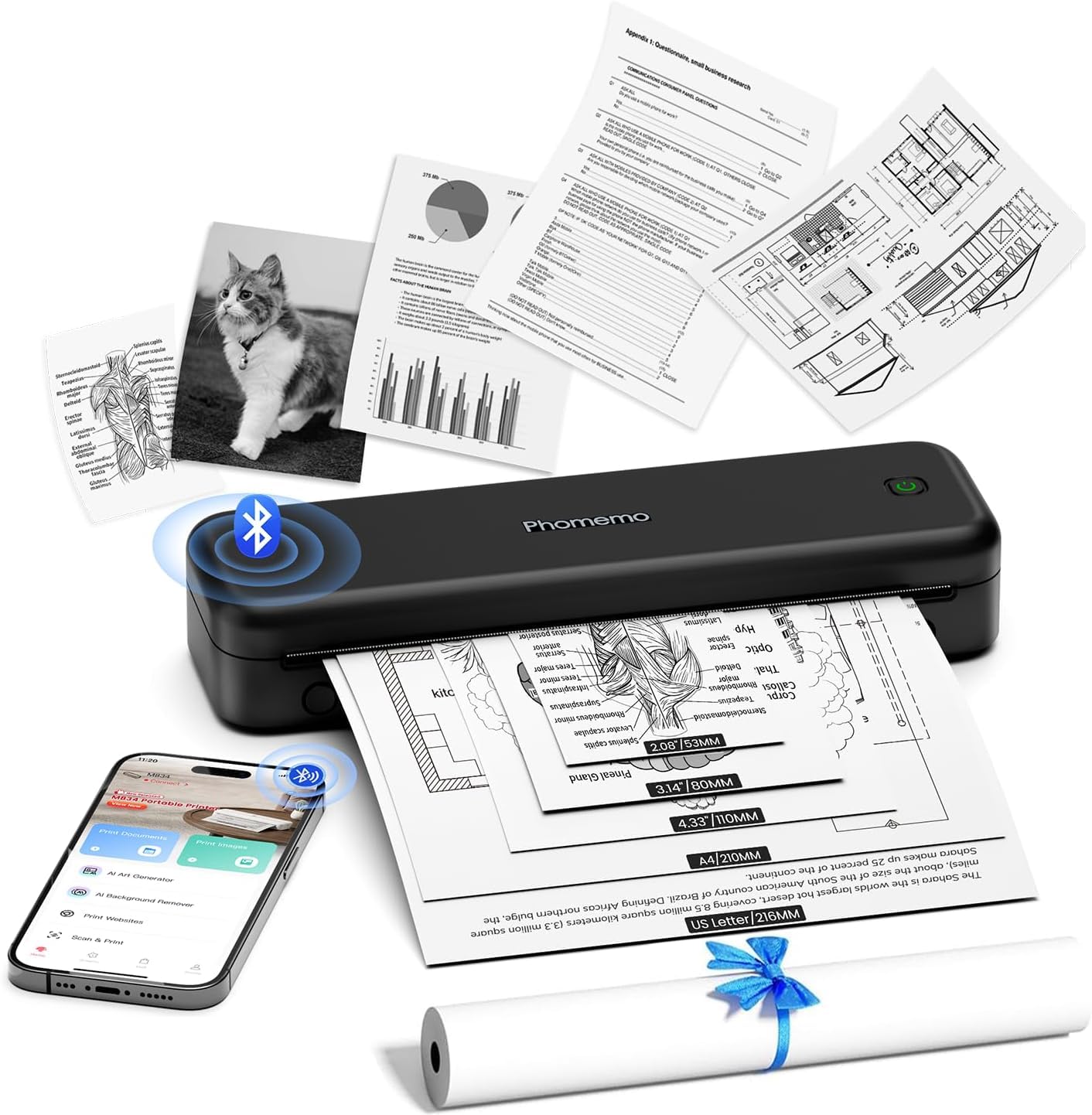
The Phomemo M834 printer features a sleek, compact design. The main body houses the thermal print head, paper feed mechanism, and battery. On the side, you will find the power button and USB-C port for charging and wired connection. The paper input slot is located at the top, and printed documents exit from the front.
3. Konfiguracja
3.1 Ładowanie drukarki
Before initial use, fully charge the printer. Connect the provided USB-C cable to the printer's USB-C port and the other end to a compatible USB power adapter (not included) or a computer's USB port. The indicator light will show charging status (e.g., red for charging, green for fully charged).
3.2 Ładowanie papieru termicznego
- Otwórz pokrywę komory papieru.
- Insert the thermal paper roll or stack of sheets into the compartment, ensuring the printable side faces the print head. The printable side is typically smoother and will produce a mark when scratched with a fingernail.
- Gently feed the leading edge of the paper into the printer's feed slot until it is gripped by the rollers.
- Close the paper compartment cover. Ensure the paper is aligned correctly to prevent jams.

3.3 Driver Installation (for PC/Mac)
For printing from a computer, you need to install the appropriate drivers. Visit M834.Phomemo.com to download the latest drivers for your Windows or macOS operating system. Follow the on-screen instructions for installation.
4. Instrukcja obsługi
4.1 Connecting via Bluetooth (for Mobile/Tablet)
- Download the "Phomemo" application from the App Store (iOS) or Google Play Store (Android).
- Turn on your Phomemo M834 printer by pressing and holding the power button.
- Włącz Bluetooth w swoim urządzeniu mobilnym.
- Otwórz aplikację Phomemo i postępuj zgodnie z instrukcjami wyświetlanymi w aplikacji, aby wyszukać drukarkę M834 i nawiązać z nią połączenie.
- Once connected, you can select documents (Word, Excel, PDF, TXT, JPG) or images within the app to print.
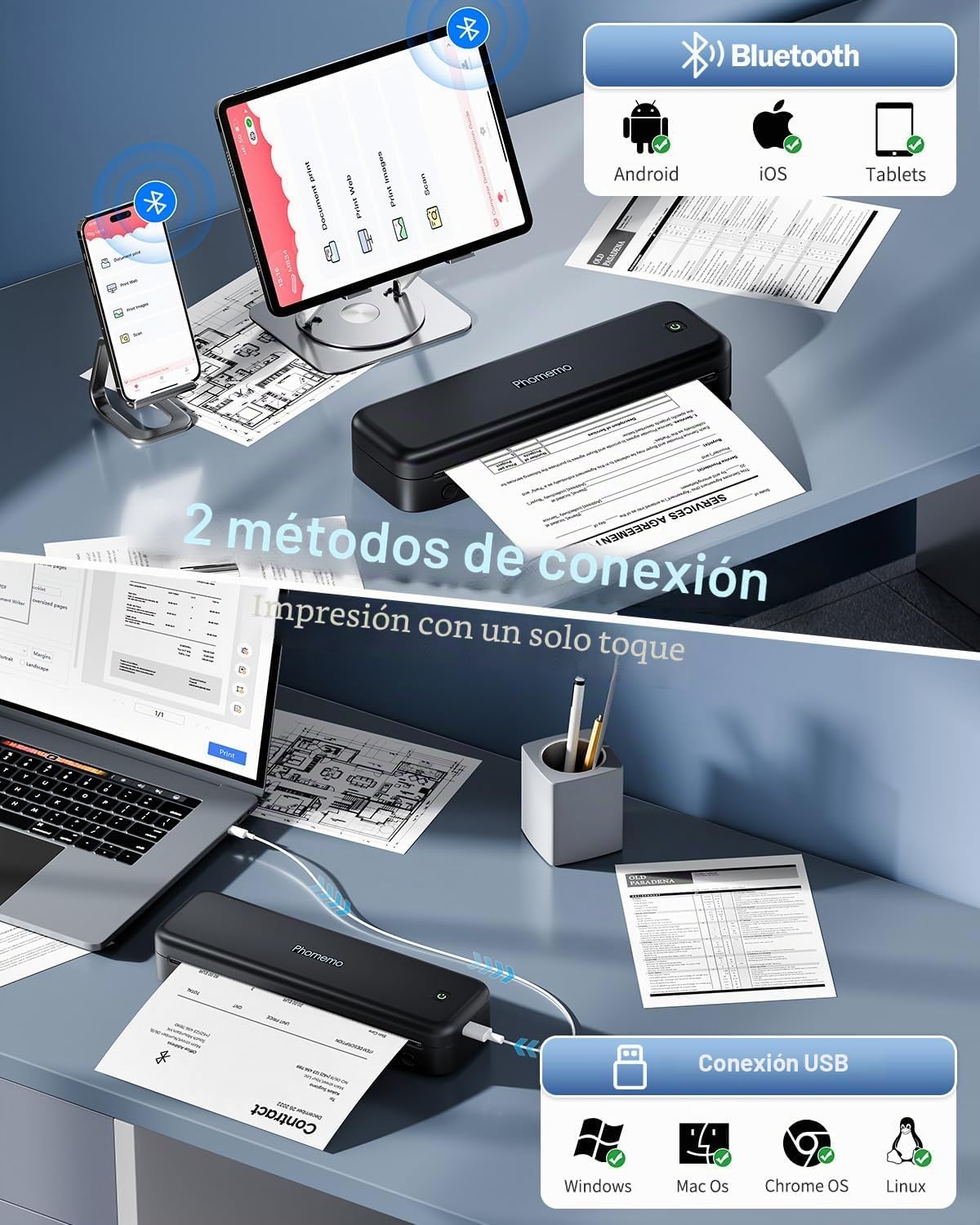
4.2 Connecting via USB (for PC/Mac)
- Sprawdź, czy sterowniki drukarki są zainstalowane na Twoim komputerze (patrz Rozdział 3.3).
- Turn on your Phomemo M834 printer.
- Podłącz drukarkę do komputera za pomocą dołączonego kabla USB-C.
- Your computer should recognize the printer. You can now print documents from any application as you would with a standard printer.
4.3 Korzystanie z aplikacji Phomemo
The Phomemo app provides enhanced control over your printing experience:
- Wydruk dokumentu: Supports various formats including Word, Excel, PDF, TXT, and JPG.
- Wydrukuj obrazy: Offers free-form editing, batch printing, and collage printing.
- Wydrukować Web: Print content directly from web stron.
- Skandować: Scan documents using your phone's camera and print them directly.
- Personalizacja: Adjust print depth and speed for optimal results.
5. Konserwacja
5.1 Czyszczenie głowicy drukującej
Aby zachować jakość druku, regularnie czyść głowicę drukującą. Delikatnie przetrzyj ją miękką, niepozostawiającą włókien ściereczką.ampPrzetrzyj powierzchnię głowicy drukującej alkoholem izopropylowym. Delikatnie przetrzyj powierzchnię głowicy drukującej. Przed czyszczeniem upewnij się, że drukarka jest wyłączona i ostygła.
5.2 Pielęgnacja baterii
- Unikaj częstego całkowitego rozładowywania akumulatora.
- Jeśli drukarka nie będzie używana przez dłuższy czas, należy ją przechowywać w chłodnym i suchym miejscu.
- Charge the printer at least once every three months to prevent battery degradation.
5.3 Przechowywanie papieru
Store thermal paper in a cool, dry place away from direct sunlight and heat. Exposure to high temperatures or light can cause the paper to darken prematurely or reduce print longevity.
6. Rozwiązywanie Problemów
| Problem | Możliwa przyczyna | Rozwiązanie |
|---|---|---|
| Drukarka się nie włącza | Niski poziom naładowania baterii; przycisk zasilania nie został prawidłowo naciśnięty | Naładuj drukarkę; naciśnij i przytrzymaj przycisk zasilania przez kilka sekund. |
| Słaba jakość wydruku (blady, smugowaty) | Dirty print head; Low battery; Old/poor quality thermal paper; Incorrect print density setting | Clean the print head (Section 5.1); Charge the printer; Use fresh, high-quality thermal paper; Adjust print density in the Phomemo app. |
| Zacięcie papieru | Nieprawidłowe załadowanie papieru; Uszkodzony papier | Turn off the printer, carefully remove jammed paper; Reload paper correctly (Section 3.2); Use undamaged paper. |
| Nie można połączyć się przez Bluetooth | Bluetooth wyłączony na urządzeniu; Drukarka nie jest w trybie parowania; Problem z aplikacją | Ensure Bluetooth is enabled; Restart printer and app; Try pairing again through the app. |
| Cannot print from PC via USB | Drivers not installed; Loose USB connection | Install drivers from M834.Phomemo.com; Ensure USB cable is securely connected. |
7. Specyfikacje
| Funkcja | Szczegół |
|---|---|
| Numer modelu | M834-BK |
| Technologia druku | Termiczny |
| Rozdzielczość wydruku | 300 DPI |
| Łączność | Bluetooth, USB typu C |
| Kompatybilne rozmiary papieru | A4 (210x297 mm), 110mm, 80mm, 53mm, 8.5" x 11" US Letter |
| Maksymalna prędkość drukowania monochromatycznego | 20 stron na minutę |
| Bateria | 2600 mAh litowo-polimerowy |
| Wymiary produktu (dł. x szer. x wys.) | Wymiary 26.4 x 7.8 x 4.5 cm |
| Waga produktu | 695 gramów |
| Kompatybilne systemy operacyjne | Android, iOS, Windows, macOS |
| Kolor tuszu | Czarny (wyjście monochromatyczne) |
| Kraj pochodzenia | Chiny |
8. Gwarancja i wsparcie
Phomemo products come with a standard manufacturer's warranty. For specific warranty details, please refer to the warranty card included with your product or visit the official Phomemo website. Our professional technical support team is available to assist you with any questions or issues you may encounter.
For support, please:
- Odwiedź naszą oficjalną stronę webstrona: www.phomemo.com
- Contact us through the "Phomemo" application.
- Skorzystaj z danych kontaktowych znajdujących się na opakowaniu produktu.