
Wstęp
This manual provides detailed instructions for the safe and efficient operation of your Philips Portable Radio RL384/94. Please read this manual thoroughly before using the device and retain it for future reference. The Philips RL384/94 is a portable radio designed for versatile listening, offering reception across MW, SW, and FM bands. It features a 500mW RMS sound output, a telescopic antenna for enhanced signal reception, and a 4-inch loudspeaker for clear audio. The radio can be powered by three R20 batteries or an external 4.5V DC source.
Co jest w pudełku
Ostrożnie rozpakuj zawartość i upewnij się, że wszystkie elementy są obecne:
- Philips Portable Radio RL384/94
- Szybki przewodnik
Produkt ponadview
Familiarize yourself with the main components and controls of your Philips Portable Radio RL384/94.
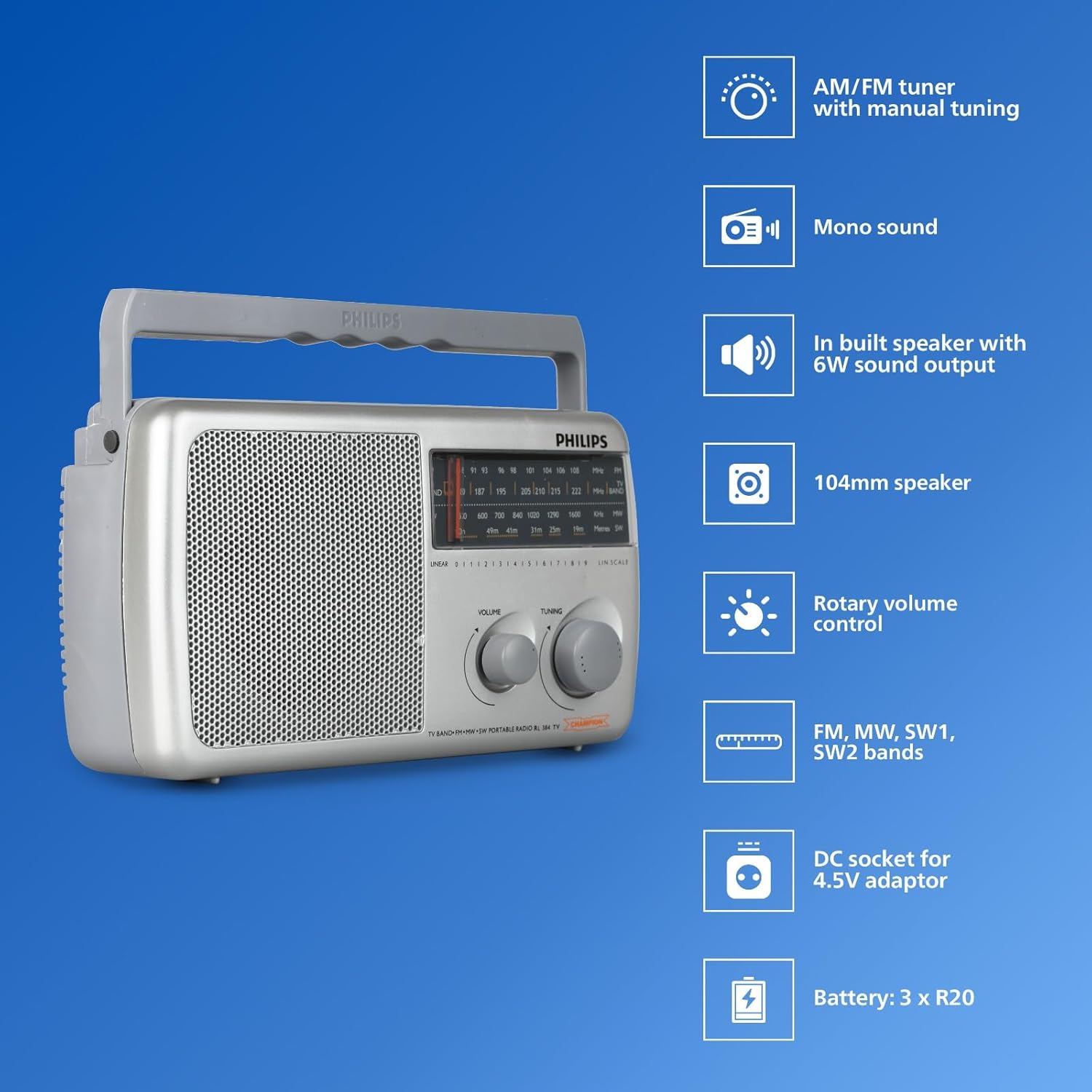
Obraz: Przód view of the Philips Portable Radio RL384/94 highlighting key features such as AM/FM tuner, mono sound, built-in speaker, 104mm speaker, rotary volume control, FM, MW, SW1, SW2 bands, DC socket for 4.5V adaptor, and battery compartment for 3 x R20 batteries.
- Antena teleskopowa: Extendable antenna for improved radio signal reception, particularly for FM and SW bands.
- Selektor pasma: Switch to select between FM, MW (Medium Wave), and SW (Shortwave) bands.
- Gałka strojeniowa: Used to precisely tune into desired radio frequencies.
- Regulacja głośności: Rotary knob to adjust the audio output level.
- Głośnik: Integrated 4-inch (104mm) loudspeaker for audio output.
- Komora baterii: Located at the rear, holds three R20 (D-size) batteries.
- Gniazdo prądu stałego: Input for an external 4.5V DC power adapter (not included).
Wideo: Ponadview of the Philips Portable Radio RL384/94, showcasing its multi-band reception (MW, SW, FM), telescopic antenna, 500mW RMS sound output, 4-inch loudspeaker, and flexible power options (battery or external DC).
Organizować coś
Zasilanie radia
The Philips RL384/94 can be powered by batteries or an external DC adapter.
Korzystanie z baterii
- Locate the battery compartment cover on the rear of the radio.
- Aby otworzyć pokrywę, przesuń ją lub odepnij.
- Insert three R20 (D-size) batteries, ensuring the correct polarity (+/-) as indicated inside the compartment.
- Dokładnie zamknij pokrywę komory baterii.
Using an External DC Adapter
An external 4.5V DC adapter (not supplied) can be used to power the radio.
- Ensure the DC adapter output is 4.5V.
- Insert the DC adapter plug into the 4.5V DC socket on the radio.
- Podłącz adapter do odpowiedniego gniazdka ściennego.
Obsługa radia
Włączanie i wyłączanie
Rotate the volume control knob clockwise to turn the radio on. Rotate it counter-clockwise until it clicks to turn the radio off.
Regulacja głośności
Rotate the volume control knob to increase or decrease the sound level.
Selecting a Radio Band
Use the band selector switch to choose between FM, MW, or SW bands.

Image: The Philips Portable Radio RL384/94 shown outdoors with a person stretching, illustrating its portability and multi-band (AM/FM/SW) reception capabilities.
Strojenie do stacji
- Select the desired radio band (FM, MW, or SW).
- Extend the telescopic antenna for optimal FM and SW reception. For MW, the radio has a built-in antenna, but repositioning the radio may improve reception.
- Slowly rotate the tuning knob until you hear a clear broadcast.
- Adjust the antenna position and radio orientation for the best possible signal.
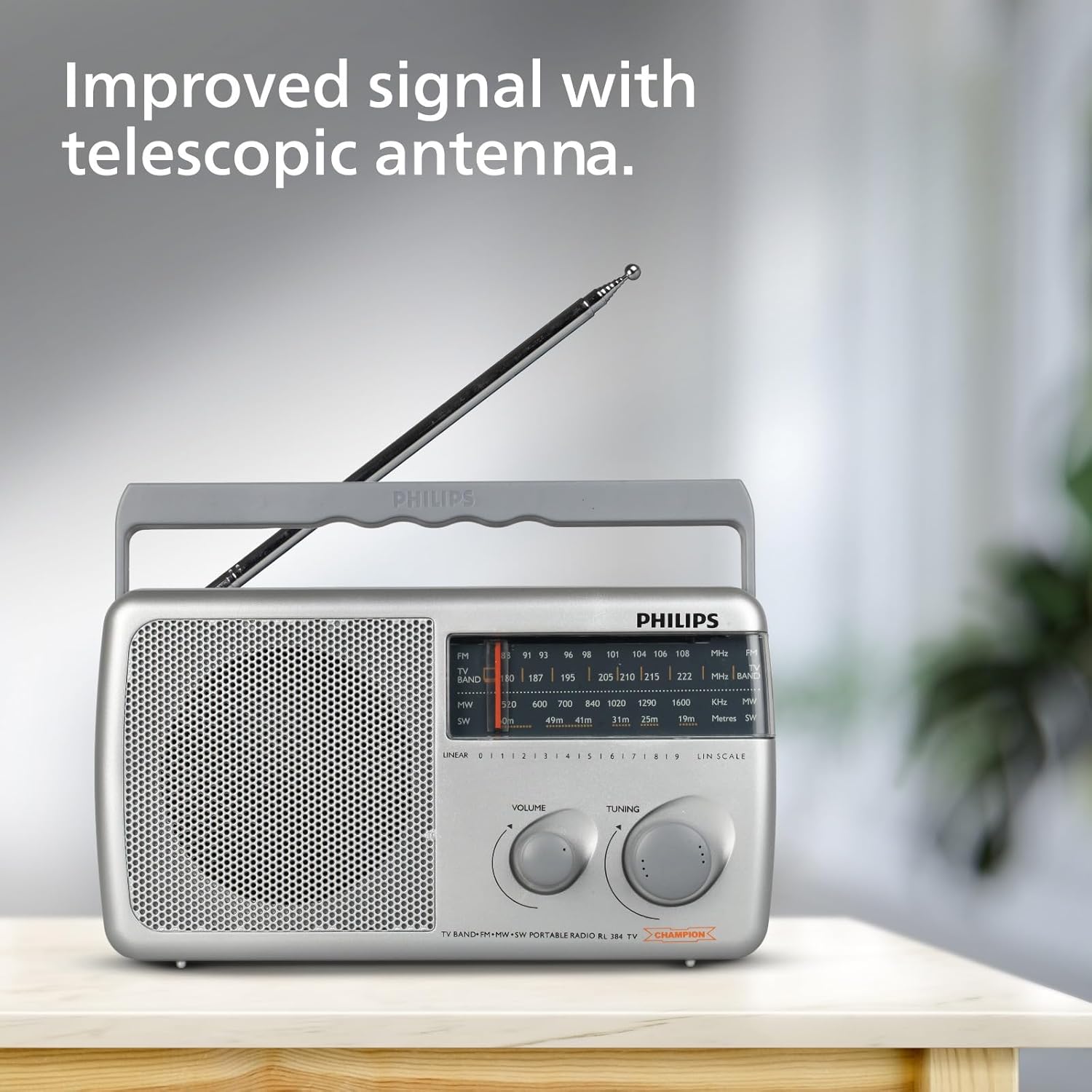
Image: The Philips Portable Radio RL384/94 with its telescopic antenna fully extended, demonstrating how to improve signal reception.
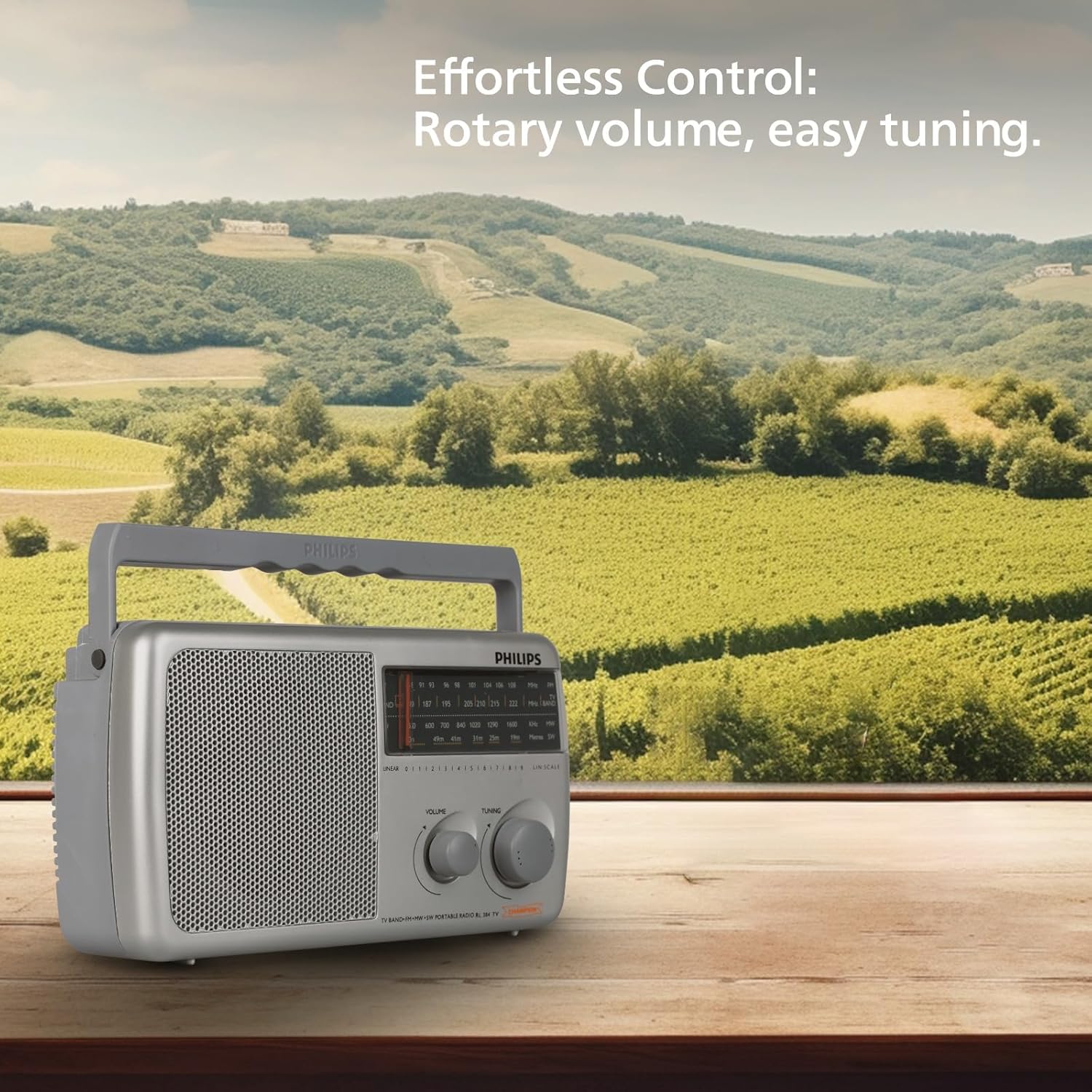
Image: The Philips Portable Radio RL384/94 on a wooden table, highlighting its rotary volume and tuning controls for effortless operation.
Konserwacja
Czyszczenie
- Wytrzyj radio miękką ściereczką.amp ściereczka. Nie należy używać środków czyszczących o właściwościach ściernych ani rozpuszczalników.
- Ensure no liquid enters the radio's openings.
Pielęgnacja baterii
- Aby zapobiec wyciekowi, wyjmij baterie, jeśli radio nie będzie używane przez dłuższy czas.
- Wymieniaj wszystkie baterie jednocześnie na nowe tego samego typu.
Rozwiązywanie problemów
| Problem | Możliwa przyczyna | Rozwiązanie |
|---|---|---|
| Brak dźwięku lub dźwięk bardzo cichy. | Volume is too low. Batteries are depleted or incorrectly inserted. External DC adapter is not connected or faulty. | Increase the volume. Check and replace batteries if necessary, ensuring correct polarity. Verify external DC adapter connection and functionality. |
| Słaby odbiór radia. | Antenna not extended. Weak signal in the area. Interference from other electronic devices. | Fully extend the telescopic antenna. Reposition the radio to a different location. Move the radio away from other electronic devices. |
| Radio się nie włącza. | No power source. Batteries are dead. External DC adapter is not working. | Ensure batteries are inserted or external DC adapter is connected. Replace batteries. Check external DC adapter. |
Specyfikacje
| Funkcja | Szczegół |
|---|---|
| Marka | Philips |
| Numer modelu | RL384/94 |
| Kolor | Szary |
| Wymiary produktu (dł. x szer. x wys.) | 30.3L x 17.8W x 13.4H centymetrów |
| Waga przedmiotu | 870 gram |
| Technologia tunera | FM |
| Obsługiwane pasma radiowe | MW, SW, FM (4-Band) |
| Częstotliwość | Do 108 MHz (FM) |
| Wyjście dźwięku | 500mWRMS |
| Głośnik | 4-inch (104mm) round loudspeaker, 8 Ohms impedance |
| Źródło zasilania | Battery Powered (3xR20) or External DC (4.5V) |
| Cechy specjalne | Built-In AM Antenna, Lightweight, Portable |
| Kraj pochodzenia | Indie |
Gwarancja i wsparcie
Informacje o gwarancji
This Philips Portable Radio RL384/94 comes with a 6 miesięcy gwarancji od daty zakupu. Zachowaj paragon jako dowód gwarancji.
Obsługa klienta
For any product-related queries, technical assistance, or warranty claims, please contact the manufacturer:
- Producent: TPV Technology India Pvt. Ltd.
- Informacje kontaktowe: TPV Technology India Pvt. Ltd. 501 - 508, 5th Floor, Bestech Chambers, B Block, Sushant Lok Phase - 1, Sector- 27, Gurgaon-122002, Haryana, India
Proszę odnieść się do oficjalnego Philipsa website or your local service center for the most up-to-date support information.