
1. Wprowadzenie
This manual provides detailed instructions for the installation, operation, and maintenance of your XMARTO Wireless PTZ Security Camera System. This system features 10X optical zoom, AI auto-tracking, 6MP dual-lens cameras, a 12-inch LCD monitor NVR, and a 1TB HDD for local storage. Please read this manual thoroughly before using the product to ensure proper functionality and safety.
2. Zawartość opakowania
Sprawdź, czy wszystkie wymienione poniżej elementy znajdują się w Twojej paczce. Jeśli brakuje któregokolwiek z nich lub jest on uszkodzony, skontaktuj się z obsługą klienta.

Image: Package Contents Overview
- 10-channel 4K WiFi NVR with 12-inch LCD Monitor (x1)
- Dual-lens PTZ Cameras (x10)
- Kabel HDMI (x1)
- Zasilacz 12 V 1 A do aparatu (x10)
- Zasilacz 12 V 2 A do rejestratora NVR (x1)
- Mysz USB (x1)
- 3-stopowy kabel Ethernet (x1)
- Podręcznik użytkownika (x1)
- Mounting Kits (x10)
- Naklejka monitorująca (x2)
3. Funkcje produktu
3.1. 10X Hybrid Zoom Dual-Lens Cameras
The cameras are equipped with a dual-lens system: a 2.8mm ultra-wide angle lens for broad coverage and an 8mm telephoto lens for detailed long-distance viewing. This combination enables a 10X hybrid zoom capability, allowing you to zoom in on specific areas without significant loss of clarity.

Image: Dual Lens 10X Zoom Capability
3.2. Automatyczne śledzenie AI
The cameras feature advanced AI auto-tracking, which automatically detects and follows human, animal, and vehicle movements within the surveillance area. After tracking, the camera will return to its pre-set home position, ensuring continuous monitoring of critical zones.

Image: AI Automatic Tracking in action
Video: Demonstration of the camera's AI tracking capabilities, showing it following a person in a yard.
3.3. Easy Remote Viewwchodzenie
Access your camera feeds from anywhere using the free mobile applications available for iOS, Android, PC, Mac, and Alexa-enabled devices. View multiple cameras simultaneously and control PTZ functions remotely.

Obraz: Zdalny Viewna wielu urządzeniach
Wideo: Ponadview of the XMARTO SYS-60104 WiFi Camera System, demonstrating its features and ease of use.
3.4. Two-Way Audio and Deterrence
Each camera includes a built-in microphone and speaker, enabling two-way communication. You can hear audio from the camera's location and speak through the camera using the mobile app. A siren function is also available to deter unwanted visitors.

Image: Two-Way Audio and Siren Functionality
3.5. IR and Color Night Vision
The cameras offer both infrared (IR) and color night vision modes. IR LEDs provide clear black-and-white vision up to 100ft in complete darkness, while integrated floodlights enable color night vision for areas within 20ft. You can configure the system to use either mode or switch automatically based on lighting conditions.

Image: IR and Color Night Vision Modes
Video: Sample footage demonstrating both daytime and night vision views, including AI tracking functionality.
3.6. WiFi 6 and Long-Range Connectivity
The system utilizes WiFi 6 technology for enhanced wireless performance and extended range. This allows for reliable connection between the cameras and the NVR, even across significant distances, up to 1300ft line of sight.

Image: WiFi 6 Long-Range Connectivity
3.7. 1TB Local Storage
The NVR includes a pre-installed 1TB hard disk drive (HDD), providing ample local storage for continuous recording without monthly fees. The system supports H.265 encoding, which efficiently compresses video files to maximize storage capacity.

Image: 1TB Local Storage and NVR
4. Przewodnik konfiguracji
4.1. Identifying Camera Components
Familiarize yourself with the various parts of the PTZ camera:

Image: XMARTO Camera Components
- Antena: Do odbioru sygnału bezprzewodowego.
- Detachable Mounting Bracket: Do instalacji.
- 2.8mm Ultra-wide angle Lens: Zapewnia szerokie pole view.
- 8mm Telephoto Lens: For zoomed-in views.
- Infrared & Spotlight 2-in-1 LEDs: Do widzenia w nocy i oświetlenia.
- Mikrofon: Do wejścia audio.
- 12V DC Power Port: Do podłączenia zasilania.
- Głośnik: Do dwukierunkowego wyjścia audio i syreny.
- Reset Key & Micro SD Card Slot: For system reset and local storage expansion.
4.2. Identifying NVR Components
Familiarize yourself with the various parts of the NVR:

Image: XMARTO NVR Components
- Ekran HD o przekątnej 12.1 cala: Integrated display for live view i odtwarzanie.
- Wskaźnik zasilania: Pokazuje stan zasilania.
- Włączanie/wyłączanie ekranu: Button to control the display.
- Hard drive indicator: Shows HDD activity.
- Podstawka: Do umieszczenia na biurku.
- WiFi 6 antennas: Do łączności bezprzewodowej.
- Głośnik: Do wyjścia audio.
- 12V DC in: Power input for the NVR.
- Port USB: For mouse, USB backup, or firmware updates.
- Wyjście wideo HDMI: Do podłączenia zewnętrznego monitora lub telewizora.
- Port sieciowy RJ45: Do przewodowego połączenia sieciowego.
- Reset: Button to reset NVR settings.
- Gniazdo kart Micro SD: Dodatkowa przestrzeń do przechowywania.
- SATA hard drive dock: For internal HDD.
- Wall-mounting hole: Do montażu na ścianie.
4.3. Początkowe kroki konfiguracji
- Podłączenie zasilania: Connect the 12V 2A power adapter to the NVR and plug it into an electrical outlet. Connect each camera to its respective 12V 1A power adapter and plug them into outlets.
- NVR Boot-up: The NVR will power on automatically. The integrated 12-inch LCD monitor will display the live camera feeds once the cameras connect wirelessly.
- Połączenie myszy: Connect the USB mouse to the NVR's USB port for navigation and configuration.
- Połączenie sieciowe (opcjonalnie): Dla pilota viewing and firmware updates, connect the NVR to your router using the Ethernet cable or configure WiFi settings via the NVR menu.
- Konfiguracja aplikacji mobilnej: Download the XMARTO mobile application (WallPixel App) from your device's app store. Follow the in-app instructions to add your NVR system for remote access.
5. Instrukcja obsługi
5.1. Na żywo View i odtwarzanie
- On NVR Monitor: The NVR's integrated screen displays live feeds. Use the USB mouse to navigate menus, switch views (single camera, multi-camera), and access playback options.
- On External Monitor/TV: Connect an external monitor or TV to the NVR via the HDMI port for a larger display.
- W aplikacji mobilnej: Open the XMARTO app on your smartphone or tablet. Select the desired camera to view żyćtage or access recorded events.
5.2. PTZ Control and Zoom
Pan, Tilt, and Zoom (PTZ) functions can be controlled via the NVR interface or the mobile application. Use the on-screen controls to adjust the camera's direction and utilize the 10X hybrid zoom to focus on specific details.
5.3. Dwukierunkowy dźwięk i syrena
From the mobile app, you can activate the microphone to listen to audio near the camera or use the speaker to speak through the camera. The siren function can be triggered manually from the app to deter intruders.
5.4. Rejestrowanie i przechowywanie
The system continuously records footage to the pre-installed 1TB HDD. Motion-triggered recordings are also supported. Access recorded footage through the NVR's playback menu or the mobile app's playback feature.
6. Konserwacja
- Czyszczenie: Regularnie czyść obiektywy aparatu miękką, suchą ściereczką, aby zapewnić wysoką jakość obrazu. Nie używaj silnych środków chemicznych.
- Aktualizacje oprogramowania układowego: Check for and install firmware updates periodically to ensure optimal performance and access to new features. Updates can typically be performed via the NVR's system settings or the mobile app.
- Zarządzanie dyskiem twardym: The 1TB HDD will overwrite the oldest footage when full. If you require longer retention, consider backing up important footage or upgrading the HDD (if supported by the NVR model).
- Zasilanie: Sprawdź, czy wszystkie zasilacze są solidnie podłączone i nieuszkodzone.
7. Rozwiązywanie Problemów
- Brak obrazu na ekranie:
- Check if the NVR and cameras are powered on.
- Ensure the NVR's screen is turned on.
- If using an external monitor, verify the HDMI cable connection and monitor input source. - Słabe połączenie bezprzewodowe:
- Ensure cameras are within the NVR's WiFi range. Obstacles like thick walls can reduce signal strength.
- Reposition antennas on both NVR and cameras for better reception.
- Reduce interference from other wireless devices. - AI Tracking Not Working:
- Ensure the AI tracking feature is enabled in the camera settings.
- Verify that the camera's field of view jest przejrzysty i niezakłócony.
- Adjust motion detection sensitivity if necessary. - Brak dźwięku/słaba jakość dźwięku:
- Check microphone and speaker settings in the NVR or mobile app.
- Ensure there are no physical obstructions blocking the microphone or speaker on the camera. - Brak dostępu zdalnego:
- Verify the NVR is connected to the internet (Ethernet or WiFi).
- Ensure the mobile app is correctly configured and linked to your NVR system.
- Check your router's firewall settings if connection issues persist.
8. Specyfikacje
| Funkcja | Specyfikacja |
|---|---|
| Marka | xmart O |
| Technologia łączności | Bezprzewodowy |
| Rozdzielczość przechwytywania wideo | 2K, 4K |
| Funkcja specjalna | Night Vision, AI Auto Tracking, 10X Zoom |
| Liczba kanałów | 10 |
| Pojemność pamięci masowej | 1 TB (HDD Included) |
| Źródło zasilania | Elektryczny przewodowy |
| Kompatybilne urządzenia | Cameras, iOS, Android, PC, Mac, Alexa |
| Technologia słabego oświetlenia | Wizja nocna |
| Zakres noktowizora | 100 stóp (IR) |
| Szybkość klatek | 30 klatek na sekundę |
| Tryb nagrywania | Continuous, Motion-activated |
| Interfejs sprzętowy | 802.11 ac/b/g/n (WiFi 6) |
| Typ soczewki | Dual-Lens (2.8mm, 8mm) |
| Wejście wideo | HDMI, IP |
9. Gwarancja i wsparcie
XMARTO provides comprehensive after-sales support for your security camera system:
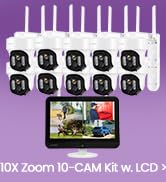
Image: After-sales Support Overview
- 30-dniowa gwarancja zwrotu pieniędzy: Jeśli nie jesteś zadowolony z zakupu, możesz go zwrócić w ciągu 30 dni i otrzymać pełny zwrot pieniędzy.
- 1-letnia ograniczona gwarancja: Produkt jest objęty roczną ograniczoną gwarancją obejmującą wady produkcyjne.
- Wsparcie online 24/7: Uzyskaj dostęp do indywidualnej pomocy online w przypadku pytań lub wątpliwości natury technicznej.
For further assistance, please visit the official XMARTO webodwiedź witrynę lub skontaktuj się bezpośrednio z działem obsługi klienta.