

1. Wprowadzenie
Thank you for choosing the Rraycom BW4 Plus 2K QHD Wireless Outdoor Security Camera System. This manual provides essential information for the proper installation, operation, and maintenance of your security cameras. Please read this manual thoroughly before use and retain it for future reference.
2. Co znajduje się w pudełku
- Security Camera (4 units)
- Śruby montażowe i kotwy
- Kabel ładujący USB
- Instrukcja obsługi
Note: An SD card for local storage is not included and must be purchased separately.
3. Koniec produktuview
The Rraycom BW4 Plus camera system offers advanced features for comprehensive outdoor surveillance. Key features include:
- 2K QHD 3MP Resolution: Rejestruje wyraźne i szczegółowe dźwiękitage (2304x1296 pixels).
- Obiektyw szerokokątny 120°: Provides expanded coverage of your property.
- Kolorowe widzenie nocne: Ensures vivid footage nawet w warunkach słabego oświetlenia.
- Bateria 12000mAh: Offers extended surveillance for up to 300 days on a single charge.
- Odporność na warunki atmosferyczne IP66: Designed for reliable outdoor performance in various weather conditions.
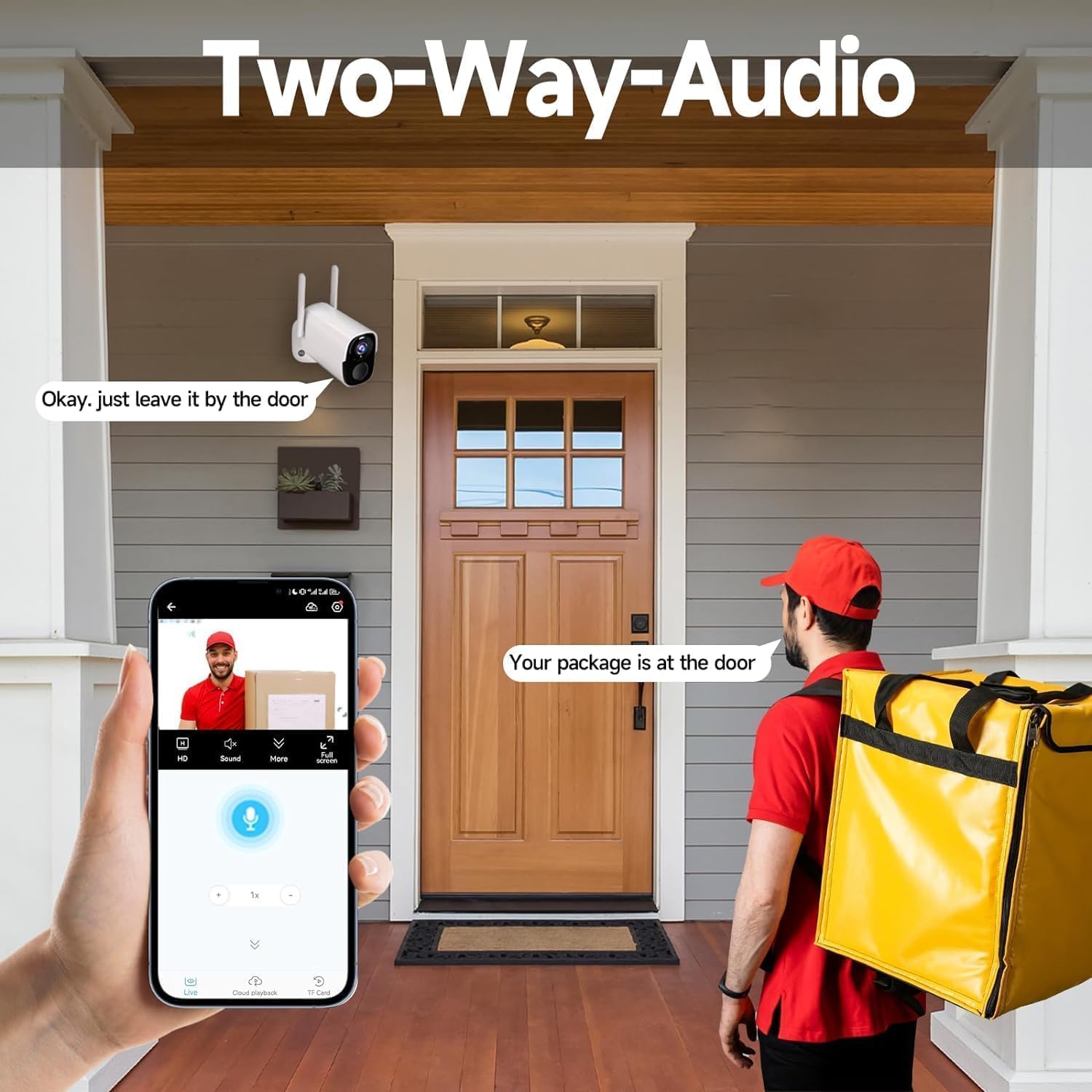
- Dwukierunkowy dźwięk: Umożliwia komunikację w czasie rzeczywistym poprzez kamerę.
- Motion Sensor with Siren & Strobe Lights: Alerts to potential threats and deters intruders.
- 2.4 GHz Wi-Fi & Alexa Compatible: Easy connectivity and smart home integration.
- Cloud Service & Local Storage: Complimentary 3-day cloud trial or local storage up to 256 GB (SD card not included).

4. Konfiguracja
4.1 Pierwsze ładowanie
Before first use, fully charge the camera using the provided USB charging cable. Connect the cable to the camera's charging port and a standard USB power adapter (not included). The LED indicator will show charging status.
4.2 Instalacja i parowanie aplikacji
- Download the official Rraycom app from your smartphone's app store (iOS or Android).
- Zarejestruj konto i zaloguj się.
- Tap 'Add Device' and select 'Battery Camera'.
- Follow the in-app instructions to power on the camera and confirm the LED indicator is flashing.
- Scan the QR code displayed in the app with your camera lens. A voice prompt will confirm successful pairing.
- Name your camera (e.g., 'Front Door', 'Backyard').
- Ensure your Wi-Fi signal is strong at the camera's intended location (2.4 GHz Wi-Fi only).
4.3 Montaż kamery
Wybierz miejsce montażu zapewniające optymalną viewing angle and Wi-Fi signal strength. Use the provided screws and anchors to securely mount the camera. Ensure the solar panel (if purchased separately) is positioned to receive maximum sunlight.

Wideo 4.1: Overview of the Rraycom BW4 Plus wire-free camera, showcasing its features and ease of installation.
5. Instrukcja obsługi
5.1 Na żywo View & Odtwarzanie
Access the Rraycom app to view żyćtagz aparatu. Możesz również ponownieview recorded events stored in the cloud or on an inserted SD card.
5.2 Detekcja ruchu i alerty
The camera features advanced motion detection. Customize sensitivity levels and detection zones within the app to minimize false alarms. When motion is detected, the camera can trigger a siren and strobe lights, and send instant alerts to your smartphone.

5.3 Dźwięk dwukierunkowy
Use the two-way audio feature in the app to communicate with visitors or deter unwanted guests. Simply tap the microphone icon in the live view mówić przez głośnik kamery.
5.4 Widzenie nocne
The camera automatically switches to night vision mode in low-light conditions. Enjoy clear 2K QHD footage with advanced Full Color Night Vision for enhanced security.

5.5 Integracja z Alexą
Connect your Rraycom camera to Amazon Alexa for convenient voice control. Use commands like, "Alexa, show me the front door camera" to view transmisje na żywo na kompatybilnych urządzeniach Alexa.
6. Konserwacja
6.1 Czyszczenie
Regularnie czyść obiektyw i obudowę aparatu miękką, miękką szmatką.amp ściereczką, aby zapewnić optymalną przejrzystość obrazu. Unikaj stosowania silnych środków chemicznych i materiałów ściernych.
6.2 Zarządzanie baterią
The 12000mAh battery provides long-lasting power. Monitor battery levels via the app and recharge as needed. If using a solar panel, ensure it is clean and positioned for maximum sun exposure to maintain battery charge.
6.3 aktualizacji oprogramowania sprzętowego
Check the app regularly for firmware updates. Keeping your camera's firmware up-to-date ensures optimal performance and access to new features.

7. Rozwiązywanie Problemów
- Kamera offline: Check Wi-Fi connection, ensure camera is charged, and restart the camera if necessary.
- Słaba jakość obrazu: Clean the lens, check Wi-Fi signal strength, and ensure adequate lighting for night vision.
- Alerty o fałszywym ruchu: Adjust motion detection sensitivity and detection zones in the app.
- Problemy z dwukierunkowym dźwiękiem: Check microphone and speaker volume settings in the app. Ensure no obstructions.
- Szybkie rozładowywanie baterii: Reduce motion detection sensitivity, shorten recording times, or ensure solar panel is receiving sufficient sunlight.
8. Specyfikacje
| Funkcja | Szczegół |
|---|---|
| Nazwa modelu | BW4plus |
| Rozdzielczość przechwytywania wideo | 2K QHD (2304x1296 pixels) |
| Pole View (pole widzenia) | 120° |
| Źródło zasilania | Zasilany bateryjnie (12000mAh) |
| Protokół łączności | Wi-Fi (tylko 2.4 GHz) |
| Międzynarodowa Ocena Ochrony | IP66 |
| Cechy specjalne | 2-Way Audio, Color Night Vision, Local Recording, Built-In Light, Motion Sensor, Portable, Alexa Compatible |
| Local Storage Support | Do 256 GB (karta SD nie jest dołączona) |
| Kompatybilne urządzenia | Android, iOS, PC, Amazon Alexa |
9. Gwarancja i wsparcie
Rraycom products come with a standard manufacturer's warranty. For detailed warranty information, please refer to the warranty card included in your product packaging or visit the official Rraycom webstrona.
9.1 Obsługa klienta
If you encounter any issues or have questions regarding your Rraycom BW4 Plus camera system, please contact our customer support team:
- E-mail: posprzedażna@rraycom.com
- Wsparcie online: Visit the Rraycom official webStrona z odpowiedziami na często zadawane pytania i zasobami pomocy.
