
Wstęp
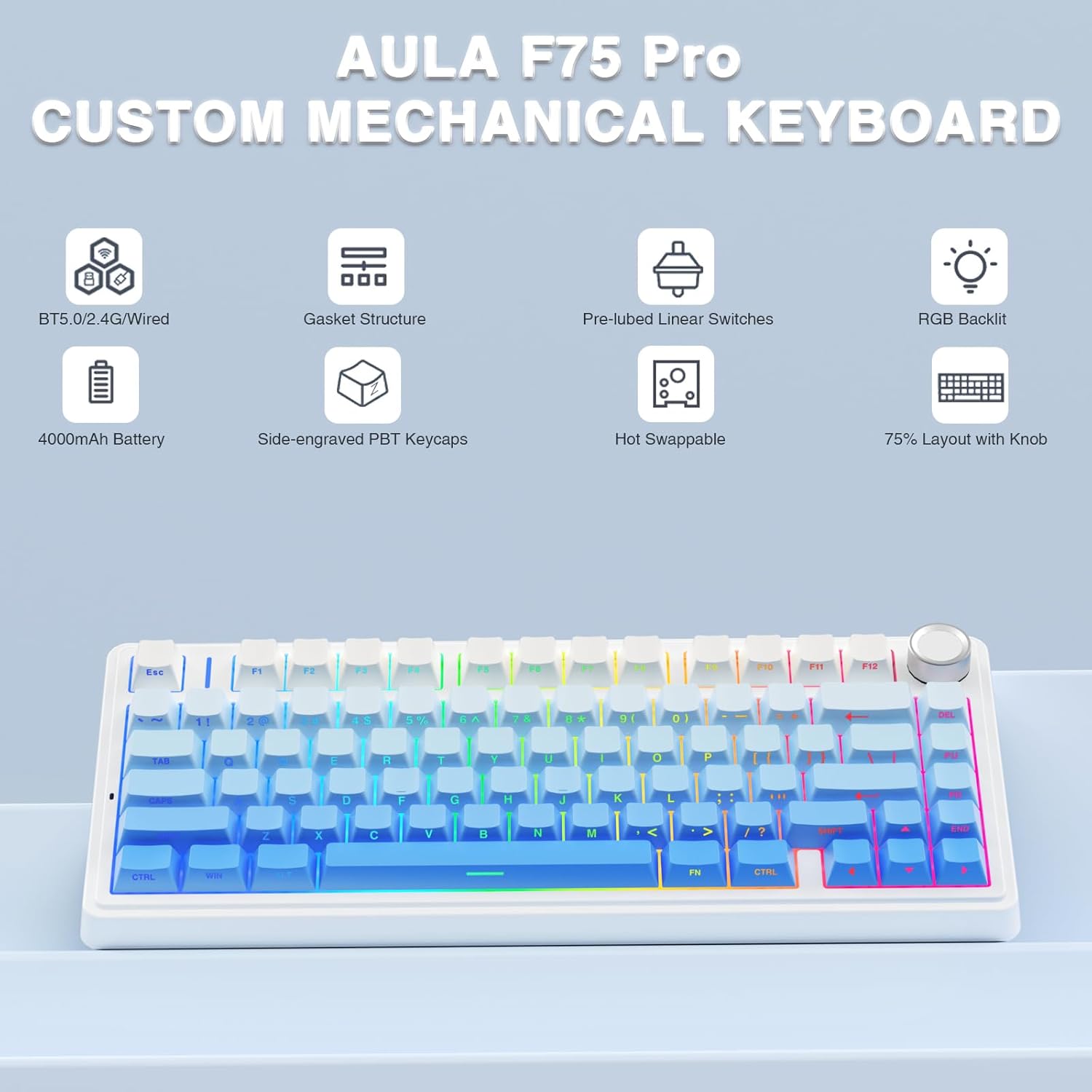
The AULA F75 Pro is a versatile 75% layout mechanical keyboard designed for gaming and productivity. It features tri-mode connectivity (Bluetooth 5.0, 2.4GHz wireless, and USB-C wired), hot-swappable switches, 16.8 million color RGB backlighting, and a multi-function control knob. This manual provides detailed instructions for setup, operation, and maintenance to ensure optimal performance.
Co jest w pudełku
- Bezprzewodowa klawiatura mechaniczna AULA F75 Pro
- Narzędzie do zdejmowania nakładek klawiszy/przełączników x1
- Kabel USB C x1
- Extra Leobog Star Vector Switches x 2
- Osłona przeciwkurzowa x1
- Instrukcja obsługi
Organizować coś
Tryby połączenia
The AULA F75 Pro supports three connection methods:
- Łączność bezprzewodowa 2.4 GHz: For a stable, low-latency connection, ideal for gaming.
- Bluetooth 5.0: For wireless convenience with up to five devices.
- USB-C przewodowy: For a direct, reliable connection and charging.
Switch between modes using the dedicated switch or shortcut keys on the keyboard. The keyboard is compatible with PC, laptops, tablets, mobile phones, PS, and XBOX.


Ładowanie
The keyboard is equipped with a 4000mAh large-capacity battery for long-lasting use. Connect the USB-C cable to the keyboard and a power source to charge. Battery life is approximately 17.5 hours with backlighting on and 266.5 hours with backlighting off.

Instrukcja obsługi
Podświetlenie RGB
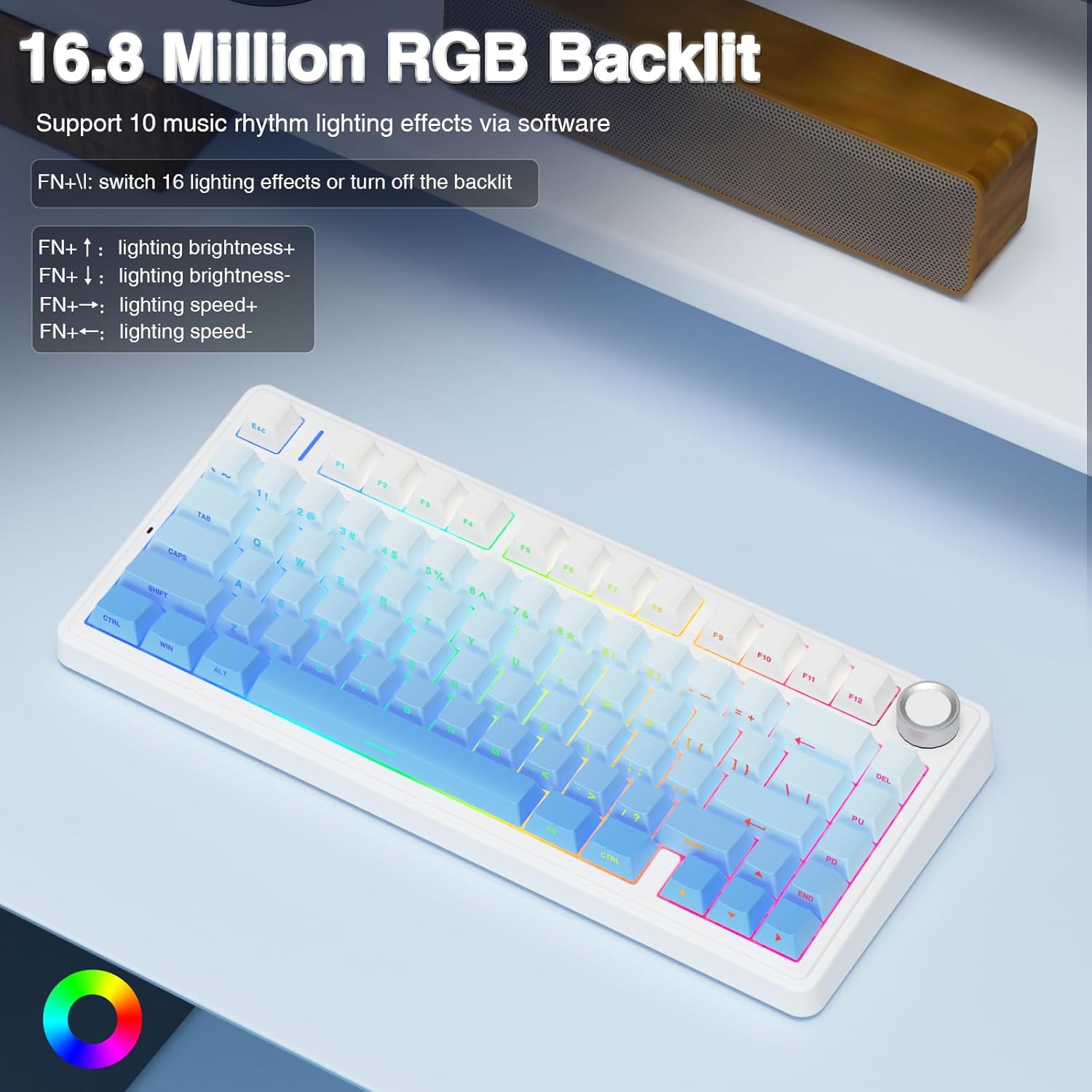
The F75 Pro features 16.8 million RGB lighting colors with 16 pre-set lighting effects. It also supports 10 music rhythm lighting effects via the driver software. Adjust lighting brightness and speed using the multi-function knob or the FN + key combination. You can also turn off the backlight if not needed.

Wielofunkcyjne pokrętło sterujące
The knob allows switching between Gaming Mode and Office Mode. In Gaming Mode, rotate to adjust light brightness and click to switch lighting effects. In Office Mode, rotate to adjust volume and click to play/pause media. Long press the knob for approximately 5 seconds to switch between modes.
Custom Software and Macro Programming
Customize single keys or key combinations through the F75 driver software to enhance gaming and work efficiency. The software also supports macro recording and editing. Note: The driver software only runs under Windows system in wired mode.

Konserwacja
Przełączniki z możliwością wymiany podczas pracy
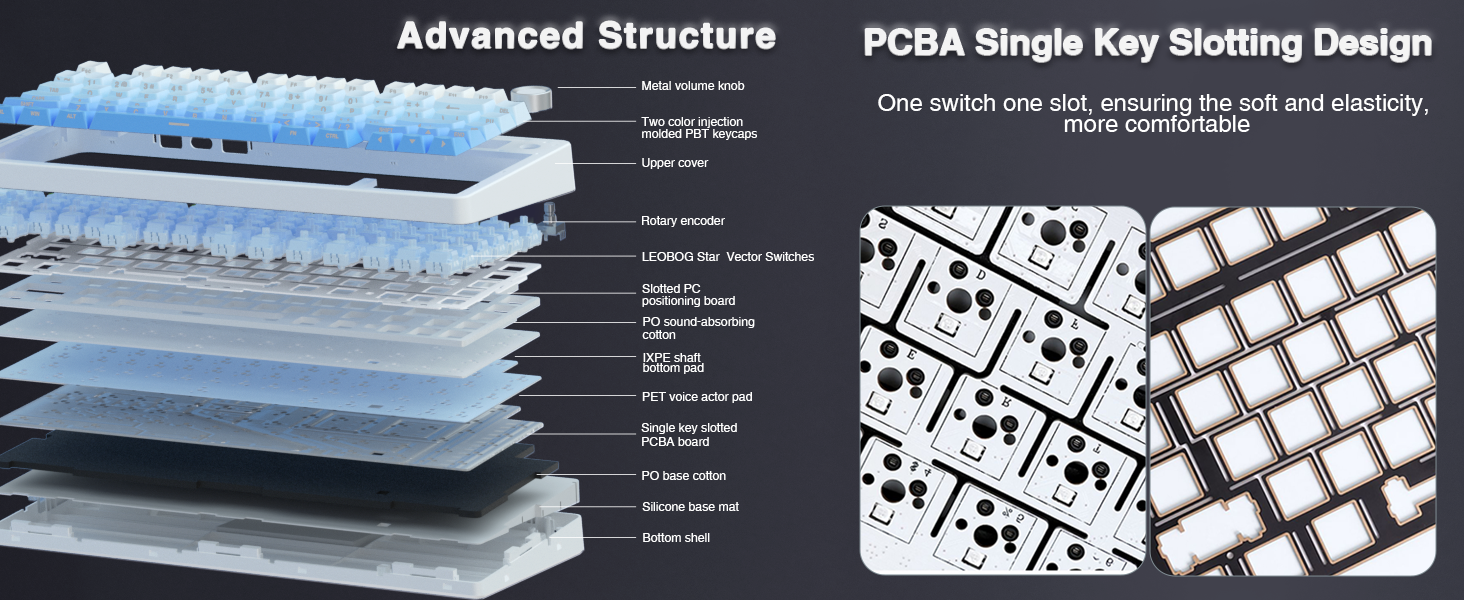
The custom mechanical keyboard features a hot-swappable base that supports both 3-pin and 5-pin switches. This allows for easy replacement and customization of switches without soldering. The keyboard comes equipped with pre-lubricated LEOBOG Star Vector switches for a smooth typing experience.

Klawisze
The keyboard features side-printed PBT keycaps, manufactured using double injection molding and heat sublimation processes. This ensures durability, resistance to fading and sweat, and a soft touch. The design allows backlighting to shine through the fonts.

Czyszczenie
Regularly use the included dust cover to protect the keyboard from dust and debris. For cleaning, gently wipe the keycaps and chassis with a soft, dry cloth. Avoid using harsh chemicals or abrasive materials.
Rozwiązywanie problemów
- Problemy z łącznością: Ensure the mode switch (2.4G, BT, Wired) is set correctly. Check battery level and charge if necessary. For 2.4GHz, ensure the USB receiver is properly inserted. For Bluetooth, ensure the keyboard is in pairing mode and visible to your device.
- Oświetlenie RGB nie działa: Check if the backlight is turned off via the knob or FN+key combination. Ensure the keyboard is charged.
- Problemy z oprogramowaniem/makrami: The F75 driver software requires the keyboard to be connected via USB-C wired mode and running on a Windows operating system for full functionality.
- Klawisze nie reagują: If individual keys are not responding, try replacing the switch using the included keycap/switch puller and spare switches.
Specyfikacje
| Funkcja | Szczegół |
|---|---|
| Marka | AULA |
| Nazwa modelu | F75 Pro |
| Technologia łączności | Łączność bezprzewodowa 2.4 GHz, BT5.0, USB-C |
| Opis klawiatury | Mechaniczny |
| Liczba kluczy | 81 |
| Układ klawiatury | QWERTY |
| Typ przełącznika | Linear (LEOBOG Star Vector Switches) |
| Cechy specjalne | Backlit (RGB), Hot-Swappable, Programmable Keys, Rechargeable, Volume Roller |
| Pojemność baterii | 4000mAh |
| Materiał nasadek klawiszy | Side-Printed PBT |
| Wymiary produktu | 12.7" dł. x 5.64" szer. x 1.7" wys. |
| Waga przedmiotu | 1.02 kilograma |
| Kompatybilne urządzenia | Konsola do gier, laptop, komputer, smartfon, tablet |
| Kompatybilny system operacyjny | MacOS, Windows |
Gwarancja i wsparcie
This product comes with a 6-month warranty. For technical support, troubleshooting assistance, or warranty claims, please contact AULA customer service through their official channels or the retailer where the product was purchased. Please refer to the contact information provided in the packaging or on the official AULA webstrona.


