
1. Wprowadzenie
Welcome to your MZZYG Dash Cam user manual. This guide provides essential information for the safe and effective operation of your new dash camera. Please read it thoroughly before use to ensure proper installation and functionality.
2. Informacje dotyczące bezpieczeństwa
- Upewnij się, że kamera samochodowa jest bezpiecznie zamontowana i nie przeszkadza kierowcy. view lub zakłócić działanie poduszek powietrznych.
- Nie obsługuj urządzenia ani nie zmieniaj ustawień podczas jazdy. Przed dokonaniem jakichkolwiek zmian zawsze zjedź na pobocze i zatrzymaj się w bezpiecznym miejscu.
- Use only the provided power adapter and accessories. Using unauthorized accessories may damage the device and void the warranty.
- Avoid exposing the device to extreme temperatures (below -20°C or above 70°C) or direct sunlight for extended periods.
- Trzymaj urządzenie z dala od wody i wilgoci.
3. Zawartość opakowania
W skład pakietu wchodzą następujące elementy:
- MZZYG Dash Cam Unit
- Ładowarka samochodowa
- Camera Link Cable (for rear camera, if included)
- Mocowanie przyssawki
4. Koniec produktuview
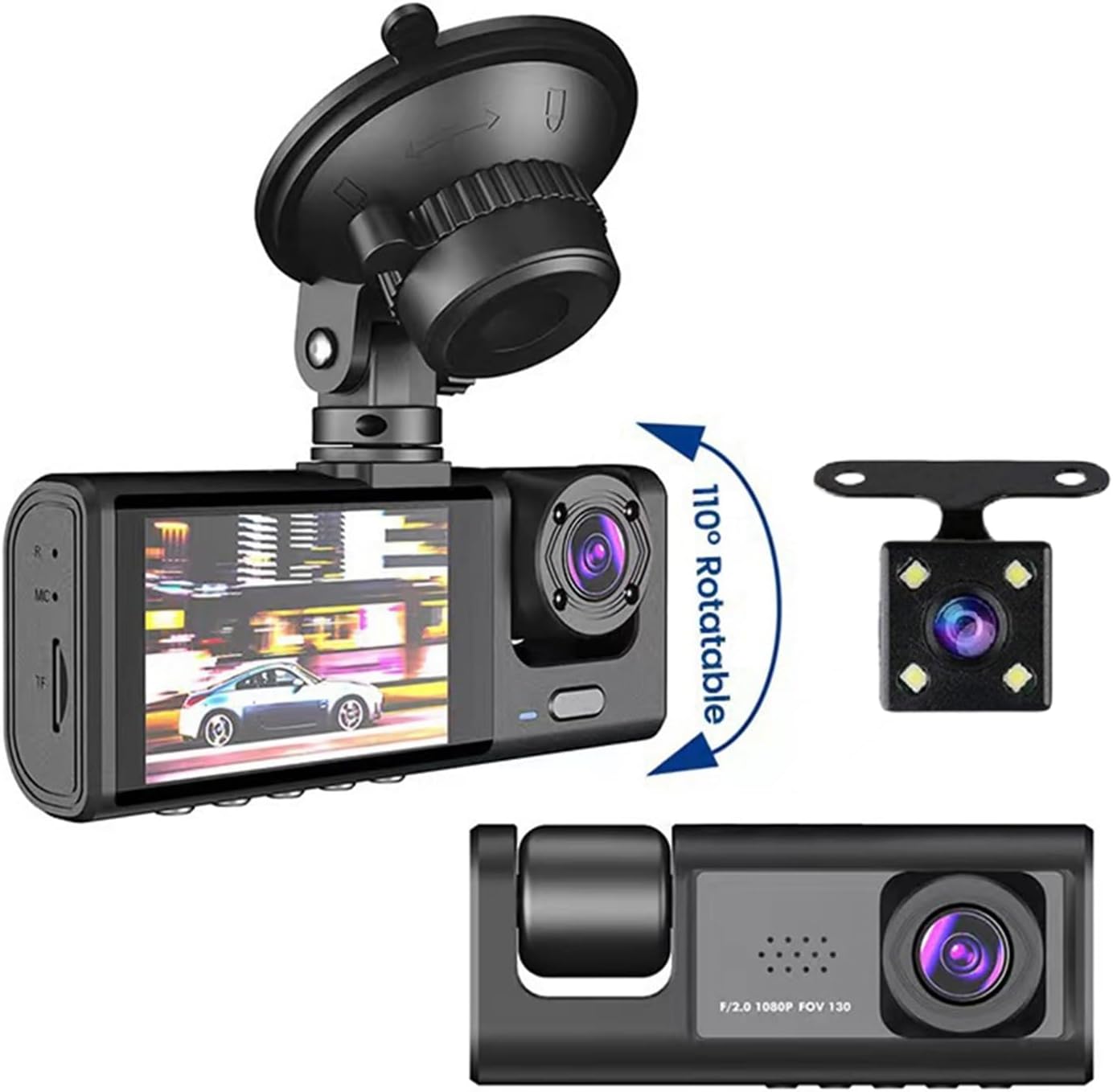
The MZZYG Dash Cam is designed to provide comprehensive vehicle surveillance with its multi-camera recording capabilities and advanced features.
Główne cechy:
- Wysoka rozdzielczość widzenia nocnego: Records in 1080P high definition, ensuring clear images even in low-light conditions.
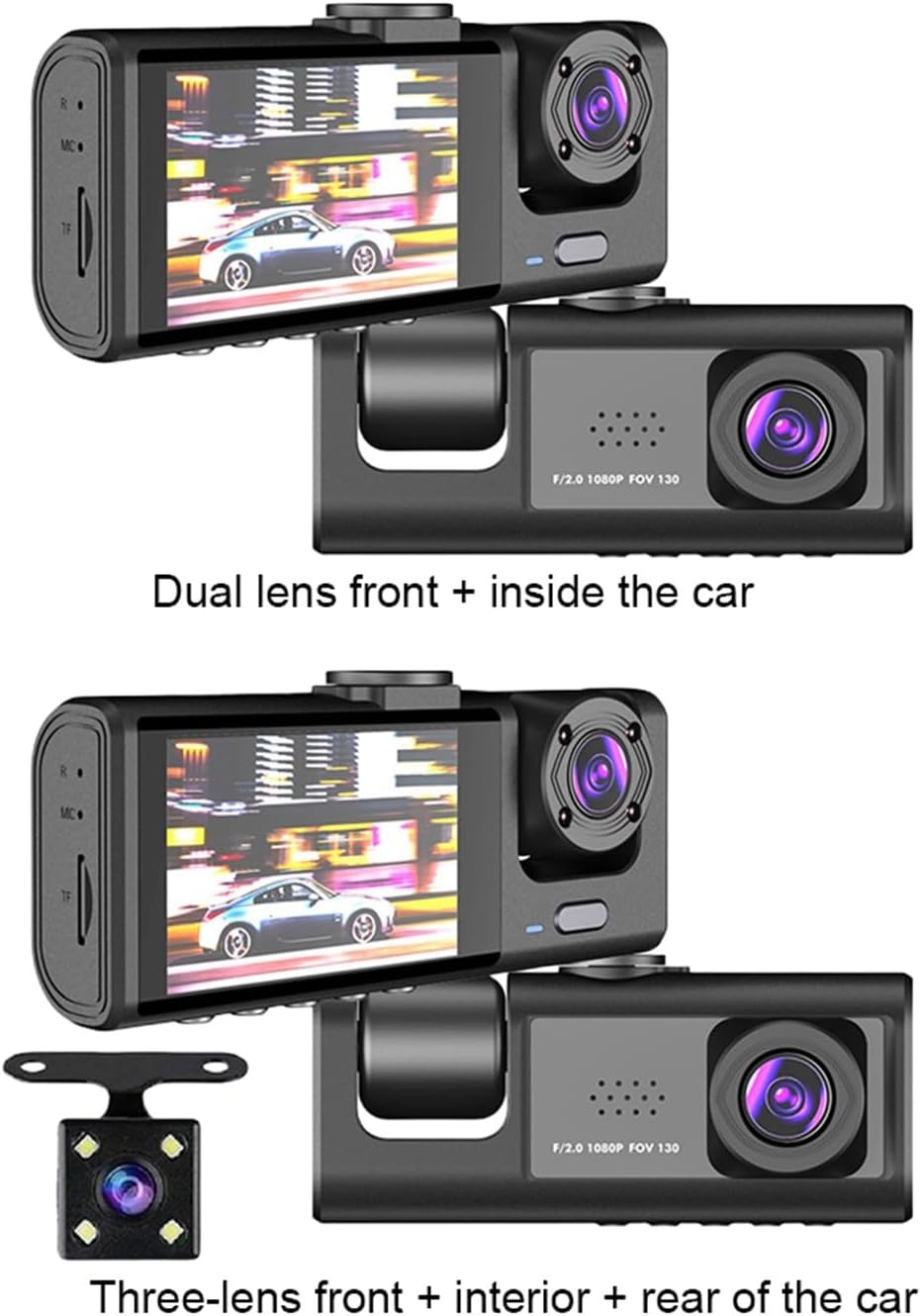
- Dual/Triple Camera Recording: Supports recording from multiple angles (front, interior, and optional rear camera) with various screen display modes (picture-in-picture, split-screen, full-screen).
- Szeroki kąt View: Features a 170-degree front lens, 120-degree interior lens, and 140-degree rear lens for extensive coverage without blind spots.
- Nagrywanie w pętli: Ciągłe zapisywanie, nadpisywanie najstarszych filegdy karta pamięci jest pełna, zapewniając nieprzerwane nagrywanie.
- Detekcja ruchu: Automatically starts recording if motion is detected while the vehicle is parked.
- Czujnik G: Wykrywa nagłe uderzenia lub kolizje i automatycznie blokuje bieżący film file aby zapobiec jego nadpisaniu.
- Monitor parkowania: Records automatically if a collision or impact is detected while the vehicle is parked and turned off.
- Backup Camera Function: Automatically switches to display the rear view when reversing, providing a clearer image for parking.
Product Components and Views:



5. Konfiguracja
5.1 Montaż kamery samochodowej
- Wyczyść obszar na przedniej szybie samochodu, w którym zamierzasz zamontować kamerę samochodową.
- Attach the suction cup mount to the windshield, ensuring it is securely fastened and does not obstruct your view drogi.
- Securely attach the dash cam unit to the suction cup mount. Adjust the camera angle for optimal front view zasięg.
5.2 Połączenie zasilania
- Podłącz ładowarkę samochodową do portu USB kamery samochodowej.
- Podłącz drugi koniec ładowarki samochodowej do gniazda zapalniczki w pojeździe.
- Kamera samochodowa zazwyczaj włącza się automatycznie po uruchomieniu pojazdu i wyłącza się po jego wyłączeniu.
5.3 Wkładanie karty pamięci
- Ensure the dash cam is powered off before inserting or removing the memory card.
- Insert a TF (microSD) card (up to 64GB, Class 10 or higher recommended) into the TF card slot until it clicks into place.
- It is highly recommended to format the memory card within the dash cam's settings menu before first use and periodically thereafter to ensure optimal performance and prevent data corruption.
5.4 Initial Settings (Language)
Upon first power-on, you may need to set the language:
- Navigate to the system settings menu on the dash cam's screen.
- Select the 'OSD Language' option.
- Choose your preferred language from the available options: Chinese (Simplified), Chinese (Traditional), German, Russian, French, Korean, Portuguese, Japanese, Spanish, Italian, English.
6. Instrukcja obsługi
6.1 Podstawowe nagrywanie (nagrywanie w pętli)
Once powered on and with a memory card inserted, the dash cam will automatically begin loop recording. This feature ensures continuous recording by overwriting the oldest video files when the memory card reaches its full capacity. You can adjust the loop recording duration (e.g., 1, 3, 5 minutes) in the settings menu.
6.2 G-Sensor Functionality
The built-in G-sensor detects sudden acceleration, braking, or impacts. When a significant event is detected, the current video file is automatically locked and saved to a protected folder, preventing it from being overwritten by loop recording. The sensitivity of the G-sensor can be adjusted in the settings.
6.3 Wykrywanie ruchu
When enabled in the settings, the dash cam will automatically start recording if it detects movement in front of the vehicle while it is parked. This feature is useful for monitoring your vehicle when you are away.
6.4 Monitor parkowania
The parking monitor feature allows the dash cam to automatically record a short video clip if it detects a collision or impact while the vehicle is parked and the engine is off. This provides surveillance even when the car is stationary.
6.5 Rear Camera Operation (if applicable)
If your dash cam includes a rear camera, connect it to the main unit using the provided camera link cable. When the vehicle is put into reverse, the dash cam will automatically switch its display to show the rear view, pomoc przy parkowaniu i manewrowaniu.
6.6 Odtwarzanie wideo
Do view nagrane filmy:
- Stop recording (if currently active).
- Enter the playback mode through the menu options.
- Use the navigation buttons to browse through the recorded files.
- Wybierz file to play it back on the dash cam's screen.
6.7 Date and Time Watermark
The dash cam supports displaying a floating date and time watermark on all recorded videos. Ensure the date and time settings are accurate in the system menu for correct timestampnagrywania Twoich nagrań.
7. Konserwacja
7.1 Czyszczenie urządzenia
- Wipe the camera lenses and the screen with a soft, dry, lint-free cloth.
- Do not use abrasive cleaners, solvents, or chemical cleaning agents, as these can damage the device's surface or lenses.
7.2 Zarządzanie kartą pamięci
- Regularly format the TF card (at least once a month) using the dash cam's menu to maintain optimal performance and prevent data corruption.
- If the memory card frequently shows errors or fails to record, consider replacing it with a new, high-quality TF card.
8. Rozwiązywanie Problemów
- Urządzenie się nie włącza: Check the power connection, ensure the car charger is properly inserted, and verify that your vehicle's power outlet is functional. Ensure the internal battery has some charge.
- Problemy z nagrywaniem (np. brak nagrywania, uszkodzenie) filee): Ensure the TF card is inserted correctly, formatted, and not full. Check loop recording settings. Try using a different TF card.
- Słaba jakość wideo: Clean the camera lenses. Check the resolution settings in the menu to ensure it is set to the desired quality (e.g., 1080P).
- Zawieszanie się ekranu lub brak reakcji: Try resetting the device. If a reset button is available, use a thin object to press it. Otherwise, disconnect and reconnect the power supply.
- Kamera tylna nie jest wyświetlana: Ensure the rear camera is properly connected to the main unit via the camera link cable. Check cable for damage.
9. Specyfikacje
| Klatki na sekundę | 30 klatek na sekundę |
| Tryb montażu | Rejestrator przenośny |
| Bateria | Built-in, 150MAH |
| Interfejs | USB2.0 |
| Język OSD | Chinese (Simplified), Chinese (Traditional), German, Russian, French, Korean, Portuguese, Japanese, Spanish, Italian, English |
| Rozmiar ekranu | Ekran IPS 2 cala |
| Piksele | Front 130W / Middle 30W / Rear 30W |
| Liczba soczewek | 3 (Front, Interior, Rear options) |
| Maksymalna pamięć zewnętrzna | 64 GB (karta TF) |
| Cechy specjalne | G-sensor, Motion Detection, Parking Monitor |
| Format wideo | Plik AVI |
| Rozdzielczość kamery | Front 1280*720P / Middle 640*480P / Rear 640*480P |
| View Kąt | Front 170° / Interior 120° / Rear 140° |
| Współczynnik ekranu | 4:3 |
| Ekran dotykowy | NIE |
| Kamera tylna | Tak (opcjonalnie) |
| Funkcja NightShot | Tak |
| Maksymalna liczba klatek na sekundę wideo | 30 klatek na sekundę |
| Recorded Audio | NIE |
| Loop-Cycle Recording Function | Tak |
| Wbudowany ekran | Tak |
| Źródło zasilania | Bateria |
| Wejście/Wyjście | USB2.0 |
| Wymiary (szer. x wys. x gł.) | 140 x 110 x 70 mm / 5.5 x 4.3 x 2.8 cala |
| Waga | 290 gramów |
| Temperatura pracy | -20°C do 70°C |
| Otwór | F2.0 |
| Kolor | Czarny |
| Tworzywo | ABS+PC |
| Wi-Fi | Nieobsługiwane |
10. Gwarancja i wsparcie
For technical support, warranty inquiries, or any questions regarding your MZZYG Dash Cam, please contact MZZYG customer service through your retailer or the official MZZYG webStrona. Kontaktując się z pomocą techniczną, przygotuj numer modelu (1005005686826934) i dane dotyczące zakupu.