
1. Wprowadzenie
Dziękujemy za zakupasing the TNICER G1EX Bluetooth 5.2 Motorcycle Intercom. This device is designed to enhance your riding experience by providing seamless communication, music enjoyment, and navigation assistance. Please read this manual carefully before use to ensure proper operation and to maximize the product's lifespan.
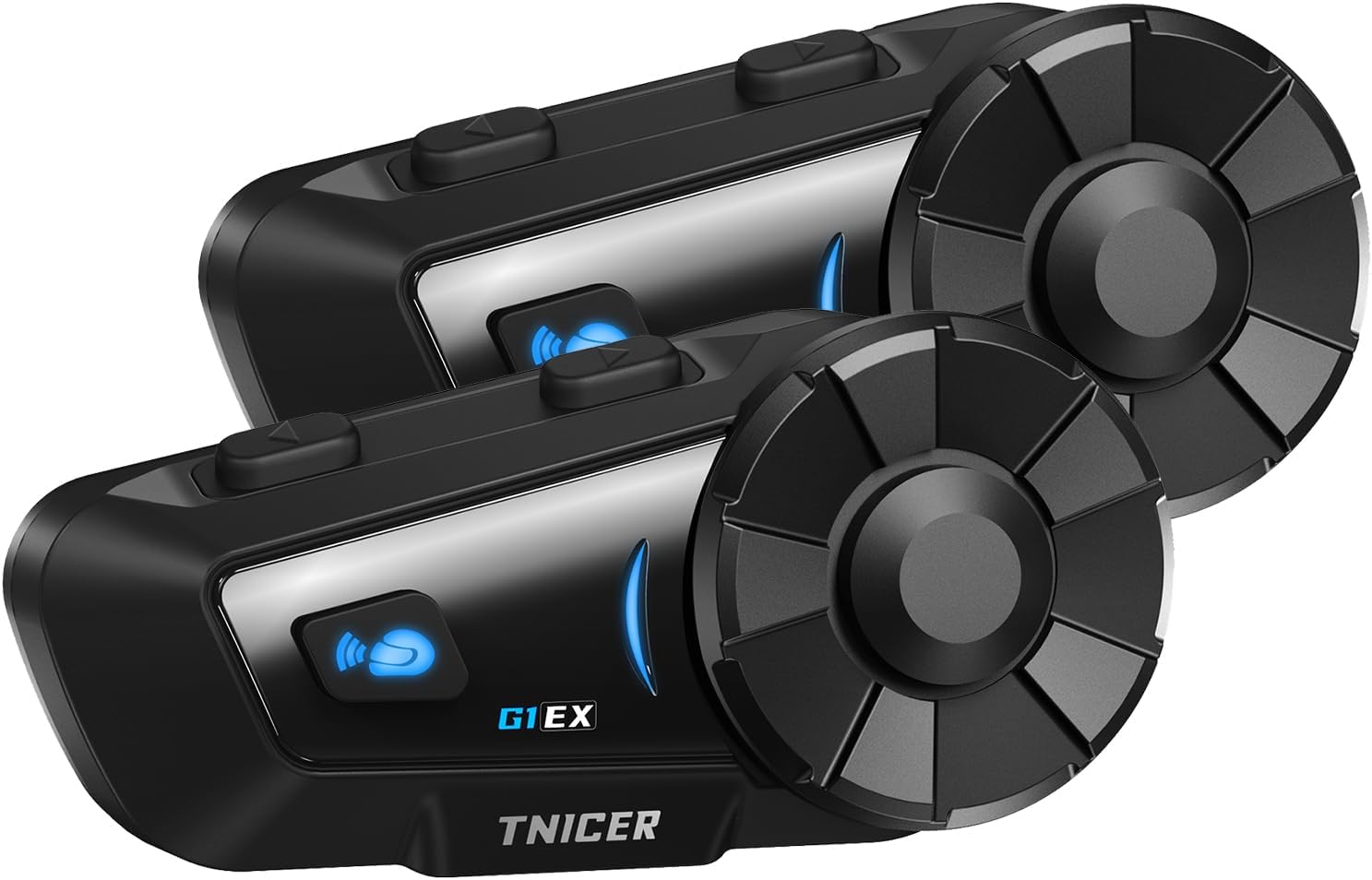
Figure 1.1: Two TNICER G1EX intercom units, showcasing their compact design and control buttons.
2. Koniec produktuview
2.1 Główne cechy
- Technologia Bluetooth 5.2: Ensures stable and high-speed data transmission for clear communication.
- Interkom dla 6 osób: Supports simultaneous communication for up to 6 riders with a maximum range of 1000 meters.
- One-Touch Automatic Pairing: Simplifies the connection process between G1EX units and other compatible TNICER models (T2, T4X).
- Zaawansowana redukcja szumów: Features CVC and DSP technologies to reduce wind and engine noise for clear audio.
- Udostępnianie muzyki: Allows riders to share music with their companions.
- Uniwersalna kompatybilność: Connects with most third-party intercoms on the market.
- Automatyczne ponowne połączenie: Automatically re-establishes communication if temporarily disconnected.
- Wsparcie asystenta głosowego: Compatible with smartphone voice assistants (Siri, Google Assistant).
- Długa żywotność baterii: 1000mAh battery provides up to 25 hours of music playback, 22 hours of talk time, and 300 hours of standby.
- Stopień wodoodporności IP65: Designed to withstand sand, rain, blizzards, and low temperatures (down to 0°C).
- Funkcja radia FM: Built-in FM radio for local broadcasts.
- 3.5mm Universal Earphone Interface: Allows for custom speaker replacement.

Rysunek 2.1: Koniecview of G1EX features including IP65 waterproof, Hi-Fi stereo sound, Bluetooth 5.2, 40mm speaker, 1000mAh battery, FM radio, and music sharing.
2.2 Zawartość opakowania
- G1EX Main Unit (x2)
- 3.5mm Universal Jack (x2)
- Speaker & Arm Microphone (x2)
- Płyta podstawowa (x2)
- Speaker Velcro & Spacer (x2)
- Metalowy klips (x2)
- Microphone Velcro (x2)
- 3M Double-sided Tape (x2)
- Kabel USB do ładowania (x2)
- Instrukcja obsługi (x2)

Figure 2.2: Visual representation of all items included in the TNICER G1EX package.
3. Konfiguracja
3.1 Pierwsze ładowanie
Before first use, fully charge the device. Connect the provided USB charging cable to the G1EX unit and a 5V/1A power source. Avoid using fast chargers as this may damage the battery.

Figure 3.1: The G1EX unit connected to a charger, illustrating its 1000mAh battery capacity and charging time.
3.2 Montaż na kasku
- Attach the base plate to the side of your helmet using either the metal clip or the 3M adhesive tape.
- Slide the G1EX main unit onto the installed base plate until it clicks securely into place.
- Insert the speakers into the helmet's ear pockets. Use the provided Velcro and spacers for optimal fit and sound quality.
- Position the microphone in front of your mouth, ensuring it is close enough for clear voice pickup but not obstructing your vision. Secure with microphone Velcro.
- Connect the speaker and microphone cable to the G1EX main unit's 3.5mm universal earphone interface.
4. Instrukcja obsługi
4.1 Włączanie/wyłączanie zasilania
- Włączanie: Naciśnij i przytrzymaj przycisk zasilania przez około 3 sekundy, aż zaświeci się kontrolka.
- Wyłączone: Naciśnij i przytrzymaj przycisk zasilania przez około 3 sekundy, aż kontrolka zgaśnie.
4.2 Parowanie Bluetooth (smartfon)
- With the G1EX powered off, press and hold the Power button for about 5-7 seconds until the indicator light flashes red and blue alternately, indicating pairing mode.
- Włącz Bluetooth na swoim smartfonie i wyszukaj dostępne urządzenia.
- Select "G1EX" from the list of devices to connect. Once connected, the indicator light will flash blue slowly.
4.3 Intercom Pairing (Multiple G1EX Units)
The G1EX supports one-touch automatic pairing with other G1EX units and compatible TNICER models (T2, T4X).
- Ensure all G1EX units are powered on and not connected to any other devices.
- On one unit, press the Intercom button once. It will automatically search for and connect to other nearby G1EX units.
- Repeat this process for each unit you wish to connect. Up to 6 riders can be connected simultaneously.

Figure 4.1: Illustration of up to 6 riders connected simultaneously with a 1000m communication range, featuring automatic reconnection.
4.4 Podstawowe funkcje
- Regulacja głośności: Use the rotary dial to increase or decrease volume.
- Odtwarzanie muzyki: After connecting to a smartphone, music will play automatically. Press the Multi-function button once to Play/Pause.
- Następny / poprzedni utwór: Rotate the dial forward for the next track, backward for the previous track.
- Radio FM: Press the FM button to turn on/off FM radio. Rotate the dial to change stations.
- Asystent głosowy: Press the Voice Assistant button once to activate your smartphone's voice assistant (Siri, Google Assistant).
- Rozmowy telefoniczne: The device supports automatic call answering. Press the Multi-function button once to answer/end a call.
- Udostępnianie muzyki: While playing music, press the Music Share button to share your audio with a connected intercom unit.

Figure 4.2: Icons illustrating music sharing, FM radio, voice assistant, and automatic call answering features.
5. Konserwacja
5.1 Czyszczenie
Przetrzyj urządzenie miękką, damp Ściereczką. Nie używaj silnych środków chemicznych ani ściernych środków czyszczących. Upewnij się, że pokrywa portu ładowania jest szczelnie zamknięta, aby zachować wodoodporność.
5.2 Przechowywanie
Przechowuj urządzenie w chłodnym, suchym miejscu, z dala od bezpośredniego światła słonecznego i ekstremalnych temperatur. W przypadku dłuższego przechowywania, ładuj baterię do około 50% co kilka miesięcy, aby zapobiec głębokiemu rozładowaniu.
6. Rozwiązywanie Problemów
- Brak zasilania: Upewnij się, że urządzenie jest w pełni naładowane. Sprawdź kabel ładujący i źródło zasilania.
- Nie można sparować: Ensure the device is in pairing mode (red and blue flashing light). Make sure other Bluetooth devices are disconnected. Try restarting both the intercom and your smartphone.
- Częste rozłączanie interkomu: Ensure units are within the 1000m range and there are no major obstructions. The device features automatic reconnection, so it should re-establish connection when back in range.
- Słaba jakość dźwięku/Nadmierny hałas: Verify the microphone is correctly positioned and not blocked. Check speaker placement in the helmet. The device uses CVC and DSP noise cancellation, but extreme wind conditions may still affect clarity.
- Radio FM nie działa: Upewnij się, że znajdujesz się w obszarze z dobrym odbiorem sygnału FM.
7. Specyfikacje
| Funkcja | Specyfikacja |
|---|---|
| Model | G1EX |
| Wersja Bluetooth | 5.2 |
| Grupa domofonowa | Do 6 jeźdźców |
| Zasięg domofonu | Do 1000m |
| Pojemność baterii | 1000mAh |
| Czas odtwarzania muzyki | Do 25 godzin |
| Czas rozmowy | Do 22 godzin |
| Czas czuwania | Do 300 godzin |
| Czas ładowania | Około 2 godzin |
| Stopień wodoodporności | IP65 |
| Redukcja szumów | CVC i DSP |
| Interfejs głośnika | 3.5mm Universal Jack |
| Waga | Około 0.3 kg (na sztukę) |
| Wymiary (pakiet) | Wymiary 20.5 x 10.7 x 8.7 cm |
8. Gwarancja i wsparcie
Specific warranty details are not provided in the product information. For warranty claims, technical support, or further inquiries, please contact the seller or refer to the official TNICER webZachowaj paragon jako dowód zakupu.