
1. Wprowadzenie
Thank you for choosing the TNICER G10 Motorcycle Intercom with 2K Camera. This device combines a high-definition camera with advanced intercom features, designed to enhance your riding experience by providing communication, entertainment, and reliable video recording. Please read this manual thoroughly before use to ensure proper operation and to maximize the device's potential.

Image 1.1: The TNICER G10 Motorcycle Intercom unit with an included 64GB TF card.
2. Zawartość opakowania
Upewnij się, że w przesyłce znajdują się wszystkie elementy:
- Jednostka główna G10
- Speaker & Arm Microphone
- Cord Microphone
- Obrotowa podstawa
- 3M Double-sided Adhesive Mat
- 3M Single-sided Adhesive Mat
- Rzep do głośnika
- Speaker Thickening Spacer
- Rzep do mikrofonu
- metalowy klips
- Kabel ładujący USB
- Instrukcja obsługi
- Karta pamięci 64 GB

Image 2.1: Visual representation of all components included in the TNICER G10 package.
3. Koniec produktuview
The TNICER G10 integrates a 2K camera with a motorcycle intercom system. Key features include:
- Kamera 2K HD: Equipped with a Sony IMX335 sensor for clear video recording and 5-megapixel photo capture.
- EIS Anti-Shake Technology: Electronic Image Stabilization minimizes blur for stable video footage during rides.
- Rotatable Lens & Body: The camera lens can rotate 30 degrees, and the main unit can rotate 360 degrees for optimal shooting angles.
- 8-Person Intercom: Supports group communication for up to 8 riders with a maximum range of 1000 meters.
- Bluetooth 5.2 i Wi-Fi: Advanced connectivity for stable communication and app control.
- Bateria 2000mAh: Zapewnia do 5 godzin ciągłego nagrywania wideo.
- Wodoodporność IP67: Zaprojektowane tak, aby wytrzymać różne warunki atmosferyczne.
- Udostępnianie muzyki i radio FM: Enjoy music with a fellow rider or tune into FM radio stations.
- CVC & DSP Noise Canceling: Reduces wind noise and engine sounds for clear audio.

Obraz 3.1: Ponadview of the TNICER G10's main functionalities and specifications.
4. Konfiguracja i instalacja
4.1 Ładowanie urządzenia
Before first use, fully charge the G10 unit. Connect the USB charging cable to the device and a power source. The charging indicator will show the charging status.
4.2 Instalowanie karty pamięci
Insert the provided 64GB TF card into the designated slot on the G10 unit. The device supports up to 256GB TF cards for extended recording.

Image 4.1: Proper insertion of the 64GB memory card for recording.
4.3 Montaż na kasku
Choose between the metal clip or the adhesive mount for securing the G10 to your helmet. Ensure the mount is firmly attached and the unit is stable.
- Attach the rotatable base to your helmet using either the metal clip or the 3M adhesive mat.
- Slide the G10 main unit onto the rotatable base until it clicks into place.
- Adjust the unit's position using the 360-degree rotatable body and the 30-degree rotatable camera lens to achieve the desired camera angle.

Image 4.2: The G10's rotatable bracket allows for flexible positioning on the helmet.

Image 4.3: The G10 offers both 30-degree lens rotation and 360-degree body rotation for precise camera angle adjustment.
4.4 Connecting Speakers and Microphones
Carefully route the speaker and microphone wires inside your helmet and connect them to the G10 unit. Use the provided Velcro pads to secure the speakers and microphone in optimal positions for clear audio.
5. Instrukcja obsługi
5.1 Włączanie/wyłączanie zasilania
- Włączanie: Naciśnij i przytrzymaj przycisk zasilania przez około 3 sekundy, aż zaświeci się kontrolka.
- Wyłączone: Naciśnij i przytrzymaj przycisk zasilania przez około 3 sekundy, aż kontrolka zgaśnie.
5.2 Obsługa kamery
The G10 features a 2K HD camera with EIS anti-shake technology.
- Rozpocznij nagrywanie: Press the Camera button once to begin video recording. The indicator light will change to confirm recording.
- Zatrzymaj nagrywanie: Aby zatrzymać nagrywanie, naciśnij ponownie przycisk aparatu.
- Zrób zdjęcie: While not recording, press and hold the Camera button for 2 seconds to take a 5-megapixel photo.
- Nagrywanie w pętli: Urządzenie automatycznie zapisuje w pętli, nadpisując najstarsze files when the memory card is full. Important moments can be protected by the G-sensor.

Image 5.1: The G10's 2K HD camera captures clear footagz szerokim polem view.

Image 5.2: Demonstrating the effectiveness of EIS anti-shake technology for stable video recording.
5.3 Funkcje interkomu
The G10 supports group intercom for up to 8 riders.
- Łączenie w pary: Use the one-touch auto pairing function to connect multiple G10 devices. Refer to the detailed pairing instructions in the full manual for specific steps. The G10 is also compatible with many third-party Bluetooth intercoms.
- Group Talk: Once paired, riders can communicate within a 1000-meter range.

Image 5.3: The G10 supports communication for up to 8 riders over a distance of 1000 meters.
5.4 Muzyka i radio FM
- Odtwarzanie muzyki: Podłącz smartfon przez Bluetooth, aby odtwarzać muzykę.
- Udostępnianie muzyki: Two riders can share music within a 50-meter range. Ensure the intercom function is off when using music sharing.
- Radio FM: Activate the FM radio function to listen to local stations.
- Efekty dźwiękowe: Adjust between three sound effect modes (Bass Boost, Treble Boost, Mid-range Boost) to customize your audio experience.

Image 5.4: Music sharing and customizable sound effects enhance the audio experience.
5.5 Wi-Fi i sterowanie aplikacją
The G10 has built-in Wi-Fi for seamless connection to its dedicated smartphone application.
- Pobieranie aplikacji: Download the official TNICER app from Google Play Store or Apple App Store.
- W czasie rzeczywistym View: Połącz się przez Wi-Fi view kamera na żywo footage na Twoim smartfonie.
- File Kierownictwo: Download recorded videos and photos directly to your phone for easy sharing and backup.
- Regulacja ustawień: Configure camera and intercom settings through the app.

Image 5.5: The G10's built-in Wi-Fi allows for real-time viewing and control via a smartphone app.
6. Bateria i ładowanie
The G10 is equipped with a 2000mAh rechargeable battery.
- Ciągłe nagrywanie: Do 5 godzin.
- Czas rozmowy: Do 35 godzin.
- Odtwarzanie muzyki: Do 38 godzin.
- Czas ładowania: Około 3 godzin.
Always use the provided USB charging cable. Avoid using damaged cables or chargers.
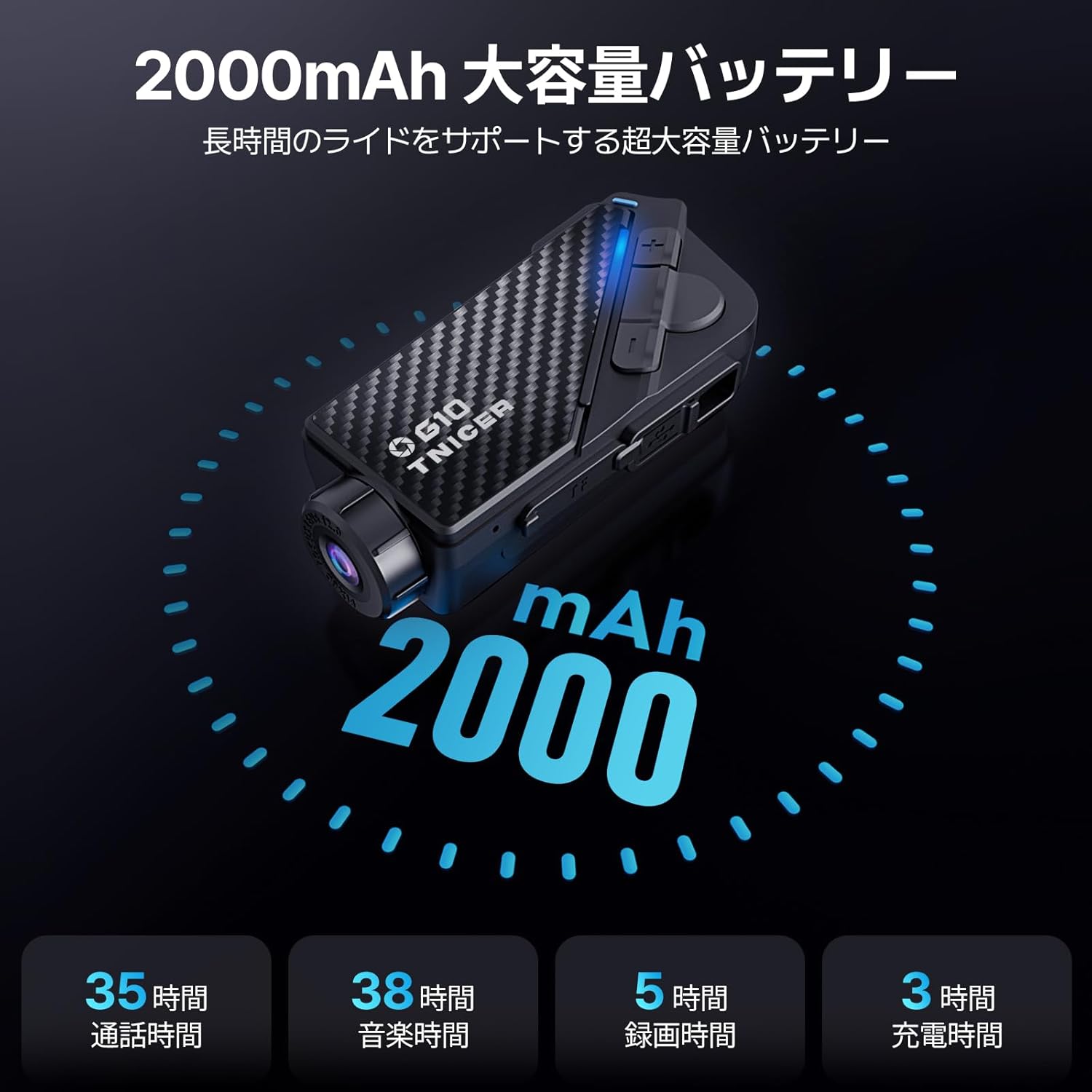
Image 6.1: Battery performance metrics for the TNICER G10.
7. Pielęgnacja i konserwacja
- Czyszczenie: Użyj miękkiego, damp Do czyszczenia urządzenia należy używać ściereczki. Nie należy używać silnych środków chemicznych ani ściernych środków czyszczących.
- Wodoodporność: The G10 is IP67 waterproof. While it can withstand rain, avoid submerging it in water for extended periods.
- Składowanie: Przechowuj urządzenie w chłodnym, suchym miejscu, gdy nie jest używane.
- Pielęgnacja baterii: For optimal battery life, avoid extreme temperatures and fully charge the device periodically if stored for long durations.
8. Rozwiązywanie Problemów
If you encounter issues with your G10, try the following solutions:
- Urządzenie się nie włącza: Upewnij się, że bateria jest naładowana. Podłącz ją do źródła zasilania i spróbuj ponownie.
- Brak dźwięku z głośników: Sprawdź połączenia głośników. Upewnij się, że głośność nie jest wyciszona ani zbyt niska.
- Interkom nie łączy się: Ensure both devices are in pairing mode and within range. Try re-pairing the devices.
- Problemy z nagrywaniem wideo: Check if the memory card is inserted correctly and has sufficient free space. Format the memory card if necessary (this will erase all data).
- Problemy z połączeniem Wi-Fi: Ensure Wi-Fi is enabled on the G10 and your smartphone. Restart both devices and try connecting again.
For further assistance, please refer to the comprehensive troubleshooting section in the full instruction manual or contact customer support.
9. Specyfikacje
| Funkcja | Specyfikacja |
|---|---|
| Marka | TNICER |
| Numer modelu | G10 |
| Rozdzielczość przechwytywania wideo | 2K |
| Rozdzielczość zdjęcia | 5 megapiksela |
| Stabilizacja obrazu | Digital (EIS) |
| Obrót obiektywu | 30 stopnia |
| Body Rotation | 360 stopnia |
| Wielkość grupy interkomu | Do 8 jeźdźców |
| Zasięg domofonu | Do 1000 metrów |
| Wersja Bluetooth | 5.2 |
| Technologia łączności | Bluetooth, Wi-Fi |
| Pojemność baterii | 2000mAh |
| Ciągły czas nagrywania | Do 5 godzin |
| Czas rozmowy | Do 35 godzin |
| Czas odtwarzania muzyki | Do 38 godzin |
| Czas ładowania | Około 3 godzin |
| Obsługa kart pamięci | Up to 256GB TF card (64GB included) |
| Format przechwytywania wideo | MP4 |
| Stopień wodoodporności | IP67 |
| Redukcja szumów | CVC i DSP |
| Wymiary | 20.4 x 10.9 x 8.9 cm (opakowanie) |
| Waga | 450 g (Opakowanie) |
10. Gwarancja i wsparcie
The TNICER G10 comes with a standard manufacturer's warranty. Please refer to the warranty card included in your package for specific terms and conditions. For technical support, product inquiries, or warranty claims, please contact TNICER customer service through the retailer where you purchased the product or visit the official TNICER webstrona.