
Wstęp
This manual provides essential information for setting up, operating, and maintaining your VIZIO 40-inch Full HD 1080p Smart TV. Please read these instructions carefully before using your television to ensure proper function and safety. This television offers superior Full HD picture quality with lifelike color, enhanced audio, and smart connectivity features for an immersive entertainment experience.
Co jest w pudełku
Przed przystąpieniem do instalacji sprawdź, czy wszystkie komponenty są obecne:
- VIZIO 40-inch Full HD 1080p Smart TV
- Zdalne sterowanie
- Kabel zasilający
- Stojak pod telewizor (2 sztuki)

Rysunek 1: Dołączone komponenty i wymiary telewizora.
Organizować coś
1. Mocowanie stojaka
- Ostrożnie połóż telewizor ekranem do dołu na miękkiej i czystej powierzchni, aby zapobiec jego uszkodzeniu.
- Dopasuj nogi stojaka do otworów na śruby znajdujących się na spodzie telewizora.
- Przymocuj nogi stojaka za pomocą dołączonych śrub.
2. Montaż na ścianie (opcjonalnie)
If wall mounting, ensure you use a VESA-compliant mount (200 x 100 mm) and follow the mount manufacturer's instructions. Disconnect the power cable before mounting.
3. Podłączanie zasilania
Podłącz kabel zasilający do gniazda zasilania telewizora, a następnie do gniazdka ściennego.
4. Pierwsze włączenie i pierwsza konfiguracja
- Naciśnij przycisk zasilania na pilocie lub telewizorze.
- Follow the on-screen prompts to select your language, connect to Wi-Fi, and complete the initial setup of the SmartCast OS.
- You may be prompted to install app updates. Allow the TV to complete this process.

Figure 2: VIZIO Account setup for Smart TV functionality and product updates.
Obsługa telewizora
Zdalne sterowanie
The included remote control allows you to navigate the SmartCast OS, adjust settings, and control connected devices. Ensure AAA batteries are installed correctly.
SmartCast OS
Your VIZIO Smart TV runs on the SmartCast OS, providing instant access to a wide selection of streaming services and apps. New apps are automatically added and updated.
- Ekran główny: Access your favorite apps, inputs, and trending content.
- Oglądaj za darmo+: Stream over 275 free channels and 15,000+ movies and shows on demand.
- App Catalog: Browse and launch pre-installed applications like Disney Plus, Max, Netflix, Prime Video, and YouTube.
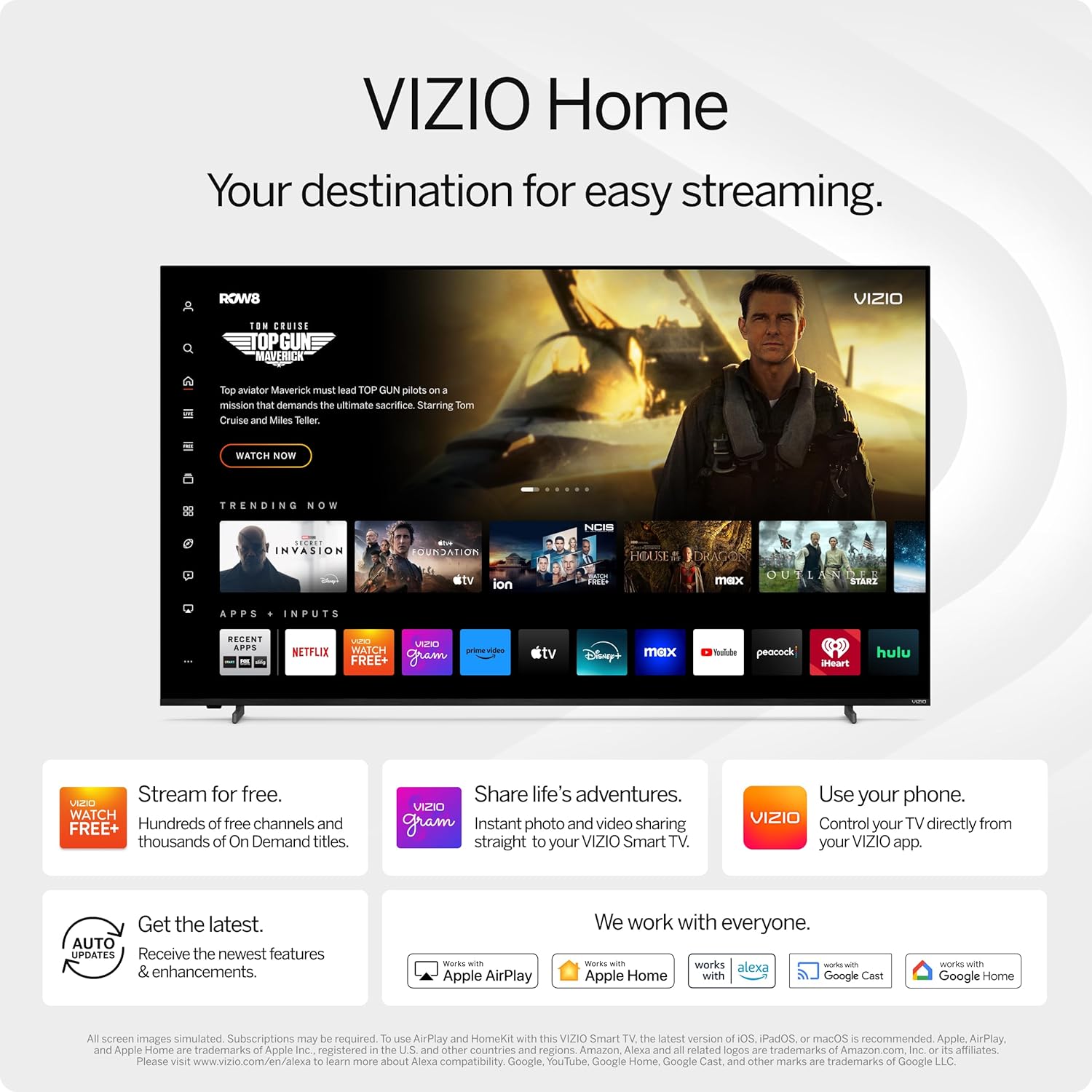
Figure 3: VIZIO Home screen for easy streaming and content access.

Figure 4: Accessing free content via WatchFree+.
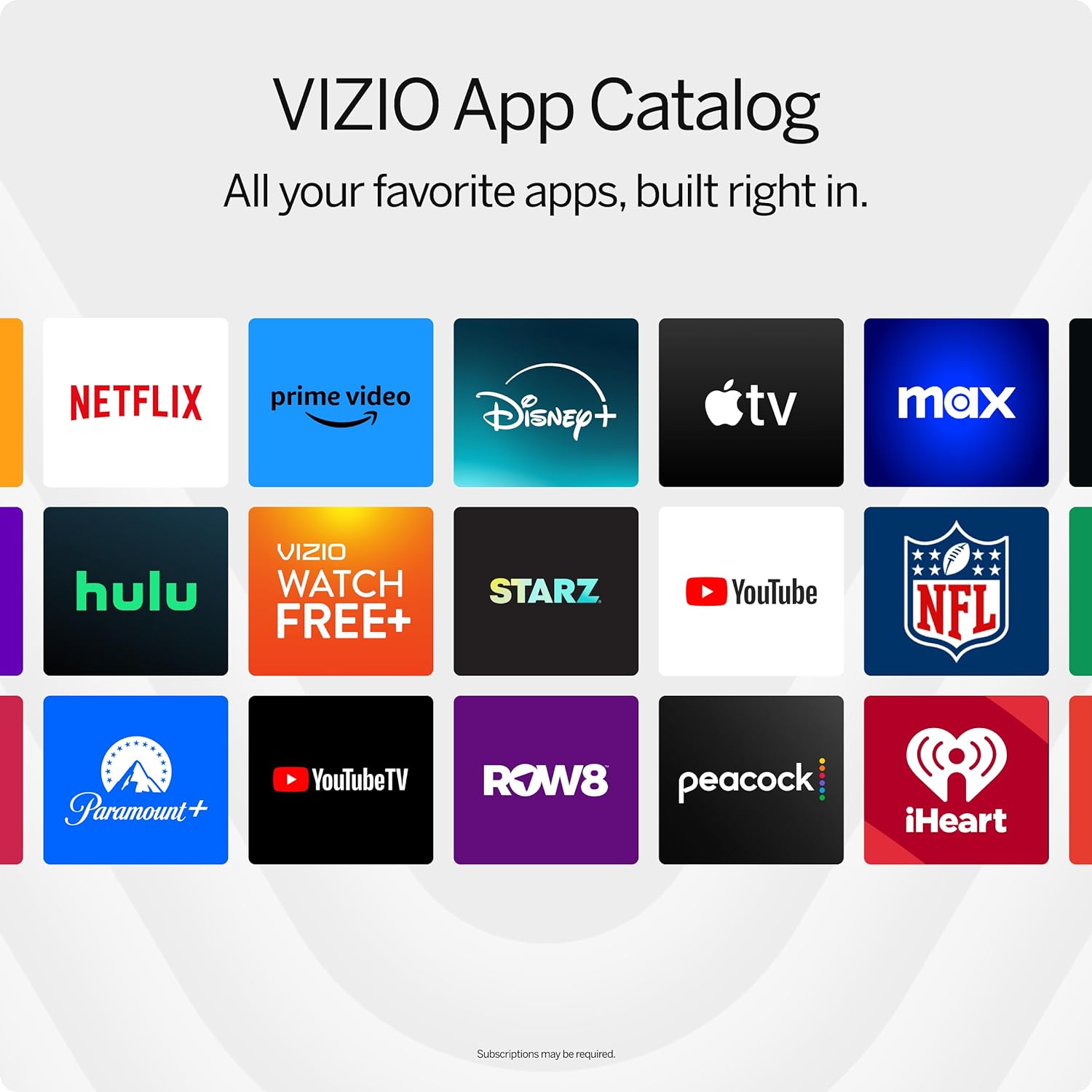
Figure 5: The VIZIO App Catalog with popular streaming services.
Łączność
- Wi-Fi: Połącz się z siecią domową, aby uzyskać dostęp do Internetu i strumieniować treści.
- Bluetooth: Połącz słuchawki Bluetooth i słuchaj w prywatności.
- Chromecast Built-in & Apple AirPlay 2: Stream content directly from your Apple or Android devices to the TV.
- HDMI i USB: Connect external devices such as gaming consoles, Blu-ray players, or USB drives.
- Integracja inteligentnego domu: Compatible with Alexa-enabled devices, Google Assistant, and Apple Home for voice control and smart home management.
Główne cechy
Jakość obrazu
Experience superior Full HD (1080p) picture with lifelike color and clarity. Features like Full Array LED Backlight and Active Pixel Tuning enhance contrast and brightness for a sharp, detailed image.

Rysunek 6: Koniecview of Full HD benefits including picture quality, smart platform, and Bluetooth audio.
Doświadczenie dźwiękowe
The TV features integrated DTS Virtual:X for an enhanced, cinema-inspired audio experience, creating the illusion of sound all around you. Bluetooth headphone capability allows for private listening without disturbing others.

Figure 7: DTS Virtual:X for immersive audio.
Funkcje gier
This TV is game-ready with HDR10 support on HDMI, unlocking striking in-game details. When a console or PC is detected, FHD models automatically enable Auto Low Latency Mode and an integrated gaming menu for optimal performance.

Figure 8: HDR10 support enhances gaming visuals.
Specyfikacje
| Funkcja | Szczegół |
|---|---|
| Rozmiar ekranu | 39.5 cala (klasa 40-calowa) |
| Rezolucja | 1080p Full HD |
| Technologia wyświetlania | LED (Full Array LED Backlight) |
| Częstotliwość odświeżania | 60 Hz |
| Obsługiwany format HDR | HDR10/HLG |
| Tryb wyjścia audio | Surround (DTS Virtual:X compatible) |
| System operacyjny | SmartCast OS |
| Technologia łączności | Bluetooth 5.0, Wi-Fi |
| Dublowanie ekranu | AirPlay 2, Google Cast |
| Wszystkie porty HDMI | 2 |
| Łączna liczba portów USB | 2 |
| Wymiary produktu (Gł. x Szer. x Wys.) | 8.81" gł. x 35.13" szer. x 22.26" wys. |
| Waga przedmiotu | 12.26 funtów |
| Standard mocowania VESA | 200x100mm |
| Pobór mocy | 54 watów |
| Numer modelu | VFD40M-0810 |
Rozwiązywanie problemów
Brak zasilania / Telewizor się nie włącza
- Upewnij się, że kabel zasilający jest solidnie podłączony zarówno do telewizora, jak i do sprawnego gniazdka elektrycznego.
- Sprawdź, czy gniazdko ma zasilanie, podłączając do niego inne urządzenie.
- Try pressing the power button directly on the TV, not just the remote.
Brak obrazu / Czarny ekran
- Sprawdź, czy wybrano prawidłowe źródło sygnału wejściowego (np. HDMI 1, HDMI 2).
- Sprawdź wszystkie połączenia kablowe między telewizorem i urządzeniami zewnętrznymi.
- Uruchom ponownie telewizor i wszelkie podłączone urządzenia.
Brak dźwięku
- Zwiększ głośność zarówno w telewizorze, jak i podłączonych urządzeniach audio.
- Check the TV's audio settings to ensure the correct audio output is selected.
- Jeśli używasz zewnętrznych głośników, upewnij się, że są prawidłowo podłączone i włączone.
Problemy z łącznością Wi-Fi
- Sprawdź, czy router Wi-Fi jest włączony i działa.
- Uruchom ponownie router i modem.
- Przejdź do ustawień sieciowych telewizora i spróbuj ponownie połączyć się z siecią Wi-Fi.
- Jeśli sygnał jest słaby, przesuń telewizor bliżej routera lub rozważ zastosowanie wzmacniacza sygnału Wi-Fi.
Konserwacja
Czyszczenie ekranu
- Always turn off the TV and unplug the power cord before cleaning.
- Do delikatnego przecierania ekranu należy używać miękkiej, niepozostawiającej włókien ściereczki (zaleca się użycie mikrofibry).
- W przypadku uporczywych plam delikatnieampPrzetrzyj ściereczkę wodą lub specjalnym środkiem do czyszczenia ekranów. Nigdy nie spryskuj bezpośrednio ekranu środkiem czyszczącym.
- Avoid using harsh chemicals, abrasive pads, or paper towels, as these can damage the screen.
Czyszczenie obudowy telewizora
- Przetrzyj ramę i podstawę telewizora miękką, suchą ściereczką.
- Do not use liquid cleaners on the TV body.
Aktualizacje oprogramowania
Your VIZIO Smart TV automatically receives software updates. Ensure your TV is connected to the internet to receive the latest features and enhancements.
Gwarancja i wsparcie
Informacje o gwarancji
This VIZIO Smart TV comes with a 90 dni ograniczonej gwarancji. Please refer to the warranty card included with your product for full terms and conditions, or visit the official VIZIO support webWięcej szczegółów znajdziesz na naszej stronie.
Obsługa klienta
For technical assistance, troubleshooting, or warranty claims, please contact VIZIO Customer Support. You can find contact information and additional resources on the official VIZIO webstrona.
Online resources are available at www.vizio.com/support.