
1. Wprowadzenie
Dziękujemy za zakupasing the Zenwire D300S Mini Projector. This manual provides essential information for the safe and efficient operation of your device. Please read it thoroughly before use and retain it for future reference.
Środki ostrożności
- Nie patrz bezpośrednio w obiektyw projektora, gdyamp jest włączony.
- Zapewnij odpowiednią wentylację, aby zapobiec przegrzaniu. Nie blokuj otworów wentylacyjnych.
- Używaj wyłącznie dołączonego zasilacza.
- Trzymaj projektor z dala od wody i innych płynów.
- Unikaj umieszczania projektora na niestabilnych powierzchniach.
- Nie próbuj samodzielnie demontować ani naprawiać projektora. Skontaktuj się z wykwalifikowanym personelem serwisowym.
2. Zawartość opakowania
Sprawdź, czy w przesyłce znajdują się wszystkie elementy:
- Zenwire D300S Mini Projector
- Zdalne sterowanie
- Zasilacz
- Kabel AV
- Instrukcja obsługi (ten dokument)
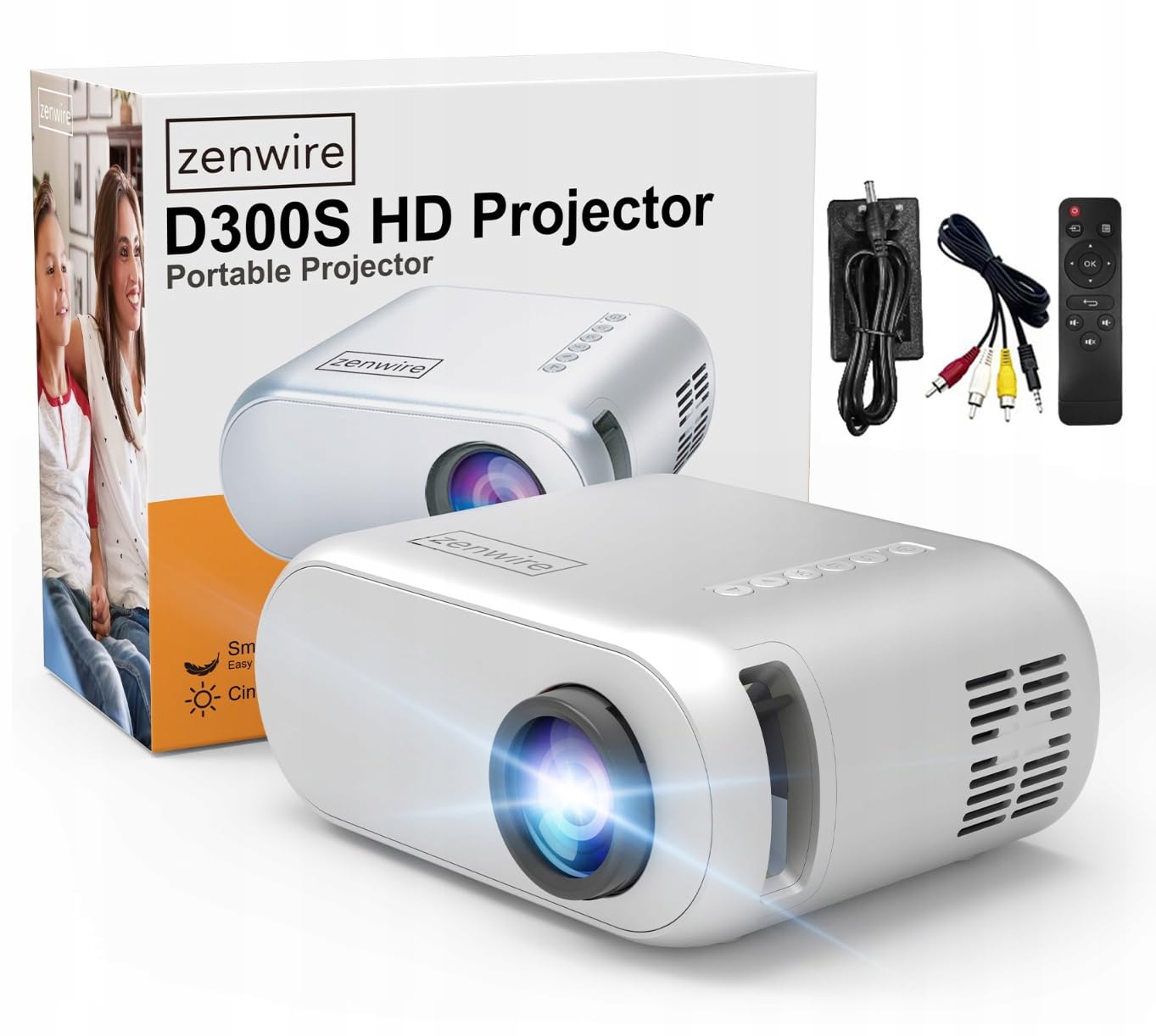
Image 2.1: Zenwire D300S Mini Projector and included accessories.
3. Koniec produktuview
Przód i góra projektora View
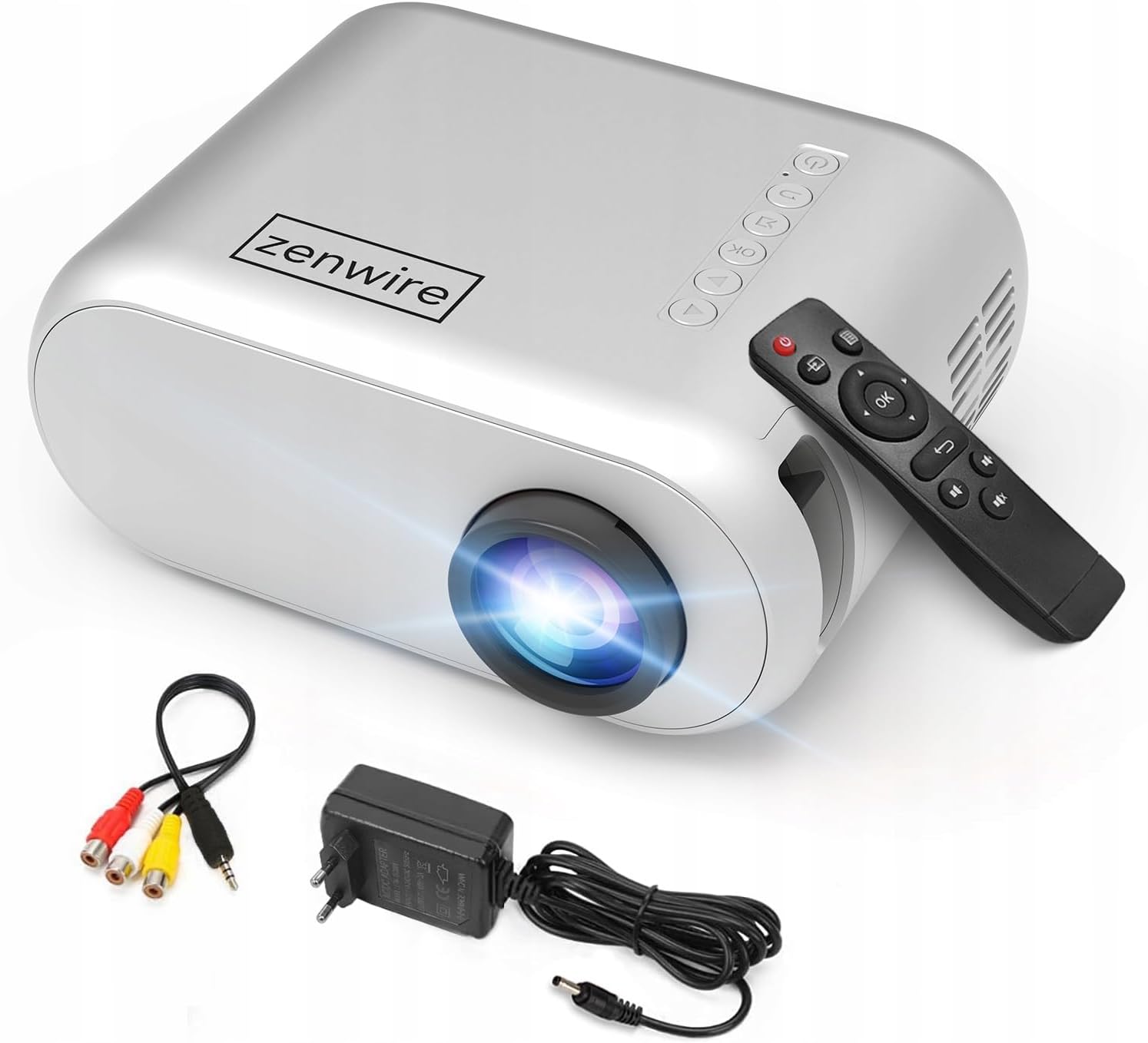
Obraz 3.1: Przód i góra view of the projector, showing the lens and top control panel.
Panel tylny i łączność
The rear panel of the projector features various ports for connecting external devices:

Obraz 3.2: Tył view of the projector, highlighting the input/output ports.
- Wejście AV: For connecting devices using the included AV cable.
- Wejście HDMI: For connecting devices such as laptops, gaming consoles, or streaming sticks.
- Port USB: Do podłączania dysków flash USB w celu odtwarzania multimediów files bezpośrednio.
- Wyjście AUX: Do podłączenia zewnętrznych głośników lub słuchawek.
- Wejście zasilania prądem stałym: Do podłączenia zasilacza.
Górny panel sterowania
The top of the projector features a control panel for basic operations:
- Przycisk zasilania: Włącza lub wyłącza projektor.
- Przyciski nawigacyjne (góra/dół/lewo/prawo): Służy do poruszania się po menu.
- Przycisk OK: Potwierdza wybór.
- Przycisk Wstecz: Powrót do poprzedniego menu lub ekranu.
- Przycisk źródła: Selects input source (HDMI, AV, USB).
4. Konfiguracja
4.1 Umieszczenie
Place the projector on a stable, flat surface. Ensure there is adequate space around the projector for ventilation. The projection distance affects the screen size. Refer to the image below for recommended distances and corresponding screen sizes.

Image 4.1: Recommended projection distances and screen sizes.
- For a 30-inch screen, place the projector approximately 0.9 meters away.
- For a 50-inch screen, place the projector approximately 1.5 meters away.
- For an 80-inch screen, place the projector approximately 2.4 meters away.
- For a 100-inch screen, place the projector approximately 3.0 meters away.
4.2 Połączenie zasilania
Connect the power adapter to the DC Power Input port on the projector, then plug the adapter into a power outlet.
4.3 Podłączanie urządzeń
The Zenwire D300S supports various input sources:
Obraz 4.2: Examples of devices that can be connected to the projector.
- HDMI: Connect your laptop, gaming console, or streaming device using an HDMI cable.
- USB: Aby odtwarzać multimedia, włóż dysk flash USB do portu USB files bezpośrednio.
- AV: Do podłączenia starszych urządzeń, np. odtwarzaczy DVD, użyj dołączonego kabla AV.
- Audio Out (AUX): Connect external speakers or headphones to the AUX port for enhanced audio.
4.4 Regulacja ostrości
Turn on the projector. Adjust the focus ring located near the lens until the projected image is clear and sharp.
5. Instrukcja obsługi
5.1 Włączanie/wyłączanie zasilania
Press the Power button on the projector or the remote control to turn the device on or off.
5.2 Wybór źródła
After powering on, use the 'Source' button on the projector or remote control to select the desired input source (HDMI, AV, USB).
5.3 Nawigacja po menu
Use the navigation buttons (Up/Down/Left/Right) on the projector or remote to browse through menus. Press 'OK' to confirm a selection and 'Back' to return.
5.4 Regulacja głośności
Dostosuj głośność za pomocą przycisków głośności na pilocie.
5.5 Connecting to a Phone/Laptop
To project content from a phone or laptop:
- Do laptopów: Connect via HDMI cable. Select HDMI as the input source on the projector.
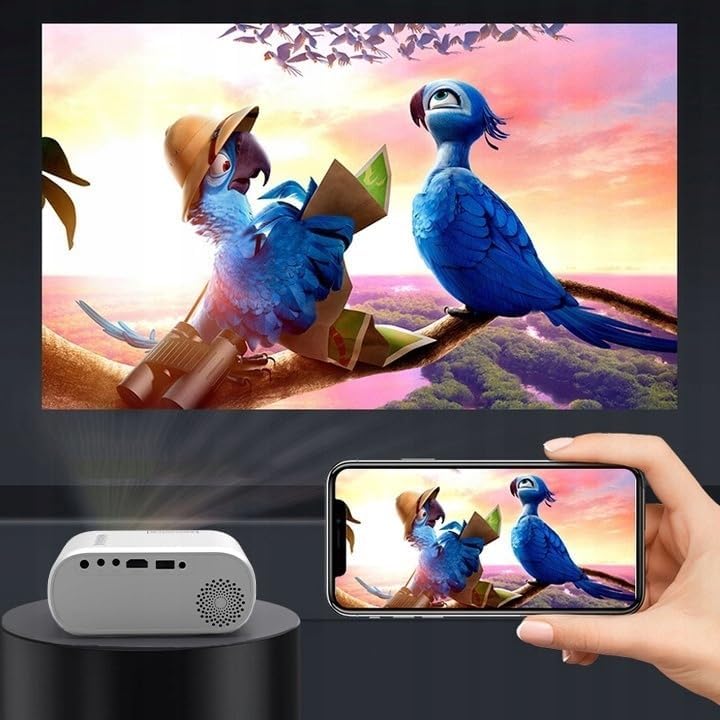
- Dla telefonów: Depending on your phone model, you may need an adapter (e.g., USB-C to HDMI, Lightning to HDMI) to connect via HDMI. Alternatively, some phones support wireless display technologies that can be used with a compatible streaming stick connected to the projector's HDMI port.

Image 5.1: Projecting content from a smartphone to the Zenwire D300S Mini Projector.
6. Konserwacja
6.1 Czyszczenie obiektywu
Do delikatnego przecierania soczewki projektora należy używać miękkiej, niepozostawiającej włókien ściereczki przeznaczonej specjalnie do soczewek optycznych. Nie należy stosować środków ściernych ani nadmiernej siły.
6.2 Czyszczenie obudowy projektora
Przetrzyj zewnętrzną część projektora miękką, suchą ściereczką. W przypadku uporczywych zabrudzeń delikatnie przetrzyj.amp Można użyć ściereczki, a następnie wytrzeć do sucha.
6.3 Wentylacja
Regularly check that the ventilation openings are free from dust and obstructions to ensure proper airflow and prevent overheating.
7. Rozwiązywanie Problemów
Jeśli masz problemy z projektorem, zapoznaj się z poniższymi typowymi problemami i ich rozwiązaniami:
| Problem | Możliwa przyczyna | Rozwiązanie |
|---|---|---|
| Brak wyświetlanego obrazu | Power not connected, incorrect input source, device not sending signal. | Check power connection, select correct input source, ensure connected device is on and outputting video. |
| Obraz jest rozmazany | Nie ustawiono ostrości, projektor jest za blisko/za daleko. | Adjust the focus ring, reposition the projector according to recommended distances. |
| Brak dźwięku | Głośność jest zbyt niska, głośniki zewnętrzne nie są podłączone, format audio nie jest obsługiwany. | Increase volume, connect external speakers via AUX, check audio settings on source device. |
| Pilot nie działa | Batteries dead, obstruction between remote and projector. | Replace batteries, ensure clear line of sight to the projector's IR receiver. |
8. Specyfikacje
- Model: Zenwire D300S
- Rozdzielczość natywna: 1280 x 720p HD
- Jasność: 3000 lumenów (100 lumenów ANSI)
- Łączność: HDMI, USB, AUX, AV
- Proporcje obrazu: 16:9 / 4:3
- Odległość projekcji: 0.9m - 3.0m (approx. 30-100 inches)
9. Gwarancja i wsparcie
The Zenwire D300S Mini Projector comes with a standard manufacturer's warranty. Please refer to the warranty card included in your package for specific terms and conditions. For technical support or service inquiries, please contact your retailer or the Zenwire customer service department.