
Acoyer SRP9232D
Acoyer Universal TV Remote Control User Manual
Model: SRP9232D
Wstęp
This manual provides detailed instructions for setting up and operating your new Acoyer Universal TV Remote Control. This remote is designed to simplify your home entertainment experience by controlling multiple devices with a single unit. Please read this manual carefully before use to ensure proper functionality and to maximize your remote's capabilities.

Obraz: przód i tył view of the Acoyer Universal TV Remote Control.
Kompatybilne urządzenia
Your Acoyer Universal Remote Control is compatible with a wide range of audio and video devices, including:
- TV brands: Samsung, LG, Vizio, Sony, Hisense, Onn, Sharp, RCA, Element, Westinghouse, Sanyo, Emerson, Philips, JVC, Sceptre, Sansui, Panasonic, Magnavox, Skyworth, and more.
- DVD/Blu-ray players
- Media Streaming Players
- Soundbary
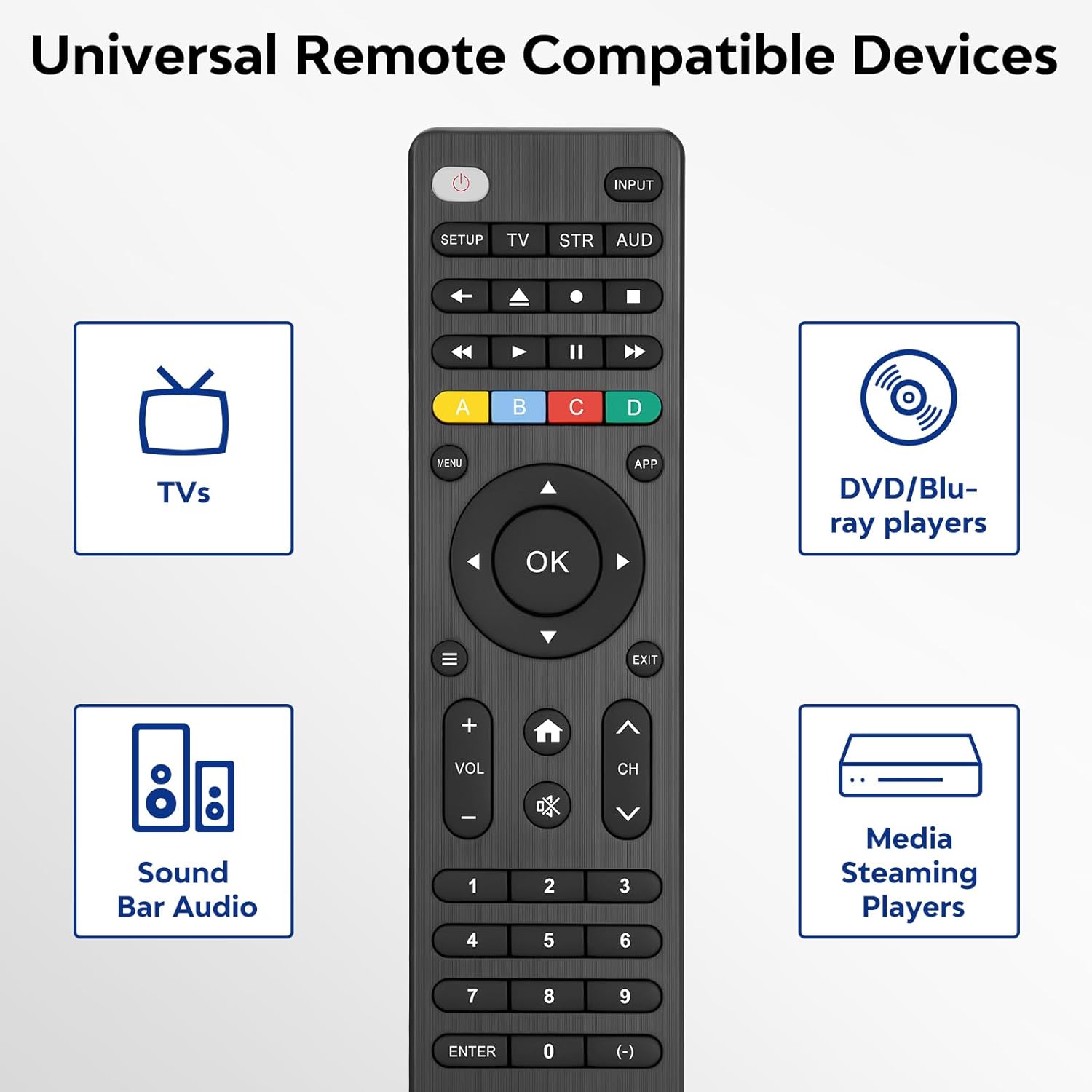
Image: Visual representation of compatible device types.

Image: List of compatible brands including Samsung, LG, Vizio, Sony, Hisense, Philips, and more.
Niezgodne urządzenia
Please note that this universal remote is NIE compatible with the following devices:
- Roku Streaming Sticks
- Roku Sound Bar
- Amazon Sound Bar
- Listwa dźwiękowa TCL
- Hisense Sound Bar
- Anker Sound Bar
- Klipsch Sound Bar
- Fire TV Sticks
- TCL Fire TV
- Insygnia ognia TV
- Telewizor Toshiba Fire
- Amazon Fire Stick
- Kostka Fire TV
This product connects and pairs via infrared only. If you are unsure about compatibility, please refer to the product's code list or contact customer support.

Image: Visual representation of devices not compatible with the remote.
Organizować coś
Direct Code Entry Pairing
Follow these steps to program your universal remote using direct code entry:
- Krok 1: Find the device type you need in the provided code list (included in the package). Then, locate and circle all the codes for your specific brand.
- Krok 2: Naciśnij i przytrzymaj ORGANIZOWAĆ COŚ button for 3 seconds until the red light on the remote turns on.
- Krok 3: Naciśnij i zwolnij TV/STR/AUD button on the remote. The red light will blink once and then remain on.
- Krok 4: Enter the first 4-digit code from your code list.
- Krok 5: Point the remote at your TV (or other device) and test the buttons to see if the device responds as expected. If the buttons do not control the device, repeat steps 2-4 and enter a different code from your list to test.
Note: If all codes in the program fail, please refer to the instructions on page 7 of your physical user manual for "Automatic Code Search" (including code table and usage instructions).

Image: Visual guide for the direct code entry pairing process.
Instrukcja obsługi
Funkcje przycisków
Familiarize yourself with the functions of each button on your universal remote control:

Image: Detailed layout of remote buttons and their corresponding functions.
| Przycisk | Funkcjonować |
|---|---|
| Moc | Turns devices ON / OFF |
| Organizować coś | Służy do programowania pilota |
| Wejście | Wybiera wejścia wideo |
| TV / STR / AUD | Selects the device to control (TV, Streaming Device, Audio Device) |
| Ostatni kanał | Powrót do poprzednio wybranego kanału |
| Record / Stop / Fast Forward / Pause / Rewind | Controls media playback |
| ABCD Buttons | Uzyskaj dostęp do dodatkowych funkcji rejestratorów DVR, odbiorników telewizji kablowej i satelitarnej |
| Menu | Wyświetla menu ekranowe |
| App Hotkey | Uzyskaj dostęp do najlepszych aplikacji, takich jak Netflix, Amazon Prime, Hulu i innych |
| OK | Wybiera pozycje menu dla sterowanego urządzenia |
| Up / Down / Left / Right Navigation | Nawigacja po menu i opcjach |
| Info / Options | Wyświetla na ekranie informacje o pokazie/treści |
| Wyjście | Exits on-screen menus |
| Home / Guide | Easily access features on today's streaming devices, or Guide on cable/satellite receivers |
| Zwiększanie / zmniejszanie głośności | Reguluje głośność |
| Kanał w górę / w dół | Zmienia kanały |
| Niemy | Wycisza dźwięk |
| Liczby (0-9) | Wprowadź liczby dla bezpośredniego wyboru kanału |
| Wciśnij klawisz Enter | Confirms selection (some devices require Enter to be pressed after channel selection) |
| (-) Dash | Used to select digital channels (e.g., 4.1) |
The universal remote control utilizes infrared technology, providing a rapid response time of 0.2 seconds and an effective range of up to 30 feet.

Image: Features of the remote's infrared technology.
Konserwacja
Instalacja baterii
The universal remote control requires dwie (2) baterie alkaliczne AAA do działania. Baterie nie są dołączone do zestawu.
- Otwórz pokrywę komory baterii z tyłu pilota.
- Włóż dwie baterie AAA, zwracając uwagę na prawidłową biegunowość (+ i -), zgodnie ze wskazaniami wewnątrz komory.
- Dokładnie zamknij pokrywę komory baterii.
Warning: Do not mix old and new batteries, or mix different types of batteries together. This can lead to battery leakage or damage to the remote.

Image: Battery compartment and remote dimensions.
Rozwiązywanie problemów
If you encounter issues with your universal remote, try the following troubleshooting steps:
- Pilot nie odpowiada: Ensure fresh AAA batteries are correctly installed. Check if the red light on the remote illuminates when a button is pressed.
- Urządzenie nie odpowiada: Verify that the remote is pointed directly at the device's infrared sensor. Ensure there are no obstructions between the remote and the device.
- Incorrect device control: Re-attempt the programming steps (Direct Code Entry) using a different code from the provided code list for your device brand.
- Ograniczona funkcjonalność: Some advanced functions may not be supported by all universal remotes or specific device models. Refer to your device's original manual for specific feature compatibility.
- Red light blinks continuously: This may indicate a programming error or low battery. Re-program the remote or replace the batteries.
Specyfikacje
| Funkcja | Szczegół |
|---|---|
| Numer modelu | SRP9232D |
| Wymiary opakowania | 6.89 x 3.27 x 0.75 cala |
| Waga przedmiotu | 2.05 uncji |
| Źródło zasilania | 2 * AAA alkaline batteries (not included) |
| Kolor | Czarny |
| Funkcja specjalna | Uniwersalny |
| Maksymalna liczba obsługiwanych urządzeń | 3 |
| Kompatybilne urządzenia | Sound Bar, Television, VCR, Streaming Device, DVD/Blu-ray Player |
| Producent | Acoyer |
| Kraj pochodzenia | Chiny |
Gwarancja i wsparcie
Acoyer is committed to providing safe, durable, and user-friendly remote control products. We value your experience with our products.
For any questions regarding your order or product, please do not hesitate to contact us. Our customer service team aims to respond to inquiries within 24 hours on working days.
Szczegóły gwarancji i jej warunki znajdziesz w dokumentacji zakupu.