
1. Wprowadzenie i koniecview
This manual provides comprehensive instructions for the safe and proper installation, operation, and maintenance of your XTRARM Axis XL TV Wall Mount. Please read this manual thoroughly before installation and keep it for future reference.
The XTRARM Axis XL is a versatile TV wall mount designed for televisions ranging from 24 to 50 inches (60-125 cm) with a maximum load capacity of 25 kg. It supports VESA standards up to 200x200mm. Its multi-articulated design allows for extensive flexibility, including pan, tilt, swivel, and rotation adjustments, providing optimal viewing angles in various room configurations, including corners.
Główne cechy obejmują:
- Complete flexibility: Rotatable, turnable, tiltable, and swiveling adjustments.
- Extended arm length up to 108.5 cm for maximum viewelastyczność.
- Integrated cable management for a tidy installation.
- Suitable for corner mounting.
2. Informacje dotyczące bezpieczeństwa
OSTROŻNOŚĆ: Failure to follow these instructions may result in property damage or personal injury.
- Always check for incorrect or faulty installation.
- Follow the enclosed installation instructions completely and correctly.
- The fastening materials supplied for wall mounting are intended exclusively for fastening to solid masonry or concrete. For other wall types, such as hollow bricks, plasterboard, or lightweight construction, please contact a specialist retailer for information on suitable fastening elements.
- Do not exceed the maximum load limits specified for the product.
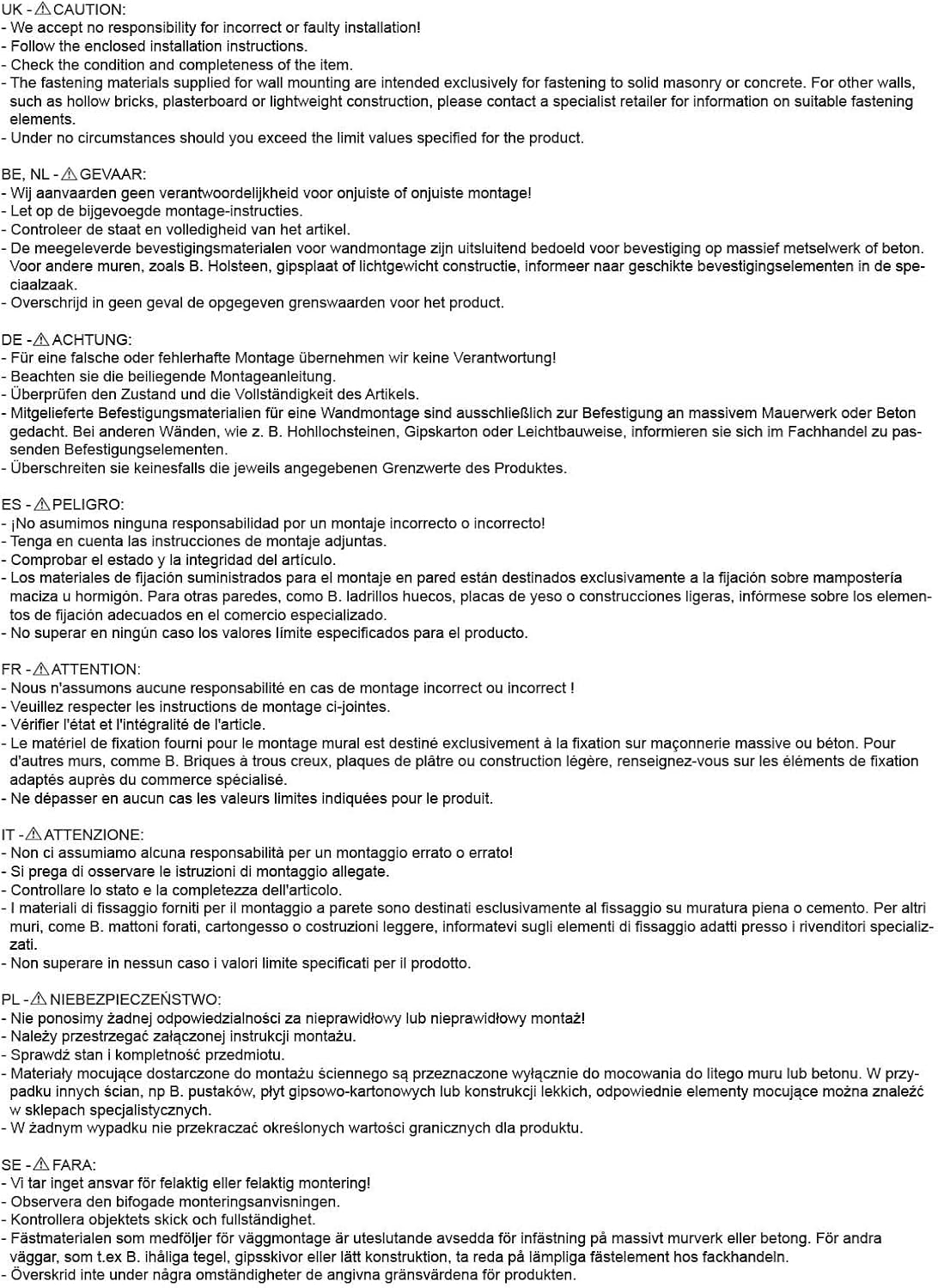
Rysunek 2.1: Important safety warnings and installation notes provided by the manufacturer. Always adhere to these guidelines for safe installation.
3. Zawartość opakowania
Before beginning installation, please verify that all components are present and undamaged. The package should contain:
- XTRARM Axis XL TV Wall Mount assembly
- Standard mounting hardware kit (screws, dowels, washers for wall and TV attachment)
- Instrukcja instalacji
Jeśli brakuje jakichkolwiek części lub są one uszkodzone, prosimy o natychmiastowy kontakt ze sprzedawcą.
4. Specyfikacje
The following table details the technical specifications of the XTRARM Axis XL TV Wall Mount:
| Funkcja | Specyfikacja |
|---|---|
| Nazwa modelu | XTRARM Axis XL |
| Numer modelu | XTR-LA2080 |
| Zgodny rozmiar telewizora | 24-50 cali (60-125 cm) |
| Maksymalna ładowność | 25 kilogramów |
| Zgodność ze standardem VESA | Max. 200x200mm |
| Wall Distance (Min/Max) | 8.5 cm / 108.5 cm |
| Kąt nachylenia | +/- 15 ° |
| Kąt obrotu | 180° |
| Obrót | 360° |
| Tworzywo | Iron Art |
| Kolor | Czarny |
| Wymiary produktu (dł. x szer. x wys.) | Wymiary 108.5 x 22.3 x 33.5 cm |
| Waga przedmiotu | 5.6 kilogramów |
| Zarządzanie kablami | Tak |
| Ideal for Corner Mounting | Tak |

Rysunek 4.1: Technical drawing showing detailed dimensions and VESA mounting patterns for the XTRARM Axis XL.
5. Konfiguracja i instalacja
Proper installation is crucial for the safety and stability of your TV. It is recommended to have two people for installation.
5.1. Lista kontrolna przed instalacją
- Ensure your TV's weight and VESA pattern are within the mount's specifications (Max 25kg, Max VESA 200x200mm).
- Identify the type of wall you are mounting to (solid concrete, brick, wood stud, etc.). Use appropriate anchors and screws for your wall type. Consult a professional if unsure.
- Gather necessary tools: drill, level, stud finder (for wood studs), pencil, measuring tape, screwdriver, wrench.
5.2. Attaching the Wall Plate
- Determine the desired height for your TV. Mark the drill holes for the wall plate on the wall using a pencil and a level.
- Drill pilot holes at the marked locations. The size of the drill bit will depend on the type of wall and the anchors used.
- Zamontuj kotwy ścienne (jeśli są wymagane dla danego typu ściany).
- Align the wall plate with the drilled holes and secure it firmly to the wall using the provided screws. Ensure the mount is level and securely fastened.

Rysunek 5.1: The XTRARM Axis XL TV wall mount in its extended position, illustrating the wall plate and the TV mounting plate.
5.3. Attaching the TV Brackets to the TV
- Aby zapobiec porysowaniu, ostrożnie połóż telewizor ekranem do dołu na miękkiej i czystej powierzchni.
- Znajdź otwory montażowe VESA z tyłu telewizora.
- Wybierz odpowiednie śruby i podkładki z zestawu montażowego, które pasują do otworów montażowych w Twoim telewizorze.
- Attach the TV mounting plate to the back of your TV, ensuring it is centered and securely tightened. Do not overtighten.

Rysunek 5.2: Szczegółowy view of the TV mounting plate, highlighting the various VESA hole patterns for compatibility with different TV models.
5.4. Mounting the TV onto the Wall Mount
- With assistance, carefully lift the TV and align the TV mounting plate with the arm of the wall mount.
- Hook the TV mounting plate onto the arm.
- Secure the TV to the mount using the locking mechanisms or screws as per the specific design of the mount. Ensure the TV is firmly attached and cannot be accidentally dislodged.

Rysunek 5.3: The XTRARM Axis XL mount installed, demonstrating its ability to position a TV effectively in a corner or at an angle to the wall.

Rysunek 5.4: The XTRARM Axis XL mount is compatible with both flat and curved screen televisions, as illustrated by the curved TV outline.
6. Instrukcja obsługi
The XTRARM Axis XL mount offers extensive adjustability to achieve your preferred viewkąt.
6.1. Adjusting the TV Position
- Wydłużenie/Cofnięcie: Gently pull or push the TV to extend or retract the arm, adjusting the distance from the wall (from 8.5 cm to 108.5 cm).
- Obracać: Rotate the TV horizontally along the wall to achieve a swivel angle of up to 180 degrees.
- Przechylenie: Adjust the vertical tilt of the screen up or down by +/- 15 degrees to reduce glare or optimize viewz różnych wysokości.
- Obrót: The TV can be rotated 360 degrees, allowing for portrait or landscape orientation.

Rysunek 6.1: Visual representation of the XTRARM Axis XL's full range of motion, including tilt, swivel, and 360-degree rotation.

Rysunek 6.2: The XTRARM Axis XL mount fully extended, demonstrating its impressive reach of 108.5 cm from the wall.
6.2. Zarządzanie kablami
The mount features integrated cable management to keep your cables tidy and out of sight. Route your TV and power cables along the arms of the mount and secure them using cable ties or clips (not always included, but standard accessories).
7. Konserwacja
Regular maintenance will ensure the longevity and safe operation of your TV wall mount.
- Czyszczenie: Przetrzyj uchwyt miękką, suchą ściereczką. Nie używaj środków czyszczących ani rozpuszczalników o działaniu ściernym, ponieważ mogą one uszkodzić wykończenie.
- Kontrola: Periodically check all screws and bolts to ensure they are tight. Over time, vibrations or adjustments can cause fasteners to loosen.
- Smarowanie: If the joints become stiff, a small amount of silicone-based lubricant can be applied to the pivot points. Avoid oil-based lubricants that may attract dust.
8. Rozwiązywanie Problemów
If you encounter issues with your XTRARM Axis XL TV Wall Mount, refer to the following common problems and solutions:
| Problem | Możliwa przyczyna | Rozwiązanie |
|---|---|---|
| Mocowanie wydaje się niestabilne i chwiejne. | Loose wall plate screws or incorrect wall anchors. TV weight exceeds capacity. | Ensure all wall plate screws are securely tightened. Verify wall anchors are appropriate for your wall type. Confirm TV weight is within 25 kg limit. |
| Difficulty adjusting tilt, swivel, or extension. | Joints are stiff or overtightened. | Apply a small amount of silicone lubricant to the pivot points. Check if any adjustment bolts are overtightened and loosen slightly if necessary. |
| Telewizor nie jest wypoziomowany po zainstalowaniu. | Wall plate installed unevenly or TV not properly aligned on the mount. | Re-check the wall plate's levelness. Most mounts have a small degree of post-installation leveling adjustment; consult the specific installation guide for your model. |
| Missing parts from package. | Błąd w opakowaniu. | Contact your retailer or XTRARM customer support immediately. |
Jeśli po wypróbowaniu tych rozwiązań problem nadal występuje, skontaktuj się z obsługą klienta.
9. Gwarancja i wsparcie
The XTRARM Axis XL TV Wall Mount comes with a 5-letnia gwarancja on the TV wall mount itself, covering manufacturing defects and material flaws under normal use.
For warranty claims, technical support, or any questions regarding your product, please contact your point of purchase or visit the official XTRARM webwitryna do informacji kontaktowych.
Please have your model number (XTR-LA2080) and proof of purchase ready when contacting support.