
HelloBaby B0D56XVL3Z
HelloBaby 6-inch IPS Screen Baby Monitor User Manual
Model: B0D56XVL3Z
Produkt ponadview
The HelloBaby 6-inch IPS Screen Baby Monitor provides a clear and comprehensive view of your baby with its large display and flexible mounting options. Designed for ease of use and peace of mind, this monitor operates without Wi-Fi, ensuring a secure and private connection.

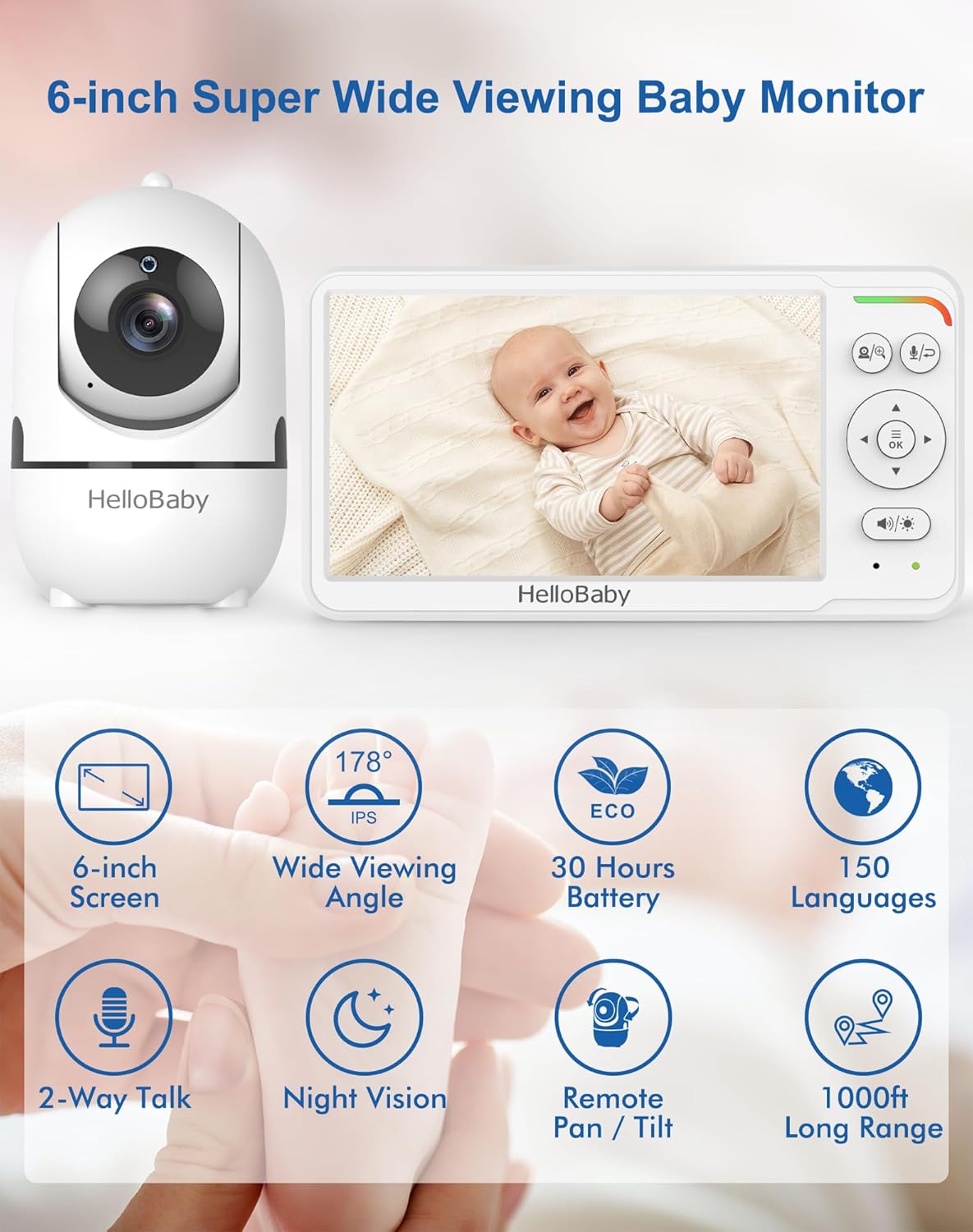
Główne cechy:
- Ekran IPS 6 cala: Provides a large, clear display with wide viewing angles, reducing eye fatigue.
- Długa żywotność baterii: Up to 30 hours in VOX (Voice Operated Exchange) mode, ensuring all-night monitoring.
- Flexible Mount: Mountable design allows for easy, tool-free attachment to cribs or other surfaces without wall damage.
- Remote Pan-Tilt Camera: Offers 355° horizontal pan and 120° vertical tilt for comprehensive room coverage.
- Nocna Nocna Wizja: Advanced auto infrared LEDs provide clear visibility in total darkness without disturbing the baby.
- Dwukierunkowy dźwięk: Allows for clear communication between the parent unit and the camera.
- Secure & Private Connection: Utilizes 2.4 GHz FHSS & digital encryption for a stable, WiFi-free connection, eliminating hacking risks.
Przewodnik po konfiguracji
Follow these steps to set up your HelloBaby monitor system.
1. Rozpakowywanie i ładowanie
- Carefully remove all components from the packaging: the monitor unit, camera unit, flexible mount, and power adapters.
- Connect the power adapter to the monitor unit and plug it into a power outlet. Charge the monitor fully before first use (approximately 3-4 hours).
- Connect the other power adapter to the camera unit and plug it into a power outlet. The camera requires continuous power to operate.
2. Montaż kamery
The flexible mount allows for versatile placement without tools or wall damage.


- Attach the camera to the flexible mount by screwing it onto the threaded connector.
- Secure the flexible mount to a stable surface, such as a crib railing, shelf, or table edge, by wrapping the flexible arm and using the clamp. Ensure it is firmly attached and out of reach of children.
- Position the camera to get the desired viewing angle of your baby.
3. Początkowe parowanie (wstępne sparowanie)
The camera and monitor units are pre-paired at the factory. Simply power on both units, and they should automatically connect. If connection issues occur, refer to the Troubleshooting section for re-pairing instructions.
Instrukcja obsługi
Understand the functions and controls of your HelloBaby monitor.
1. Włączanie/wyłączanie zasilania
- To power on the monitor, press and hold the Power button until the screen illuminates.
- To power off the monitor, press and hold the Power button until the screen turns off.
- The camera unit powers on automatically when connected to power.
2. Pan and Tilt Functionality
Kontroluj kamerę view remotely from the monitor unit.
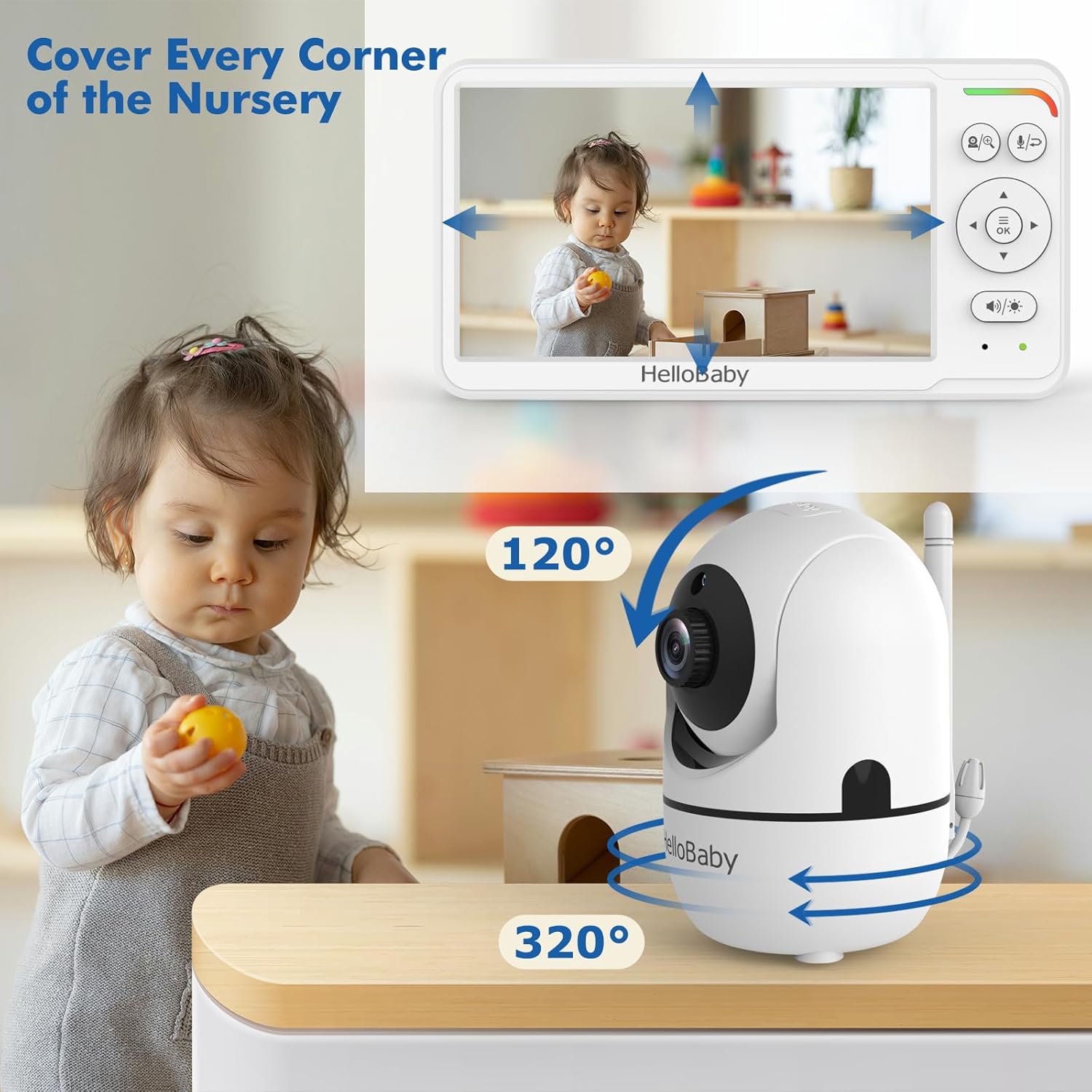
- On the monitor unit, use the directional arrow buttons (Up, Down, Left, Right) to remotely adjust the camera's viewkąt.
- The camera can pan 355° horizontally and tilt 120° vertically.
3. Dźwięk dwukierunkowy
Communicate with your baby or caregiver through the monitor.

- Press and hold the Talk button on the monitor unit to speak. Release the button to listen.
- Ensure the volume on both units is adjusted appropriately.
4. Wizja nocna
The monitor automatically switches to night vision in low-light conditions.
- The camera uses invisible infrared LEDs to provide a clear black-and-white image in the dark.
- No manual adjustment is needed for night vision activation.
5. VOX Mode (Voice Operated Exchange) / ECO Mode
Conserve battery life by activating VOX mode.

- In VOX mode, the monitor screen turns off to save power and activates automatically when sound is detected from the baby's room.
- Refer to the monitor's on-screen menu for instructions on how to enable and adjust VOX sensitivity.
Konserwacja
Proper care ensures the longevity and optimal performance of your baby monitor.
1. Czyszczenie
- Wipe the monitor and camera units with a soft, dry, lint-free cloth.
- Nie należy używać bezpośrednio na urządzeniach środków czyszczących w sprayu ani w płynie.
- Ensure the camera lens is clean for clear image quality.
2. Pielęgnacja baterii
- To maximize battery life, fully charge the monitor before each use.
- Unikaj ekstremalnych temperatur, które mogą mieć wpływ na wydajność akumulatora.
- If storing the monitor for an extended period, charge it periodically to prevent deep discharge.
Rozwiązywanie problemów
Rozwiązania typowych problemów znajdziesz w tej sekcji.
| Problem | Możliwa przyczyna | Rozwiązanie |
|---|---|---|
| Brak obrazu/dźwięku na monitorze | Camera or monitor not powered on; Out of range; Units not paired. | Ensure both units are powered and charged. Move monitor closer to camera. Re-pair units (refer to manual for specific pairing steps if needed). |
| Niska jakość obrazu | Camera lens dirty; Insufficient lighting (day mode); Obstructions. | Clean camera lens. Ensure adequate lighting or allow night vision to activate. Remove any obstructions between camera and monitor. |
| Statyczne lub zakłócające | Other electronic devices nearby; Out of range. | Move monitor and camera away from other electronic devices (e.g., Wi-Fi routers, microwaves). Move closer to the camera. |
| Monitoruj szybkie rozładowywanie się baterii | Screen constantly on; Old battery. | Activate VOX/ECO mode to conserve battery. Ensure monitor is fully charged before use. If battery life significantly degrades, consider battery replacement if available. |
| Dwukierunkowe audio nie działa | Volume too low; Talk button not pressed/held. | Increase volume on both units. Ensure the Talk button is pressed and held during speaking, and released to listen. |
Specyfikacje
- Model: B0D56XVL3Z
- Marka: cześć kochanie
- Kolor: Biały
- Rozmiar ekranu: 6 cali (widoczna przekątna 16 cm)
- Technologia komunikacji bezprzewodowej: 2.4 GHz FHSS (bez Wi-Fi)
- Współczynnik kształtu: Dome (Camera)
- Typ skupienia: Autofokus
- Zalecane użycie: Monitorowanie dziecka
- Typ montażu: Wall Mount (via flexible mount)
- Format przechwytywania wideo: MPEG-4
- Data pierwszej dostępności: 18 marca 2024 r.
Gwarancja i wsparcie
For warranty information and customer support, please refer to the documentation included with your product or visit the official HelloBaby webWarunki gwarancji mogą się różnić w zależności od regionu i daty zakupu.
Ask a question about this manual
Ask about setup, troubleshooting, compatibility, parts, safety, or missing instructions. Manuals+ will review the question and use this page’s manual context to help answer it.