Wstęp
This user manual provides comprehensive instructions for the RRP Creation Hk11 Pro Max Ultra 2 Smart Watch. It covers essential information regarding product setup, operation, maintenance, and troubleshooting to ensure optimal performance and user experience. Please read this manual carefully before using your new smartwatch.
Co jest w pudełku
Upon opening the package, please verify that all components are present and in good condition. The standard package contents include:
- Hk11 Pro Max Ultra 2 Smart Watch
- Ładowarka bezprzewodowa
- Extra Band (two pairs of straps are included as per product description)
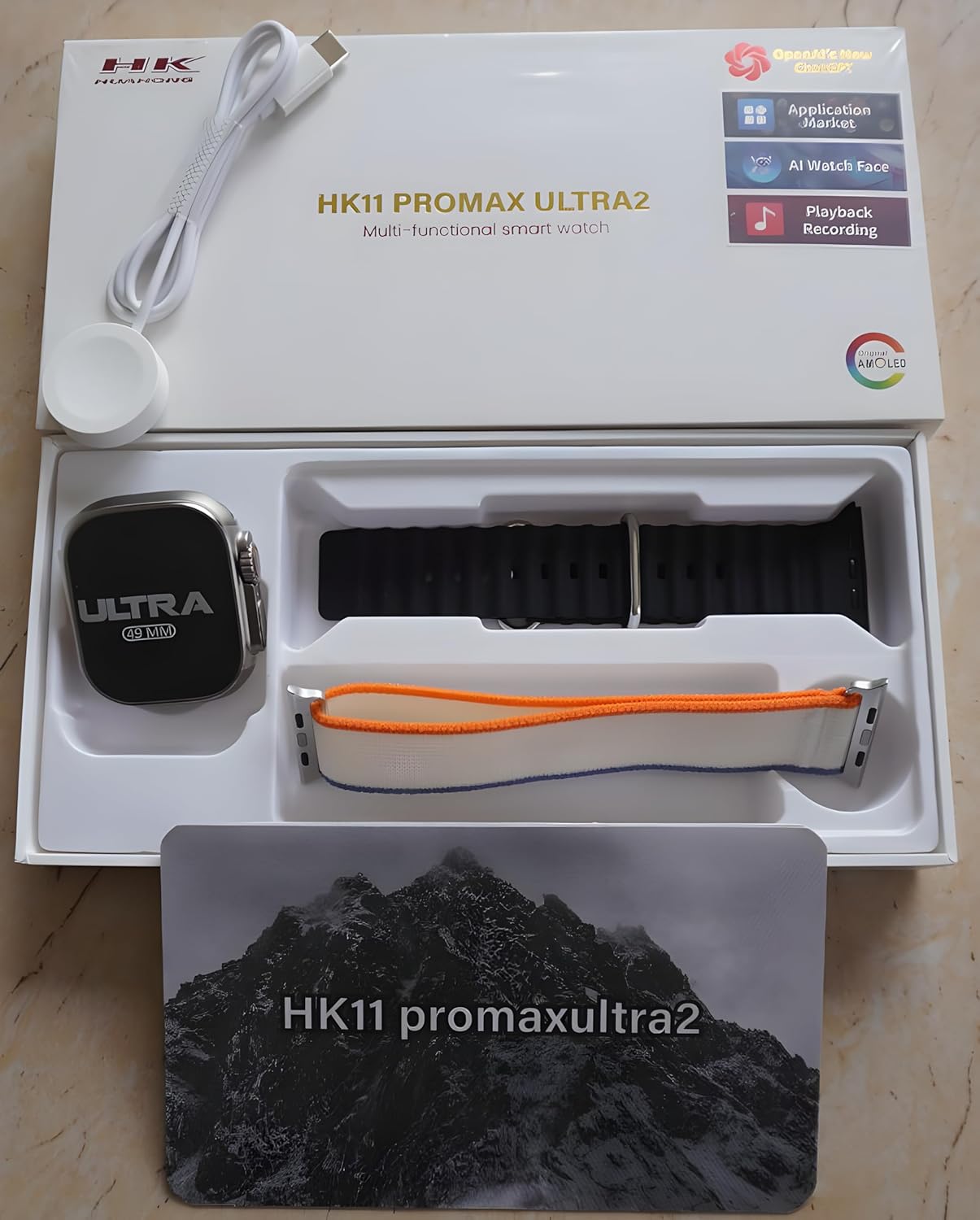
Figure 1: Package Contents. The image displays the Hk11 Pro Max Ultra 2 Smart Watch, two pairs of interchangeable straps, and the wireless charging puck, all neatly arranged within the product packaging.
Produkt ponadview
The Hk11 Pro Max Ultra 2 Smart Watch features a robust design with advanced functionalities. Key components include:

Figure 2: Product Packaging. This image shows the white retail box for the HK11 Pro Max Ultra 2 Multi-functional smart watch, highlighting its key features like OpenAI's new ChatGPT, Application Market, AI Watch Face, Playback Recording, and AMOLED display.
- Wyświetlacz: 2.12-inch Super AMOLED full touch screen with 485*520 resolution.
- Sprawa: Durable Titanium alloy.
- Przyciski/Korona: Typically located on the side for navigation and function access.
- Czujniki: Heart rate monitor, pedometer, compass, thermometer.
- Port ładowania: Wireless charging area on the back.
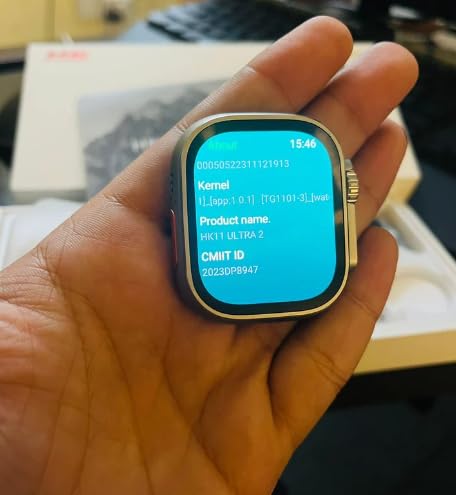
Figure 3: Smart Watch Display. This image shows the smartwatch screen displaying system information, including Kernel version, Product name (HK11 Ultra 2), and CMIIT ID.
Przewodnik po konfiguracji
1. Ładowanie inteligentnego zegarka
Before initial use, fully charge your smartwatch. Place the watch on the provided wireless charger. Ensure the charging contacts on the watch align with the charger. The display will indicate charging status. A full charge typically takes approximately 2-3 hours.
2. Włączanie/wyłączanie zasilania
- Włączanie: Press and hold the side button (usually the crown) for a few seconds until the screen lights up.
- Wyłączone: Press and hold the side button, then select the "Power Off" option on the screen.
3. Parowanie ze smartfonem
To unlock the full functionality of your smartwatch, pair it with your smartphone via Bluetooth.
- Sprawdź, czy Bluetooth w Twoim smartfonie jest włączony.
- On your smartwatch, navigate to the Bluetooth settings or the pairing screen.
- On your smartphone, open the Bluetooth settings and search for available devices. Select "Hk11 Pro Max Ultra 2" or a similar device name from the list.
- Potwierdź prośbę o sparowanie na zegarku i smartfonie.
- For optimal performance and access to all features, download the companion application (if available, check the watch's manual or packaging for app name) from your phone's app store (compatible with Android 5.0 and above, and iOS 10.0 and above).
Instrukcja obsługi
Wyświetlacz i nawigacja
- Ekran dotykowy: Przesuwaj palcem w lewo, w prawo, w górę lub w dół, aby poruszać się po menu i ekranach. Dotknij, aby wybrać elementy.
- Przycisk boczny/korona: Press to return to the home screen, or rotate to scroll through lists (functionality may vary).
- Sterowanie gestami: The watch supports gesture control for certain functions (e.g., raising wrist to wake screen).
Główne cechy i funkcje
Your Hk11 Pro Max Ultra 2 Smart Watch offers a wide range of features to enhance your daily life and health monitoring:
- Zarządzanie połączeniami: Answer, dial, and receive calls directly from your wrist via Bluetooth 5.2.
- Powiadomienia: Receive push messages and message reminders from your paired smartphone.
- Monitor pracy serca: Ciągle śledź swoje tętno.
- Monitorowanie ciśnienia krwi: Monitor your blood pressure (for reference only, not a medical device).
- Monitorowanie snu: Przeanalizuj swoje wzorce snu, aby poprawić jego jakość.
- Fitness Tracker/Pedometer: Track steps, distance, and calories burned.
- Tryby multisportowe: Dedicated modes for various activities to track performance.
- Kompas: Built-in compass for navigation.
- Termometr: Zmierz temperaturę otoczenia.
- Zdalne sterowanie: Steruj odtwarzaniem muzyki na swoim smartfonie.
- Alarm Clock & Countdown: Set alarms and use countdown timers.
- Kalendarz: Access calendar functions.
- Personalizacja: Multiple dial switch options to personalize your watch face.
Konserwacja i pielęgnacja
Proper care will extend the life and maintain the performance of your smartwatch.
- Czyszczenie: Wipe the watch and straps regularly with a soft, dry, lint-free cloth. For stubborn dirt, slightly dampPrzetrzyj szmatkę wodą. Unikaj stosowania silnych środków chemicznych i materiałów ściernych.
- Wodoodporność: While smartwatches often have some water resistance, avoid prolonged exposure to water, swimming, or showering with the watch unless explicitly stated as waterproof for such activities. Refer to product specifications for exact water resistance ratings.
- Temperatura: Unikaj wystawiania zegarka na działanie ekstremalnych temperatur (wysokiej lub niskiej) i bezpośredniego światła słonecznego przez dłuższy czas.
- Ładowanie: Always use the original wireless charger provided. Do not attempt to charge with damaged cables or chargers.
- Składowanie: Jeśli zegarek nie będzie używany przez dłuższy czas, należy go przechowywać w chłodnym i suchym miejscu.
Rozwiązywanie problemów
If you encounter issues with your smartwatch, refer to the following common troubleshooting steps:
| Problem | Możliwa przyczyna | Rozwiązanie |
|---|---|---|
| Zegarek się nie włącza. | Niski poziom naładowania baterii; błąd oprogramowania. | Charge the watch for at least 30 minutes. If still unresponsive, try a forced restart (refer to specific model instructions, usually holding down a button for 10-15 seconds). |
| Nie można sparować ze smartfonem. | Bluetooth off; watch not in pairing mode; interference. | Ensure Bluetooth is on for both devices. Put watch in pairing mode. Restart both devices. Clear previous Bluetooth connections on your phone. |
| Powiadomienia nie zostały odebrane. | App permissions; Bluetooth disconnected; DND mode. | Check app notification permissions on your phone. Ensure Bluetooth connection is stable. Disable Do Not Disturb mode on both devices. |
| Niedokładne dane dotyczące zdrowia. | Nieprawidłowe dopasowanie; przesłonięty czujnik. | Upewnij się, że zegarek ściśle przylega do nadgarstka, nie jest za ciasny ani za luźny. Wyczyść czujnik z tyłu zegarka. |
| Krótki czas pracy baterii. | Frequent use of features; high brightness; old firmware. | Reduce screen brightness. Limit continuous heart rate monitoring. Turn off unnecessary features. Ensure firmware is updated. |
Jeśli po wypróbowaniu tych kroków problem nadal występuje, skontaktuj się z obsługą klienta.
Specyfikacje
Detailed technical specifications for the Hk11 Pro Max Ultra 2 Smart Watch:
| Funkcja | Szczegół |
|---|---|
| Ekran wyświetlacza | 2.12 inch Super AMOLED Full Touch Screen |
| Rezolucja | 485*520 pikseli |
| Wersja Bluetooth | 5.2 |
| Pamięć | 256MB |
| Rozmiar | 49mm |
| Kompatybilne systemy | Android 5.0 (above), iOS 10.0 (inclusive) and above |
| Pojemność baterii | 480mAh |
| Materiał obudowy | Stop tytanu |
| Normalna żywotność baterii | 2-3 dni |
| Czas czuwania | Do 3 dni |
| Cechy specjalne | Compass, Thermometer, Calendar, Alarm Clock, Power Reserve, Remote Control, Countdown, Sleep Tracker, Fitness Tracker, Passometer, Call Reminder, Answer Call, Push Message, Message Reminder, Dial Call, Heart Rate Tracker, Moisture Measurement, Gesture control, Heart Rate Monitor |
| Typ ładowania | Ładowarka bezprzewodowa |
Gwarancja i wsparcie
For information regarding warranty coverage and customer support, please refer to the warranty card included with your product or contact the retailer/manufacturer directly. Keep your purchase receipt as proof of purchase.
Manufacturer: RRP cration, nawada fatehpur Sec-86 Gurgaon
Model: Hk11
ASIN: B0D4R3WCDH
