
Wstęp
Thank you for choosing the BCUOZ 4 Lesn Dash Cam M8. This manual provides detailed instructions for the installation, operation, and maintenance of your dash camera. Please read this manual thoroughly before use to ensure proper functionality and to maximize your device's performance.
Produkt ponadview
The BCUOZ 4 Lesn Dash Cam M8 is a comprehensive vehicle recording system designed to capture events from multiple perspectives. It features a 1080P resolution, a 2.4-inch IPS screen, and a unique 4-lens system for front, left, right, and rear views. Key features include infrared night vision, loop recording, G-sensor collision detection, and 24-hour parking monitoring.
Główne cechy:
- Nagrywanie w jakości HD 1080P: Nagrywa wyraźne wideo footage.
- 4-Lens System: Records simultaneously from front, left, right, and rear perspectives. The interior camera can rotate 360 degrees.
- Ekran IPS 2.4 cala: Provides a clear display for live view i odtwarzanie.
- Widzenie nocne w podczerwieni (IR): Ensures clear recording in low-light conditions, especially for the interior camera with 3 IR LED fill lights.
- Nagrywanie w pętli: Automatycznie nadpisuje najstarszy footage gdy karta pamięci jest pełna, zapewniając ciągłe nagrywanie.
- Czujnik G: Wykrywa nagłe uderzenia lub kolizje i automatycznie blokuje bieżący obraz wideo.tage aby zapobiec jego nadpisaniu.
- Całodobowy monitoring parkingu: Monitors your vehicle even when parked, recording events triggered by motion or impact (requires hardwire kit, not included).
- Łatwa instalacja: Mounts securely to the windshield using suction cups and connects via the cigarette lighter.

Image: The BCUOZ 4 Lesn Dash Cam M8 displaying simultaneous views from its four cameras on the 2.4-inch IPS screen.

Image: Visual representation of the 4-camera system, highlighting the front, built-in left/right, and rear camera components.
Zawartość opakowania
- BCUOZ 4 Lesn Dash Cam M8 Unit
- Ładowarka samochodowa
- Mocowanie przyssawki
- Instrukcja obsługi (ten dokument)
- Karta Micro SD 64 GB (wstępnie zainstalowana lub dołączona osobno)
Organizować coś
1. Przygotuj kartę Micro SD
The dash cam supports up to a 64GB Micro SD card. A 64GB card is included. For optimal performance, it is recommended to format the Micro SD card within the dash cam settings before first use and periodically thereafter.
- Włóż kartę Micro SD do przeznaczonego gniazda w kamerze samochodowej.
- Włącz kamerę samochodową.
- Przejdź do menu ustawień systemowych.
- Select the "Format" option and confirm. This will erase all data on the card.
2. Mount the Dash Cam
The dash cam is designed for easy and secure mounting to your vehicle's windshield using the included suction cup mount.
- Wyczyść miejsce na przedniej szybie, w którym zamierzasz zamontować kamerę samochodową. Upewnij się, że jest wolne od kurzu i tłuszczu.
- Przymocuj uchwyt z przyssawką do kamery samochodowej.
- Press the suction cup firmly against the cleaned windshield surface and engage the locking mechanism to secure it.
- Dostosuj kąt kamery samochodowej, aby zapewnić wyraźny obraz z przedniej kamery. view of the road ahead. The interior camera can be rotated 360 degrees to capture the cabin as desired.
3. Podłączenie zasilania
Connect the dash cam to your vehicle's power supply using the provided car charger.
- Insert the small end of the car charger cable into the power input port on the dash cam.
- Podłącz większy koniec ładowarki samochodowej do gniazda zapalniczki w pojeździe.
- Kamera samochodowa włączy się automatycznie i rozpocznie nagrywanie po włączeniu zapłonu pojazdu.
Instrukcja obsługi
Podstawowa obsługa
- Włączanie/wyłączanie: The dash cam powers on automatically with vehicle ignition and powers off when the ignition is turned off. You can also manually power it on/off using the power button.
- Nagranie: Once powered on, the dash cam automatically begins continuous loop recording. A recording indicator (e.g., flashing red dot) will be visible on the screen.
- Wyświetlacz ekranowy: The 2.4-inch IPS screen can display live views from multiple cameras simultaneously. Use the menu buttons to switch display modes if available.
Nagrywanie w pętli
The dash cam records video in segments (e.g., 1, 3, or 5 minutes) and stores them on the Micro SD card. When the card is full, the oldest unlocked fileNagrania są automatycznie nadpisywane nowymi. Zapewnia to ciągłość nagrywania bez konieczności ręcznej ingerencji.
- To adjust loop recording duration, access the settings menu.
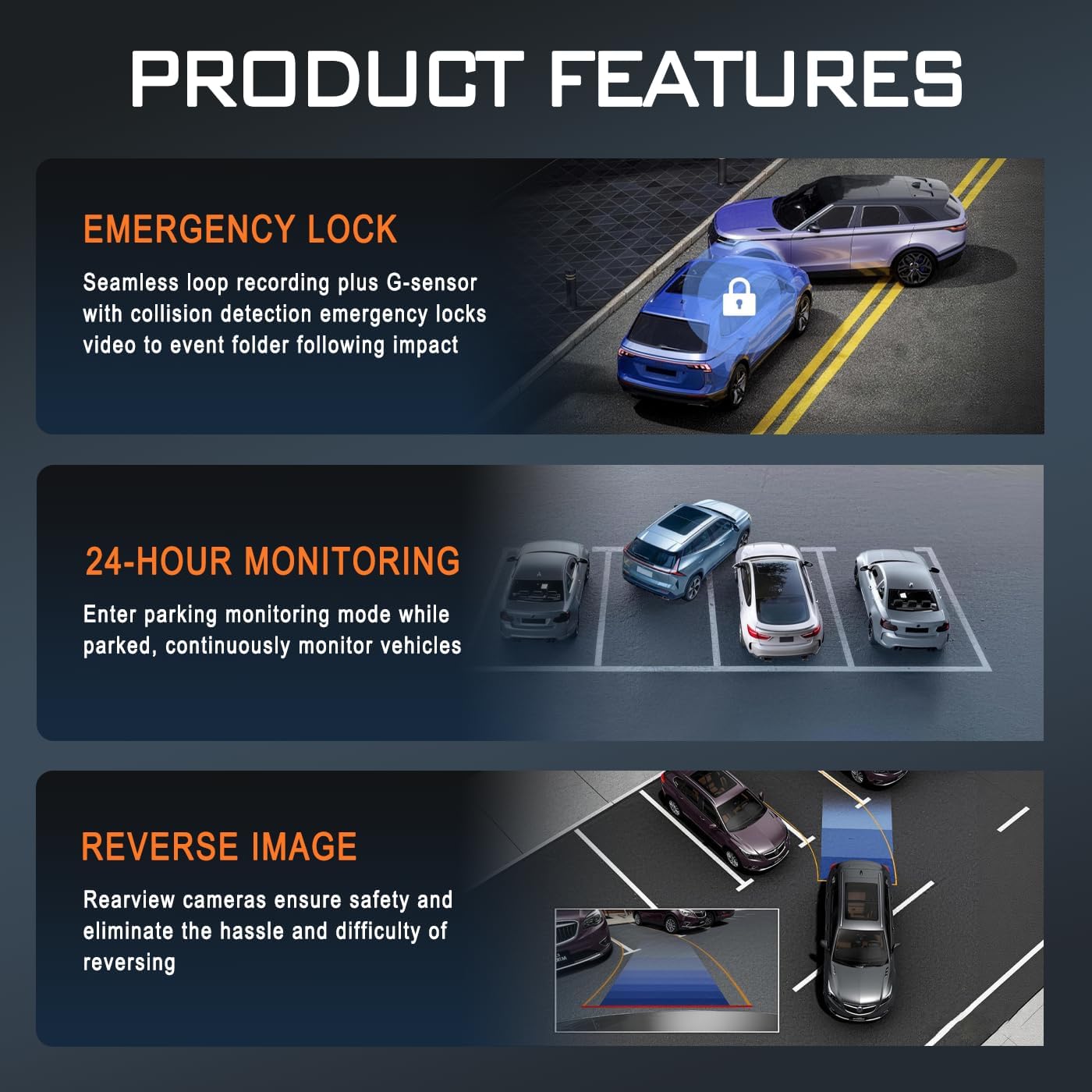
Image: Illustration of key product features: Emergency Lock (G-sensor), 24-Hour Monitoring, and Reverse Image functionality.
Czujnik G (blokada awaryjna)
The built-in G-sensor detects sudden acceleration, braking, or impacts. When triggered, it automatically locks the current video segment, preventing it from being overwritten by loop recording. These locked filePliki są przechowywane w osobnym folderze na karcie Micro SD.
- The G-sensor sensitivity can be adjusted in the settings menu (e.g., Low, Medium, High, Off).
Całodobowy monitoring parkingu
When enabled, the parking monitor allows the dash cam to continue monitoring your vehicle after it's parked and the ignition is off. It can detect impacts or motion and automatically start recording. This feature requires a continuous power supply, typically achieved through a hardwire kit (sold separately) connected to your vehicle's fuse box.
- Ensure a hardwire kit is installed for continuous 24-hour parking monitoring.
- The parking mode settings (e.g., time-lapse recording, impact detection) can be configured in the menu.
Wizja nocna w podczerwieni
The dash cam is equipped with infrared technology to enhance recording clarity in low-light or dark conditions. The interior camera utilizes 3 IR LED fill lights to capture clear images of the cabin occupants even in complete darkness.
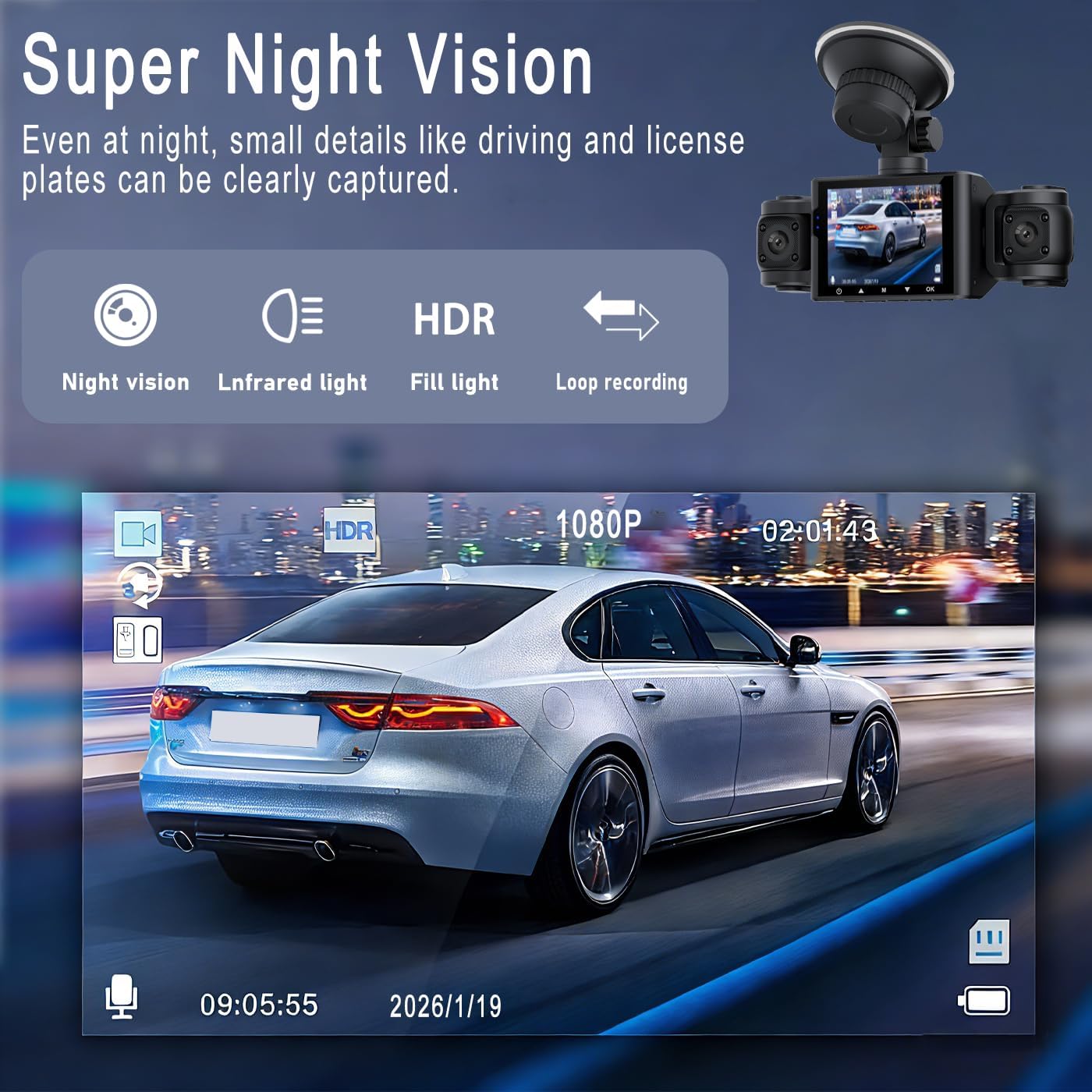
Obraz: Byłyample of Super Night Vision performance, showing clear capture of details like license plates in low light.

Obraz: Szczegółowy view of the dash cam's lens system, highlighting features like aspheric high-index lens and optical plating for enhanced image quality in various lighting conditions.
Odtwarzanie i File Kierownictwo
- Odtwarzanie na urządzeniu: Stop recording, then navigate to the playback menu on the dash cam's screen to view nagrane filmy.
- Odtwarzanie na komputerze: Remove the Micro SD card from the dash cam and insert it into a computer's card reader. Video files can be accessed and played using standard media players.
- File Organizacja: Videos are typically organized into folders such as "Normal," "Event" (for G-sensor triggered recordings), and "Parking" (for parking mode recordings).
Konserwacja
- Wyczyść soczewki: Regularnie czyść obiektywy kamery miękką, niepozostawiającą włókien ściereczką, aby zapewnić sobie wyraźną jakość obrazu. Unikaj materiałów ściernych.
- Micro SD Card Maintenance: Format the Micro SD card every 2-4 weeks to prevent data corruption and ensure optimal recording performance. Back up any important files przed formatowaniem.
- Temperatura pracy: Unikaj wystawiania kamery samochodowej na działanie ekstremalnych temperatur przez dłuższy czas.
- Aktualizacje oprogramowania układowego: Sprawdź producenta webokresowo odwiedzaj tę witrynę w celu sprawdzenia dostępności aktualizacji oprogramowania sprzętowego, które poprawią wydajność i dodadzą nowe funkcje.
Rozwiązywanie problemów
| Problem | Możliwe rozwiązanie |
|---|---|
| Kamera samochodowa nie włącza się. |
|
| Kamera samochodowa przestaje nagrywać lub wyświetla komunikat „Karta pełna”. |
|
| Wideotage jest niewyraźne lub niejasne. |
|
| Parking monitor is not working. |
|
| G-sensor is too sensitive or not sensitive enough. |
|
Specyfikacje
| Nazwa modelu | M8 |
| Marka | Ogólny |
| Rozdzielczość przechwytywania wideo | 1080p |
| Rozmiar ekranu | 2.4 cala (wyświetlacz IPS) |
| Konfiguracja obiektywu | 4-lens system (Front, Left, Right, Rear) |
| Cechy specjalne | Loop Recording, IR Night Vision, G-Sensor, 24hr Parking Mode |
| Technologia łączności | Pomocniczy |
| Typ pamięci flash | Micro SD (obsługuje do 64 GB) |
| Typ montażu | Uchwyt na deskę rozdzielczą (przyssawka) |
| Wymiary produktu (Gł. x Szer. x Wys.) | 3.54" gł. x 0.99" szer. x 1.57" wys. (ok. 9 cm x 2.5 cm x 4 cm) |
| Waga przedmiotu | 200 gram |
| Zawarte komponenty | Car Charger, 64GB Micro SD Card |
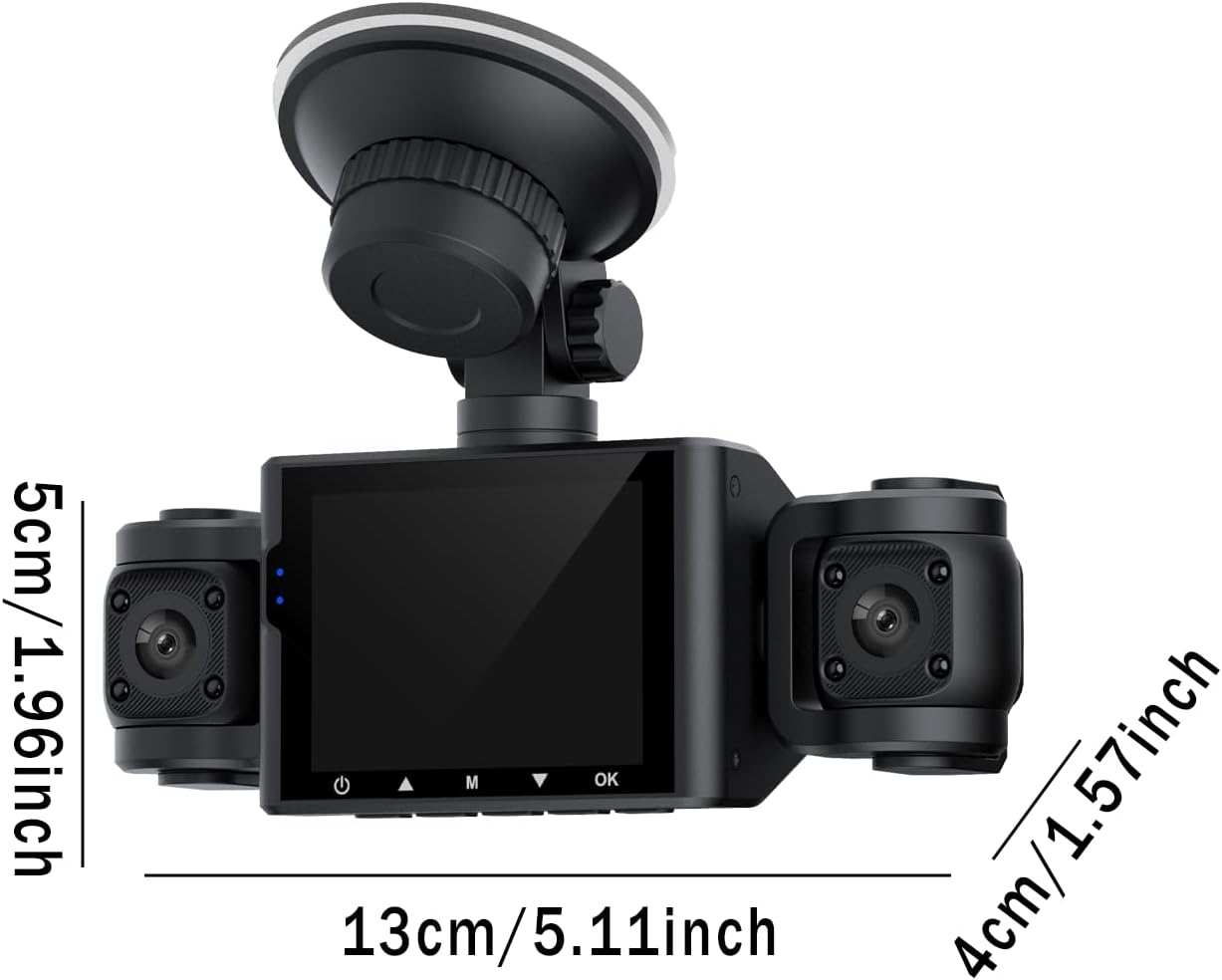
Image: Diagram showing the approximate dimensions of the dash cam unit in centimeters and inches.
Gwarancja i wsparcie
Informacje o gwarancji
This BCUOZ 4 Lesn Dash Cam M8 comes with a 2-letnia gwarancja producenta od daty zakupu. Niniejsza gwarancja obejmuje wady materiałowe i wykonawcze powstałe w wyniku normalnego użytkowania. Nie obejmuje ona uszkodzeń spowodowanych niewłaściwym użytkowaniem, wypadkami, nieautoryzowanymi modyfikacjami ani klęskami żywiołowymi. Prosimy zachować dowód zakupu na potrzeby roszczeń gwarancyjnych.
Obsługa klienta
For technical assistance, troubleshooting, or warranty inquiries, please refer to the contact information provided with your purchase or visit the manufacturer's official support website. When contacting support, please have your product model (M8) and purchase details ready.