
1. Wprowadzenie
This manual provides detailed instructions for the installation, operation, and maintenance of your MZZYG Tuya 7-Inch Wired Video Doorbell System. Please read this manual thoroughly before using the product to ensure proper function and safety. Keep this manual for future reference.
2. Koniec produktuview i zawartość opakowania
The MZZYG Tuya Video Doorbell System is designed to enhance your home security with a 1080P camera, a 7-inch touchscreen monitor, and Wi-Fi connectivity. It supports remote unlocking, two-way communication, and motion detection.
2.1 Zawartość opakowania
Sprawdź, czy w przesyłce znajdują się wszystkie elementy:
- Zewnętrzny dzwonek do drzwi (kamera 1080P)
- Indoor Monitor Unit (7-inch TFT-LCD Touchscreen)
- Zasilacz do monitora wewnętrznego
- Wspornik montażowy i śruby
- Kable okablowania
- RFID Key Fobs (Quantity may vary)
- Instrukcja obsługi (ten dokument)

Rysunek 2.1: Main components of the MZZYG Tuya Video Doorbell System, including the outdoor doorbell unit, the indoor 7-inch monitor, and several RFID key fobs for access control.
3. Specyfikacje
3.1 Monitor wewnętrzny
- Ekran: 7-inch TFT-LCD Touchscreen
- Rezolucja: 1024x680
- Dzwonki: 7-chord melodic rings
- Tryb połączenia: 4-wire, Tuya Wi-Fi solution
- Materiał panelu: Akryl / ABS
3.2 Zewnętrzny dzwonek do drzwi
- Kamera: 1080P
- Obiektyw: 3.2mm wide-angle, 160-degree view
- Widzenie nocne: Utrzymany
- Stopień wodoodporności: IP65
- Casing Materiał: Stop aluminium
- Cechy: Remote unlock, monitoring, two-way communication, video recording, motion detection
4. Instalacja i konfiguracja
Proper installation is crucial for optimal performance. It is recommended to consult a qualified electrician for wiring if you are unfamiliar with electrical installations.
4.1 Montaż jednostki zewnętrznej
- Choose a suitable location near your entrance, ensuring the camera has a clear, unobstructed view of visitors. The recommended height is approximately 1.5 meters (5 feet) from the ground.
- Użyj uchwytu montażowego jako szablonu do zaznaczenia punktów wiercenia na ścianie.
- Wywierć otwory i włóż kołki rozporowe.
- Przymocuj uchwyt montażowy do ściany za pomocą dołączonych śrub.
- Connect the wiring from your home to the outdoor unit. Ensure correct polarity for power and signal wires.
- Zamontuj jednostkę zewnętrzną w uchwycie montażowym.
4.2 Montaż monitora wewnętrznego
- Wybierz dogodne miejsce wewnątrz budynku, na przykład korytarz lub salon, w którym monitor będzie łatwo dostępny.
- Mount the indoor monitor's bracket to the wall using screws.
- Podłącz kabel 4-żyłowy od jednostki zewnętrznej do monitora wewnętrznego.
- Podłącz zasilacz do monitora wewnętrznego i podłącz go do gniazdka elektrycznego.
- Attach the indoor monitor to its wall bracket.

Rysunek 4.1: Ilustrujący examples of the outdoor doorbell unit mounted next to a door and the indoor monitor installed on a wall inside a home.
4.3 Initial Power-On and Wi-Fi Configuration
- Once both units are mounted and wired, power on the indoor monitor.
- Follow the on-screen prompts to configure the date, time, and language settings.
- Navigate to the Wi-Fi settings menu on the indoor monitor.
- Select your home Wi-Fi network and enter the password. The monitor will connect to the internet, enabling Tuya app integration.
5. Działanie
5.1 Odbieranie połączenia
- When a visitor presses the doorbell button, the indoor monitor will ring and display the visitor's image.
- To answer, tap the "Answer" icon on the touchscreen. This initiates two-way audio communication.
- To end the call, tap the "End Call" icon.
5.2 Zdalne odblokowanie
If connected to an electronic lock (sold separately), you can unlock the door remotely:
- During a call or while monitoring, tap the "Unlock" icon on the indoor monitor or in the Tuya app.
- Confirm the unlock action if prompted.
5.3 Monitorowanie
Możesz view obraz z kamery zewnętrznej w dowolnym momencie:
- On the indoor monitor, tap the "Monitor" icon to view transmisja na żywo z jednostki zewnętrznej.
- In the Tuya app, select your doorbell device to access the live view.
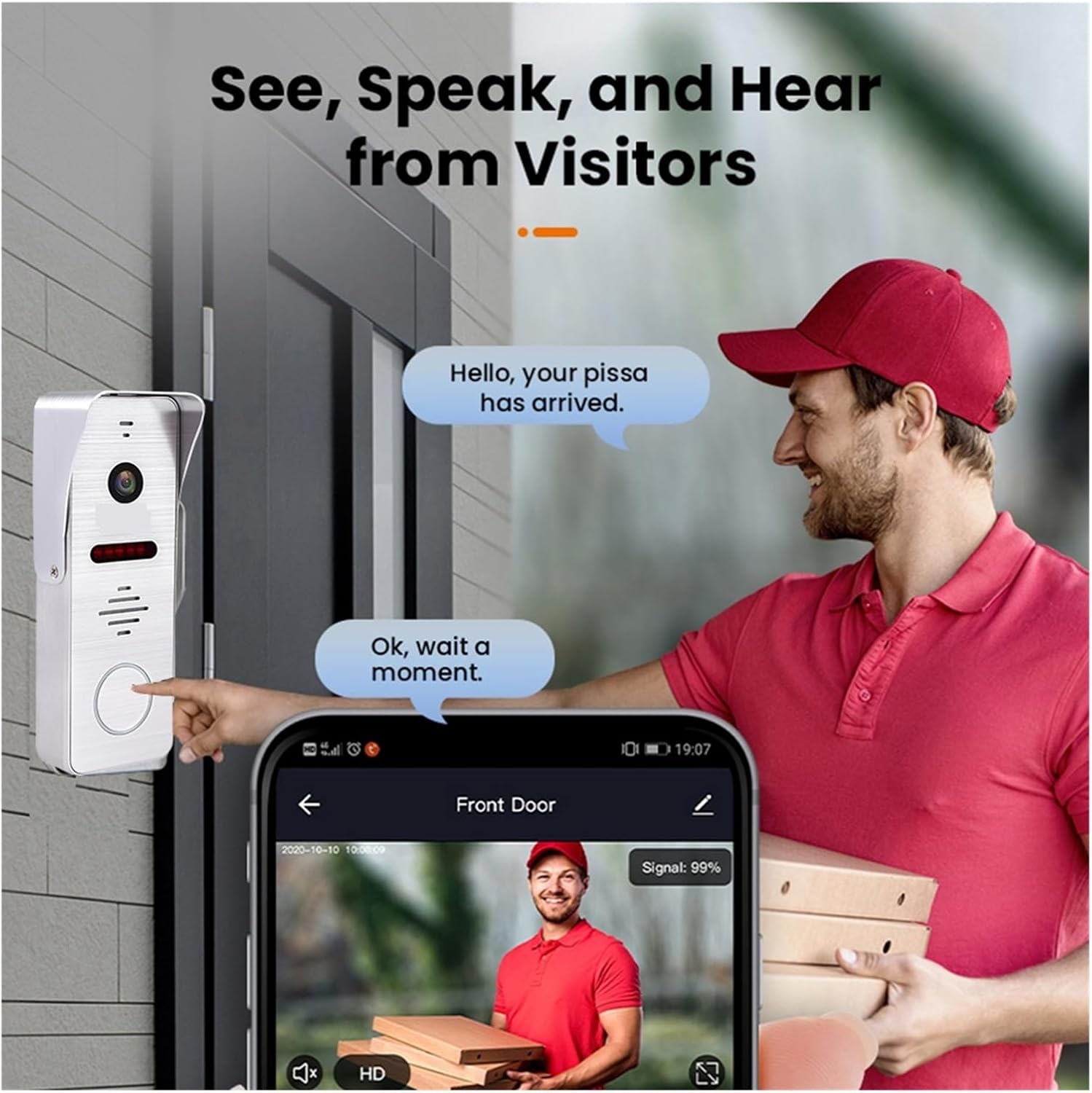
Rysunek 5.1: A visitor at the door pressing the doorbell, with a smartphone displaying the live video feed and communication options through the mobile application.
6. Tuya Smart App Integration
The system integrates with the Tuya Smart app for remote access and control.
6.1 Downloading and Registering the App
- Download the "Tuya Smart" app from your smartphone's app store (Google Play Store for Android, Apple App Store for iOS).
- Otwórz aplikację i zarejestruj nowe konto lub zaloguj się, jeśli już je posiadasz.
6.2 Adding the Doorbell Device
- W aplikacji Tuya Smart dotknij ikony „+”, aby dodać nowe urządzenie.
- Select "Video Surveillance" or "Doorbell" from the device categories.
- Follow the in-app instructions to pair your doorbell system. This typically involves scanning a QR code displayed on the indoor monitor or entering Wi-Fi credentials.
6.3 Funkcje aplikacji
- Zdalne monitorowanie: View live video from the outdoor unit.
- Dwukierunkowy dźwięk: Communicate with visitors from anywhere.
- Zdalne odblokowanie: Open the door remotely (requires compatible electronic lock).
- Video Recording & Snapshots: Capture video and images of visitors or events.
- Alerty wykrycia ruchu: Receive notifications when motion is detected.

Rysunek 6.1: A smartphone screen showing a list of motion detection events recorded by the doorbell camera, with timestamps i preview obrazy.
7. Motion Detection and Night Vision
The system is equipped with motion detection and night vision capabilities for enhanced security.
7.1 Wykrywanie ruchu
- The outdoor unit can detect motion in its field of view.
- Upon detection, the system can automatically record video or take snapshots.
- You will receive push notifications on your smartphone via the Tuya Smart app when motion is detected.
- Sensitivity settings for motion detection can be adjusted in the indoor monitor's menu or the Tuya app.
7.2 Widzenie nocne
- The outdoor unit features infrared night vision, allowing clear visibility even in low-light or complete darkness.
- Widzenie nocne włącza się automatycznie, gdy poziom oświetlenia otoczenia jest niski.

Rysunek 7.1: An illustration of the doorbell's night vision capability, showing a person in low light conditions as seen on the indoor monitor and a mobile phone screen.
8. Konserwacja
- Czyszczenie: Regularly wipe the camera lens and monitor screen with a soft, damp płótno. Unikaj ściernych środków czyszczących.
- Aktualizacje oprogramowania układowego: Check for firmware updates periodically through the indoor monitor's settings or the Tuya Smart app to ensure optimal performance and security.
- Kontrola okablowania: Okresowo sprawdzaj wszystkie połączenia przewodów, czy nie wykazują śladów zużycia lub uszkodzenia.
9. Rozwiązywanie Problemów
| Problem | Możliwa przyczyna | Rozwiązanie |
|---|---|---|
| Brak obrazu na monitorze wewnętrznym. | Problem z zasilaniem, luźne okablowanie, uszkodzone urządzenie. | Check power connection to monitor. Verify all 4-wire connections between outdoor and indoor units. Restart the system. |
| Brak dźwięku podczas połączenia. | Microphone/speaker issue, volume too low. | Check volume settings on the monitor. Ensure wiring is secure. |
| Wi-Fi connection unstable or disconnected. | Weak Wi-Fi signal, incorrect password, router issue. | Ensure monitor is within Wi-Fi range. Re-enter Wi-Fi password. Restart your router. |
| Wykrywanie ruchu nie działa. | Motion detection disabled, sensitivity too low, incorrect settings. | Enable motion detection in settings. Adjust sensitivity. Check recording schedule. |
10. Informacje dotyczące bezpieczeństwa
- Nie próbuj samodzielnie demontować ani naprawiać urządzenia. Wszelkie czynności serwisowe zlecaj wykwalifikowanemu personelowi.
- Trzymaj urządzenie z dala od wody, wilgoci i ekstremalnych temperatur.
- Ensure all wiring is correctly installed and insulated to prevent electrical hazards.
- Używaj wyłącznie dołączonego zasilacza.
11. Gwarancja i wsparcie
Warranty information for this product is not explicitly detailed in the provided specifications. Please refer to your purchase documentation or contact your retailer for specific warranty terms and conditions.
For technical support or inquiries, please contact MZZYG customer service through the contact information provided with your purchase or on the official MZZYG webstrona.