
LEVOIT 5ddce951-f1e5-4fc2-b790-0e25bd06f240
LEVOIT 36" Bladeless Tower Fan & Air Purifier User Manual
Model: 5ddce951-f1e5-4fc2-b790-0e25bd06f240
Marka: LEVOIT
Wstęp
This manual provides detailed instructions for the safe and efficient operation, maintenance, and troubleshooting of your LEVOIT 36" Bladeless Tower Fan and LEVOIT Core Mini-P Air Purifier. Please read this manual thoroughly before use and retain it for future reference.
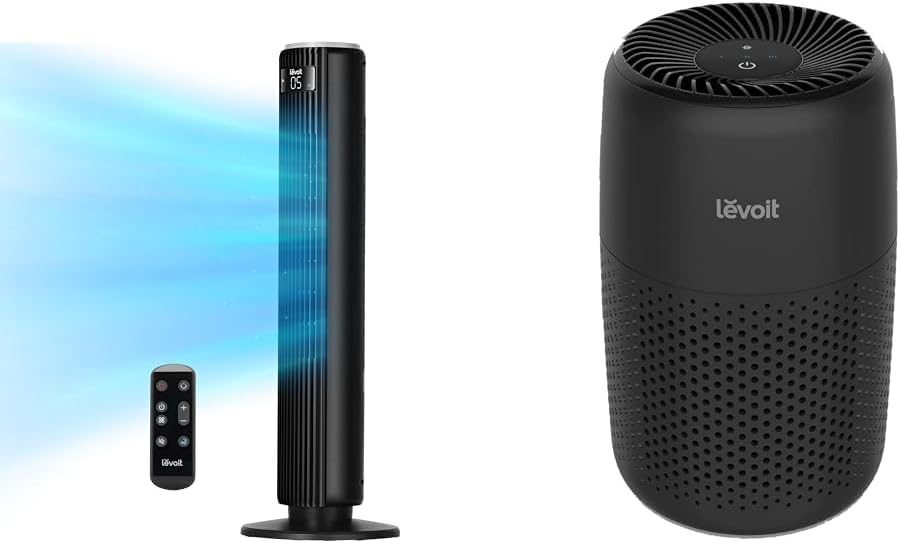
Image: The LEVOIT 36-inch Bladeless Tower Fan and the LEVOIT Core Mini-P Air Purifier shown together, highlighting their compact and modern design.
Ważne informacje dotyczące bezpieczeństwa
Aby zmniejszyć ryzyko pożaru, porażenia prądem lub obrażeń ciała, należy przestrzegać następujących środków ostrożności:
- Zawsze odłączaj urządzenie od zasilania przed czyszczeniem lub jakąkolwiek konserwacją.
- Nie używaj żadnego wentylatora z uszkodzonym przewodem lub wtyczką. Wyrzuć wentylator lub zwróć go do autoryzowanego serwisu w celu sprawdzenia i/lub naprawy.
- Nie układaj przewodu pod wykładziną. Nie przykrywaj przewodu dywanikami, chodnikami ani podobnymi pokryciami. Ułóż przewód z dala od obszaru ruchu i tam, gdzie nie będzie można się o niego potknąć.
- Do not insert or allow fingers or foreign objects to enter any ventilation or exhaust opening as this may cause an electric shock or damage the appliance.
- Nie blokuj w żaden sposób wlotów powietrza ani wydechu.
- Używaj tego urządzenia wyłącznie zgodnie z opisem w niniejszej instrukcji. Każde inne użycie niezalecane przez producenta może spowodować pożar, porażenie prądem lub obrażenia osób.
- Nie stosować na zewnątrz.
- To urządzenie ma spolaryzowaną wtyczkę (jeden bolec jest szerszy od drugiego). Aby zmniejszyć ryzyko porażenia prądem, ta wtyczka jest przeznaczona do spolaryzowanego gniazdka tylko w jeden sposób. Jeśli wtyczka nie pasuje całkowicie do gniazdka, odwróć ją. Jeśli nadal nie pasuje, skontaktuj się z wykwalifikowanym elektrykiem. Nie próbuj obejść tej funkcji bezpieczeństwa.
Zawartość opakowania
- LEVOIT 36" Bladeless Tower Fan
- Pilot zdalnego sterowania do wentylatora wieżowego
- LEVOIT Core Mini-P Air Purifier
- 3-in-1 Filtration Filter (Pre-installed in Air Purifier)
- Aroma Pad (Pre-installed in Air Purifier)
- Power Adapter for Air Purifier
- Instrukcja obsługi
Produkt ponadview
LEVOIT 36" Bladeless Tower Fan

Image: The LEVOIT 36-inch Bladeless Tower Fan standing upright with its remote control. Blue lines illustrate the powerful airflow emanating from the fan's vertical vent.
The tower fan features a sleek, bladeless design for safety and easy cleaning. It includes a digital display on top, indicating settings such as speed and timer. The base provides stability, and the unit comes with a remote control for convenient operation.
LEVOIT Core Mini-P Air Purifier

Obraz: Zbliżenie view of the LEVOIT Core Mini-P Air Purifier. It is a compact, cylindrical device with a matte black finish and perforated sides for air intake, featuring control buttons on its top surface.
The Core Mini-P Air Purifier is a compact, cylindrical device designed for small to medium-sized rooms. It features a 3-stage filtration system and a fragrance sponge for aromatherapy. Control buttons are located on the top panel.
Organizować coś
Setting up the Tower Fan
- Carefully remove the tower fan from its packaging.
- Ensure the base is securely attached. If not, align the base with the fan body and twist clockwise until it locks into place.
- Ustaw wentylator na stabilnej i równej powierzchni.
- Podłącz przewód zasilający do standardowego gniazdka elektrycznego.
Konfiguracja oczyszczacza powietrza
- Wyjmij oczyszczacz powietrza z opakowania.
- Turn the air purifier upside down and twist the base cover counter-clockwise to unlock and remove it.
- Remove the plastic packaging from the 3-in-1 filtration filter.
- Place the filter back into the air purifier, ensuring it is seated correctly.
- Załóż pokrywę podstawy i przekręć ją zgodnie z ruchem wskazówek zegara, aby ją zablokować.
- Connect the power adapter to the air purifier and then plug it into a standard electrical outlet.
- To use the aromatherapy feature, add 2-3 drops of essential oil (not included) onto the aroma pad located at the bottom of the air purifier.
Instrukcja obsługi
Obsługa wentylatora wieżowego
The tower fan can be operated using the control panel on top of the unit or the included remote control.
- Przycisk zasilania: Naciśnij, aby włączyć lub wyłączyć wentylator.
- Przycisk trybu: Cycle through 4 modes: Normal, Turbo, Sleep, and Auto.
- Tryb normalny: Stały przepływ powietrza przy wybranej prędkości.
- Tryb turbo: Maksymalny przepływ powietrza zapewniający szybkie chłodzenie.
- Tryb uśpienia: Gradually decreases fan speed for quiet operation.
- Tryb automatyczny: Adjusts fan speed based on ambient room temperature (detected by smart sensors).
- Regulacja prędkości: Use the '+' and '-' buttons to select from 5 speed settings.
- Przycisk oscylacji: Press to activate or deactivate 90° oscillation, allowing the fan to sweep air across a wider area.
- Przycisk timera: Set the fan to automatically turn off after a specified period (up to 12 hours). Each press adds 1 hour.
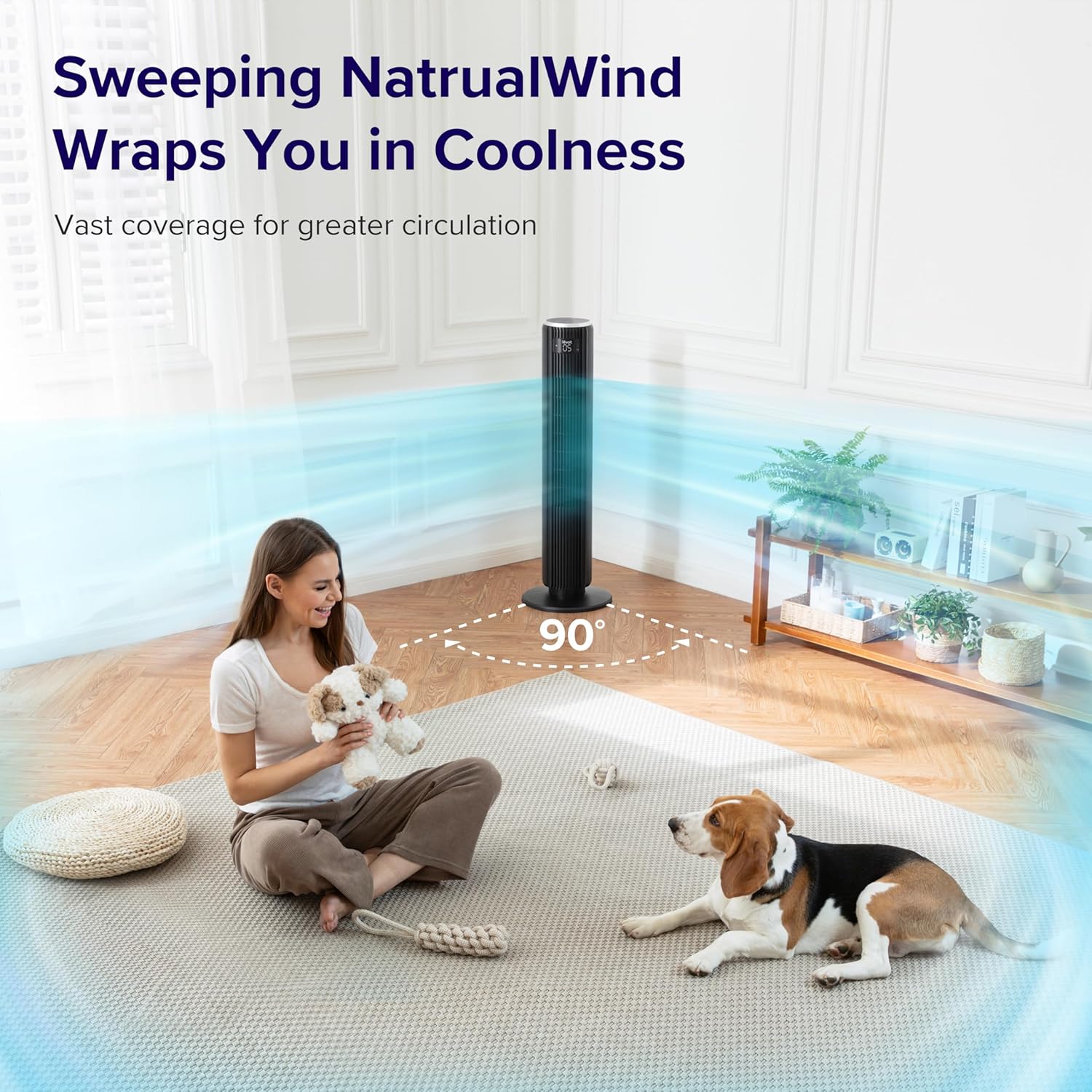
Image: The LEVOIT 36-inch Bladeless Tower Fan is shown oscillating 90 degrees, indicated by blue airflow lines covering a wide area in a living room setting. A person and a dog are comfortably within the fan's cooling range.

Image: The LEVOIT 36-inch Bladeless Tower Fan is positioned in a bedroom, emitting a gentle, natural-feeling breeze, illustrated by light blue airflow lines. A person is meditating peacefully in the background, emphasizing the fan's quiet operation and comfortable airflow.
Obsługa oczyszczacza powietrza
The air purifier is controlled via the touch buttons on its top panel.
- Przycisk zasilania: Naciśnij, aby włączyć lub wyłączyć oczyszczacz powietrza.
- Przycisk prędkości wentylatora: Cycle through 3 quiet fan speeds (Low, Medium, High).
- Aroma Feature: The aroma pad allows for the diffusion of essential oils. Add 2-3 drops of essential oil to the pad located at the bottom of the unit. The fan will then circulate the scent.

Image: The LEVOIT Core Mini-P Air Purifier is shown on a nightstand in a bedroom, with a mother and child in the background. Text overlays emphasize "Multi-Layered Protection" including Pre-Filter, Efficient Filter, and Activated Carbon Filter, illustrating its air purification capabilities.

Image: The LEVOIT Core Mini-P Air Purifier is placed on a table in a living room. A hand is shown adding essential oil drops to the aroma pad, demonstrating the "Refresh With Fragrance" feature for destressing and staying focused.
Konserwacja
Czyszczenie wentylatora wieży
- Zawsze odłączaj wentylator od zasilania przed czyszczeniem.
- Użyj miękkiego, damp ściereczka do wycierania zewnętrznych powierzchni wentylatora.
- Nie należy używać środków czyszczących o właściwościach ściernych ani rozpuszczalników.
- For dust accumulation in the air inlet/outlet, use a vacuum cleaner with a brush attachment to gently remove dust.
Cleaning and Filter Replacement for Air Purifier
- Unplug the air purifier before cleaning or replacing the filter.
- Wytrzyj obudowę miękką, suchą szmatką.
- The 3-in-1 filtration filter should be replaced every 6-8 months, or sooner depending on air quality and usage.
- Aby wymienić filtr:
- Turn the air purifier upside down and twist the base cover counter-clockwise to unlock.
- Wyjmij stary filtr i zutylizuj go zgodnie z przepisami.
- Insert a new LEVOIT Core Mini-P replacement filter (ensure plastic packaging is removed).
- Załóż pokrywę podstawy i przekręć ją zgodnie z ruchem wskazówek zegara, aby zablokować.
- Clean the aroma pad as needed with a damp cloth and allow it to dry completely before reapplying essential oils.
Rozwiązywanie problemów
| Problem | Możliwa przyczyna | Rozwiązanie |
|---|---|---|
| Fan/Purifier does not turn on. | Niepodłączony; gniazdko elektryczne nie działa; przycisk zasilania nie został naciśnięty. | Ensure unit is securely plugged in. Test outlet with another device. Press the power button firmly. |
| Weak airflow from fan. | Fan speed too low; air inlet/outlet blocked. | Increase fan speed. Check for obstructions and clean air inlets/outlets. |
| Air purifier not effectively cleaning air. | Filter is dirty or expired; plastic packaging not removed from filter. | Replace the filter. Ensure all plastic packaging is removed from the new filter before installation. |
| Wentylator jest głośny. | Unit not on a level surface; internal obstruction. | Place the fan on a flat, stable surface. Check for any foreign objects inside the fan. |
| Pilot nie działa. | Batteries are dead or incorrectly inserted; remote too far from fan. | Replace batteries. Ensure correct polarity. Use remote within range and point towards the fan's receiver. |
Specyfikacje
LEVOIT 36" Bladeless Tower Fan
- Model: 5ddce951-f1e5-4fc2-b790-0e25bd06f240
- Źródło zasilania: Elektryczny przewodowy
- Wydajność przepływu powietrza: 1062 stóp sześciennych na minutę (CFM)
- Prędkość powietrza: Do 25 stóp/s
- Oscylacja: 90°
- Poziom hałasu: Już od 28 dB
- Tryby: Normal, Turbo, Sleep, Auto
- Prędkości: 5
- Regulator czasowy: 1-12 godzin
- Metoda sterowania: Pilot, panel dotykowy
- Cechy szczególne: Bladeless, Temperature Sensor
LEVOIT Core Mini-P Air Purifier
- Model: Core Mini-P (part of bundle)
- Filtrowanie: 3-in-1 (Pre-Filter, Efficient Filter, Activated Carbon Filter)
- Obszar zasięgu: Do 129 stóp kwadratowych
- Poziom hałasu: 25-44dB
- Prędkości: 3
- Cechy szczególne: Fragrance Sponge for Aromatherapy, Portable
Gwarancja i wsparcie
LEVOIT provides a limited warranty for this product. For detailed warranty information, including duration and coverage, please refer to the warranty card included in your product packaging or visit the official LEVOIT webstrona.
For technical support, troubleshooting assistance, or to inquire about replacement parts (such as air purifier filters), please contact LEVOIT Customer Support:
- Webstrona: www.levoit.com
- E-mail: support@levoit.com
- Telefon: (Refer to LEVOIT web(strona z regionalnymi numerami kontaktowymi)
Please have your model number (5ddce951-f1e5-4fc2-b790-0e25bd06f240) and purchase information ready when contacting support.
Ask a question about this manual
Ask about setup, troubleshooting, compatibility, parts, safety, or missing instructions. Manuals+ will review the question and use this page’s manual context to help answer it.