
Wstęp
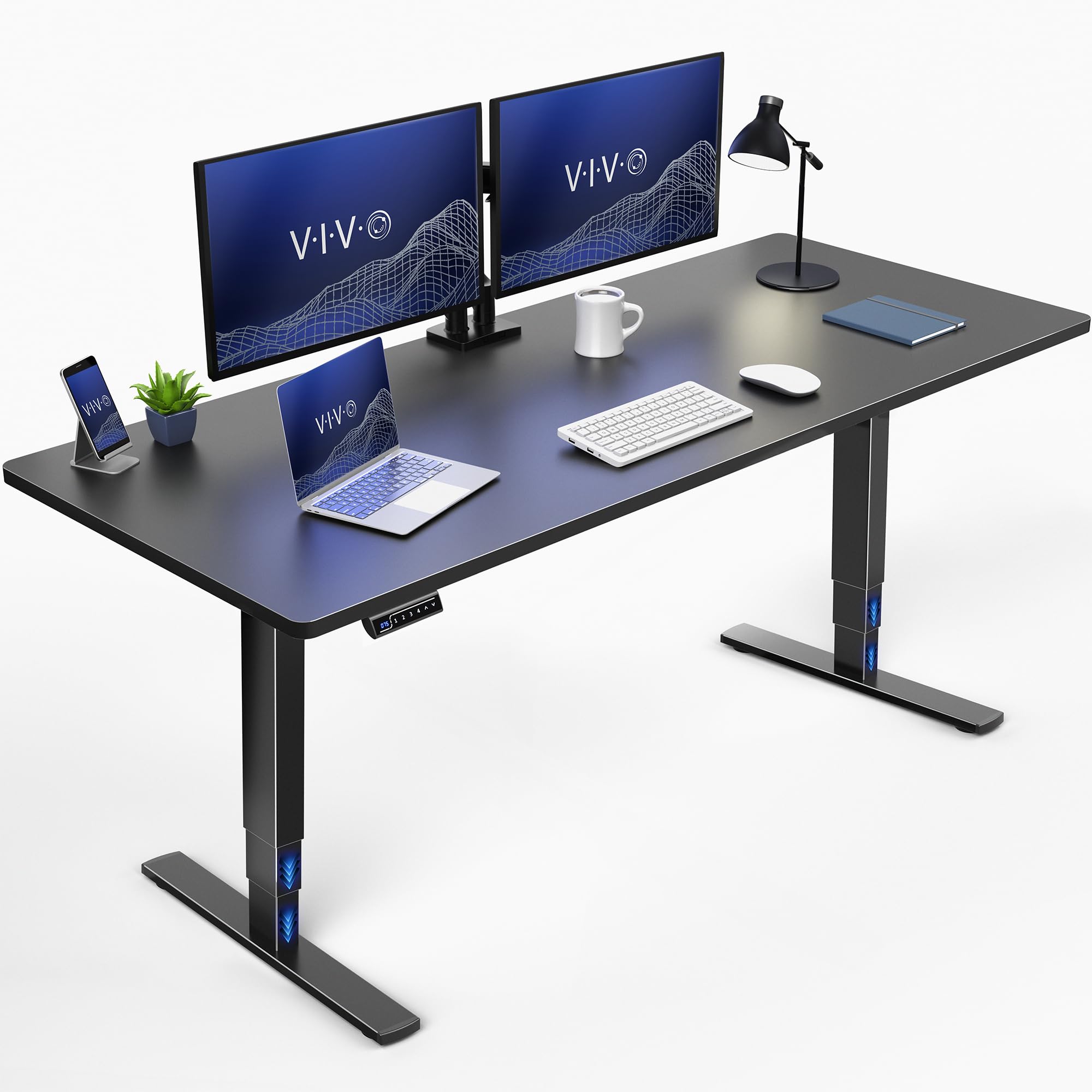
This manual provides essential instructions for the assembly, operation, and maintenance of your VIVO DESK-KIT-2E71B Electric Standing Desk. This workstation is designed to transition smoothly between sitting and standing positions, promoting an active and ergonomic work environment. Please read this manual thoroughly before use to ensure proper setup and safe operation.
Informacje dotyczące bezpieczeństwa
Ważny: Exceeding the weight limit of 220 lbs (100 kg) may cause damage to the desk or result in injury. Ensure proper assembly as described in the setup section to maintain stability and structural integrity. Keep children and pets away from the desk during height adjustments. Do not place hands or other objects near moving parts.
Instrukcje konfiguracji
Before beginning assembly, ensure all components are present and undamaged. Refer to the included assembly instructions for detailed, step-by-step guidance. Assembly typically requires one person.
Zawartość zestawu:
- Black 71" x 30" Table Top
- Czarna elektryczna rama biurka z pojedynczym silnikiem
- Hardware and tools for assembly
Koniec montażuview:
- Rozpakuj wszystkie komponenty i sprawdź je na liście części.
- Attach the desk legs to the desktop using the provided hardware.
- Connect the motor and control panel cables as instructed.
- Ensure all connections are secure and the desk is stable before use.

Instrukcja obsługi
Your VIVO Electric Standing Desk features an intuitive control panel for height adjustment and memory presets.
Regulacja wysokości:
- Użyj W górę (▲) I W dół (▼) arrows on the control panel to raise or lower the desk to your desired height.
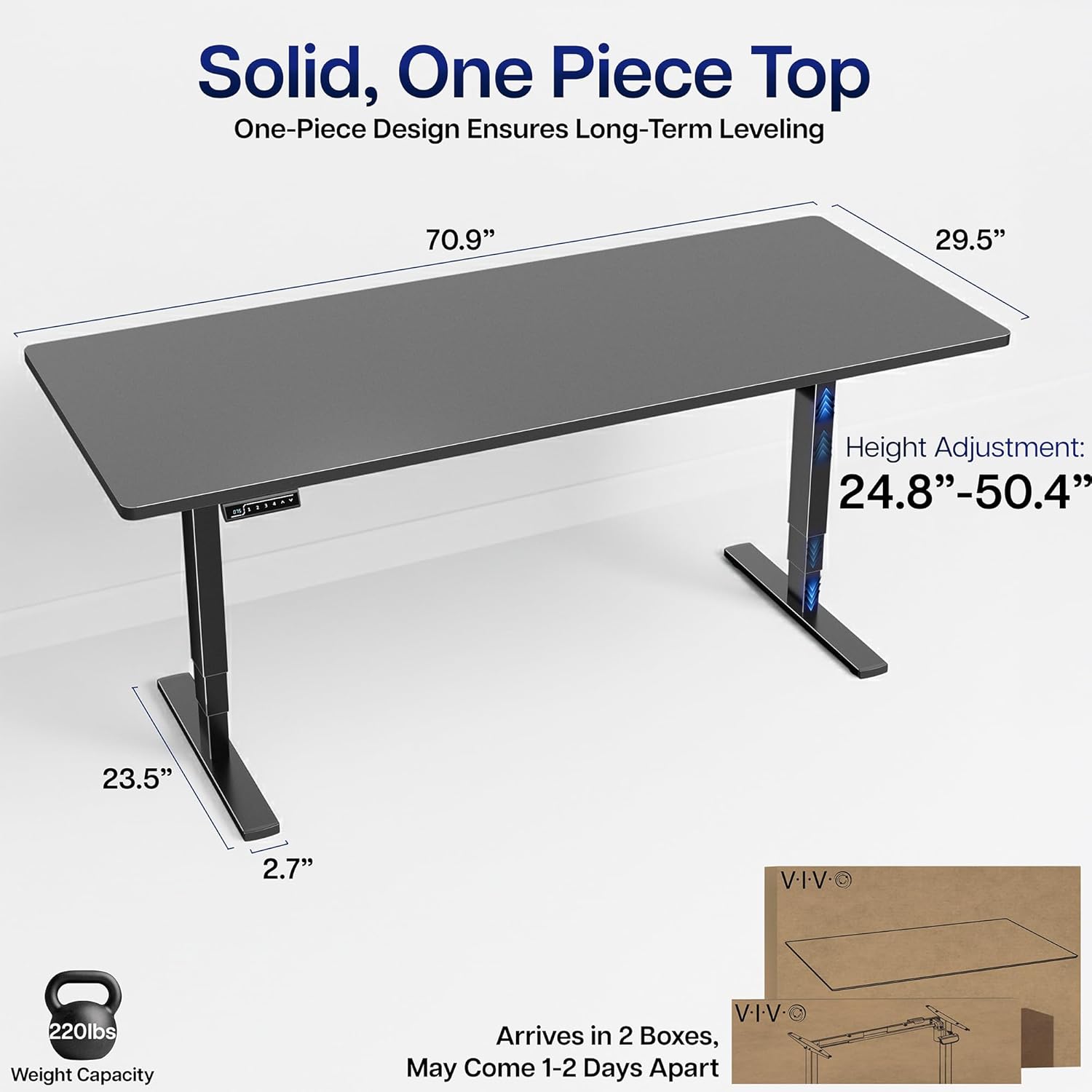
- The desk offers a height range from 24.8 inches (minimum) to 50.4 inches (maximum).
Ustawienia pamięci:
The control panel allows you to save up to three preferred height settings for quick transitions.
- Dostosuj wysokość biurka do swoich potrzeb, korzystając ze strzałek w górę/w dół.
- Naciśnij M button, then press one of the number buttons (1, 2, Lub 3) aby zapisać aktualną wysokość w tym ustawieniu wstępnym.
- Aby przywołać zapisaną wysokość, wystarczy nacisnąć odpowiedni przycisk numeryczny. Biurko automatycznie ustawi się w zapisanej pozycji.


Konserwacja
Regular maintenance helps ensure the longevity and optimal performance of your standing desk.
- Czyszczenie: Przetrzyj blat i ramę miękką szmatką.amp szmatką. Unikaj środków czyszczących o działaniu ściernym i silnych środków chemicznych, które mogłyby uszkodzić wykończenie.
- Zarządzanie kablami: Periodically check and organize cables to prevent tangles and ensure smooth operation during height adjustments.
- Kontrola: Routinely inspect all screws and connections to ensure they remain tight. Tighten any loose fasteners as needed.
Rozwiązywanie problemów
If you encounter issues with your VIVO Electric Standing Desk, refer to the following common solutions:
- Biurko się nie rusza: Ensure the power cord is securely plugged into both the desk and a working electrical outlet. Check for any obstructions under or around the desk that might prevent movement.
- Chybotanie: A slight wobble can sometimes occur, especially at higher settings. Ensure all assembly screws are tightened. If the wobble is significant, verify that the desk is placed on a level surface and that the feet are adjusted correctly.
- Kody błędów: If the control panel displays an error code, consult the full user manual (available as a PDF document) for specific code interpretations and solutions.
If these steps do not resolve the issue, please contact VIVO customer support for further assistance.
Specyfikacje
Key specifications for the VIVO DESK-KIT-2E71B Electric Standing Desk:
| Funkcja | Szczegół |
|---|---|
| Marka | Żyć |
| Numer modelu | DESK-KIT-2E71B |
| Wymiary produktu (Gł. x Szer. x Wys.) | 29.5" x 70.9" x 25.5" |
| Rozmiar blatu stołu | 71 x 30 cali |
| Minimalna wysokość | 24.8 cali |
| Maksymalna wysokość | 50.4 cali |
| Maksymalna zalecana waga | 220 funta |
| Typ materiału | Płyta wiórowa, stal |
| Mechanizm podnoszący | Silnik elektryczny |
| Grubość blatu | 1 cala |
| Kolor | Czarny top / Czarna rama |


Informacje o gwarancji
The VIVO DESK-KIT-2E71B Electric Standing Desk comes with a 3-roczna ograniczona gwarancja. This warranty covers manufacturing defects and ensures the product meets VIVO's quality standards. For specific terms and conditions, please refer to the official warranty documentation provided with your purchase or contact VIVO customer support.
Obsługa klienta
For any questions, technical assistance, or warranty claims, please contact VIVO customer support. Our U.S.-based sales and technical support teams are available to provide assistance.
You can typically find contact information on the VIVO official website or within the packaging materials of your product. Please have your model number (DESK-KIT-2E71B) and purchase date ready when contacting support.


