
VERTU H1
VERTU H1 Smart Watch User Manual
Model: H1
Wstęp
Welcome to the user manual for your new VERTU H1 Smart Watch. This guide provides detailed instructions on how to set up, operate, maintain, and troubleshoot your device. The VERTU H1 combines aerospace-grade carbon fiber and a sapphire crystal display with advanced smart features, including comprehensive health monitoring, extensive sports modes, and seamless Android compatibility. Please read this manual carefully to ensure optimal performance and longevity of your smartwatch.

Image: The VERTU H1 Smart Watch in white and gold, showcasing its elegant design and sapphire display.
Co jest w pudełku
Upon opening your VERTU H1 Smart Watch package, please verify that all the following items are included:
- VERTU H1 Smart Watch (METAWATCH 1)
- Ładowarka bezprzewodowa
- Instrukcja obsługi (ten dokument)
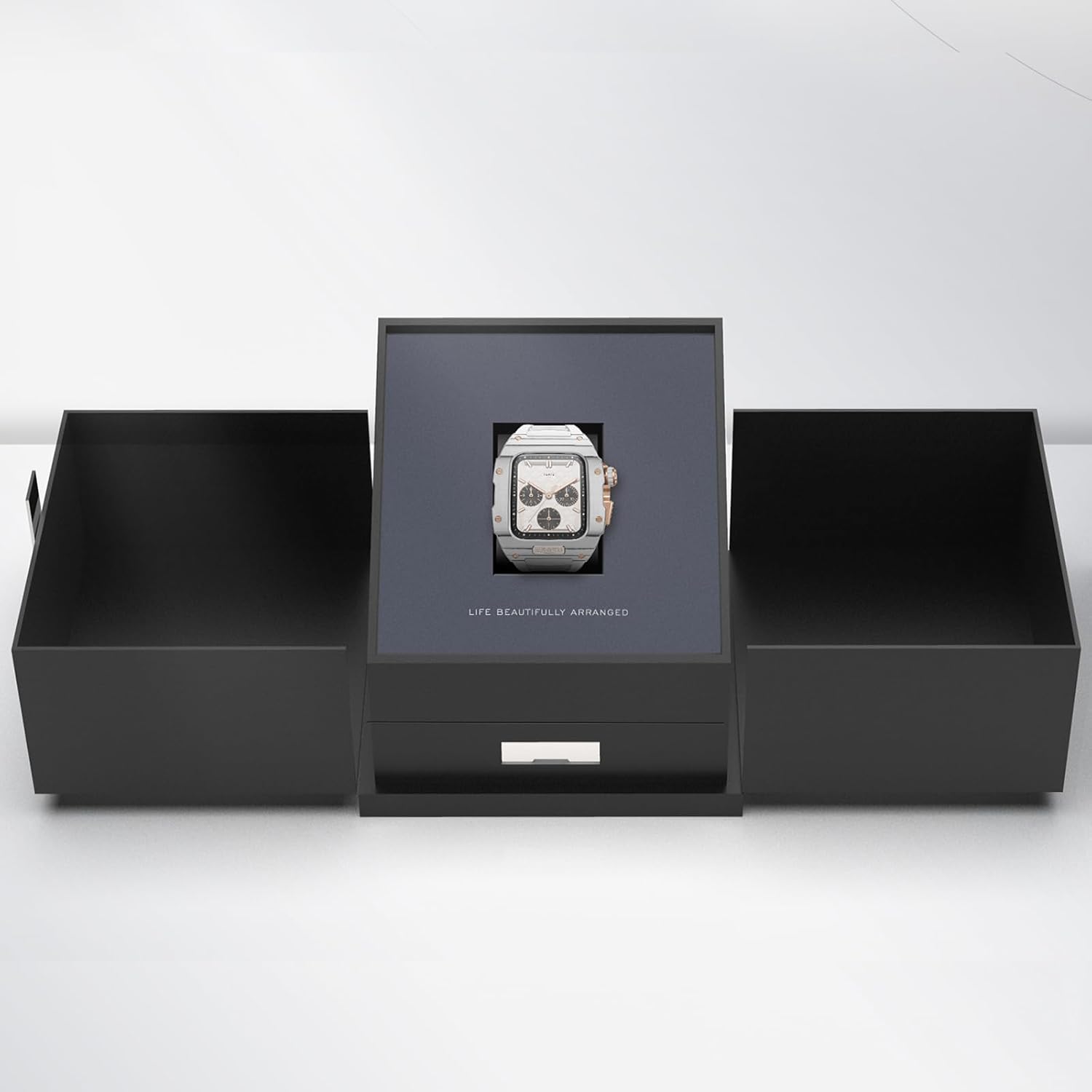
Image: The VERTU H1 Smart Watch presented within its elegant black packaging, indicating the unboxing experience.
Organizować coś
1. Ładowanie inteligentnego zegarka
Before first use, fully charge your VERTU H1 Smart Watch. Place the watch on the provided wireless charger. The screen will indicate charging status. A full charge typically takes approximately 2 hours.
2. Włączanie/wyłączanie zasilania
- Włączanie: Press and hold the side button until the VERTU logo appears.
- Wyłączone: Naciśnij i przytrzymaj przycisk boczny, a następnie wybierz na ekranie opcję „Wyłącz”.
3. Instalacja i parowanie aplikacji
To unlock the full functionality of your VERTU H1, you need to pair it with your Android smartphone via the dedicated app.
- Scan the QR code in the manual or on the watch screen (if available) to download the 'VERTU WATCH' application from the Google Play Store.
- Upewnij się, że Bluetooth jest włączony w Twoim smartfonie.
- Open the 'VERTU WATCH' app and follow the on-screen instructions to create an account or log in.
- In the app, select 'Add Device' or 'Pair New Device'. The app will search for your VERTU H1.
- Select your watch from the list of discovered devices. Confirm the pairing request on both your watch and smartphone.

Image: An illustration showing the internal chip of the VERTU H1 Smart Watch and its connection to the companion mobile application, symbolizing the pairing process.
4. Wstępna konfiguracja
After successful pairing, the app will guide you through initial settings such as language selection, time format, and personal profile setup (e.g., age, height, weight for accurate health and fitness tracking).
Instrukcja obsługi
Nawigacja
- Ekran dotykowy: Przesuwaj w lewo/prawo, w górę/dół, aby poruszać się po menu i powiadomieniach. Dotknij, aby wybrać.
- Przycisk boczny: Naciśnij, aby wrócić do ekranu głównego lub wybudzić urządzenie. Naciśnij i przytrzymaj, aby wyświetlić opcje zasilania.
- Cyfrowa korona: Rotate to scroll through lists or zoom in/out. Press to select or return to the previous screen.
Wykonywanie i odbieranie połączeń
With the VERTU H1 connected to your smartphone, you can make and answer calls directly from your wrist.
- Odbieranie połączeń: Gdy ktoś zadzwoni, dotknij zielonej ikony odbioru na ekranie zegarka.
- Dzwonić: Aby nawiązać połączenie, uzyskaj dostęp do dialera lub listy kontaktów na zegarku.
Powiadomienia
Receive notifications from your paired smartphone directly on your watch. Swipe down from the top of the screen to view ostatnie powiadomienia.
Personalizacja
Spersonalizuj swoje wrażenia z korzystania z zegarka:
- Tarcze zegarka: Long press the home screen to change watch faces. More options are available in the 'VERTU WATCH' app.
- Ustawienia: Access the settings menu on the watch to adjust brightness, vibration, and other preferences.
Aktualizacje OTA
The VERTU H1 supports Over-The-Air (OTA) updates. Ensure your watch is connected to the app and has sufficient battery for seamless software upgrades, which enhance features and performance.
Funkcje monitorowania zdrowia
The VERTU H1 Smart Watch provides continuous, real-time monitoring of vital health metrics to help you stay informed about your well-being.
Monitorowanie tętna
The watch continuously tracks your heart rate throughout the day. View your current heart rate and historical data in the 'Heart Rate' section on the watch or in the app.
Monitorowanie tlenu we krwi (SpO2)
Monitor your blood oxygen levels to assess your respiratory health. Access the 'Oximetry' function on your watch for on-demand measurements or view trends in the app.

Image: The VERTU H1 Smart Watch screen showing detailed health metrics, including oximetry (blood oxygen saturation) and heart rate data, with graphs illustrating trends.
Monitorowanie snu
The watch automatically monitors your sleep patterns, including deep sleep, light sleep, and wake times. Review your sleep quality analysis in the 'Sleep' section of the app.

Image: The VERTU H1 Smart Watch displaying sleep tracking data, showing duration of deep sleep and overall sleep time.
Sedentary Reminder & Drinking Water Reminder
The watch can remind you to move after periods of inactivity and prompt you to drink water, promoting healthier habits throughout your day. Configure these reminders in the 'VERTU WATCH' app.
Fitness Tracking Features
The VERTU H1 is equipped with advanced features to support your fitness journey, offering comprehensive monitoring of your workout sessions.
Ponad 100 trybów sportowych
Choose from over 100 built-in sports modes, including outdoor running, indoor running, outdoor walking, and many more. Select your activity to track specific metrics relevant to your workout.

Image: The VERTU H1 Smart Watch screen showing a list of available sports modes, including outdoor running, indoor running, and outdoor walking.
Śledzenie aktywności
The watch automatically tracks your daily activities, including steps taken, distance covered, and calories burned. View your daily activity rings and progress in the 'Daily Activities' section on the watch or in the app.
Wbudowany GPS
For outdoor activities, the built-in GPS accurately records your route, distance, and pace, providing detailed insights into your performance without needing your phone.
Konserwacja
Czyszczenie inteligentnego zegarka
Regularne czyszczenie pomaga zachować wygląd i funkcjonalność zegarka.
- Wipe the screen and case with a soft, lint-free cloth. If necessary, dampDelikatnie zwilż szmatkę wodą.
- Clean the FKM strap with mild soap and water, then rinse thoroughly and dry.
- Unikaj stosowania silnych środków chemicznych, materiałów ściernych i sprężonego powietrza, gdyż mogą one uszkodzić zegarek.
Wodoodporność (IP68)
The VERTU H1 Smart Watch is IP68 waterproof, meaning it is protected against dust ingress and can withstand immersion in water up to 1.5 meters for 30 minutes. While suitable for daily wear and activities like swimming, it is not recommended for diving or high-pressure water activities. Avoid exposing the watch to hot water, steam, or corrosive liquids.
Pielęgnacja baterii
- Regularnie ładuj zegarek, unikając całkowitego rozładowania na dłuższy czas.
- Przechowuj zegarek w chłodnym i suchym miejscu, gdy nie jest używany.
- Use only the provided wireless charger.
Rozwiązywanie problemów
If you encounter issues with your VERTU H1 Smart Watch, try the following solutions:
| Problem | Możliwe rozwiązanie |
|---|---|
| Watch won't power on | Upewnij się, że zegarek jest w pełni naładowany. Podłącz go do ładowarki bezprzewodowej na co najmniej 30 minut. |
| Nie można sparować ze smartfonem | Ensure Bluetooth is enabled on your phone. Restart both the watch and the phone. Clear Bluetooth cache on your phone. Try pairing again through the 'VERTU WATCH' app. |
| Niedokładne dane dotyczące zdrowia/sprawności fizycznej | Ensure the watch is worn snugly on your wrist, about one finger's width above the wrist bone. Clean the sensor on the back of the watch. Update your personal information in the app. |
| Krótki czas pracy baterii | Reduce screen brightness. Turn off unnecessary notifications. Limit continuous heart rate monitoring if not needed. Ensure no background apps are draining power. |
| Zegarek nie reaguje | Perform a force restart by pressing and holding the side button for approximately 10-15 seconds until the watch restarts. |
If the issue persists, please refer to the support section or contact customer service.
Specyfikacje
| Funkcja | Szczegół |
|---|---|
| Nazwa modelu | H1 (Internal: METAWATCH 1) |
| Marka | WERTU |
| Rozmiar ekranu | 1.85 Inches (Sapphire Crystal Display) |
| Materiał obudowy | Aerospace-grade Carbon Fiber |
| Materiał paska | Fluoroelastomer (FKM) |
| System operacyjny | Android oparte |
| Łączność | Bluetooth |
| Pojemność baterii | 260 mAh |
| Odporność na wodę | IP68 |
| Cechy specjalne | Activity Tracker, Built-in GPS, Heart Rate/Blood Oxygen Detection, Phone Call, Sedentary Reminder, 100+ Sports Modes |
Gwarancja i wsparcie
Informacje o gwarancji
Your VERTU H1 Smart Watch comes with a standard manufacturer's warranty. Please refer to the warranty card included in your product packaging for specific terms, conditions, and duration. Keep your proof of purchase for warranty claims.
Obsługa klienta
For technical assistance, troubleshooting beyond this manual, or warranty inquiries, please contact VERTU customer support. Contact details can typically be found on the official VERTU webmiejscu lub na opakowaniu produktu.
Ask a question about this manual
Ask about setup, troubleshooting, compatibility, parts, safety, or missing instructions. Manuals+ will review the question and use this page’s manual context to help answer it.