
1. Wprowadzenie
This manual provides detailed instructions for the installation, operation, and maintenance of your GESKS ICSEE 3MP Wireless PTZ Security Camera. Please read this manual thoroughly before using the product to ensure proper functionality and safety. This camera is designed for outdoor surveillance, offering features such as pan/tilt control, human detection, two-way audio, and night vision.
2. Koniec produktuview
2.1 Zawartość opakowania
Sprawdź, czy w opakowaniu znajdują się wszystkie elementy:
- Kamera CCTV
- Zasilacz
- Instrukcja obsługi
- Śruby montażowe
- Nawias

Figure 2.1: Contents of the product package, including the GESKS ICSEE security camera, power adapter, user manual, mounting screws, and bracket.
2.2 Główne cechy
- 3MP Full HD Resolution: Provides clear images and video for effective surveillance.
- Funkcjonalność panoramowania/pochylania: Oferuje zakres obrotu w poziomie 355° i pochylenie w pionie 90°, co pozwala na pokrycie dużego obszaru.
- Inteligentne śledzenie ruchu: Automatically detects and follows moving objects within its field of view.
- Human Detection & Real-time Alarm: Identifies human figures, tracks their movement, and sends immediate alerts to your smartphone via the iCSee app.
- Trzy tryby widzenia nocnego: Includes full-color, infrared, and smart vision modes, with a night vision range up to 65 feet. The camera automatically activates its white lamp for color images when ambient light is insufficient.
- Dwukierunkowy dźwięk: Features a built-in microphone and speaker for remote communication.
- Opcje przechowywania: Supports local storage via a Micro SD card (up to 128GB) and cloud storage services.
- Kompatybilność z Alexą: Can be integrated with Amazon Alexa for voice control.
- Wodoodporna konstrukcja: Nadaje się do instalacji na zewnątrz.
- Obsługa protokołu ONVIF: Allows connection to compatible Network Video Recorders (NVRs).
3. Konfiguracja
3.1 Montaż kamery
The camera is designed for ceiling mount installation. Use the provided bracket and screws to securely attach the camera to a suitable outdoor location. Ensure the mounting surface is stable and can support the camera's weight.

Figure 3.1: The GESKS ICSEE security camera demonstrating its pan (355°) and tilt (90°) rotation capabilities for wide area coverage.
3.2 Połączenie zasilania
Connect the camera to the provided DC 12V power adapter. Ensure the power source is stable and within the specified voltagZasięg (240 V).
3.3 Instalacja aplikacji i konfiguracja początkowa
- Pobierz Aplikacja iCSee from your mobile device's app store (available for iOS and Android). This camera operates exclusively with the iCSee application.
- Zarejestruj się, aby założyć konto lub zaloguj się, jeśli już je posiadasz.
- Aby dodać nową kamerę, postępuj zgodnie z instrukcjami w aplikacji.
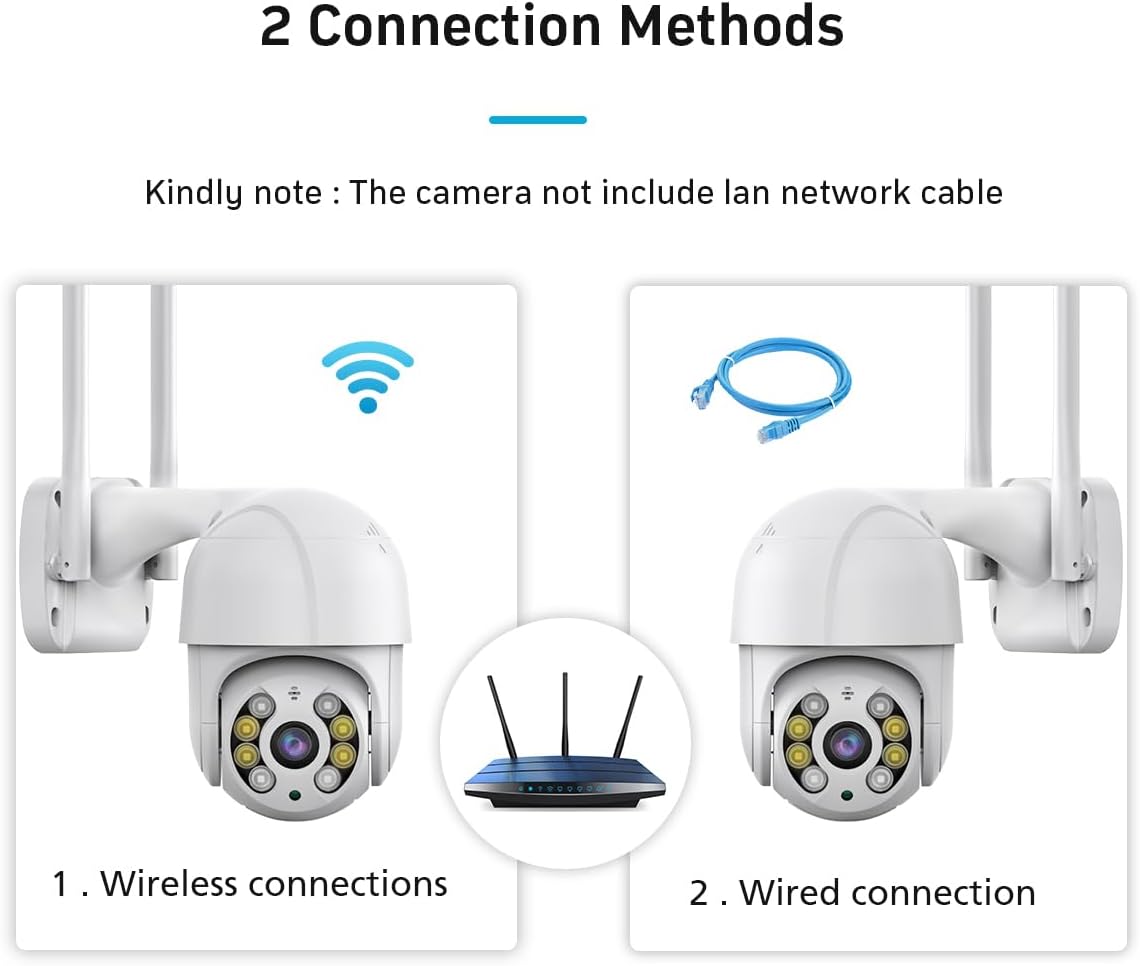
Figure 3.2: The camera's compatibility with multiple platforms, including iOS, Android, Windows, and web browsers for remote access.
3.4 Połączenie sieciowe
Kamera obsługuje dwie metody połączenia:
- Bezprzewodowa (Wi-Fi): Connect the camera to your 2.4GHz Wi-Fi network via the iCSee app.
- Przewodowe (Ethernet): The camera supports a wired connection for enhanced stability. An Ethernet cable is not included and must be purchased separately.

Figure 3.3: Diagram illustrating the two connection methods for the camera: wireless Wi-Fi connection and wired Ethernet connection (Ethernet cable not included).
3.5 Instalacja karty Micro SD (opcjonalnie)
To enable local recording, insert a Micro SD card (up to 128GB) into the designated slot on the camera. Ensure the camera is powered off before inserting or removing the card.
4. Instrukcja obsługi
4.1 Na żywo View i sterowanie obrotem/pochyleniem
Access the live video feed through the iCSee app. Use the on-screen controls to remotely pan the camera horizontally (355°) and tilt it vertically (90°) to adjust the viewkąt.

Figure 4.1: GESKS ICSEE 3MP Wireless PTZ Security Camera with a smartphone displaying a live feed.
4.2 Detekcja ruchu i śledzenie
The camera features smart motion tracking, enabling it to detect and follow moving objects. When motion is detected, the camera automatically records and sends alerts to your connected mobile device. Human detection specifically identifies human figures, tracks their movement, and triggers real-time alarms. Upon detecting a potential threat, the iCSee app sends an immediate notification to your smartphone, capturing images or video of the event.

Figure 4.2: Illustration of the camera's automatic tracking feature.
4.3 Tryby widzenia nocnego
Kamera oferuje trzy tryby widzenia nocnego:
- Full-color: Provides color images in low-light conditions by activating the camera's white lamp.
- Podczerwony: Uses infrared LEDs for discreet black and white monitoring.
- Smart Vision: Automatycznie przełącza się między trybem podczerwieni a trybem pełnokolorowym na podstawie wykrytej aktywności.

Figure 4.3: Comparison of the camera's night vision modes.
4.4 Two-Way Audio and Alarm Siren
Utilize the built-in microphone and speaker for two-way audio communication through the iCSee app. You can speak to visitors or deter intruders remotely. The camera can also activate a floodlight and an audible alarm siren upon detection of suspicious activity.

Figure 4.4: The camera's floodlight and alarm siren features activating upon detection.
4.5 Rejestrowanie i przechowywanie
The camera supports 24/7 recording. Footage można przechowywać na dwa sposoby:
- Karta micro sd: Local storage on a Micro SD card (up to 128GB).
- Przechowywanie w chmurze: Subscription-based cloud storage service for remote access and backup.
4.6 Integracja z Alexą
To enable voice control, link your camera with Amazon Alexa through the iCSee app settings. Follow the instructions provided in the app for seamless integration.
5. Konserwacja
Regularna konserwacja zapewnia optymalną wydajność i trwałość kamery bezpieczeństwa.
- Czyszczenie: Okresowo czyść obiektyw i obudowę aparatu miękką,amp Ściereczką usuń kurz i zanieczyszczenia. Unikaj środków czyszczących o działaniu ściernym.
- Aktualizacje oprogramowania układowego: Check the iCSee app regularly for available firmware updates. Keeping the firmware updated ensures the camera has the latest features and security enhancements.
- Zasilanie: Sprawdź, czy zasilacz i kabel nie są uszkodzone.
- Bezpieczeństwo montażu: Okresowo sprawdzaj, czy kamera jest solidnie zamontowana i czy wszystkie śruby są dokręcone.
6. Rozwiązywanie Problemów
Jeśli masz problemy z aparatem, zapoznaj się z poniższymi typowymi problemami i ich rozwiązaniami:
| Problem | Możliwa przyczyna | Rozwiązanie |
|---|---|---|
| Camera is offline/cannot connect to app | No power; Wi-Fi signal weak or disconnected; incorrect Wi-Fi password; camera not properly reset. | Check power connection. Ensure camera is within Wi-Fi range. Verify Wi-Fi password. Reset camera and re-add to app. Ensure you are using the iCSee app. |
| Brak wizji nocy | Night vision mode not enabled; IR/white LEDs obstructed or faulty. | Check night vision settings in the iCSee app. Ensure there are no obstructions blocking the LEDs. |
| Nie otrzymano alertów o wykryciu ruchu | Motion detection sensitivity too low; notification settings disabled in app/phone; camera offline. | Adjust motion detection sensitivity in the iCSee app. Enable notifications for the iCSee app on your smartphone. Ensure camera is online. |
| Dwukierunkowe audio nie działa | Microphone/speaker muted in app; network connectivity issues. | Check audio settings in the iCSee app. Ensure stable network connection. |
| NVR cannot find camera | NVR does not support ONVIF protocol; network configuration issues. | Ensure your NVR supports the ONVIF protocol. Verify network settings and IP address configuration. Consult your NVR manual for adding ONVIF devices. |
7. Specyfikacje
| Funkcja | Specyfikacja |
|---|---|
| Numer modelu | IK-Q8-3MP |
| Zastosowanie wewnątrz/na zewnątrz | Plenerowy |
| Efektywna rozdzielczość obrazu nieruchomego | 3 MP |
| Rozdzielczość przechwytywania wideo | 1296p |
| Protokół łączności | APP, ONVIF, Wi-Fi |
| Technologia komunikacji bezprzewodowej | Wi-Fi |
| Typ kontrolera | APP, Amazon Alexa |
| Źródło zasilania | Elektryczny przewodowy |
| Tomtage | 240 wolty |
| Typ montażu | Montaż sufitowy |
| Zakres noktowizora | 65 stóp |
| Maksymalny obsługiwany rozmiar pamięci Flash | 128 GB (Micro SD) |
| Poziom wodoodporności | Wodoodporny |
| Pozycja Wymiary (dł. x szer. x wys.) | 4.87 x 4.87 x 7.8 cala |
| Waga przedmiotu | 1.8 funta |
| Tworzywo | Akrylonitryl-butadien-styren (ABS) |
| Producent | SKSTECH |
8. Gwarancja i wsparcie
For warranty information and technical support, please refer to the documentation included with your product or contact the seller directly. Keep your purchase receipt for warranty claims.
Marka: GESKS
Producent: SKSTECH