
DOOGEE N55 Pro
DOOGEE N55 Pro Cell Phone User Manual
Twój kompleksowy przewodnik po konfiguracji, obsłudze i konserwacji.
1. Wprowadzenie
Welcome to the DOOGEE N55 Pro user manual. This guide provides detailed instructions to help you get the most out of your new smartphone. The DOOGEE N55 Pro is designed for optimal performance and user experience, featuring the latest Android 14 OS, a powerful octa-core processor, and a large 5150mAh battery.
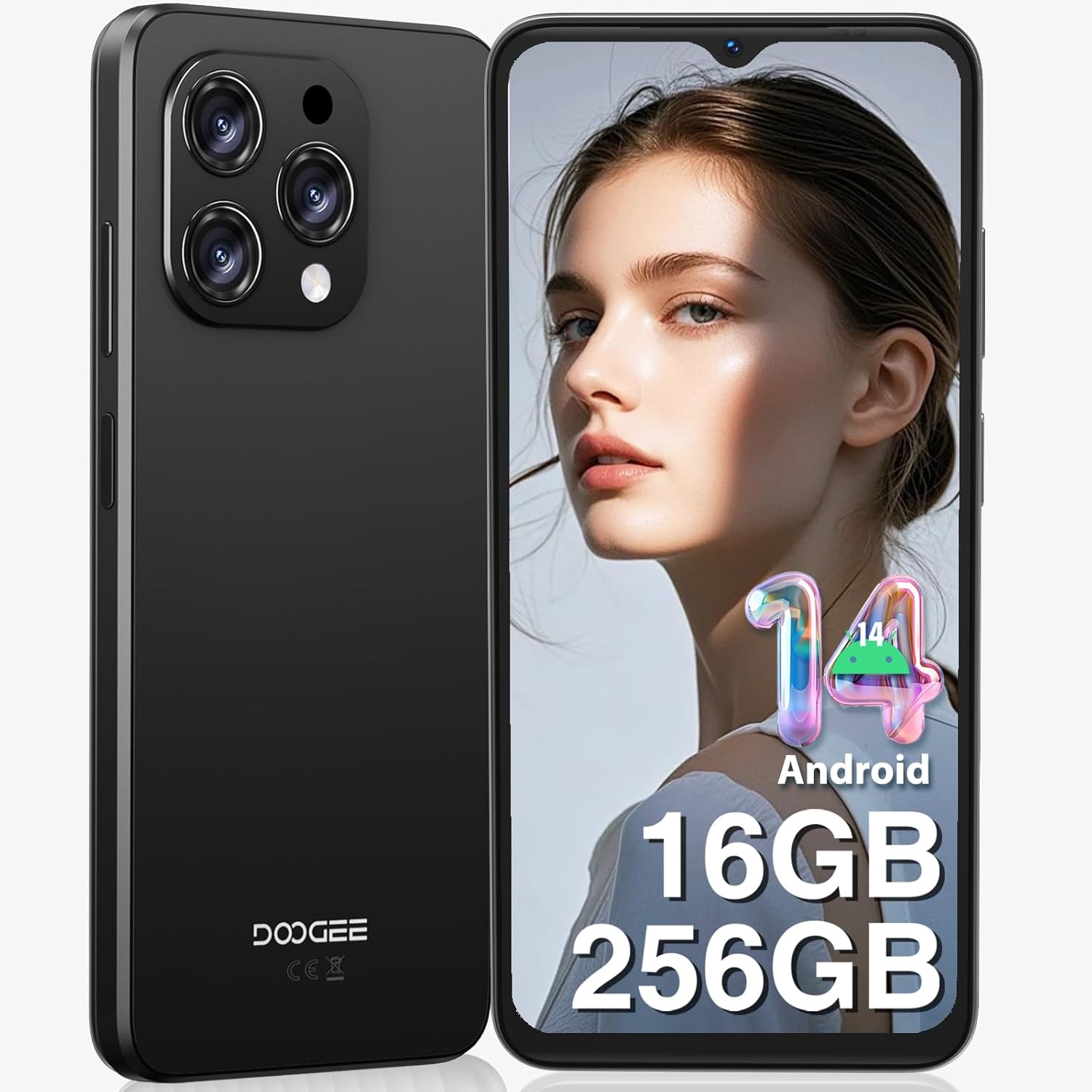
Rysunek 1: Przód i tył view of the DOOGEE N55 Pro Cell Phone, showcasindzięki eleganckiemu designowi i modułowi aparatu.
2. Co znajduje się w pudełku
Upon unboxing your DOOGEE N55 Pro, please verify that all the following items are included:
- 1 x telefon komórkowy DOOGEE N55 Pro z systemem Android 14
- 1 x kabel portu typu C
- 1 x ładowarka
- 1 x PIN karty SIM
- 1 x Folia ochronna TP (wstępnie nałożona)
- 1 x etui ochronne TPU
- 1 x Instrukcja obsługi
- 1 x Karta gwarancyjna

Figure 2: Illustration of the DOOGEE N55 Pro and its included accessories, such as the charger, USB-C cable, and protective case.
3. Koniec produktuview
3.1 Główne cechy
- System operacyjny: Android 14
- Edytor: Octa-core processor for smooth performance
- Pamięć i przechowywanie: Up to 16GB RAM (6GB physical + 10GB virtual) and 256GB ROM, expandable up to 1TB via TF card
- Wyświetlacz: 6.56-inch HD+ 90Hz IPS Waterdrop Screen (720 x 1612 resolution)
- Bateria: Bateria o dużej pojemności 5150mAh
- Kamery: 13MP AI Main Camera and 8MP Front Camera
- Bezpieczeństwo: Support for Face Unlock
- Łączność: Dual SIM 4G, Bluetooth, Wi-Fi, GPS, 3.5mm Audio Jack
3.2 Projekt i wyświetlanie
The DOOGEE N55 Pro features a refined and elegant design, with an ultra-lightweight body weighing only 186g and a slim thickness of 8.6mm. The 6.56-inch HD+ IPS Waterdrop Screen offers a 90Hz refresh rate for a smooth and immersive visual experience.

Figure 3: The 6.56-inch HD+ 90Hz IPS Waterdrop Screen, highlighting its resolution, PPI, and aspect ratio for a dynamic display.

Figure 4: The lightweight and elegant design of the DOOGEE N55 Pro, emphasizing its slim profile (8.6mm thickness, 186g weight) and comfortable grip.
Video 1: A visual demonstration of the DOOGEE N55 Pro's 6.56-inch HD+ 90Hz IPS Waterdrop Screen, showcasing its vibrant display and smooth refresh rate.
Video 2: This video highlights the refined and elegant design of the DOOGEE N55 Pro, showcasing its sleek aesthetics and comfortable form factor.
3.3 Performance and Operating System
Equipped with a powerful octa-core processor, the DOOGEE N55 Pro ensures smooth multitasking and efficient handling of demanding applications. It runs on the latest Android 14 operating system, offering enhanced security, improved privacy features, and a more intuitive user interface.

Figure 5: Visual representation of the DOOGEE N55 Pro's memory configuration, including 16GB RAM (6GB physical + 10GB virtual) and 256GB ROM, with expansion capability up to 1TB.

Figure 6: Screenshots demonstrating the upgraded Android 14 interface on the DOOGEE N55 Pro, highlighting its safety and fluency improvements.
Video 3: This video showcases the latest Android 14 system on the DOOGEE N55 Pro, demonstrating its features and smooth operation.
4. Konfiguracja
4.1 Wkładanie karty SIM i karty TF
The DOOGEE N55 Pro supports dual Nano SIM cards or a combination of one Nano SIM and one TF card for expanded storage. Use the provided SIM ejector tool to open the SIM tray located on the side of the device. Carefully place your SIM card(s) and/or TF card into the tray according to the diagram on the tray, then reinsert it into the phone.
Note: This device does not support Verizon, AT&T, and Xfinity networks. Please check compatibility with your local frequency band before purchasing.
4.2 Kreator pierwszego uruchomienia i konfiguracji
Press and hold the power button on the side of the phone until the DOOGEE logo appears. Follow the on-screen instructions to complete the initial setup, including language selection, Wi-Fi connection, Google account sign-in, and security settings (Face ID, PIN, pattern, or password).
5. Instrukcja obsługi
5.1 Nawigacja
Navigate through the Android 14 interface using gestures or the traditional navigation bar. Swipe up from the bottom to go home, swipe up and hold for recent apps, and swipe from the left or right edge to go back.
NIGDY nie można dostosowywać
Personalize your phone by changing wallpapers, widgets, and notification settings. Access these options through the Settings app or by long-pressing on the home screen.
6. Korzystanie z aparatu
The DOOGEE N55 Pro is equipped with a 13MP AI Main Camera and an 8MP Front Camera. The camera system supports various modes including HDR, Water Mark, Video, Picture, Beauty, Pro Mode, Portrait, Gif, Panorama, Filter, QR Code, and Night mode.

Rysunek 7: Koniecview of the DOOGEE N55 Pro's camera system, detailing the 13MP main camera and 8MP front camera, along with supported features like HDR and Night mode.
6.1 Robienie zdjęć i nagrywanie filmów
Open the Camera app. Select your desired mode (Photo, Video, Portrait, etc.). Tap the shutter button to capture a photo or start/stop video recording. Adjust settings like flash, timer, and aspect ratio from the camera interface.
7. Zarządzanie baterią
The DOOGEE N55 Pro features a 5150mAh large battery, providing extended usage times. To optimize battery life:
- Zmniejsz jasność ekranu.
- Włącz tryb oszczędzania baterii, gdy jest to potrzebne.
- Zamknij nieużywane aplikacje działające w tle.
- Wyłącz Wi-Fi, Bluetooth i GPS, gdy z nich nie korzystasz.

Figure 8: Visual representation of the 5150mAh large battery, indicating estimated standby time (419 hours), video playback (9.5 hours), calling (36 hours), and music playback (35 hours).
8. Łączność
8.1 Wi-Fi i Bluetooth
Połącz się z sieciami Wi-Fi w Ustawieniach > Sieć i internet > Wi-Fi. Sparuj urządzenia Bluetooth w Ustawieniach > Połączone urządzenia > Bluetooth.
8.2 GPS and OTG
The phone supports GPS, Glonass, Galileo, and Beidou for accurate navigation. OTG (On-The-Go) functionality allows you to connect USB devices like flash drives or keyboards using an OTG adapter (not included).
9. Konserwacja
To ensure the longevity and optimal performance of your DOOGEE N55 Pro:
- Utrzymuj urządzenie w czystości, przecierając je miękką, suchą ściereczką.
- Unikaj wystawiania telefonu na działanie ekstremalnych temperatur i bezpośredniego światła słonecznego.
- Nie próbuj rozmontowywać urządzenia.
- Regularly update the operating system to receive the latest security patches and features.
- Stosuj wyłącznie oryginalne lub certyfikowane akcesoria.
10. Rozwiązywanie Problemów
| Problem | Możliwe rozwiązanie |
|---|---|
| Telefon się nie włącza | Ensure the battery is charged. Press and hold the power button for at least 10 seconds to force restart. |
| Aplikacje ulegają awarii lub zawieszają się | Clear app cache (Settings > Apps > [App Name] > Storage & cache > Clear cache). Restart the phone. |
| Słaby sygnał sieci | Check SIM card insertion. Move to an area with better coverage. Verify network compatibility with your carrier. |
| Bateria szybko się rozładowuje | Reduce screen brightness, disable unused features (Wi-Fi, Bluetooth, GPS), close background apps. |
| Odblokowywanie twarzą nie działa | Ensure proper lighting and clear camera lens. Re-register your face data in security settings. |
11. Specyfikacje
- Nazwa modelu: N55 Pro
- System operacyjny: Android 14
- Model procesora: 1.2GHz Cortex A8 Processor (Octa Core)
- BARAN: 16 GB (6 GB pamięci fizycznej + 10 GB pamięci wirtualnej)
- Pojemność pamięci: 256 GB (z możliwością rozszerzenia do 1 TB)
- Rozmiar ekranu: 6.56 cali
- Rezolucja: 720x1612
- Częstotliwość odświeżania: 90 Hz
- Pojemność baterii: 5150 mlnamp Godziny
- Główna kamera: Aparat 13MP AI
- Przednia kamera: 8MP
- Łączność: Bluetooth, Wi-Fi, GPS
- Cechy szczególne: Support Face Unlock, Widevine L1
- Wymiary: 7.68 x 4.09 x 2.05 cala
- Waga przedmiotu: 13.7 uncji
12. Gwarancja i wsparcie
DOOGEE offers comprehensive support for your N55 Pro device:
- 30-dniowa gwarancja zwrotu pieniędzy i bezpłatny zwrot: Jeśli nie jesteś zadowolony z zakupu.
- 2-letnia ograniczona gwarancja: Obejmuje wady produkcyjne.
- Wsparcie online 24/7: Dedicated one-on-one assistance for any queries or issues.
For further assistance, please visit the official DOOGEE store or contact their customer service through the provided warranty card information.
Ask a question about this manual
Ask about setup, troubleshooting, compatibility, parts, safety, or missing instructions. Manuals+ will review the question and use this page’s manual context to help answer it.