
Wstęp
The Tech Feel smartwatch with ECG combines the primary functionalities of a smart watch with comprehensive 360° cardiac monitoring. It is an ideal tool for individuals who wish to monitor their heart functions, as well as for athletes who want to track their performance. Please note: This device is not a medical device and should not be used for medical diagnosis or treatment.
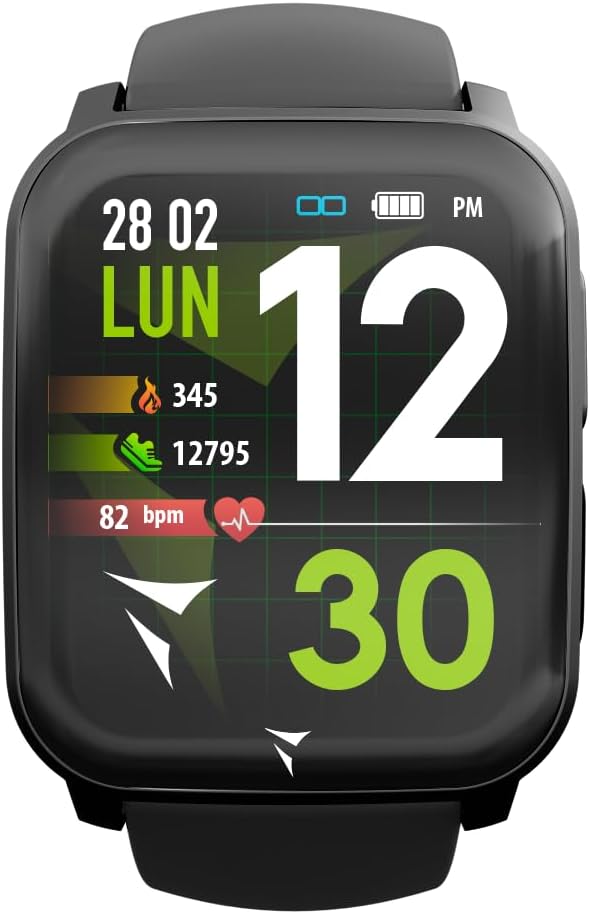
Figure 1: Tech Feel Smartwatch displaying activity data.
1. Konfiguracja
1.1 Ładowanie urządzenia
Before first use, fully charge your Tech Feel smartwatch. Connect the magnetic charging cable to the charging contacts on the back of the watch and plug the USB end into a standard USB power adapter (not included) or a computer's USB port. The watch display will indicate charging status.
1.2 Instalacja i parowanie aplikacji
- Pobierz aplikację towarzyszącą: Szukaj the official Techmade companion app (e.g., "Techmade Fit" or similar, check product packaging or quick start guide for exact name) on the Apple App Store (for iOS devices) or Google Play Store (for Android devices).
- Utwórz konto: Otwórz aplikację i postępuj zgodnie z instrukcjami wyświetlanymi na ekranie, aby utworzyć nowe konto użytkownika lub zaloguj się, jeśli już je posiadasz.
- Włącz Bluetooth: Upewnij się, że Bluetooth jest włączony w Twoim smartfonie.
- Sparuj smartwatch: Within the app, navigate to the device pairing section. Select your Tech Feel smartwatch from the list of available devices. Follow any prompts on both the app and the watch to complete the pairing process. A successful connection will usually be indicated on the watch display.
2. Instrukcja obsługi
2.1 Podstawowa nawigacja
- Ekran dotykowy: Swipe left/right, up/down to navigate through different screens and menus. Tap to select an option.
- Side Button/Digital Crown: Press the side button (often also a digital crown) to return to the home screen, wake the device, or access the app menu. Rotate the digital crown (if applicable) to scroll through lists.
2.2 Pomiar EKG
The Tech Feel smartwatch is equipped with additional electrodes to perform a single-lead Electrocardiogram (ECG) measurement. This feature provides insights into your heart rate and rhythm.
- Przygotowanie: Upewnij się, że zegarek ściśle przylega do nadgarstka.
- Rozpocznij pomiar: Navigate to the ECG function on your smartwatch.
- Position Finger: While wearing the smartwatch, place your fingertip (typically the index finger of the opposite hand) on the digital crown located on the side of the screen. This action closes an electrical circuit through your fingertip, which then reaches the sensor on your wrist.
- Proces pomiaru: Hold your finger still for approximately 30 seconds while the watch records the electrical signals.
- Wyniki: An algorithm within the Techmade application processes the data and generates an ECG graph. This single-lead ECG can provide information on heart rate and rhythm and may assist in the classification of atrial fibrillation.
- Sharing Data: The generated ECG data can be viewed in the companion app and potentially shared with your doctor for review.
Ważna uwaga: A single-lead ECG cannot be used to detect all heart problems, such as heart attacks. This device is not a medical device and should not replace professional medical advice or diagnosis.
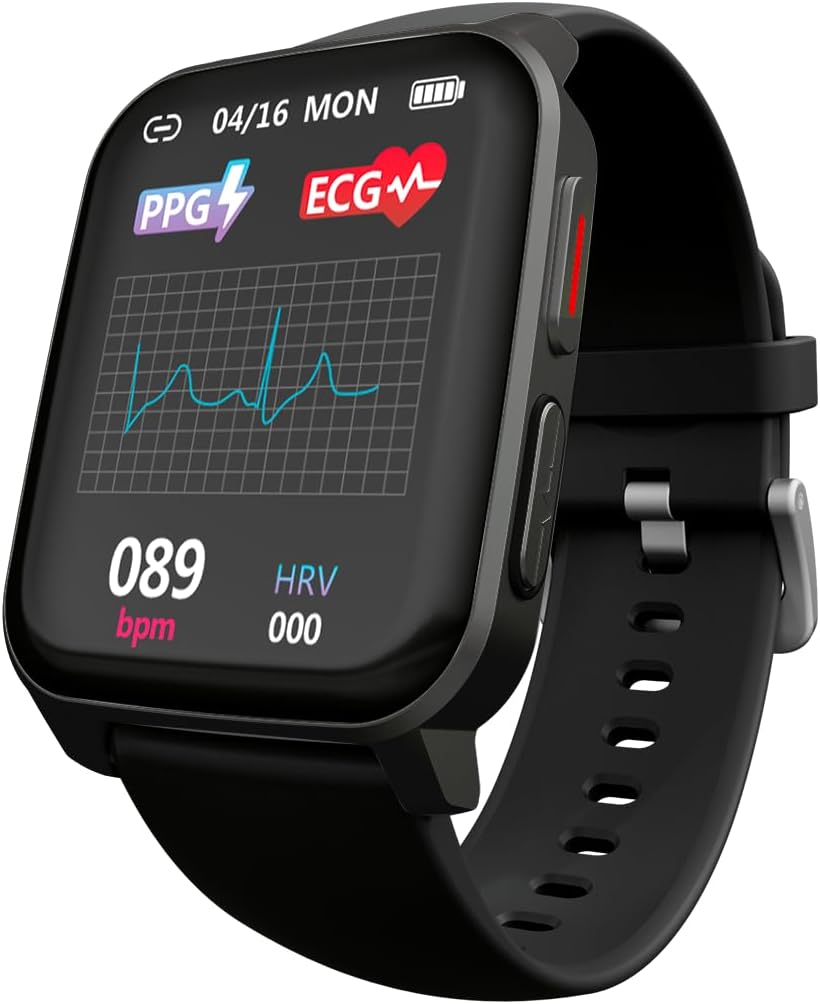
Figure 2: ECG waveform display on the smartwatch.

Figure 3: Smartwatch on wrist with companion app displaying ECG analysis.
2.3 Heart Rate and Blood Oxygen Monitoring
The smartwatch continuously monitors your heart rate and can measure blood oxygen saturation (SpO2). Access these features through the dedicated menus on the watch or view historical data in the companion app.
2.4 Tryby sportowe
The Tech Feel smartwatch supports various sport modes to track your physical activity. Select the desired sport mode before starting your workout to record metrics such as steps, distance, calories burned, and heart rate during exercise.

Figure 4: Smartwatch displaying Sport mode during an outdoor activity.
2.5 Monitorowanie snu
Wear the smartwatch to bed to automatically monitor your sleep patterns. The app provides detailed analysis of your sleep stagfaza es (głęboka, lekka, REM) i czas jej trwania.
2.6 Powiadomienia
Once paired with your smartphone, the Tech Feel smartwatch can receive notifications for calls, messages, and app alerts directly on your wrist. Configure notification settings within the companion app.
3. Konserwacja
- Czyszczenie: Regularnie czyść zegarek i pasek miękką,amp Ściereczką. Unikaj stosowania silnych środków chemicznych i materiałów ściernych. Przed ładowaniem upewnij się, że styki ładowania są czyste i suche.
- Składowanie: Kiedy nie używasz smartwatcha, przechowuj go w chłodnym i suchym miejscu.
- Wodoodporność: Zapoznaj się ze specyfikacją produktu, aby uzyskać informacje o klasie wodoodporności. Unikaj narażania zegarka na działanie gorącej wody, pary wodnej ani strumieni wody pod wysokim ciśnieniem.
- Unikaj ekstremalnych temperatur: Do not expose the device to extremely high or low temperatures, as this can damage the battery and internal components.
4. Rozwiązywanie Problemów
| Problem | Możliwa przyczyna | Rozwiązanie |
|---|---|---|
| Zegarek się nie włącza. | Niski poziom naładowania baterii. | Ładuj zegarek przez co najmniej 30 minut. |
| Nie można sparować ze smartfonem. | Bluetooth jest wyłączony; zegarek jest poza zasięgiem; problem z aplikacją. | Ensure Bluetooth is on. Bring watch closer to phone. Restart both watch and phone. Reinstall the app if necessary. |
| Inaccurate heart rate/ECG readings. | Watch not worn snugly; sensor dirty; movement during measurement. | Ensure watch is snug on wrist. Clean the sensor on the back of the watch. Remain still during measurements. |
| Powiadomienia nie zostały odebrane. | Nie udzielono uprawnień do powiadomień; aplikacja nie działa w tle. | Check app notification settings on your phone. Ensure the app is running or allowed to run in the background. |
5. Specyfikacje
| Funkcja | Szczegół |
|---|---|
| Marka | Techmade |
| Nazwa modelu | ECG Tech Feel |
| Numer modelu przedmiotu | TM-FEEL-BK |
| Kolor | Black Case and Strap |
| System operacyjny | Noś system operacyjny |
| Technologia łączności | Bluetooth |
| Standard komunikacji bezprzewodowej | Bluetooth |
| Cechy specjalne | Blood Pressure Monitoring, ECG, Heart Rate, Oxygenation, Sport, Sleep Monitor, Call Notification |
| Kompatybilne urządzenia | Smartfon (iOS i Android) |
| Skład baterii | Litowo-polimerowy |
| Akumulator do ponownego ładowania | Tak |
| Pojemność baterii | 180 mAh (w przybliżeniu) |
| GPS | GPS przez smartfon |
| Kształt | Kwadrat |
| Producent | Techmade |
| Kraj pochodzenia | Chiny |
| Dostępność części zamiennych | Informacje niedostępne na temat części zamiennych |
| Gwarantowane aktualizacje oprogramowania do | Informacje niedostępne |
| Data pierwszej dostępności na Amazon.com.be | 26 kwietnia 2024 |
6. Informacje o gwarancji
Specific warranty details for the Tech Feel Smartwatch are not provided in the product information. Please refer to the warranty card included with your product or visit the official Techmade webSzczegółowe warunki gwarancji można znaleźć na naszej stronie.
7. Obsługa klienta
For technical assistance, troubleshooting beyond this manual, or product inquiries, please visit the official Techmade support weblub skontaktuj się z działem obsługi klienta. Dane kontaktowe są zazwyczaj dostępne na stronie producenta. webmiejscu lub w opakowaniu produktu.