
1. Wprowadzenie
Thank you for choosing the HY-T26 Headphones. These innovative open-ear earbuds are designed to provide a comfortable and high-quality audio experience, perfect for sports, daily use, and active lifestyles. Featuring Bluetooth 5.4 connectivity, HiFi stereo sound, and intuitive touch controls, the HY-T26 ensures seamless audio playback and communication while keeping you aware of your surroundings.
This manual provides detailed instructions on how to set up, operate, and maintain your new headphones.
2. Co znajduje się w pudełku
- 1 x Pair of HY-T26 Earphones
- 1 x Smycz
- 1 x etui do ładowania bezprzewodowego
- 1 x kabel ładujący typu C
- 1 x Instrukcja obsługi (ten dokument)

Image: The HY-T26 headphones and their packaging, showcasing the black color variant.
3. Funkcje produktu
3.1 Innovative Ergonomic Open-Ear Design
The HY-T26 headphones feature a unique open-ear design that rests securely atop your ears, avoiding insertion into the ear canal. This design enhances comfort during prolonged wear and reduces the risk of ear fatigue or hearing loss, allowing you to stay aware of your surroundings.

Image: A close-up of the HY-T26 earbud resting comfortably on an ear model, illustrating its open-ear placement.
3.2 Exceptional HiFi Stereo Sound
Equipped with a built-in 16mm dynamic speaker, these headphones deliver 360° Hi-Fi stereo sound with clear clarity and powerful bass. Advanced noise reduction technology ensures crisp vocals and immersive audio at any volume level.
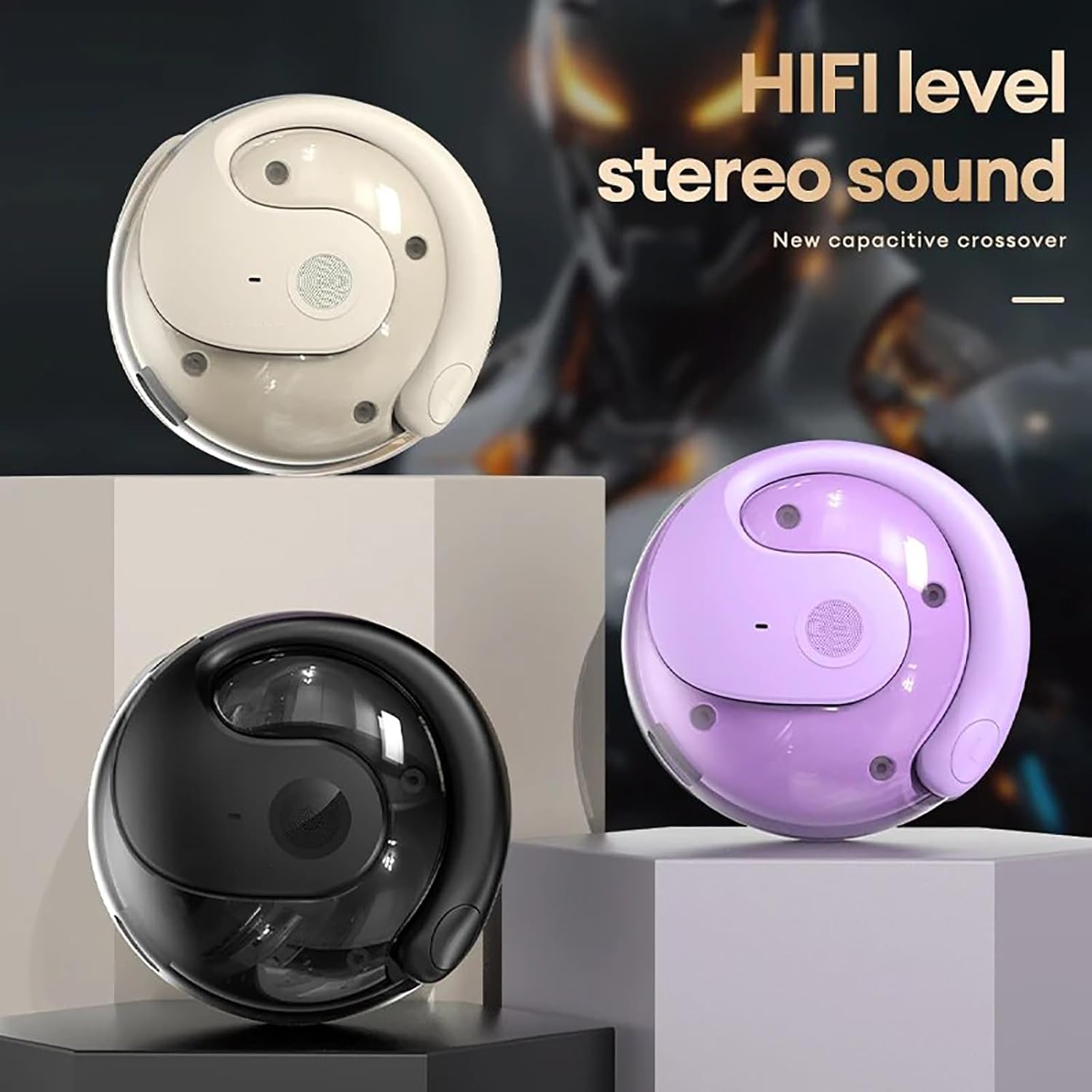
Image: Three HY-T26 charging cases in white, purple, and black, emphasizing the HiFi stereo sound capability.

Image: A detailed diagram illustrating the metal diaphragm component responsible for powerful and immersive sound.
3.3 Secure Fit for Active Lifestyles
Designed with ergonomic and flexible ear hooks, the HY-T26 headphones distribute weight evenly for a secure fit. The soft silicone ear hooks with memory recall ensure comfort and prevent slippage during workouts or outdoor activities.
3.4 Intuicyjne sterowanie dotykowe
Each earphone features a touch panel for easy management of audio playback and calls. Functions include play/pause, volume adjustment, answering/hanging up calls, and voice assistant activation.
3.5 Sweatproof Durability
Utilizing new technology, these headphones offer maximum protection against sweat and moisture, safeguarding internal components for enhanced durability and longevity during intense activities.

Image: The HY-T26 earbud with overlaid text emphasizing its pleasant and sound-proof qualities, including HD calls and HiFi sound.
4. Konfiguracja
4.1 Ładowanie słuchawek i etui
Before first use, fully charge the headphones and the charging case. Connect the provided Type-C charging cable to the charging port on the case and a power source. The charging time for the case is approximately 1 hour. The earphones will charge automatically when placed inside the case.

Image: The HY-T26 charging case with a Type-C cable plugged in, demonstrating its large battery life and charging capability.
Video: A demonstration of the HY-T26 charging case and lanyard, highlighting its portability and charging functionality.
4.2 parowanie Bluetooth
- Otwórz etui ładujące. Słuchawki włączą się automatycznie i przejdą w tryb parowania.
- Włącz Bluetooth na swoim urządzeniu (smartfonie, tablecie itp.).
- Szukaj "HY-T26" in the list of available Bluetooth devices and select it to connect.
- Once connected, you will hear a confirmation prompt, and the indicator light on the earphones will change.
The headphones support Bluetooth 5.4 for a stable connection up to 10 meters (33 feet).

Image: An HY-T26 earbud positioned near a smartphone displaying a video game, illustrating seamless audio and video synchronization.
5. Instrukcja obsługi
5.1 Noszenie słuchawek
Gently slide the ear hooks over the top of your ears, ensuring the main earbud unit rests comfortably outside your ear canal. Adjust for a secure and comfortable fit. The earphones are marked 'L' for left and 'R' for right.
5.2 Sterowanie dotykowe
The HY-T26 headphones feature intuitive touch controls on each earbud:
- Odtwórz/Pauza: Pojedyncze dotknięcie dowolnej słuchawki.
- Zwiększanie/zmniejszanie głośności: Specific gestures (refer to quick start guide for exact taps, typically long press or multiple taps).
- Następny utwór: Kliknij dwukrotnie prawą słuchawkę.
- Poprzedni utwór: Kliknij dwukrotnie lewą słuchawkę.
- Odbieranie/kończenie połączeń: Pojedyncze dotknięcie dowolnej słuchawki podczas połączenia przychodzącego.
- Odrzuć połączenie: Naciśnij i przytrzymaj dowolną słuchawkę podczas połączenia przychodzącego.
- Aktywuj asystenta głosowego: Naciśnij trzykrotnie dowolną słuchawkę.
6. Konserwacja
To ensure the longevity and optimal performance of your HY-T26 headphones:
- Regularnie czyść słuchawki douszne i etui ładujące miękką, suchą ściereczką.
- Avoid exposing the headphones to extreme temperatures or direct sunlight for extended periods.
- While sweatproof, avoid submerging the headphones in water.
- Gdy nie używasz słuchawek, przechowuj je w etui ładującym, aby je chronić i utrzymać naładowanie.
7. Rozwiązywanie Problemów
If you encounter issues with your HY-T26 headphones, try the following steps:
- Brak dźwięku/problemy z połączeniem:
- Sprawdź, czy obie słuchawki są naładowane.
- Wyłącz i włącz ponownie funkcję Bluetooth w urządzeniu, a następnie spróbuj ponownie sparować.
- Place both earphones back into the charging case, close the lid, wait a few seconds, then open it again to reset.
- Ensure the headphones are within the 10M Bluetooth transmission distance of your device.
- Earphone Not Charging:
- Check if the charging case has sufficient power.
- Sprawdź, czy styki ładowania w słuchawkach i wewnątrz etui są czyste i wolne od zanieczyszczeń.
- Wypróbuj inny kabel ładujący typu C i zasilacz.
- Problemy z jakością dźwięku:
- Ensure the earphones are properly positioned on your ears.
- Clean the speaker mesh if it appears obstructed.
- Spróbuj odtworzyć dźwięk z innego źródła lub urządzenia.
8. Specyfikacje
| Funkcja | Szczegół |
|---|---|
| Nazwa modelu | HY-T26 |
| Wersja Bluetooth | 5.4 |
| Odległość transmisji | 10 metrów (33 stóp) |
| Interfejs ładowania | Typ C |
| Pojemność komory ładowania | 300mAh |
| Czas ładowania (etui) | Około 1 godziny |
| Ciągły czas użytkowania | Do 36 godzin (z etui ładującym) |
| Rozmiar sterownika audio | 16mm |
| Zakres częstotliwości | 20 Hz - 20 000 Hz |
| Poziom wodoodporności | Wodoodporny (odporny na pot) |
| Typ sterowania | Sterowanie dotykowe |
| Umieszczenie ucha | Otwarte ucho |
9. Gwarancja i wsparcie
For detailed warranty information and customer support, please refer to the warranty card included with your product or visit the official Generic product support webstrona. Zachowaj dowód zakupu na potrzeby roszczeń gwarancyjnych.