
1. Wprowadzenie
Dziękujemy za zakupasing the plplaaoo Cordless Table LampNiniejsza instrukcja zawiera podstawowe informacje dotyczące bezpiecznej i wydajnej obsługi nowegoampPrzed użyciem należy ją dokładnie przeczytać i zachować do wykorzystania w przyszłości.
2. Instrukcje bezpieczeństwa
- Nie wystawiaj lamp na działanie wody lub nadmiernej wilgoci.
- Avoid disassembling or modifying the lamp, ponieważ może to spowodować unieważnienie gwarancji i zagrożenie dla bezpieczeństwa.
- Do ładowania należy używać wyłącznie dołączonego kabla USB typu C.
- Utrzymaj lamp away from heat sources and direct sunlight to prevent battery damage.
- Upewnij się, że lamp należy umieścić na stabilnej, płaskiej powierzchni, aby zapobiec jego przewróceniu.
- To jestamp przeznaczony jest wyłącznie do użytku wewnątrz pomieszczeń.
3. Zawartość opakowania
Sprawdź, czy w przesyłce znajdują się wszystkie elementy:
- 1 x Cordless Table Lamp
- Kabel ładujący 1 x USB Type-C

4. Koniec produktuview
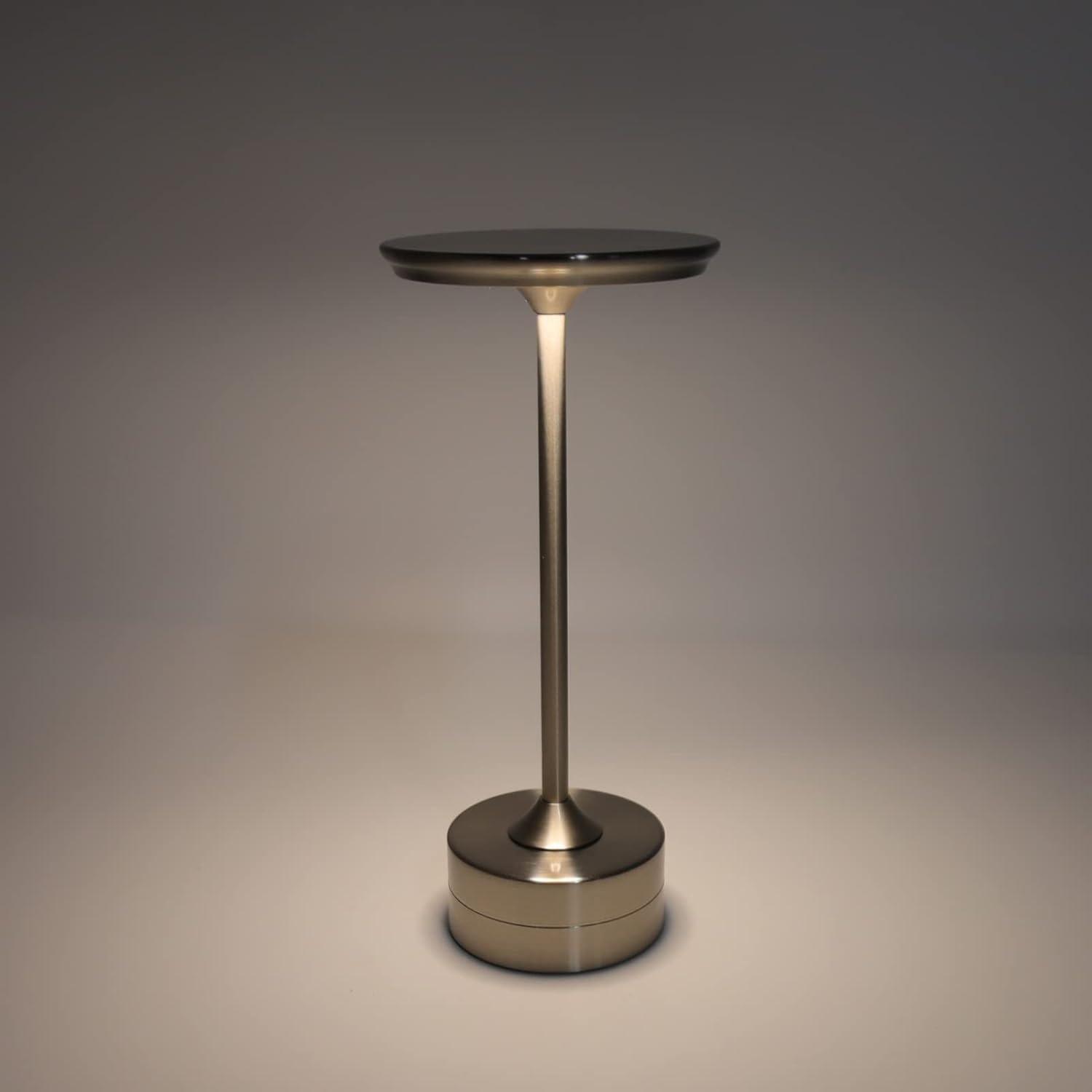
The plplaaoo Cordless Table Lamp features a sleek design with a durable iron, aluminum, and acrylic construction. It includes a built-in 2000mAh rechargeable lithium battery, offering 10-15 hours of working time on a full charge. The lamp provides three light sources: white light, warm light, and ordinary light, with adjustable brightness up to 150lm.


5. Konfiguracja
Początkowe ładowanie
Przed pierwszym użyciem należy całkowicie naładować akumulator.amp. Connect the provided USB Type-C cable to the charging port on the lamp's base and plug the other end into a compatible USB power adapter (not included).
- Locate the USB Type-C charging port on the base of the lamp.
- Insert the USB Type-C cable into the lampPort ładowania.
- Connect the USB-A end of the cable to a standard USB power adapter (e.g., phone charger, computer USB port).
- The charging indicator (if present) will show the charging status. Allow several hours for a full charge.
6. Instrukcja obsługi
Włączanie/wyłączanie i regulacja jasności
Lamp features both a bottom switch and a top touch control for operation.
- Przełącznik dolny: Flip the switch on the bottom of the lamp to the 'ON' position to enable the touch control function.
- Top Touch Control: Gently touch the top surface of the lamp to cycle through the three light modes: white light, warm light, and ordinary light. Continue touching to adjust brightness levels within each mode.
- Aby wyłączyć lamp, either cycle through all light modes until it turns off via touch control, or flip the bottom switch to the 'OFF' position.


7. Konserwacja
- Czyszczenie: Wytrzyj lamp miękką, suchą ściereczką. Nie używaj środków czyszczących o właściwościach ściernych ani rozpuszczalników.
- Składowanie: W przypadku nieużywania przez dłuższy czas, należy przechowywaćamp in a cool, dry place. Ensure the battery is partially charged before storage to prolong its lifespan.
- Pielęgnacja baterii: To maintain battery health, avoid completely draining the battery frequently. Recharge the lamp when the light output becomes noticeably dim.
8. Rozwiązywanie Problemów
| Problem | Możliwa przyczyna | Rozwiązanie |
|---|---|---|
| Lamp nie włącza się. | Battery is depleted. Bottom switch is off. | Naładuj lamp using the USB Type-C cable. Ensure the bottom switch is in the 'ON' position. |
| Światło jest słabe lub migocze. | Niski poziom naładowania baterii. | Naładuj lamp. |
| Cannot change light mode/brightness. | Bottom switch is off. Touch control malfunction. | Ensure the bottom switch is 'ON'. Try restarting the lamp by turning the bottom switch off and on again. |
| Lamp nie pobiera opłat. | Faulty cable or adapter. Charging port issue. | Try a different USB Type-C cable and power adapter. Ensure the cable is fully inserted. |
9. Specyfikacje
| Funkcja | Szczegół |
|---|---|
| Model | B0D2LG61MQ |
| Tworzywo | Iron, Aluminum, Acrylic |
| Wysokość | Około 28.5 cm / 11.2 cala |
| Średnica | Około 13 cm / 5.1 cala |
| Waga | Approx. 0.66 kg / 23.4 oz |
| Wbudowana bateria | Lit 2000mAh |
| Źródło światła | White light, Warm light, Ordinary light (3 levels brightness) |
| Maksymalna jasność | 150lm |
| Metoda ładowania | USB typu C |
| Kontrola | Bottom switch, Top touch control |

10. Gwarancja i wsparcie
This product is covered by a standard manufacturer's warranty. For specific warranty details, please refer to the product packaging or contact the retailer where you purchased the item. For technical support or inquiries, please visit the official plplaaoo store or contact customer service.