
Wstęp
Thank you for choosing the SURNICE Wireless Remote Control Outlet. This product is designed to provide convenient control over your electrical appliances, allowing you to turn them on or off remotely. With its powerful RF signal, compact design, and safety certifications, it offers a reliable and user-friendly solution for managing your home electronics.
This manual provides detailed instructions on how to set up, operate, and maintain your wireless remote control outlet. Please read it carefully before use to ensure proper functionality and safety.
Organizować coś
The SURNICE Wireless Remote Control Outlet is designed for easy plug-and-play setup. The units are typically pre-paired from the factory. Follow these steps for initial setup or re-pairing:
- Podłącz odbiornik: Insert the wireless receiver plug into any standard 120V AC wall outlet. Ensure the outlet is functioning correctly.
- Podłącz swoje urządzenie: Plug the appliance you wish to control into the SURNICE receiver outlet.
- Sprawdź działanie: The product should be ready for use immediately. Use the remote control to test the connection.

Image: The SURNICE Wireless Remote Control Outlet kit, featuring three compact receiver plugs and a single remote control unit. The plugs are designed to fit without blocking adjacent outlets.
Pairing and Clearing Pairing
If you need to re-pair a receiver with the remote or clear existing pairings, follow these instructions:
- Wyczyść parowanie: To clear an existing pairing, press and hold the on/off button on the receiver plug for approximately 20 seconds. Release the button once the indicator light turns off. This indicates successful deletion of the pairing.
- Rozpocznij parowanie: With the receiver plugged in, press and hold the on/off button on the receiver until the indicator light begins to flash slowly. Release the button.
- Pełne parowanie: On the remote control, press the corresponding 'ON' button (A, B, C, or ALL) for the channel you wish to pair. The receiver's indicator light will become solid, confirming successful pairing.
Video: This video demonstrates the 'Plug and Play' functionality, how to 'Clear Pairing' from a receiver, and the 'Pairing Operation' to link the remote control with the receiver plugs. It shows the indicator light behavior during these processes.
Instrukcja obsługi
The SURNICE remote control allows for both individual and group control of your connected devices.
- Kontrola indywidualna: Use the 'A', 'B', or 'C' buttons on the remote to turn individual receiver plugs on or off. Each letter corresponds to a specific paired receiver.
- Kontrola grupy: The 'ALL ON' button will activate all paired receivers simultaneously. The 'ALL OFF' button will deactivate all paired receivers simultaneously. This is ideal for controlling multiple devices at once, such as Christmas lights or a set of lamps.

Image: An illustration of the group control feature, showing a microwave, kettle, and coffee maker on a kitchen counter, all connected to SURNICE outlets and controlled by the 'ALL ON/OFF' button on the remote.
The powerful 433.92 MHz RF signal ensures reliable operation through walls and doors, providing a maximum working range of up to 130 feet in open areas without interference from other household appliances.
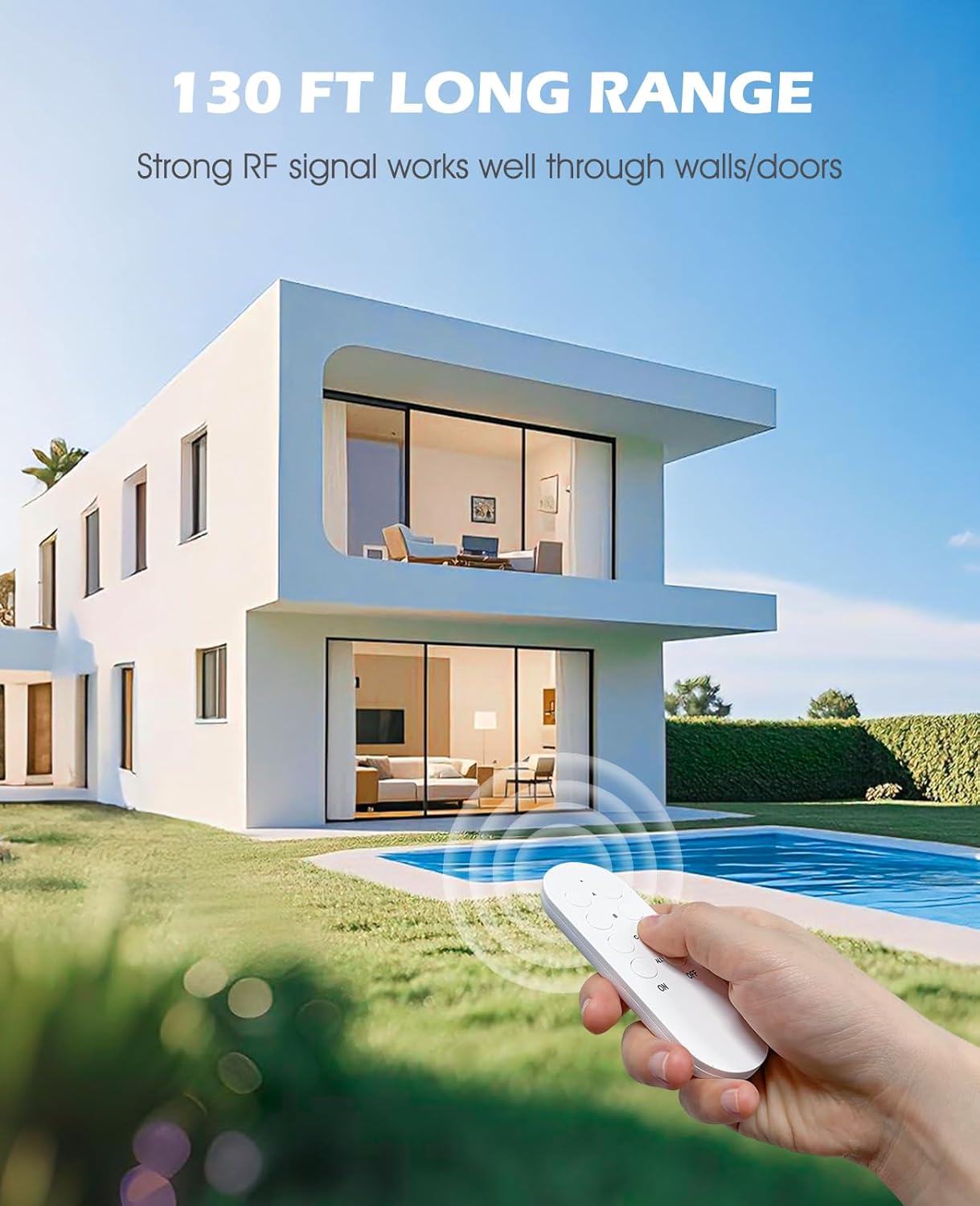
Image: A hand holding the SURNICE remote control with a house in the background, visually representing the impressive 130-foot long-range capability of the device.
The compact design of the receiver plugs (5*4*3cm, 52g) ensures that they do not obstruct adjacent wall outlets, maximizing the use of your power strips and wall sockets.

Image: A detailed diagram illustrating the compact dimensions of both the SURNICE remote control and the receiver plug, emphasizing its space-saving design that avoids blocking other outlets.
These outlets are widely used and suitable for most electrical devices up to 10A/1200W, including lamps, Christmas trees, fans, humidifiers, and other electrical devices. Always check the rated power of your devices before connecting.

Image: A visual representation of the wide range of uses for the SURNICE outlet, showing icons for common appliances like Christmas trees, humidifiers, lamps, fans, and coffee makers.
Konserwacja
To ensure the longevity and optimal performance of your SURNICE Wireless Remote Control Outlet, follow these maintenance guidelines:
- Czyszczenie: Przetrzyj urządzenia suchą, miękką ściereczką. Nie używaj środków czyszczących o właściwościach ściernych ani rozpuszczalników.
- Wymiana baterii: The remote control uses one CR2032 battery (included). If the remote's range decreases or it becomes unresponsive, replace the battery. To replace, open the battery compartment on the back of the remote, insert a new CR2032 battery with the correct polarity, and close the compartment.
- Składowanie: Jeśli urządzenie nie będzie używane przez dłuższy czas, należy je przechowywać w chłodnym, suchym miejscu, z dala od bezpośredniego światła słonecznego i ekstremalnych temperatur.
The ABS flame-retardant material shell provides good high-temperature resistance, enhancing safety and reliability.
Rozwiązywanie problemów
If you encounter issues with your SURNICE Wireless Remote Control Outlet, refer to the following common problems and solutions:
- Urządzenie nie odpowiada na polecenia zdalne:
- Check if the receiver is properly plugged into the wall outlet and receiving power.
- Ensure the appliance is correctly plugged into the receiver.
- Replace the battery in the remote control (CR2032).
- Re-pair the receiver with the remote control following the 'Pairing and Clearing Pairing' steps in the Setup section.
- Reduced operating range or signal interference:
- Ensure there are no large metal objects or thick walls directly between the remote and the receiver that could obstruct the RF signal.
- Move the receiver or remote to a different location to minimize potential interference from other electronic devices.
- Receiver indicator light not working:
- Verify the wall outlet has power by plugging in another device.
- If the outlet has power but the receiver light is off, the unit may be faulty. Contact customer support.
Specyfikacje
| Funkcja | Specyfikacja |
|---|---|
| Numer modelu | SN10015USAx3+SN20021USA |
| Wymiary produktu | 1.57 x 1.18 x 1.96 cala; 6.56 uncji |
| Obecna ocena | 10 Amps |
| Objętość operacyjnatage | 120 wolty |
| Maksymalna moc znamionowa | 1200 W |
| Tryb działania | WŁĄCZ-WYŁĄCZ-WŁĄCZ |
| Zdalna częstotliwość | 433.92MHz |
| Maksymalny zasięg działania | Up to 130 ft (open area) |
| Zdalna bateria | 1 CR2032 (w zestawie) |
| Tworzywo | ABS flame-retardant |

Image: The SURNICE outlet connected to a kettle, illustrating its low standby power consumption (less than 0.3W) and how it helps save energy and money.

Image: A comparison graphic showcasing SURNICE's advantages, such as a 130 ft operating distance, non-blocking design, low standby power, and FCC/ETL/UL certifications, compared to other products.
Gwarancja i wsparcie
SURNICE products are manufactured with quality and reliability in mind. This product is backed by standard manufacturer warranties. For specific warranty details, please refer to the product packaging or contact SURNICE customer support.
The SURNICE Wireless Remote Control Outlet is FCC and ETL certified, ensuring compliance with safety and quality standards.
For technical support, troubleshooting assistance, or warranty claims, please contact SURNICE customer service through the retailer's platform or the official SURNICE webstrona.