1. Wprowadzenie
Thank you for choosing the SYLVOX 43-inch Deck Pro 2.0 Outdoor Smart TV. This manual provides essential information for the safe and efficient use of your new television. Designed for partial sun outdoor areas, this TV features 4K resolution, HDR 10 support, 1000 nits brightness, and a weatherproof design, ensuring a high-quality viewing experience in various outdoor conditions.
Przed rozpoczęciem korzystania z urządzenia należy uważnie przeczytać instrukcję i zachować ją do wykorzystania w przyszłości.
Informacje dotyczące bezpieczeństwa
- Ensure the TV is installed by qualified personnel according to local electrical codes.
- Do not attempt to repair the TV yourself. Refer all servicing to authorized service personnel.
- Trzymaj przewód zasilający z dala od źródeł ciepła i ostrych krawędzi.
- Nie blokuj otworów wentylacyjnych.
- Although weatherproof, avoid direct high-pressure water jets on the screen or ports.
2. Co znajduje się w pudełku
Carefully unpack your SYLVOX Outdoor TV and check that all items are present. If any items are missing or damaged, please contact your retailer.
- SYLVOX 43-inch Outdoor TV
- Waterproof Voice Remote Control
- Power Cable (59 inches)
- Instrukcja obsługi
- Karta gwarancyjna
- AAA Batteries (x2) for remote
- Screws for mounting (if included with specific mounting hardware)

Image: Contents of the SYLVOX Outdoor TV box, showing the waterproof voice remote, power cable, user manual, and warranty card.
3. Konfiguracja
3.1 Fizyczna instalacja
The SYLVOX Outdoor TV is designed for outdoor use in partial sun areas. Ensure the mounting location is secure and can support the TV's weight (approximately 51.9 lbs).
- Montowanie: Use a compatible outdoor TV mount (not included) that can withstand outdoor elements. Follow the mount manufacturer's instructions for installation.
- Umieszczenie: Position the TV in a location that minimizes direct sunlight exposure to the screen for optimal viewing. The TV is weatherproof, but protection from extreme weather conditions is recommended for longevity.
- Wentylacja: Ensure adequate airflow around the TV. Do not install in enclosed spaces without proper ventilation.

Image: The SYLVOX 43-inch Outdoor TV, showcasinjego projekt i kluczowe cechy.
3.2 Połączenie zasilania
- Connect the provided power cable to the TV's power input port.
- Plug the other end of the power cable into a grounded outdoor-rated electrical outlet.
3.3 Pierwsze włączenie zasilania i konfiguracja sieci
- Naciśnij przycisk zasilania na pilocie lub telewizorze, aby go włączyć.
- Follow the on-screen instructions to complete the initial setup, including language selection and time zone.
- Połączenie internetowe: Select your Wi-Fi network from the list and enter the password. The TV supports both 2.4G and 5G Wi-Fi for stable connectivity. Alternatively, connect an Ethernet cable to the LAN port for a wired connection.
- Parowanie Bluetooth: The TV supports Bluetooth 5.0. You can pair Bluetooth devices like soundbars or headphones during setup or later in the settings menu.

Image: The TV supports both 2.4G and 5G Wi-Fi, and Bluetooth 5.0 for enhanced connectivity.
3.4 Google TV Account Setup
Your SYLVOX Outdoor TV runs on the Google TV system. You will be prompted to sign in with your Google account to access smart features, apps, and personalized content.
- Follow the on-screen prompts to sign in or create a new Google account.
- You can set up multiple family accounts to personalize watchlists and recommendations for each user.

Image: The Google TV interface provides access to a wide range of entertainment.
4. Instrukcja obsługi
4.1 Funkcje zdalnego sterowania
The included waterproof voice remote control allows for easy navigation and interaction with your TV.
- Przycisk zasilania: Włącza lub wyłącza telewizor.
- Panel nawigacyjny: Use the directional buttons to move through menus and select options.
- Przycisk asystenta głosowego: Naciśnij i przytrzymaj, aby aktywować Asystenta Google i polecenia głosowe.
- Przyciski głośności: Dostosuj głośność telewizora.
- Przyciski kanałów: Change channels (for broadcast TV, if connected).
- Przyciski skrótów aplikacji: Szybki dostęp do popularnych serwisów streamingowych.
- Przycisk zrzutu ekranu: Capture screenshots of the TV display.

Image: The waterproof voice remote control with Google Assistant for convenient operation.
4.2 Navigating the Smart TV System
The Google TV interface organizes your content for easy access.
- Ekran główny: Displays personalized recommendations, installed apps, and live TV options.
- Aplikacje: Access a wide range of streaming applications from the Google Play Store.
- Biblioteka: Znajdź zakupione filmy i programy.
- Lista obserwowanych: Add movies and TV shows you want to watch later. This can be synchronized across your Google devices.

Image: The Personal Watchlist feature allows for customized content tracking for different users.
4.3 Podłączanie urządzeń zewnętrznych
The TV offers multiple connectivity options for external devices.
- Porty HDMI: Connect gaming consoles (Playstation, Xbox), Blu-ray players, or other HDMI-enabled devices.
- Porty USB: Connect USB drives for media playback or to power streaming devices.
- Bluetooth: Pair Bluetooth sound systems, headphones, or other compatible accessories.
- Ethernet: Dla stabilnego przewodowego połączenia internetowego.

Image: The TV supports various connectivity options for external devices.
4.4 Ustawienia obrazu i dźwięku
Zoptymalizuj swoje viewwrażeń podczas słuchania i oglądania telewizji za pomocą menu ustawień telewizora.
- Tryby obrazu: Adjust brightness, contrast, color, and sharpness. The 1000 nits brightness ensures a clear, vibrant picture even in outdoor lighting.
- Rozdzielczość 4K: Enjoy ultra-high-definition content with 3840x2160 pixels.
- HDR10: Experience enhanced contrast and a wider range of colors with HDR 10 support.
- Dolby Atmos: The TV supports Dolby Atmos for immersive audio. For optimal sound, consider connecting an external sound system.
- Redukcja hałasu: This feature helps to reduce visual noise for clearer images.
- Szeroki Viewkąt ing: Szerokość 178° viewKąt nachylenia zapewnia spójną jakość obrazu z różnych pozycji.

Image: The 1000 nits high brightness ensures visibility even in bright outdoor environments.
4.5 Funkcje specjalne
- Wbudowany Chromecast: Cast content directly from your compatible smartphone or tablet to the TV.
- Tryb gry: Zoptymalizuj ustawienia pod kątem gier, aby zmniejszyć opóźnienie sygnału.
- Udostępnij w telewizji: Easily share content from your mobile device to the TV screen.

Image: The 'Share to TV' feature allows for easy content mirroring from mobile devices.
5. Konserwacja
5.1 Czyszczenie telewizora
Regularne czyszczenie pozwala zachować wygląd i wydajność telewizora.
- Ekran: Delikatnie przetrzyj ekran miękką, niepozostawiającą włókien ściereczką. W przypadku uporczywych zabrudzeń delikatnie przetrzyjampPrzetrzyj ściereczkę wodą lub delikatnym, nieściernym środkiem do czyszczenia ekranów. Nie rozpylaj płynu bezpośrednio na ekran.
- Rama i tył: Użyj miękkiego, damp cloth to wipe the frame and back of the TV. Avoid harsh chemicals or abrasive cleaners.
- Porty: Ensure all port covers are securely closed when not in use to maintain waterproofing.

Image: The TV's waterproof design allows for easy cleaning and resilience against splashes.
5.2 Ochrona przed warunkami atmosferycznymi
While the SYLVOX Outdoor TV is designed to be weatherproof, proper care can extend its lifespan.
- Ensure all cables are properly connected and sealed to prevent water ingress.
- In extreme weather conditions (e.g., heavy storms, prolonged freezing temperatures), consider using a protective cover or temporarily relocating the TV if possible.
6. Rozwiązywanie Problemów
If you encounter issues with your SYLVOX Outdoor TV, refer to the following common problems and solutions.
| Problem | Możliwa przyczyna | Rozwiązanie |
|---|---|---|
| Brak zasilania | Power cable disconnected, outlet issue, remote batteries dead. | Check power cable connection, test outlet, replace remote batteries. |
| Brak obrazu/dźwięku | Incorrect input source, external device off, cable issue. | Verify input source, ensure external devices are on, check HDMI/audio cables. |
| Pilot nie odpowiada | Wyczerpane baterie, przeszkoda, niesparowany pilot. | Replace batteries, remove obstructions, re-pair remote if necessary (refer to TV settings). |
| Połączenie Wi-Fi niestabilne | Router distance, interference, incorrect password. | Move router closer, reduce interference, re-enter Wi-Fi password, try Ethernet connection. |
| Picture quality issues (e.g., lines on screen) | Hardware defect, external interference. | Perform a factory reset (if software related). If persistent, contact customer support. |
If the problem persists after attempting these solutions, please contact SYLVOX customer support for further assistance.
7. Specyfikacje
Detailed technical specifications for the SYLVOX 43-inch Deck Pro 2.0 Outdoor Smart TV.
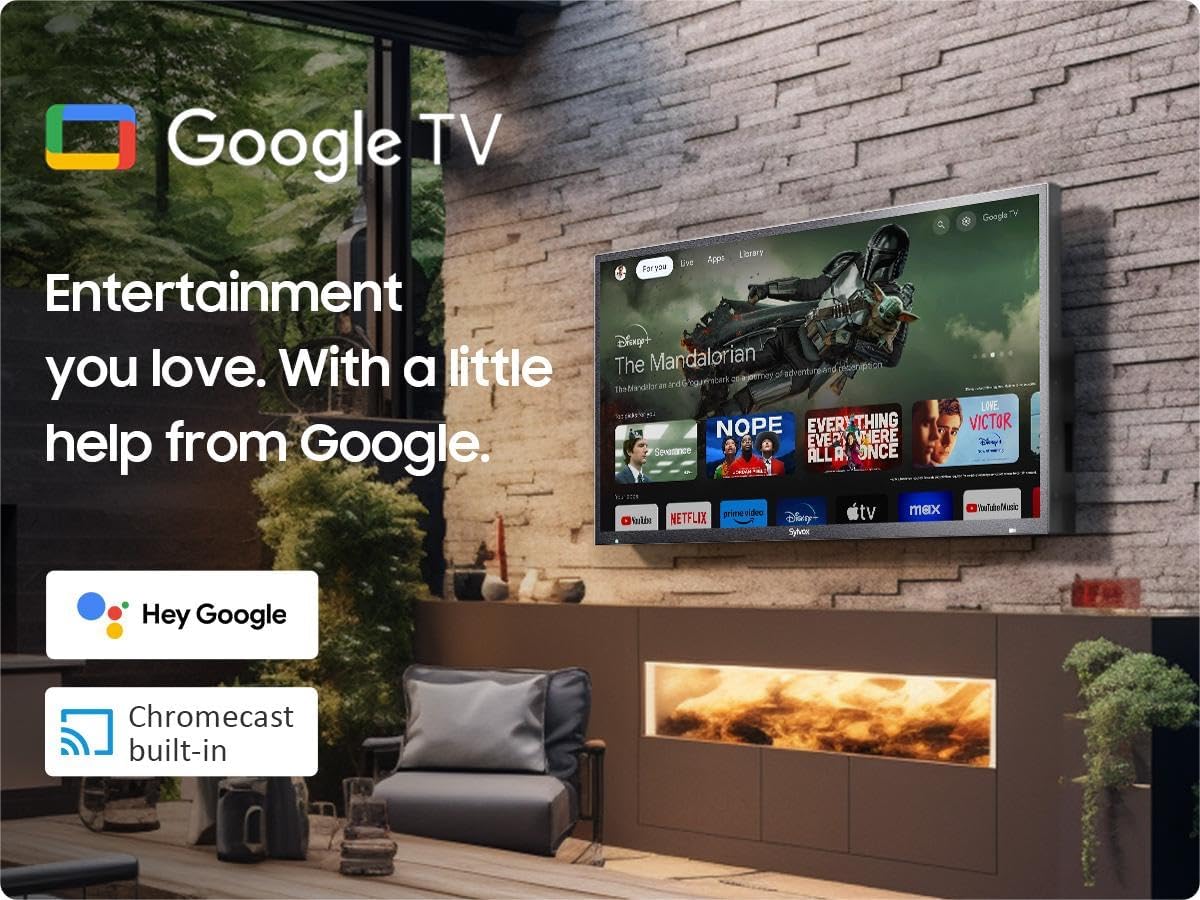
Image: Dimensions of the SYLVOX 43-inch Deck Pro 2.0 Outdoor TV.
| Funkcja | Specyfikacja |
|---|---|
| Marka | SYLVOX |
| Numer modelu | SYLVOX-Deck-020 |
| Rozmiar ekranu | 43 cale (widoczna przekątna 110 cm) |
| Technologia wyświetlania | PROWADZONY |
| Rezolucja | 4K (3840x2160) |
| Częstotliwość odświeżania | 60 Hz |
| Jasność | 1000 nitów |
| Współczynnik kontrastu | 3000:1 |
| Viewing kąt | 178° |
| Cechy specjalne | Chromecast, Waterproof, Weatherproof, High Brightness, Wide Viewing Angle, HDR 10, Dolby Atmos, Noise Reduction, Game Mode |
| Technologia łączności | Ethernet, Wi-Fi (2.4G/5G), Bluetooth 5.0, HDMI (multiple), USB (multiple) |
| System operacyjny | Telewizja Google |
| Wymiary produktu (Gł. x Szer. x Wys.) | 3.44 x 38.41 x 22.64 cala |
| Waga przedmiotu | 51.9 funta |
| Baterie | 2 baterie AAA (w zestawie do pilota) |
8. Gwarancja i wsparcie
8.1 Informacje o gwarancji
Your SYLVOX Outdoor TV comes with a 12-month free defect protection od daty zakupu. Niniejsza gwarancja obejmuje wady produkcyjne powstałe w wyniku normalnego użytkowania. Prosimy zachować dowód zakupu na wypadek roszczeń gwarancyjnych.
8.2 Polityka zwrotów
SYLVOX offers 30-dniowe bezproblemowe zwroty for quality issues. Original packaging is required for all returns. Free returns are provided for quality-related issues.
8.3 Obsługa klienta
For technical assistance, troubleshooting, or warranty inquiries, please contact SYLVOX customer support. Refer to the warranty card or the SYLVOX official webstrona dla danych kontaktowych.