
PEMP PP-5663
PEMP Ultra-Thin 12.3" Android Screen User Manual
Model: PP-5663 | Brand: PEMP
1. Wprowadzenie
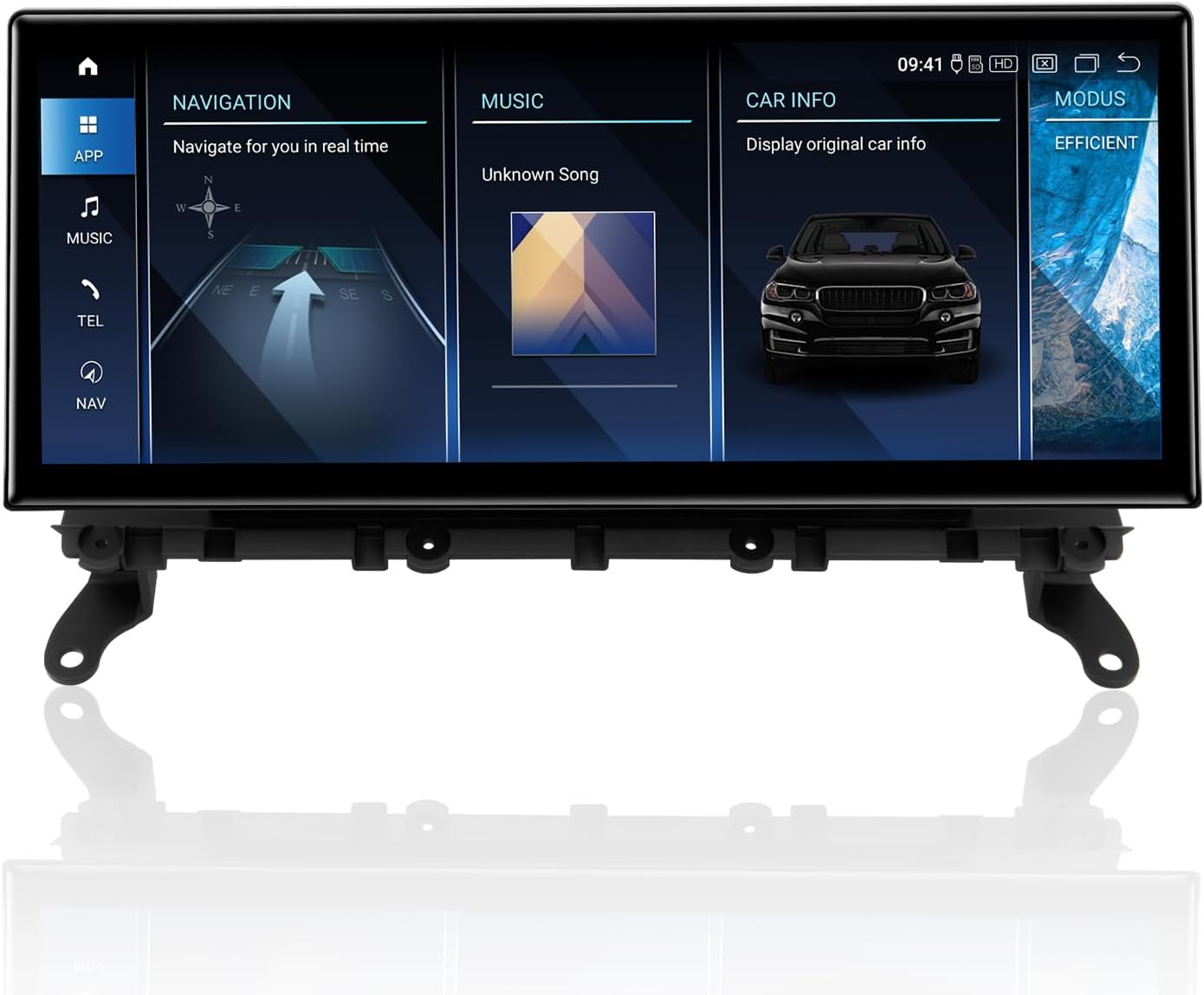
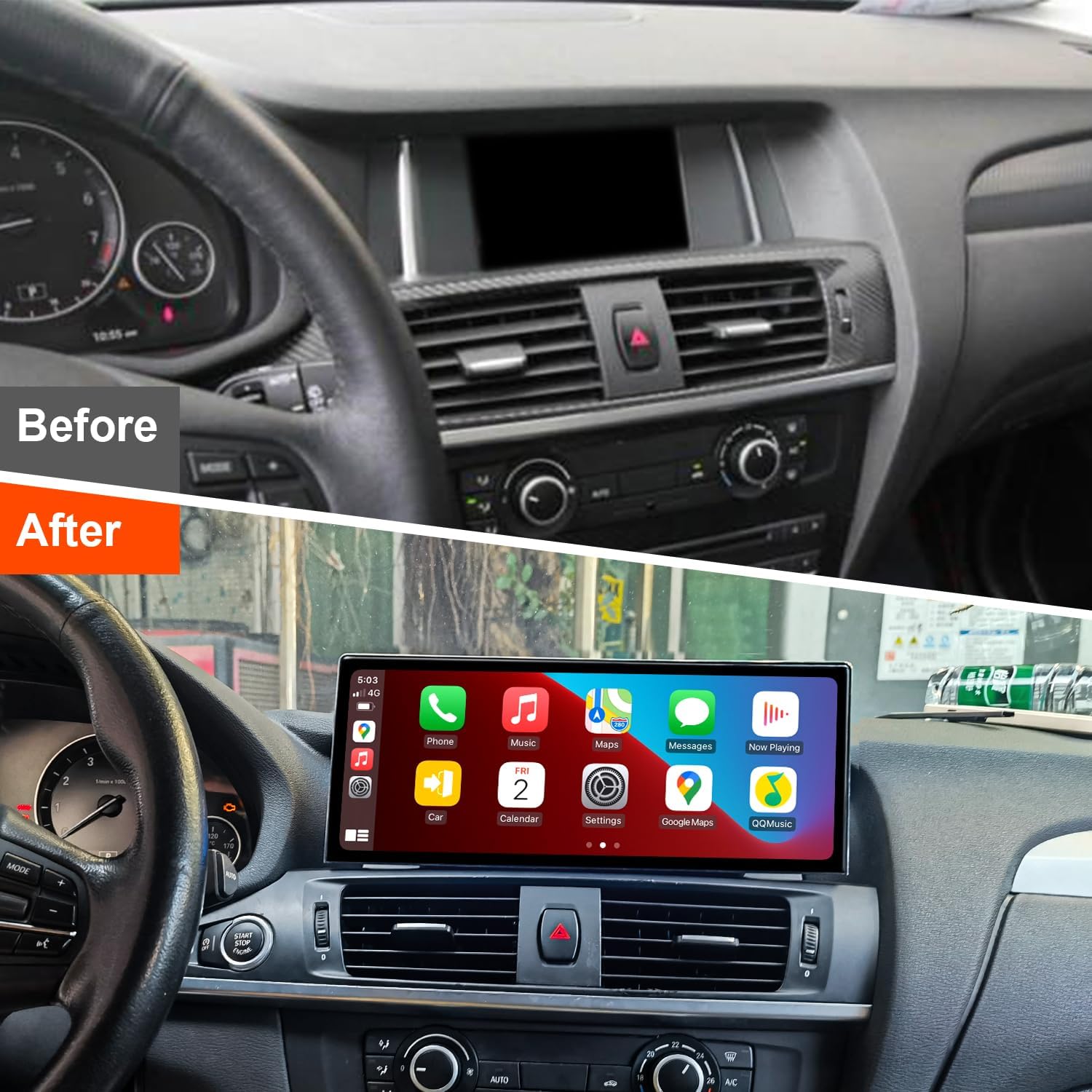
This user manual provides comprehensive instructions for the installation, operation, and maintenance of your PEMP Ultra-Thin 12.3" Android Screen. Designed for BMW X3 F25 NBT systems, this advanced display enhances your in-car experience with modern features like wireless CarPlay and Android Auto, powered by a Qualcomm Snapdragon 680 processor.
2. Funkcje produktu
- Ultracienka konstrukcja: Features an 82.3% screen-to-body ratio and a 12.3" large Android display with a metal material shell and Non-Airgap process for realistic picture quality.
- Bezproblemowa integracja smartfona: Supports wireless and wired CarPlay and Android Auto. Utilizes the original car microphone for clear calls without echo.
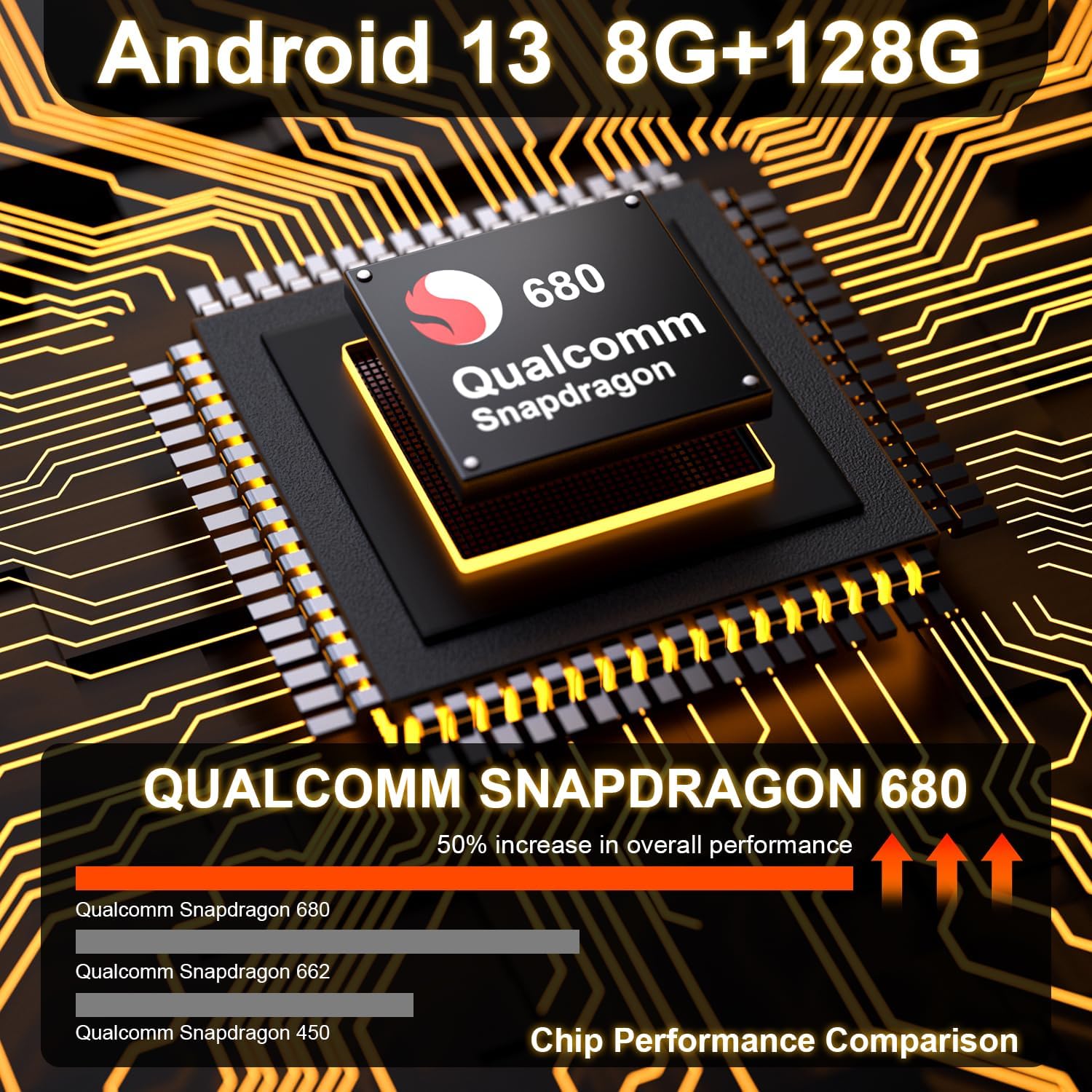
- Wysoka wydajność: Powered by a Qualcomm Snapdragon 680 chip (6nm process, 8-core processor) running Android 13. Equipped with 8GB RAM and 128GB ROM (DDR4 Emmc UFS 2.2) for fast multitasking.
- Obsługa kamery: Compatible with the OEM camera and PEMP AHD Reversing Camera (Asin: B08YWL8CND) & front camera, providing clear reversing images.
- Zaawansowana łączność: Features a mobile phone-style SIM card holder for immediate 4G high-speed network access, along with 2.4G and 5.0G dual-band WiFi.



3. Zawartość opakowania
Sprawdź, czy w przesyłce znajdują się wszystkie elementy wymienione poniżej:
- PEMP Ultra-Thin 12.3" Android Screen Device
- Kabel zasilający
- Instrukcja obsługi
- OEM Camera (compatible)
- PEMP AHD Reversing Camera (compatible)
- Wiązka przewodów ISO
- Kabel adaptera LVDS
- Kabel RCA
- Antena 4G
- Antena GPS
- Kabel USB
- Kabel audio
- Instrukcja instalacji

4. Przewodnik po konfiguracji i instalacji
Professional installation is recommended. Ensure the vehicle's power is off before beginning installation. Refer to the included Installation Manual for detailed, step-by-step instructions specific to your BMW X3 F25 NBT model.
4.1. Konfiguracja mikrofonu
To ensure high-quality calls using the OEM microphone with CarPlay and Android Auto, follow these steps:
- Connect the MIC-IN male connector on the ISO harness to the MIC-IN female connector on the USB harness.
- Go to "Settings" > "Factory Settings" and enter the password "070305".
- Select "Vehicle" > "Switching between external and internal microphones" > "External microphone".


4.2. Optical Fiber Cable Connection
When connecting to the original car's main unit, take out the 2Pin green optical fiber cable from the original CD wire and connect it to the Android harness.

4.3. AUX Audio Connection
For some models where the AUX directly enters the audio amplifier, you must plug the audio cable (included in the package) into the AUX interface in the armrest box to get the Android sound.

4.4. Gear Selection Setting
After installation, navigate to "Settings" > "Factory Settings" > "Vehicle" > "Gear Selection" and select the appropriate gear type for your vehicle.

4.5. Product Process Characteristics Video
5. Instrukcja obsługi
Once installed, your PEMP Android Screen operates similarly to a standard Android tablet, with added automotive functionalities.
5.1. Podstawowa nawigacja
The touchscreen interface allows for intuitive navigation. Swipe left or right to access different home screens, and tap on app icons to launch them. The system supports various navigation apps available on the Google Play Store.
5.2. CarPlay i Android Auto
Connect your iPhone or Android phone via Bluetooth for wireless CarPlay or Android Auto. Alternatively, use a USB cable for a wired connection. Once connected, your phone's compatible apps will appear on the screen, allowing for navigation, music, calls, and messages.
5.3. 4G and WiFi Connectivity
Insert a SIM card into the dedicated slot for 4G mobile data access. Connect to available WiFi networks through the system settings for internet access and app updates.
5.4. Odtwarzanie multimediów
Play music and videos from various sources, including internal storage, USB drives, or streaming services via internet connection. The system supports multiple audio and video formats.
6. Pielęgnacja i konserwacja
To ensure the longevity and optimal performance of your PEMP Android Screen, follow these maintenance guidelines:
- Czyszczenie: Do czyszczenia ekranu należy używać miękkiej, niepozostawiającej włókien ściereczki. W przypadku uporczywych plam, należy delikatnie przetrzećampPrzetrzyj ściereczkę wodą lub środkiem do czyszczenia ekranów. Unikaj materiałów ściernych i silnych środków chemicznych.
- Temperatura: Unikaj wystawiania urządzenia na działanie ekstremalnych temperatur, zarówno wysokich, jak i niskich, przez dłuższy czas.
- Moc: Always turn off the vehicle's ignition before disconnecting any cables or performing maintenance.
- Aktualizacje oprogramowania: Okresowo sprawdzaj dostępność aktualizacji oprogramowania i instaluj je, aby mieć pewność, że system działa wydajnie i bezpiecznie.
7. Rozwiązywanie typowych problemów
Jeśli napotkasz problemy z urządzeniem, zapoznaj się z poniższymi typowymi procedurami rozwiązywania problemów:
| Problem | Możliwa przyczyna | Rozwiązanie |
|---|---|---|
| Brak zasilania/pusty ekran | Luźne połączenie zasilania, przepalony bezpiecznik, problem z zasilaniem pojazdu. | Check all power cable connections. Verify vehicle's fuse box. Consult a professional installer. |
| No sound from Android system | Incorrect AUX connection, volume too low, system audio settings. | Ensure AUX cable is correctly plugged into the armrest box (if applicable). Check system volume and audio output settings. |
| CarPlay/Android Auto nie łączy się | Bluetooth/USB connection issue, phone settings, app compatibility. | Ensure Bluetooth is on and paired. Try a different USB cable. Restart phone and device. Check phone's CarPlay/Android Auto settings. |
| Słaba jakość mikrofonu | Incorrect microphone setting, loose connection. | Verify microphone settings in Factory Settings (Section 4.1). Check MIC-IN cable connection. |
| Słaby/utracony sygnał GPS | Umiejscowienie anteny GPS, zakłócenia środowiskowe. | Ensure GPS antenna is placed in an unobstructed location. Try moving the vehicle to an open area. |
Jeśli po wypróbowaniu tych rozwiązań problem nadal występuje, skontaktuj się z obsługą klienta, aby uzyskać dalszą pomoc.
8. Specyfikacje techniczne
| Specyfikacja | Szczegół |
|---|---|
| Numer modelu | PP-5663 |
| Rozmiar wyświetlacza | 12.3 cali |
| System operacyjny | Android 13 |
| Edytor | Qualcomm Snapdragon 680 (8-core, 6nm process) |
| BARAN | 8 GB |
| ROM | 128GB (DDR4 Emmc UFS 2.2) |
| Łączność | 4G, 2.4G/5.0G WiFi, Bluetooth |
| Cechy specjalne | Touchscreen, Android Auto, Bluetooth, CarPlay |
| Kompatybilne urządzenia | Smartfon |
| Metoda kontroli | Dotykać |
| Wymiary produktu | 12.2 x 2 x 5.1 cala |
| Waga przedmiotu | 5.98 funta |
| Kraj pochodzenia | Chiny |
9. Gwarancja i obsługa klienta
Your PEMP Ultra-Thin 12.3" Android Screen comes with a manufacturer's warranty. Please refer to the warranty card included in your package for specific terms and conditions, including warranty duration and coverage details.
For technical support, troubleshooting assistance, or warranty claims, please contact PEMP customer service through the contact information provided on the product packaging or the official PEMP website. When contacting support, please have your product model number (PP-5663) and purchase details ready.
Ask a question about this manual
Ask about setup, troubleshooting, compatibility, parts, safety, or missing instructions. Manuals+ will review the question and use this page’s manual context to help answer it.