1. Wprowadzenie
Thank you for choosing the HXSJ V700BW+X100 Wired Keyboard and Mouse Combo. This product is designed to provide a reliable and responsive experience for both office work and gaming. This manual will guide you through the setup, operation, and maintenance of your new device.

Figure 1: HXSJ V700BW+X100 Wired Keyboard and Mouse Combo. The image displays the compact 61-key keyboard with RGB backlighting and the ergonomic gaming mouse with 7-color breathing light.
2. Instrukcje konfiguracji
The HXSJ V700BW+X100 combo is a plug-and-play device, requiring no additional driver installation for basic functionality on compatible operating systems.
2.1 Zgodność systemu
This device is compatible with IBM PC systems running the following operating systems:
- Windows 98SE
- Windows Me
- Windows 2000
- Windows XP
- Windows Vista
- Windows 7
- Windows 10
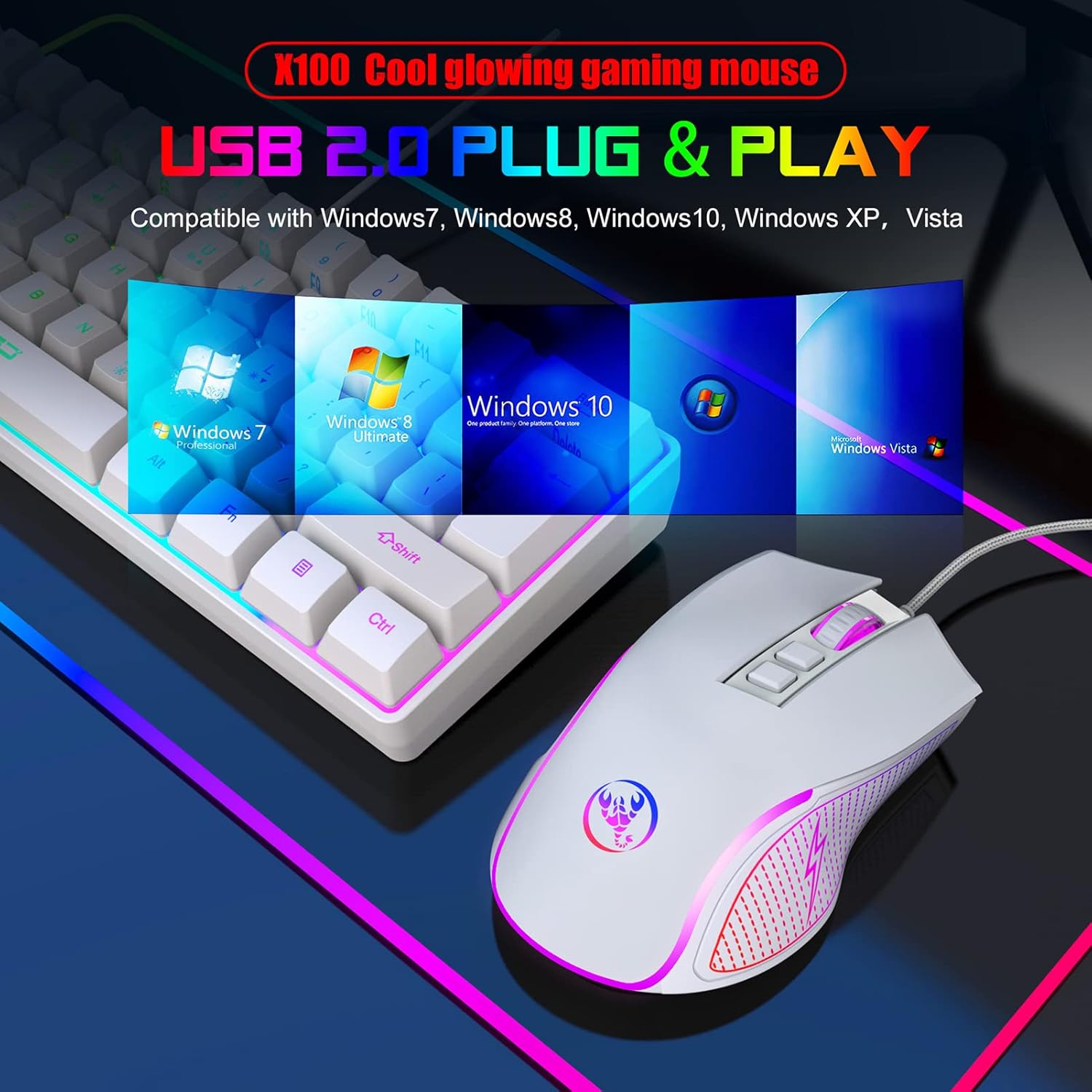
Figure 2: USB 2.0 Plug & Play functionality. The image shows the keyboard and mouse connected via USB, with icons representing compatibility with Windows 7, 8, 10, XP, and Vista.
2.2 Podłączanie urządzeń
- Znajdź dostępny port USB 2.0 w swoim komputerze.
- Podłącz wtyczkę USB klawiatury do portu USB.
- Podłącz wtyczkę USB myszy do innego dostępnego portu USB.
- Twój system operacyjny automatycznie wykryje i zainstaluje niezbędne sterowniki. Ten proces może potrwać chwilę.
- Once installation is complete, the keyboard and mouse are ready for use.
3. Działanie
3.1 Funkcje klawiatury
The HXSJ V700BW+X100 keyboard features a 61-key layout with various multimedia and backlight control functions accessible via the FN key.
- Regulacja podświetlenia: The keyboard features RGB cool horse racing effects with 6 backlight effects and 8 backlight color switching options. Specific key combinations for these adjustments are typically found in the product's quick start guide or through experimentation with FN key combinations.
- Złożone klawisze funkcyjne: The FN key combined with the first line of keyboard keys (1-0, -, =) provides access to F1-F12 functions, ESC, and Delete.
- Regulacja głośności:
- FN + R key: Volume Reduction
- FN + T key: Volume Increase
- FN + Y key: Mute
- Klawisze strzałek w grze: FN + W/A/S/D can be used as arrow keys for gaming.
- Wygraj blokadę: FN + WIN key to lock the Windows key, preventing accidental presses during gaming.

Figure 3: Keyboard Compound Function Key Switch. This image illustrates the FN key combinations for multimedia control (volume up/down/mute), game arrow keys (W/A/S/D), and Windows key lock.
3.2 Funkcje myszy
The HXSJ X100 mouse is equipped with an optical gaming engine and adjustable DPI settings for precise control.
- Pikolak: The mouse features Left Click, Right Click, Middle Click (scroll wheel), Forward, Back, DPI+ and DPI- buttons.
- Regulacja DPI: The mouse has 4 adjustable DPI settings: 1200, 1800, 2400, and 3600 DPI. Use the DPI+ and DPI- buttons to cycle through these settings to match your preference for speed and precision.
- 7-kolorowe światło oddechowe: The mouse features a dynamic 7-color breathing light effect, cycling through Red, Yellow, Green, Light Blue, Dark Blue, Pink, and Purple.
- Przełączanie trybu oświetlenia:
- Metoda 1: Press the DPI- button for 3 seconds to turn the LED light on or off.
- Metoda 2: Use the Forward / Back button + DPI- button combination to switch light modes.

Figure 4: Mouse Button Layout. This image labels the Left Click, Right Click, Middle Click, Forward, Backward, DPI+ and DPI- buttons on the mouse, along with the transparent logo area.

Figure 5: Mouse Light Mode Switching. The image shows a hand interacting with the mouse, highlighting the DPI- button for turning the light on/off and the Forward/Back + DPI- combination for switching light modes.

Figure 6: X100 Cool Glowing Gaming Mouse with 7-Color Breathing Light Effect. This image displays multiple mice, each showcasing a different color from the 7-color cycle breathing effect (Red, Yellow, Green, Light Blue, Dark Blue, Pink, Purple).
4. Specyfikacje
4.1 Specyfikacja klawiatury
| Funkcja | Szczegół |
|---|---|
| Typ interfejsu | USB |
| Rozwiązanie produktu | SK9708 |
| Liczba kluczy | 61 XNUMX XNUMX XNUMX KLUCZ |
| Klawisze multimedialne | Tak |
| Żywotność przycisku | 10 milionów razy lub więcej |
| Objętość operacyjnatage | 5.0 V + 5% prądu stałego |
| Prąd roboczy | 150mA (MAX) |
| Materiał nasadek klawiszy | Dwukolorowy wtrysk ABS |
| Długość kabla | 1.7 mln |
| Keyboard Size (L*W*H) | 29.2 * 10.2 * 4.0 cm (11.5 * 4 * 1.6 cala) |
| Waga klawiatury | 359.3 g (12.7 uncji) |

Figure 7: Keyboard Dimensions. The image shows the top and side views of the keyboard with measurements: 292mm (length), 102mm (width), and 40mm (height).
4.2 Specyfikacje myszy
| Funkcja | Szczegół |
|---|---|
| Opcje kolorów | Black / White / Pink (Optional) |
| Metoda śledzenia | Technologia czujnika optycznego |
| Połączenie | USB 2.0 |
| Długość kabla | 1.5 m z kablem w oplocie pierścieniowym toroidalnym |
| Tworzywo | ABS |
| Żywotność przycisku | 10 miliony kliknięć |
| LED Backlight | 7 kolorów oddychającego światła |
| Pikolak | Left, Right, Middle, Forward, Back, DPI+, DPI- |
| Ustawienia DPI | 1200-1800-2400-3600 DPI (4 stagjest) |
| Moc wejściowa | 5V |
| Pobór mocy | 100mA |
| Współczynnik sondowania | 125 Hz |
| Strzelanie do bramki | Maks. 4000 klatek na sekundę |
| Przyspieszona prędkość | 8G |
| IPS | 30 cali/sek |
| Rozmiar przedmiotu (dł.*szer.*wys.) | 12.4 * 7.1 * 3.9 cm (4.88 * 2.8 * 1.54 cala) |
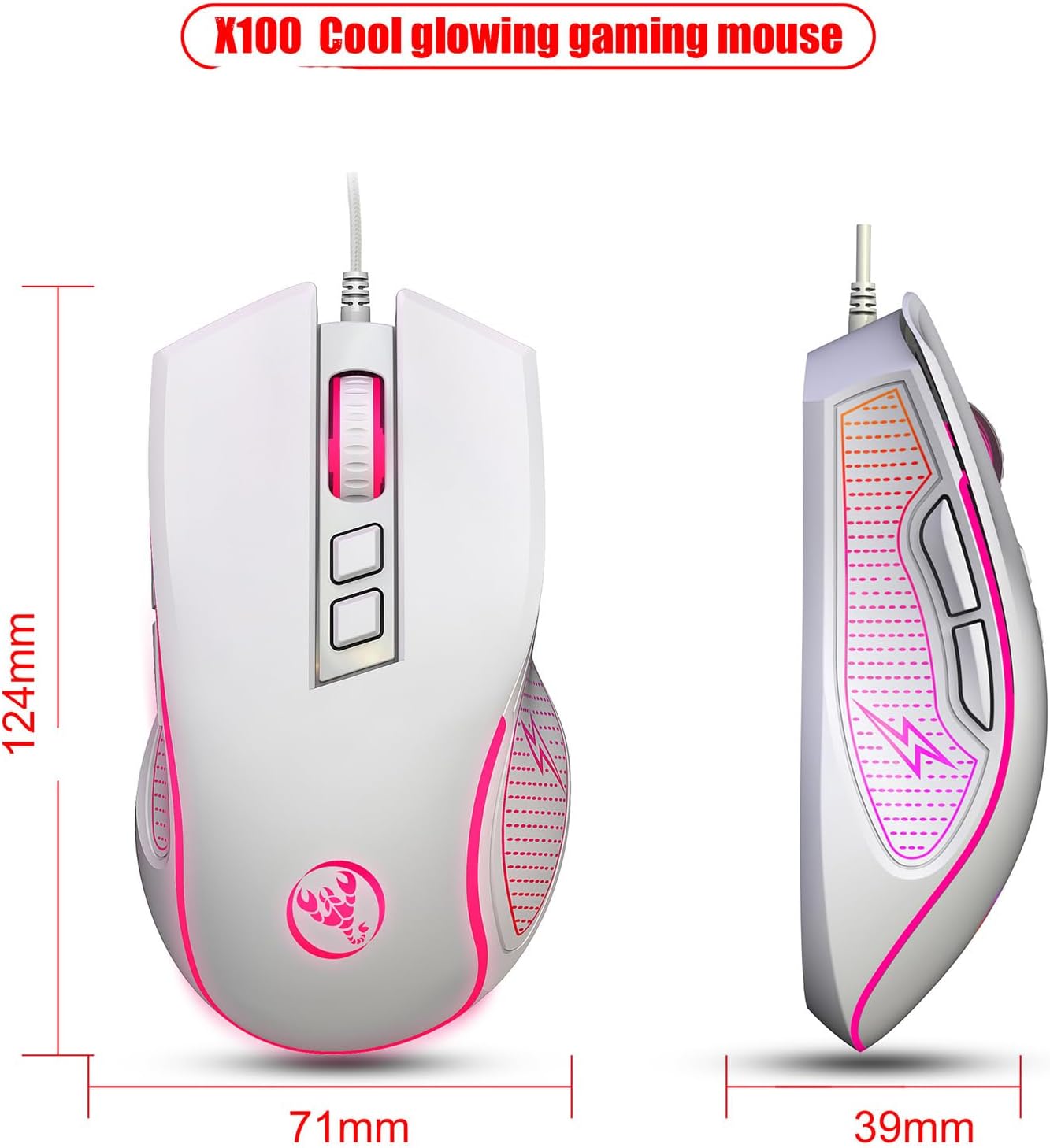
Figure 8: Mouse Dimensions. The image shows the top and side views of the mouse with measurements: 124mm (length), 71mm (width), and 39mm (height).

Figure 9: Mouse Durability and Ergonomic Design. This image highlights the mouse's 10,000,000 click test for durability and its ergonomic design for comfortable, stress-free use.
5. Rozwiązywanie Problemów
If you encounter issues with your HXSJ V700BW+X100 combo, please refer to the following common solutions:
- Urządzenie nie odpowiada:
- Upewnij się, że kable USB klawiatury i myszy są prawidłowo podłączone do portów USB komputera.
- Spróbuj podłączyć urządzenia do różnych portów USB w komputerze.
- Uruchom ponownie komputer.
- Check Device Manager (Windows) to see if the devices are recognized and if there are any driver issues.
- Podświetlenie nie działa (klawiatura):
- Sprawdź, czy klawiatura jest prawidłowo podłączona.
- Check if the backlight has been turned off using a FN key combination. Refer to the "Keyboard Functions" section for backlight adjustment.
- Kursor myszy skacze lub porusza się nieregularnie:
- Sprawdź, czy czujnik optyczny znajdujący się na spodzie myszy jest czysty i wolny od kurzu i zanieczyszczeń.
- Używaj myszy na czystej, nieodbijającej światła i jednolitej powierzchni (np. podkładce pod mysz).
- Adjust the DPI setting using the DPI buttons on the mouse.
- Keys or Buttons Not Registering:
- Upewnij się, że połączenie USB jest stabilne.
- Test the devices on another computer to rule out a system-specific issue.
6. Konserwacja i pielęgnacja
Proper care will extend the lifespan of your keyboard and mouse combo:
- Czyszczenie:
- Przed czyszczeniem odłącz urządzenia od komputera.
- Użyj miękkiego, lekko damp cloth to wipe down the surfaces. Avoid harsh chemicals or abrasive cleaners.
- W przypadku klawiatury należy użyć sprężonego powietrza, aby usunąć kurz i zanieczyszczenia spomiędzy klawiszy.
- For the mouse, ensure the optical sensor area on the bottom is kept clean.
- Składowanie: Przechowuj urządzenia w chłodnym, suchym miejscu, z dala od bezpośredniego światła słonecznego i ekstremalnych temperatur.
- Obsługiwanie: Avoid dropping the devices or exposing them to excessive force, liquids, or dust.
7. Gwarancja i wsparcie
This product is manufactured by Generic. For specific warranty information and technical support, please refer to the documentation included with your purchase or contact the retailer where the product was acquired. Keep your purchase receipt as proof of purchase for warranty claims.
Aby uzyskać dalszą pomoc, możesz również odwiedzić oficjalną stronę producenta webodwiedź witrynę lub skontaktuj się z działem obsługi klienta, jeśli jest dostępny.


