
Lovibond 216200
Lovibond Scuba 3s Elektroniczny tester fotometru - Kompletny zestaw Instrukcja obsługi
Model: 216200 | Brand: Lovibond
1. Wprowadzenie
The Lovibond Scuba 3s is a versatile and digital pool tester designed for reliable water analysis in swimming pools, hot tubs, and wellness facilities. Utilizing modern NFC technology, measurement results can be easily transferred to your smartphone for convenient evaluation with the Lovibond PoolAssistant app. This manual provides detailed instructions for the proper setup, operation, and maintenance of your Scuba 3s device to ensure accurate and consistent water quality measurements.
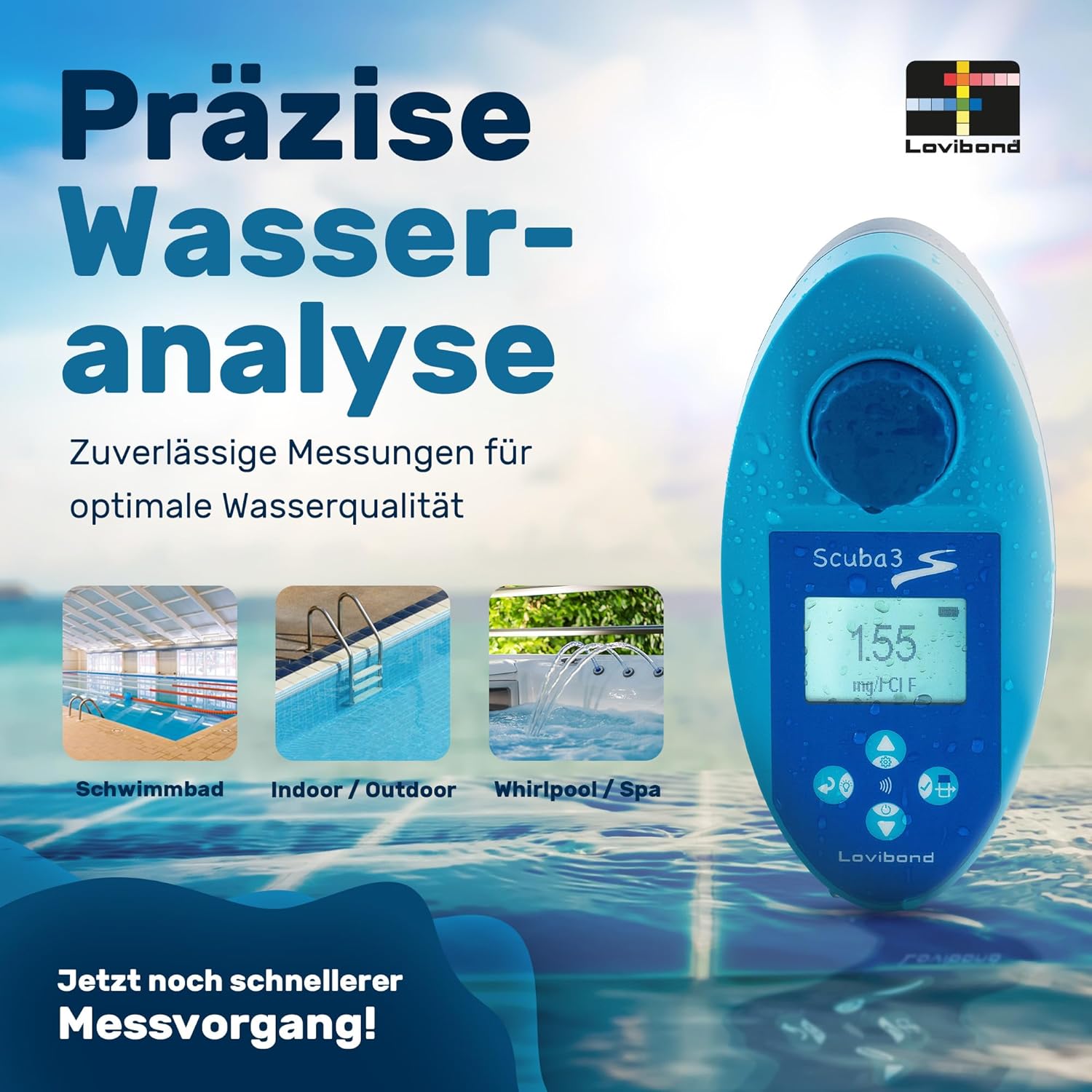
Image 1.1: Precise Water Analysis. The Scuba 3s ensures reliable measurements for optimal water quality across various water bodies including swimming pools, indoor/outdoor pools, and whirlpools/spas.
2. Informacje dotyczące bezpieczeństwa
- Przeczytaj uważnie wszystkie instrukcje przed użyciem urządzenia.
- Keep the device and reagents out of reach of children and pets.
- Do not ingest reagents. In case of contact with skin or eyes, rinse immediately with plenty of water and seek medical advice if irritation persists.
- Use only original Lovibond reagents with the Scuba 3s.
- Nie wystawiaj urządzenia na działanie ekstremalnych temperatur ani bezpośredniego światła słonecznego przez dłuższy czas.
- Przed przechowywaniem upewnij się, że urządzenie jest czyste i suche.
3. Zawartość opakowania
Sprawdź, czy w przesyłce znajdują się wszystkie wymienione poniżej elementy:
- Lovibond Scuba 3s Electronic Photometer Tester
- 20 DPD 1 tablets (for free chlorine and bromine)
- 10 DPD 3 tablets (for total chlorine)
- 20 Phenol Red tablets (for pH)
- 10 CYA-Test tablets (for cyanuric acid)
- 10 Alka-M tablets (for alkalinity)
- 10 Calcio-H No. 1 tablets (for calcium hardness)
- 10 Calcio-H No. 2 tablets (for calcium hardness)
- Pręt mieszający
- 2 baterie AA
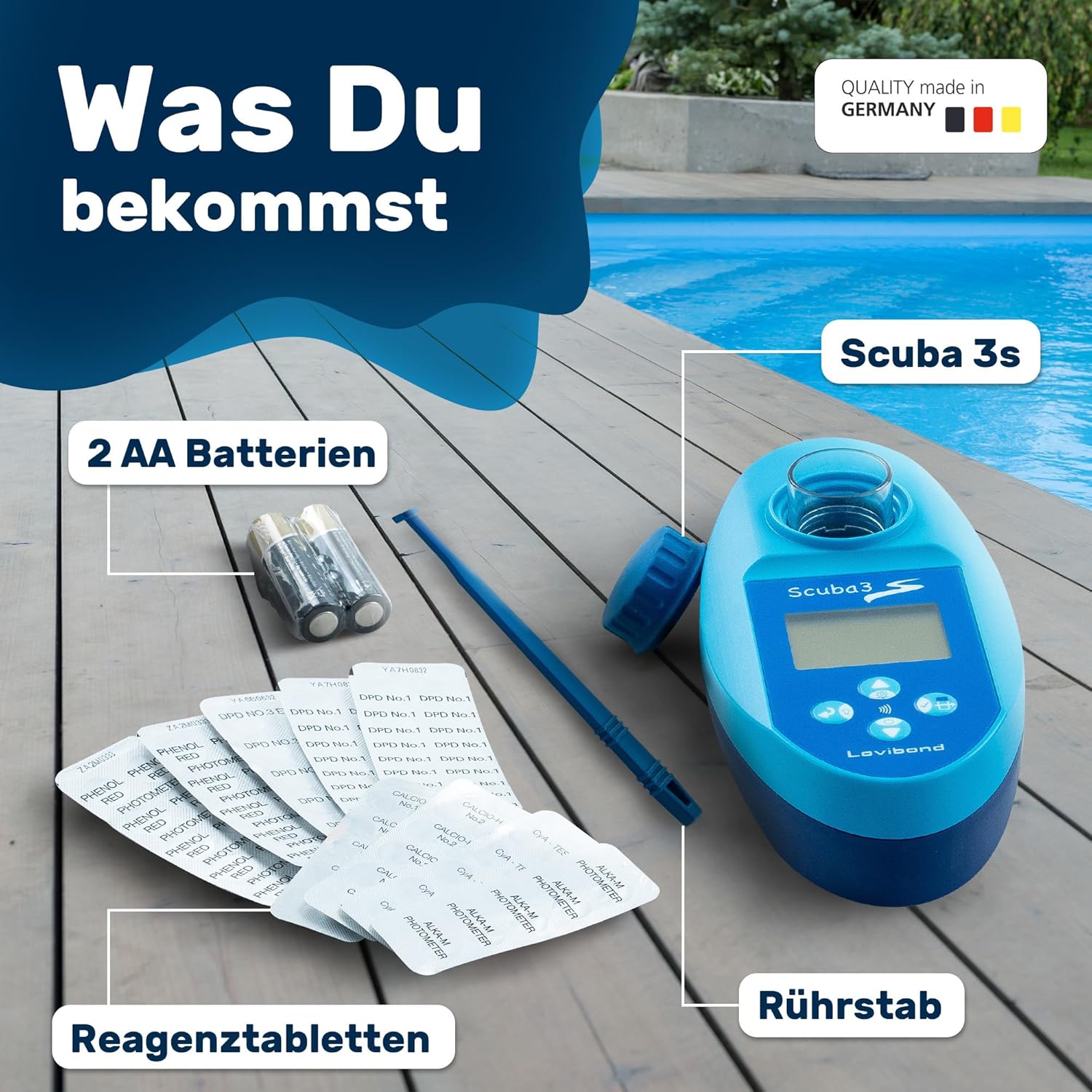
Image 3.1: What You Get. This image displays the complete contents of the Scuba 3s kit, including the main device, two AA batteries, various reagent tablets, and a stirring rod.
4. Konfiguracja i pierwsze użycie
Before using your Scuba 3s for the first time, follow these steps:
- Włóż baterie: Open the battery compartment on the back of the device and insert the two AA batteries, ensuring correct polarity.
- Włączanie: Naciśnij przycisk zasilania, aby włączyć urządzenie.
- Kalibracja początkowa (zerowanie): Before each measurement, the device must be zeroed with a water sample.
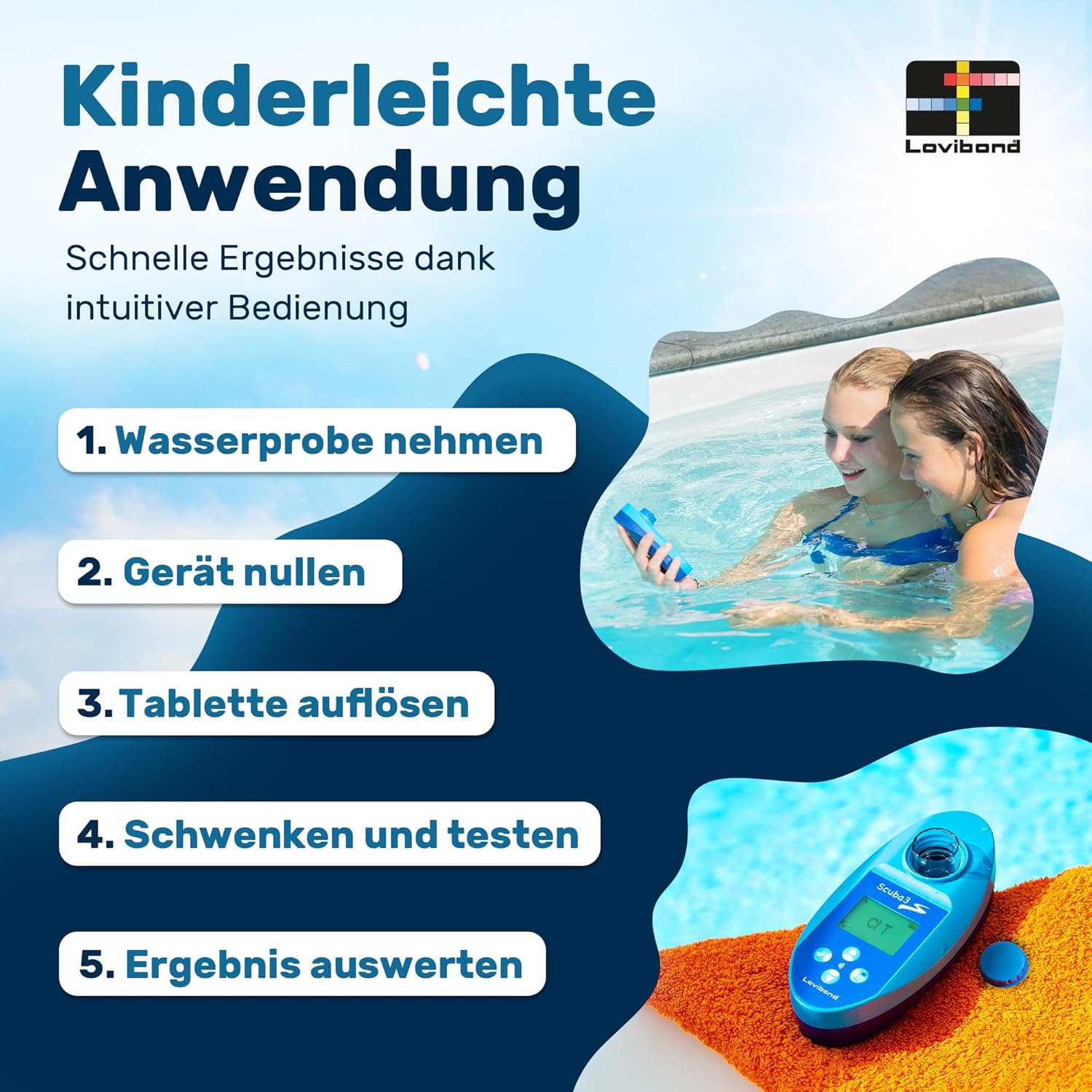
Image 4.1: Easy Application. This visual guide outlines the simple steps for using the Scuba 3s: 1. Take water sample, 2. Zero the device, 3. Dissolve tablet, 4. Swirl and test, 5. Evaluate result.
5. Instrukcja obsługi
5.1. Ogólna procedura pomiaru
The Scuba 3s measures various water parameters using specific reagent tablets. The general procedure is as follows:
- Prepare Water Sampna: Wypełnij sample chamber of the Scuba 3s with the water to be tested. Ensure the chamber is clean and free of air bubbles.
- Zero the Device: Place the device on a flat surface. Press the "Zero" button (usually indicated by a circle or '0'). The display will show "0.00" or "ZERO" when complete. This step is crucial for accurate readings.
- Dodaj tabletkę odczynnika: Add the appropriate reagent tablet for the parameter you wish to measure into the water sample chamber. Do not touch the tablet with your fingers.
- Dissolve and Mix: Use the stirring rod to gently crush and dissolve the tablet completely. Swirl the device gently to ensure thorough mixing.
- Wait for Reaction: Allow the specified reaction time for the tablet to fully react with the water sample. This time varies depending on the parameter (refer to the specific test instructions for each parameter).
- Wykonaj pomiar: Place the device on a flat surface and press the "Read" or "Test" button. The device will display the measurement result.
- Interpretacja wyników: Compare the displayed value with recommended ranges for your pool or spa. The device may also use colored backlights to indicate if values are within ideal range (green) or need correction (red).
5.2. Specific Parameter Measurements
Refer to the table below for the measurement ranges of various parameters. Detailed instructions for each specific test (e.g., Free Chlorine, pH, Cyanuric Acid) are typically provided with the reagent tablets or can be found on the Lovibond webstrona.

Image 5.1: Comprehensive Analysis. This table provides an overview of the test parameters, their measurement ranges, and descriptions, including Alkalinity-m, Bromine T, Chlorine T, CyA T, Calcium Hardness (B), Copper T, Phosphate LR T, pH Value T, and Active Oxygen T.
5.3. NFC Data Transfer
The Scuba 3s features modern NFC technology for wireless data transfer to compatible NFC-enabled devices, such as your smartphone with the Lovibond PoolAssistant app.
- Download PoolAssistant App: Ensure you have the Lovibond PoolAssistant app installed on your smartphone. It is available for both iOS and Android devices.
- Activate NFC: Make sure NFC is enabled on your smartphone.
- Transfer danych: After taking a measurement, hold your smartphone close to the NFC symbol on the Scuba 3s device. The measurement data will be instantly transferred to the app for logging and analysis.
- Funkcje aplikacji: The PoolAssistant app allows for comfortable evaluation and clear management of water values for up to 5 pools.

Image 5.2: Data Transfer via NFC Chip. This image demonstrates how to transfer data instantly from the Scuba 3s to the PoolAssistant App by simply holding your smartphone near the device, similar to a contactless payment.

Image 5.3: Colored Backlights. The Scuba 3s features colored backlights as an additional indicator: green for values within the ideal range and red for values that need correction. The PoolAssistant app further assists in troubleshooting.
6. Konserwacja
6.1. Czyszczenie urządzenia
- After each use, rinse the sample chamber thoroughly with clean water.
- Przetrzyj obudowę urządzenia miękką, damp ściereczka. Nie należy używać środków czyszczących o właściwościach ściernych ani rozpuszczalników.
- Przed schowaniem urządzenia należy upewnić się, że jest ono całkowicie suche.
6.2. Przechowywanie
- Store the Scuba 3s in its original case in a cool, dry place, away from direct sunlight and extreme temperatures.
- Keep reagent tablets in their original packaging, away from moisture and light, to maintain their effectiveness.
- Jeśli urządzenie będzie przechowywane przez dłuższy czas, należy wyjąć baterie, aby zapobiec wyciekowi.

Image 6.1: Robust & Durable. The Scuba 3s features an LCD display with backlight, 4 multifunction buttons, and is waterproof according to IPX7 standards, ensuring durability and ease of use.
7. Rozwiązywanie Problemów
| Problem | Możliwa przyczyna | Rozwiązanie |
|---|---|---|
| Urządzenie się nie włącza. | Baterie rozładowane lub nieprawidłowo włożone. | Sprawdź biegunowość baterii lub wymień je na nowe baterie AA. |
| Niedokładne odczyty. |
|
|
| NFC transfer fails. |
|
|
8. Specyfikacje
| Funkcja | Szczegół |
|---|---|
| Numer modelu | 216200 |
| Wymiary (dł. x szer. x wys.) | 14.5 x 7 x 4.5 cm (5.7 x 2.7 x 1.8 cala) |
| Waga | 165 gramów (0.36 funta) |
| Źródło zasilania | 2 baterie AA |
| Tworzywo | Reactive substrates, reagent-coated strips |
| Zakres pH | 6.5 - 8.4 (device measurement range) / 7.2 - 7.8 (recommended product usage range) |
| Łączność | NFC (Near Field Communication) for data transfer to PoolAssistant App |
| Producent | Tintometer GmbH |
| Kraj pochodzenia | Chiny |
| Zalecane zastosowania | Hot Tubs, Indoor and Outdoor Pools, Private Pools, Professional and Private Use, Whirlpools |
9. Gwarancja i wsparcie
For warranty information, technical support, or to purchase additional reagents, please visit the official Lovibond webOdwiedź witrynę lub skontaktuj się z działem obsługi klienta. Zachowaj dowód zakupu na wypadek reklamacji.
Lovibond Official Webstrona: www.lovibond.com
Powiązane dokumenty - 216200
 |
Lovibond Scuba 3s – Smart Pooltester Uživatelský návod Kompletny uživatelský návod a technické údaje pro tester bazénové vody Lovibond Scuba 3s. Popisuje měření parametrů, postup testování, nastavení a bezpečnostní pokyny. |
 |
Instrukcja obsługi i przewodnik techniczny Lovibond Scuba3s Smart Pooltester Kompleksowy podręcznik dotyczący inteligentnego testera basenów Lovibond Scuba3s, obejmujący informacje na temat konfiguracji, obsługi, konserwacji, specyfikacji technicznych i rozwiązywania problemów, umożliwiający dokładną analizę wody w basenie. |
 |
Instrukcja obsługi systemu fotometrycznego Lovibond MD50/MD150 Kompleksowa instrukcja obsługi systemów fotometrycznych Lovibond MD50 i MD150, obejmująca informacje na temat obsługi, konserwacji, rozwiązywania problemów i specyfikacji dotyczących badania wody. |
 |
Lovibond Scuba III Smart Pooltester – instrukcja obsługi i specyfikacje techniczne Kompleksowy przewodnik po urządzeniu Lovibond Scuba III Smart Pooltester, obejmujący jego funkcje, obsługę, konserwację, dane techniczne i akcesoria do analizy jakości wody w basenie. |
 |
Instrukcja obsługi inteligentnego testera basenów Lovibond Scuba3s Kompleksowa instrukcja obsługi inteligentnego testera basenowego Lovibond Scuba3s, szczegółowo opisująca jego funkcje, obsługę, konserwację i specyfikacje techniczne dotyczące analizy wody w basenie. |
 |
Lovibond Scuba3s Smart Pooltester: User Manual and Guide Comprehensive user manual for the Lovibond Scuba3s smart pooltester. Learn how to test pool water quality, understand parameters, perform measurements, and maintain your device. Includes technical specifications and troubleshooting. |
Ask a question about this manual
Ask about setup, troubleshooting, compatibility, parts, safety, or missing instructions. Manuals+ will review the question and use this page’s manual context to help answer it.