
ASMAX ASMAXF1DP01
Instrukcja obsługi zestawu słuchawkowego Bluetooth do motocykla ASMAX F1
Model: ASMAX F1
1. Wprowadzenie
The ASMAX F1 Motorcycle Bluetooth Headset is an advanced communication system designed for motorcyclists. It features Bluetooth 5.3 technology, supporting up to 10 riders with a communication range of up to 1.8km. The F1 offers dual intercom modes (Free and Group Mesh), voice control, superior sound quality with ENC noise reduction, and an IP67 waterproof rating. Its magnetic mounting system and fast-charging capabilities ensure convenience and reliability for all your rides.
2. Informacje dotyczące bezpieczeństwa
- Zawsze priorytetem jest bezpieczeństwo na drodze. Nie używaj urządzenia w sposób, który odwraca Twoją uwagę od jazdy.
- Przed jazdą sprawdź, czy zestaw słuchawkowy jest solidnie przymocowany do kasku.
- Dostosuj poziom głośności tak, aby mieć pewność, że nadal będziesz słyszeć dźwięki ruchu ulicznego.
- Nie należy podejmować prób demontażu lub modyfikacji urządzenia, gdyż może to spowodować unieważnienie gwarancji i zagrożenie bezpieczeństwa.
- Trzymaj urządzenie z dala od ekstremalnych temperatur i bezpośredniego światła słonecznego.
- Charge the device using only the provided cable and a compatible power source.
3. Zawartość opakowania
Sprawdź, czy w przesyłce znajdują się wszystkie elementy:
- ASMAX F1 Bluetooth Headset Unit(s)
- Speaker and Microphone Kit(s)
- Magnetic Mounting Base(s)
- Kable do ładowania USB
- Instrukcja obsługi
- Mounting Accessories (e.g., adhesive pads, clips)

Image: ASMAX F1 Headset and included accessories.
4. Koniec produktuview
4.1 Składniki
The ASMAX F1 unit features a sleek design with an illuminated cross-shaped indicator. It is designed for easy attachment to most motorcycle helmets.

Image: ASMAX F1 Bluetooth Headset units.
4.2 Elementy sterujące i wskaźniki
The ASMAX F1 is equipped with intuitive controls and indicators for ease of use while riding.
- Przycisk domofonu: Initiates and manages intercom connections.
- Przyciski głośności +/-: Dostosowuje głośność dźwięku.
- Przycisk funkcyjny: Multi-purpose button for various operations.
- Wskaźnik LED: Displays device status (e.g., power, pairing, charging).
- Sterowanie głosowe: Activates functions using voice commands (e.g., "Hi Max").

Image: ASMAX F1 controls and helmet compatibility.
5. Konfiguracja
5.1 Montaż na kasku
The ASMAX F1 features a magnetic mounting system for easy and secure attachment to your helmet.
- Choose a suitable location on the side of your helmet, typically on the left side, ensuring it does not obstruct your vision or helmet functionality.
- Clean the helmet surface thoroughly where the mounting base will be attached.
- Attach the magnetic mounting base to the helmet using the provided adhesive pad or clamp. Ensure it is firmly secured.
- Insert the speakers into the helmet's ear pockets. Ensure they are positioned directly over your ears for optimal sound.
- Route the microphone boom or wired microphone to a position near your mouth, ensuring clear voice pickup and minimal wind noise.
- Connect the speaker and microphone cables to the ASMAX F1 unit.
- Attach the ASMAX F1 unit to the magnetic mounting base. The strong magnet will secure it in place.
5.2 Pierwsze ładowanie
Before first use, fully charge the ASMAX F1 unit. The 1250mAh battery supports fast charging.
- Connect the provided USB charging cable to the ASMAX F1 unit's charging port.
- Drugi koniec kabla podłącz do zasilacza USB (nie ma go w zestawie) lub do portu USB komputera.
- The LED indicator will show charging status. Once fully charged, the indicator will change (refer to specific LED behavior in the full manual).
- Urządzenie można ładować podczas użytkowania.
6. Instrukcja obsługi
6.1 Włączanie/wyłączanie zasilania
- Włączanie: Press and hold the Function Button for approximately 3 seconds until the LED indicator lights up and you hear a voice prompt.
- Wyłączone: Press and hold the Function Button for approximately 3 seconds until the LED indicator turns off and you hear a voice prompt.
6.2 Parowanie Bluetooth z urządzeniem mobilnym
The ASMAX F1 uses Bluetooth 5.3 for stable connections.
- With the ASMAX F1 powered off, press and hold the Function Button for approximately 5-7 seconds until the LED indicator flashes rapidly (usually blue/red alternating), indicating pairing mode.
- Włącz Bluetooth w telefonie komórkowym i wyszukaj nowe urządzenia.
- Select "ASMAX F1" from the list of available devices.
- Once paired, the LED indicator will change (e.g., slow blue flashes) and you will hear a confirmation tone.

Image: Universal pairing capability of ASMAX F1.
6.3 Intercom Modes
The ASMAX F1 supports various intercom modes for group communication.
- Tryb swobodny: For spontaneous connections within range. Up to 10 riders can join instantly.
- Group Mode (MESH Communication): For private conversations with a team of up to 10 riders. Supports 1-on-1 chats within the group.
- CloudTalk Mode: (Requires app update) Supports cross-brand cloud intercom for up to 50 people, anywhere with a mobile network.

Image: ASMAX F1 10-Rider Mesh Group Intercom.
6.4 Sterowanie głosowe
Activate voice commands by saying "Hi Max" followed by your command. This allows for hands-free operation.
- "Hi Max, Music On"
- "Hi Max, Next Track"
- "Hi Max, Volume Up/Down"
- "Hi Max, Answer The Phone"
- "Hi Max, End Intercom"
- "Hi Max, Phone Pairing"
- "Hi Max, Group Mesh"
- "Hi Max, Free Mode"

Image: ASMAX F1 Voice Control feature.
6.5 Wielozadaniowość audio
The ASMAX F1 allows for simultaneous audio streams, such as listening to music while receiving navigation instructions or participating in an intercom conversation.

Image: ASMAX F1 Audio Multitasking.
7. Konserwacja
- Czyszczenie: Przetrzyj urządzenie miękką, damp płótno. Nie używaj ostrych środków chemicznych ani ściernych środków czyszczących.
- Składowanie: Przechowuj urządzenie w chłodnym, suchym miejscu, gdy nie jest używane.
- Pielęgnacja baterii: Aby zapewnić optymalną żywotność baterii, unikaj częstego całkowitego rozładowywania. Ładuj ją regularnie.
- Wodoodporność: The ASMAX F1 is IP67 waterproof. While it can withstand rain and splashes, avoid prolonged submersion.

Image: ASMAX F1 IP67 Waterproof feature.
8. Rozwiązywanie Problemów
| Problem | Możliwa przyczyna | Rozwiązanie |
|---|---|---|
| Urządzenie nie włącza się. | Niski poziom naładowania baterii. | Całkowicie naładuj urządzenie. |
| Nie można sparować z telefonem. | Urządzenie nie jest w trybie parowania; Bluetooth w telefonie jest wyłączony. | Ensure device is in pairing mode (flashing LED). Turn on phone's Bluetooth. Forget previous pairings on phone. |
| Problemy z połączeniem interkomowym. | Out of range; interference; incorrect mode. | Ensure units are within range. Check for obstacles. Verify correct intercom mode (Free/Group). |
| Słaba jakość dźwięku / szum. | Microphone position; speaker placement; high speed. | Adjust microphone closer to mouth. Ensure speakers are aligned with ears. ENC noise reduction works best with visor closed at high speeds. |
| Polecenia głosowe nie reagują. | Problem z mikrofonem; hałaśliwe otoczenie; nieprawidłowa komenda. | Ensure microphone is clear. Speak clearly. Try again in a quieter environment. Refer to voice command list. |
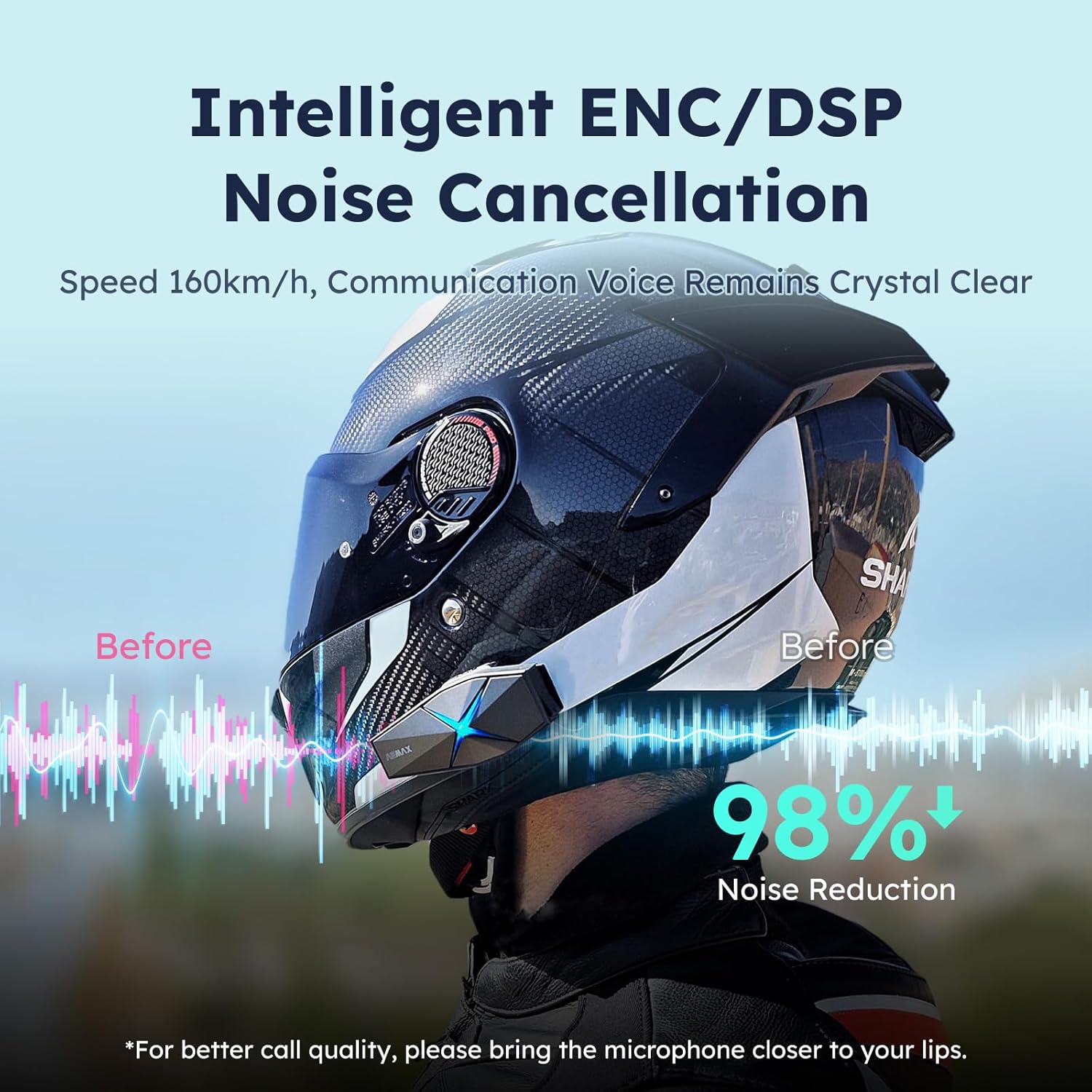
Image: ASMAX F1 Noise Cancellation technology.
9. Specyfikacje
| Funkcja | Szczegół |
|---|---|
| Nazwa modelu | ASMAX F1 (F1 DP) |
| Wersja Bluetooth | 5.3 |
| Zasięg domofonu | Up to 1.8 km (10 riders) |
| Pojemność baterii | 1250mAh |
| Ładowanie | Fast Charging, USB |
| Stopień wodoodporności | IP67 |
| Kontrola hałasu | Active Noise Cancellation (ENC/DSP) |
| Sterowanie głosowe | "Hi Max" commands |
| Funkcje audio | Audio Multitasking, Superior Sound Quality |
| Wymiary | Approx. 86mm x 36mm x 23.6mm (unit) |
| Waga | Approx. 50g (unit) |
| Umieszczenie ucha | W uchu |
| Impedancja | 32 omy |
| Wrażliwość | 105dB |
| Odpowiedź częstotliwościowa | 20 Hz (minimalnie) |

Image: ASMAX F1 Dual-Chip Octa-Core technology.
10. Gwarancja i wsparcie
ASMAX products come with a standard manufacturer's warranty. For specific warranty terms and conditions, please refer to the warranty card included in your product packaging or visit the official ASMAX webstrona.
For technical support, troubleshooting assistance, or any inquiries regarding your ASMAX F1 headset, please contact ASMAX customer service through their official channels. Contact information can typically be found on the ASMAX webmiejscu lub w opakowaniu produktu.
Regularly check the ASMAX website or app for firmware updates to ensure optimal performance and access to new features, such as CloudTalk Mode.
Ask a question about this manual
Ask about setup, troubleshooting, compatibility, parts, safety, or missing instructions. Manuals+ will review the question and use this page’s manual context to help answer it.