
1. Wprowadzenie
Dziękujemy za zakupasing the eKids Marvel Deadpool Wireless Earbuds. These earbuds are designed to provide a high-quality audio experience with the convenience of wireless connectivity. This manual will guide you through the setup, operation, and maintenance of your new earbuds.
Przed użyciem produktu należy uważnie przeczytać instrukcję i zachować ją do wykorzystania w przyszłości.
2. Koniec produktuview
The eKids Marvel Deadpool Wireless Earbuds feature a distinctive Deadpool design and offer wireless stereo sound streaming with a built-in microphone for calls. They come with a portable charging case and multiple ear cushion sizes for comfort.
Główne cechy:
- Wireless stereo sound streaming
- Wbudowany mikrofon do rozmów
- Three sizes of rubber ear cushions (small, medium, large) for personalized comfort
- Połączenie ładowania USB-C
- Łączność Bluetooth
- Up to 22 hours total music playtime with charging case
- Ergonomic shape for comfort
- Lekka konstrukcja
- Compatible with iPhone, Android, smartphones, tablets, and computers
- Suitable for gaming, audiobooks, video calls, and various entertainment/educational content
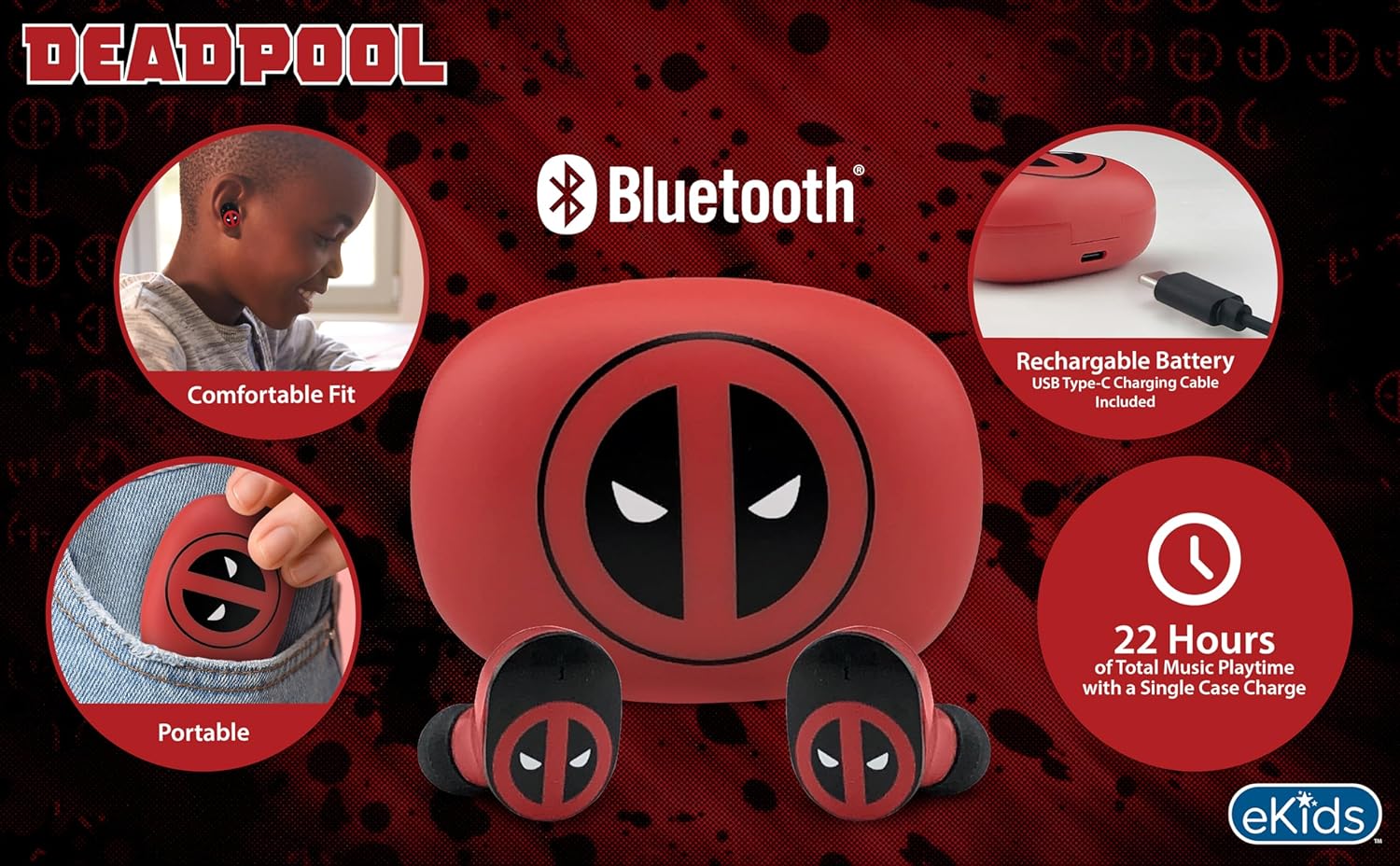
Image 2.1: The eKids Marvel Deadpool Wireless Earbuds and their charging case, showcasing the distinctive Deadpool logo.
3. Konfiguracja
3.1 Ładowanie słuchawek dousznych i etui
- Open the charging case and place both earbuds inside, ensuring they are correctly seated.
- Podłącz dołączony kabel ładujący USB-C do portu ładowania w obudowie.
- Podłącz drugi koniec kabla USB-C do kompatybilnego źródła zasilania USB (np. komputera, zasilacza sieciowego).
- Kontrolka na etui ładującym zaświeci się, wskazując stan ładowania. Po pełnym naładowaniu kontrolka może zmienić kolor lub zgasnąć.
A full charge provides up to 22 hours of total music playtime, with the case offering 2.5 times extra charge for the earbuds.

Image 3.1: The Deadpool-themed charging case with the USB-C charging cable connected, illustrating the charging process.
3.2 Parowanie z urządzeniem Bluetooth
- Sprawdź, czy słuchawki są naładowane i umieszczone w etui ładującym.
- Open the charging case. The earbuds will automatically power on and attempt to connect to the last paired device.
- Na swoim urządzeniu (smartfonie, tablecie, komputerze) przejdź do ustawień Bluetooth.
- Szukaj available devices and select "eKids Deadpool Earbuds" (or similar name).
- Once connected, the LED light on the earbuds will stop flashing or change to a solid color.
The earbuds are compatible with iPhone, Android, and other Bluetooth-enabled devices.
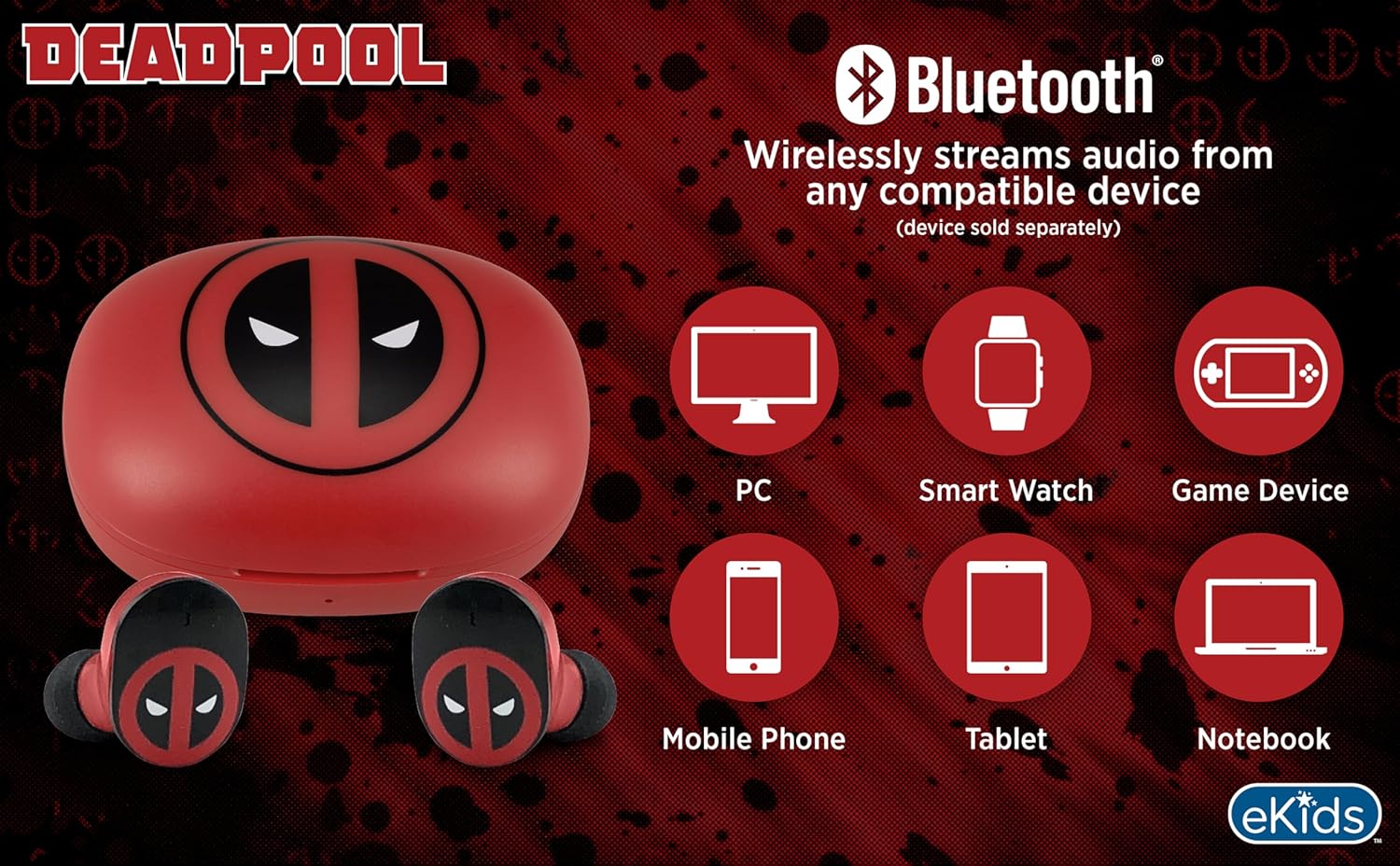
Image 3.2: An illustration showing the Bluetooth connectivity of the earbuds with various devices such as PCs, smartwatches, game devices, mobile phones, tablets, and notebooks.
3.3 Selecting Ear Cushions for Comfort
The earbuds come with three sizes of rubber ear cushions (small, medium, large) to ensure a comfortable and secure fit. Experiment with different sizes to find the best fit for your ears. A proper fit enhances sound quality and comfort.
- Gently remove the pre-installed ear cushions from the earbuds.
- Select a different size ear cushion.
- Carefully attach the new ear cushion to the earbud, ensuring it is securely fastened.

Image 3.3: The Deadpool earbuds shown with the three different sizes of ear cushions included for a customized fit.
4. Obsługa słuchawek dousznych
4.1 Włączanie/wyłączanie zasilania
- Włączanie: Otwórz etui ładujące, a słuchawki automatycznie się włączą i spróbują połączyć się z ostatnio sparowanym urządzeniem.
- Wyłączone: Włóż słuchawki douszne z powrotem do etui ładującego i zamknij pokrywę. Słuchawki automatycznie się wyłączą i rozpoczną ładowanie.
4.2 Odtwarzanie muzyki
- Odtwórz/Pauza: Stuknij raz dowolną słuchawkę.
- Następny utwór: Kliknij dwukrotnie prawą słuchawkę.
- Poprzedni utwór: Kliknij dwukrotnie lewą słuchawkę.
- Regulacja głośności: Reguluj głośność bezpośrednio z podłączonego urządzenia.
4.3 Rozmowy telefoniczne
The built-in microphone allows for hands-free calling.
- Odbieranie/kończenie połączeń: Stuknij raz dowolną słuchawkę.
- Odrzuć połączenie: Naciśnij i przytrzymaj dowolną słuchawkę przez 2 sekund.
5. Konserwacja
- Czyszczenie: Do czyszczenia słuchawek i etui ładującego używaj miękkiej, suchej ściereczki. Nie używaj środków czyszczących o właściwościach ściernych ani rozpuszczalników.
- Składowanie: Gdy nie używasz słuchawek, przechowuj je w etui ładującym, aby je chronić i utrzymać naładowanie.
- Unikaj wody: Te słuchawki douszne nie są wodoodporne. Unikaj narażenia na działanie wody i nadmiernej wilgoci.
- Temperatura: Do not expose the earbuds or case to extreme temperatures.
6. Rozwiązywanie Problemów
| Problem | Rozwiązanie |
|---|---|
| Słuchawki douszne nie parują się. | Ensure earbuds are charged. Turn off Bluetooth on your device and turn it back on. Forget the device in your Bluetooth settings and re-pair. |
| Brak dźwięku w jednej słuchawce. | Place both earbuds back in the charging case, close the lid, then open it again. Check device audio balance settings. |
| Etui ładujące nie ładuje. | Check the USB-C cable and power adapter. Ensure the cable is securely connected to both the case and the power source. |
| Niska jakość dźwięku. | Ensure earbuds are properly seated in your ears with the correct size ear cushions. Move closer to your connected device to avoid interference. |
7. Specyfikacje
- Marka: e-dzieci
- Model: B0D1CS61NB
- Kolor: Deadpool (Red/Black)
- Umieszczenie ucha: W uchu
- Współczynnik kształtu: W uchu
- Impedancja: 32 omy
- Odległość Bluetooth: ≥ 10M / 32ft
- Wrażliwość: 100dB ± 3dB at 1kHz spl
- Czas pracy baterii: Up to 22 hours total playtime with charging case
- Port ładowania: USB-C
- Wymiary (obudowa): Approximately 2.4 in / 6.2 cm (width) x 1.8 in / 4.6 cm (height) x 1.2 in / 3.1 cm (depth)
- Dimensions (Earbud): Approximately 0.9 in / 2.5 cm (height) x 0.7 in / 1.8 cm (width)

Image 7.1: A detailed diagram illustrating the dimensions and key specifications of the Deadpool wireless earbuds and their charging case.
8. Gwarancja i wsparcie
Aby uzyskać informacje dotyczące gwarancji i obsługi klienta, zapoznaj się z dokumentacją dołączoną do zakupionego produktu lub odwiedź oficjalną stronę internetową eKids webZachowaj dowód zakupu na wypadek roszczeń gwarancyjnych.
For additional assistance, you may contact eKids customer service directly.
9. Oficjalny film o produkcie
Wideo 9.1: Oficjalny film prezentujący produktasing the eKids Marvel Deadpool Wireless Earbuds, highlighting their features and design. This video provides a visual overview of the product's functionality and appearance.