
AUTOOL-SVB302
AUTOOL Two-Way Articulating Borescope
Modele: SVB302
Instrukcja obsługi
1. Wprowadzenie
The AUTOOL SVB302 Two-Way Articulating Borescope is a professional inspection camera designed for detailed visual inspection in hard-to-reach areas. It features a highly flexible probe with a two-way articulating lens, adjustable LED lighting, and compatibility with both Android and iOS devices for real-time viewing and recording. This manual provides essential information for the safe and effective use of your borescope.

The AUTOOL SVB302 borescope is widely used for auto inspection, mechanical maintenance, construction industry, power facilities, chemical pipelines, and security monitoring.
2. Główne cechy
- Two-Way Articulating Lens: The camera probe offers 210° two-way articulation, allowing for comprehensive inspection of complex internal structures.
- Obrazowanie w wysokiej rozdzielczości: Captures clear images and videos with 1280*720 resolution and a 70° angle of view.
- Regulowane oświetlenie LED: Equipped with 6 super bright LEDs with 3 adjustable brightness levels to ensure clear visibility in dark environments.
- Sonda wodoodporna IP67: The 1-meter flexible metal cable and camera are IP67 rated, making them suitable for use in wet or submerged conditions.
- Szeroka kompatybilność: Supports both Android and iOS systems, connecting via USB 2.0 to your smartphone for real-time display.
- Ochrona temperaturowa: Features smart protection that cuts video signals in extreme heat to prevent damage to the device.
- Długa żywotność baterii: Integrated 2000mAh rechargeable Lithium-ion battery provides 2-3 hours of continuous operating time.
- Obsługa wielu języków: User interface supports English, French, German, Italian, Spanish, Chinese, and Japanese.

Szczegółowy view of the 210° articulating camera, showing its 0.25-inch diameter, 1.18-3.94 inch depth of field, 70° angle of view, and 1.38-inch bending radius.

Illustration of the 6 high-intensity illumination lights and their three adjustable brightness levels (Level 1, Level 2, Level 3).
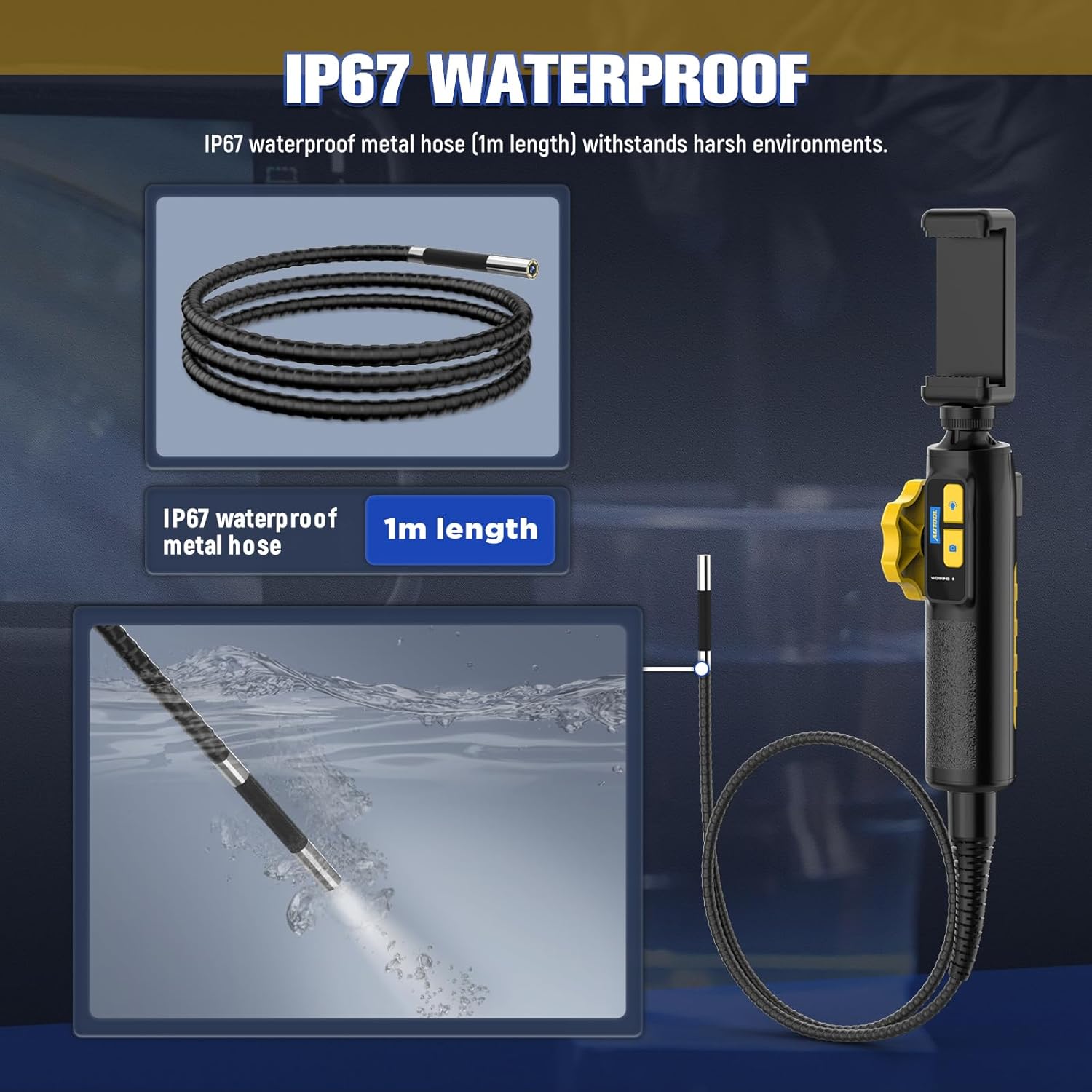
The IP67 waterproof metal hose (1m length) is designed to withstand harsh environments, as demonstrated by its submersion capability.

The borescope features a high-temperature alert system that protects the device by cutting video signals. It is powered by a 2000mAh rechargeable battery.

The device supports multilingual settings, including English, French, German, Italian, Spanish, Chinese, and Japanese.
3. Co znajduje się w pudełku
Po otwarciu opakowania należy sprawdzić, czy znajdują się w nim wszystkie poniższe elementy:
- AUTOOL SVB302 Borescope Unit (Handle with integrated camera cable)
- Ochronne etui transportowe
- Kabel ładujący USB
- Instrukcja obsługi (ten dokument)

The AUTOOL SVB302 borescope, its protective carrying case, and included cables.
4. Przewodnik konfiguracji
- Pobierz aplikację: Scan the QR code on the device or search for "JCAM Pro" or "JCAM" in your device's app store (iOS App Store for Apple, Google Play Store for Android) and install the application.
- Zainstaluj swój telefon: Securely place your smartphone into the adjustable phone holder on the borescope handle. The holder is designed to fit screens from 3.5 to 6.3 inches (5.5-10.5 cm / 2.1-4.1 inches).
- Połącz z telefonem: Connect the borescope to your smartphone using the appropriate USB cable (Lightning for iOS, USB-C for Android).
- Włączanie: Long press the power button on the borescope handle to turn on the device.
- Otwórz aplikację: Launch the JCAM app on your smartphone. The live video feed from the borescope camera should appear automatically.

Instructions for downloading the JCAM app from the respective app stores for iOS and Android devices.

The phone holder's adjustable range, accommodating phones from 5.5cm (2.1 inches) to 10.5cm (4.1 inches).
Official product video demonstrating the setup process, including app download, phone installation, connection, power-on, and initial use of the borescope's articulating lens and features.
5. Instrukcja obsługi
5.1 Articulating the Camera
Use the rotation wheel on the handle to control the two-way articulation of the camera lens. This allows you to navigate bends and view the narrowed interior in all directions without needing to reposition the entire probe.
5.2 Regulacja świateł LED
Press the light control button on the handle to cycle through the three brightness levels of the LED lights. Select the appropriate brightness for optimal visibility in different inspection areas.
5.3 Robienie zdjęć i nagrywanie filmów
Press the photo/video button on the handle to capture still images or start/stop video recording directly through the app. Captured media will be saved to your connected smartphone.
5.4 Viewprzechwycone media
Access the gallery or playback section within the JCAM app to review Twoje zdjęcia i filmy.
6. Konserwacja
- Czyszczenie: Po każdym użyciu, szczególnie w brudnym lub wilgotnym środowisku, delikatnie przetrzyj sondę kamery i kabel miękką, miękką szmatką.amp cloth. For stubborn dirt, a mild, non-abrasive cleaner can be used. Ensure the probe is dry before storage.
- Składowanie: Store the borescope and its accessories in the provided protective carrying case in a cool, dry place, away from direct sunlight and extreme temperatures.
- Pielęgnacja baterii: Aby przedłużyć żywotność baterii, ładuj urządzenie regularnie, nawet jeśli nie jest często używane. Unikaj całkowitego rozładowywania baterii przez dłuższy czas.
- Ochrona temperaturowa: The device is equipped with a high-temperature alert system. If the operating temperature exceeds 80°C (176°F), the video signal may be cut to prevent damage. Allow the device to cool down before resuming operation.
7. Rozwiązywanie Problemów
- Brak obrazu na ekranie:
- Ensure the borescope is properly connected to your smartphone.
- Verify the borescope is powered on (long press the power button).
- Check if the JCAM app is open and has necessary permissions.
- Try restarting both the borescope and the app. - Słaba jakość obrazu:
- Adjust the LED brightness using the light control button.
- Clean the camera lens if it appears smudged or dirty.
- Ensure the camera is within the optimal depth of field (1.18-3.94 inches). - Przegrzanie urządzenia:
- If the high-temperature alert activates, immediately cease operation and allow the device to cool down in a well-ventilated area. Do not use until it has returned to a safe operating temperature. - Akumulator nie ładuje się:
- Ensure the USB charging cable is securely connected to both the borescope and a power source.
- Spróbuj użyć innego portu USB lub zasilacza.
8. Specyfikacje produktu
| Funkcja | Specyfikacja |
|---|---|
| Numer modelu | SVB302 |
| Średnica kamery | 0.25 cala (6.45 mm) |
| Rezolucja | 1280*720 (720p HD) |
| Głębia ostrości | 1.18 - 3.94 cali (30-100 mm) |
| Kąt View | 70° |
| Kąt przegubowy | Maks. 210° (dwukierunkowy) |
| Promień gięcia | 1.38 cala (35 mm) |
| Długość kabla | 1 metr |
| Poziom wodoodporności | IP67 |
| Źródło światła | 6 Highlight LEDs (3-stage adjustable brightness) |
| Pojemność baterii | Polimer litowy 2000 mAh |
| Czas działania | 2-3 godzin |
| Interfejs USB | USB 2.0 |
| Środowisko operacyjne | -10°C do 80°C |
| Wilgotność | 15-90% |
| Ochrona przed wysoką temperaturą | Inteligentna ochrona, automatyczne wyłączanie |
9. Gwarancja i wsparcie
9.1 Informacje o gwarancji
The AUTOOL SVB302 Borescope comes with a 3-letnia gwarancja Gwarancja obowiązuje od daty zakupu, obejmując wady produkcyjne i usterki powstałe w trakcie normalnego użytkowania. Prosimy zachować dowód zakupu na potrzeby roszczeń gwarancyjnych.
9.2 Obsługa klienta
For technical assistance, troubleshooting, or warranty inquiries, please contact AUTOOL customer support through their official webstronę internetową lub dane kontaktowe dołączone do opakowania produktu. Możesz również odwiedzić Sklep AUTOOL na Amazon Aby uzyskać więcej informacji.
Ask a question about this manual
Ask about setup, troubleshooting, compatibility, parts, safety, or missing instructions. Manuals+ will review the question and use this page’s manual context to help answer it.