
COCOCAM ZY-C3
Instrukcja obsługi bezprzewodowej kamery bezpieczeństwa COCOCAM 2K do użytku na zewnątrz
Model: ZY-C3
1. Koniec produktuview
The COCOCAM ZY-C3 is an advanced 2K wireless outdoor security camera designed for comprehensive property surveillance. It features dual lenses, intelligent AI detection, and flexible power options, ensuring reliable monitoring and ease of use.

Figure 1.1: COCOCAM ZY-C3 Camera and Solar Panel
Główne cechy:
- Dual PIR & Smart Motion Detection: Two PIR sensors for simultaneous monitoring of different angles, reducing false alarms with human detection and customizable alarm zones.
- 2K 3MP Dual Lens & Wide Pan-Tilt Coverage: Crystal-clear 2K video quality with 355° horizontal pan and 90° vertical tilt for multi-angle surveillance.
- Intelligent AI Analysis: Effectively detects people, cars, animals, and packages (premium feature).
- 100% Wireless & Two-Way Audio: Easy installation with no wiring, and remote two-way communication.
- Długotrwała moc: Equipped with a 10000mAh rechargeable battery and a 6W solar panel for continuous operation.
- Bluetooth Pairing & Storage Options: Quick Bluetooth setup, supports TF card (up to 128GB, not included) and cloud storage.
- Kolorowe widzenie nocne: Clear night vision up to 25m in white light and 30m in infrared.
2. Przewodnik konfiguracji
2.1 Zawartość opakowania
Przed instalacją należy upewnić się, że wszystkie komponenty są obecne:
- COCOCAM ZY-C3 Camera Unit
- Panel słoneczny (6W)
- Wspornik montażowy i śruby
- Kabel ładujący USB
- Instrukcja obsługi
2.2 Fizyczna instalacja
The camera is designed for outdoor use and is 100% wireless, making installation flexible. Choose a location with good Wi-Fi signal and direct sunlight for the solar panel.
- Montaż kamery: Secure the camera to a wall or suitable surface using the provided mounting bracket and screws. Ensure the camera has a clear view obszaru, który chcesz monitorować.
- Montaż panelu słonecznego: Install the solar panel in a location that receives maximum direct sunlight throughout the day. Connect the solar panel cable to the camera's charging port.

Rysunek 2.1: Instalacja kamery i panelu słonecznegoample

Rysunek 2.2: Podłączenie panelu słonecznego w celu zapewnienia ciągłego zasilania
2.3 Parowanie i konfiguracja aplikacji
Download the COCOCAM app from your device's app store (compatible with Android/iOS). Follow these steps to pair your camera:
- Pobierz i zainstaluj aplikację: Szukaj "COCOCAM" in the App Store or Google Play Store and install it.
- Utwórz konto: Otwórz aplikację i zarejestruj nowe konto lub zaloguj się, jeśli już je posiadasz.
- Dodaj urządzenie: Tap the "Add Device" or "+" icon in the app. Select "Camera on Battery" or the appropriate camera type.
- Włącz kamerę: Sprawdź, czy kamera jest włączona.
- Parowanie Bluetooth: The camera supports quick Bluetooth pairing. Follow the on-screen prompts in the app to connect via Bluetooth.
- Konfiguracja Wi-Fi: Select your 2.4GHz Wi-Fi network (5GHz is not supported) and enter the password. The camera will connect to your network.
- Ukończenie: Po nawiązaniu połączenia możesz nadać nazwę kamerze i rozpocząć monitorowanie.

Figure 2.3: App Pairing Step 1 - Add Device
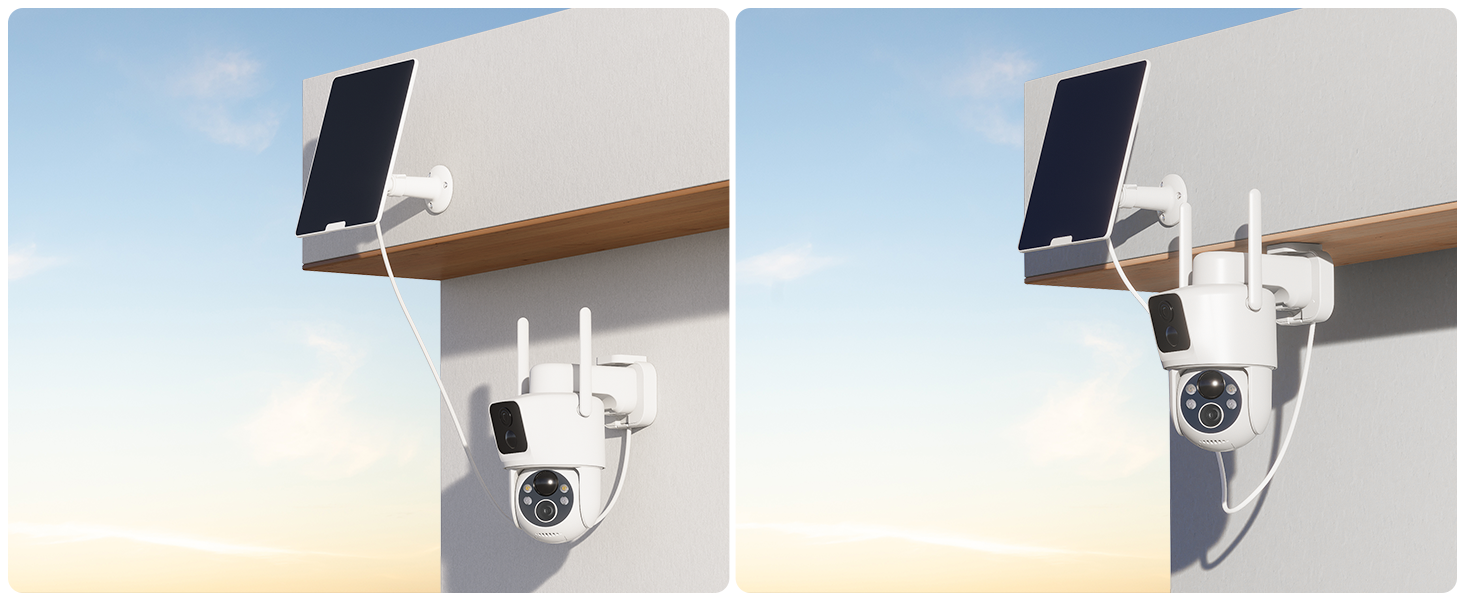
Figure 2.4: App Pairing Step 2 - Select Device Type

Figure 2.5: App Pairing Step 3 - Wi-Fi Configuration
3. Instrukcja obsługi
3.1 Na żywo View i sterowanie pochyleniem i obrotem
Access the live feed from your camera via the COCOCAM app. The dual lenses provide a wide field of view, and the pan-tilt function allows you to adjust the camera's perspective remotely.
- Pan-Tilt Control: Use the directional controls within the app to rotate the camera horizontally (355°) and vertically (90°).
- Podwójny obiektyw View: The app displays feeds from both lenses, allowing you to monitor two different areas simultaneously or get a broader perspective.
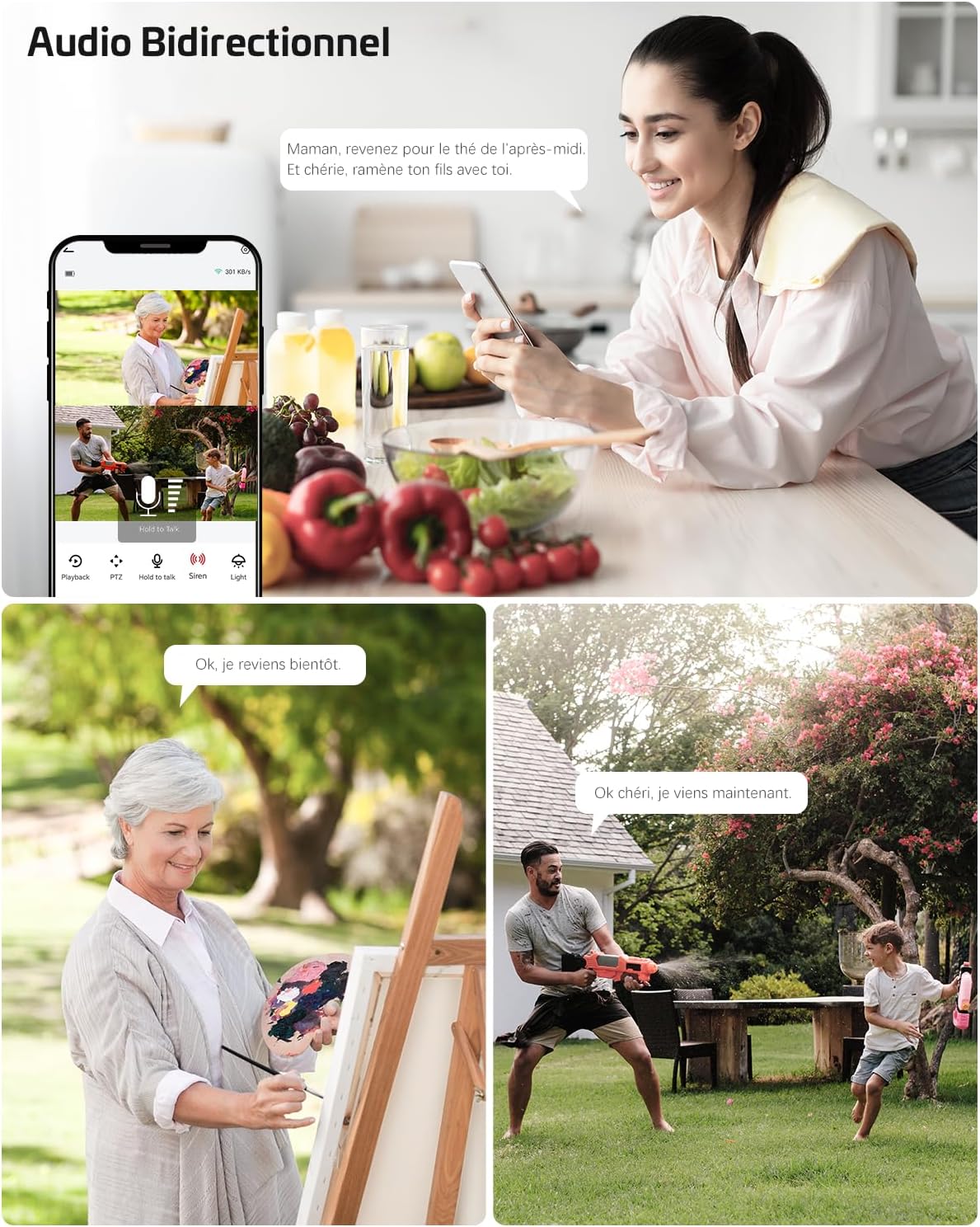
Figure 3.1: Pan-Tilt Functionality
Figure 3.2: Dual Zone Monitoring
3.2 Intelligent Detection and Alerts
The camera utilizes dual PIR sensors and AI analysis to accurately detect motion and identify specific objects, sending instant alerts to your device.
- Dual PIR Detection: Advanced motion detection system that triggers recording and alerts based on heat and movement, reducing false alarms from environmental factors.
- Analiza sztucznej inteligencji: The camera can differentiate between people, vehicles, animals, and packages, providing more relevant notifications.
- Konfigurowalne strefy alarmowe: Ustaw określone obszary w obrębie kamery view gdzie detekcja ruchu powinna być aktywna.

Figure 3.3: AI-Powered Object Recognition

Figure 3.4: Smart PIR Detection with Alarms
3.3 Dźwięk dwukierunkowy
Komunikuj się z gośćmi i odstraszaj intruzów, korzystając z wbudowanego mikrofonu i głośnika.
- Mówić: Kliknij ikonę mikrofonu w aplikacji, aby mówić przez kamerę.
- Słuchać: The camera's microphone picks up audio from the monitored area.

Rysunek 3.5: Dwukierunkowa komunikacja audio
3.4 Widzenie nocne
The camera provides clear surveillance even in low-light conditions with its advanced night vision capabilities.
- Kolorowe widzenie nocne: Up to 25 meters with white light illumination.
- Nocna Nocna Wizja: Up to 30 meters in complete darkness.

Rysunek 3.6: Wizja nocna 2K w kolorze
3.5 Opcje przechowywania
Nagrywaj i przechowuj wideo footage using either a local TF card or cloud storage services.
- Przechowywanie kart TF: Supports up to 128GB TF card (not included). Insert the card into the designated slot on the camera.
- Przechowywanie w chmurze: Offers 6-second event recording and 7-day loop coverage (subscription may be required for extended features).

Rysunek 3.7: Opcje karty TF i przechowywania w chmurze
4. Konserwacja
4.1 Zarządzanie energią
The camera is designed for low power consumption and continuous operation with its solar panel.
- Ładowanie akumulatora: The 10000mAh battery is charged by the 6W solar panel. Ensure the solar panel is clean and receives adequate sunlight.
- Ładowanie ręczne: If solar charging is insufficient (e.g., during prolonged cloudy periods), you can manually charge the camera using a 5V 2A power adapter (8-10 hours for full charge).
4.2 Odporność na warunki atmosferyczne
The camera has an IP66 waterproof rating, making it suitable for various outdoor weather conditions.

Rysunek 4.1: Wodoodporność IP66
4.3 Zarządzanie kartą TF
For optimal performance, it is recommended to format the TF card before its first use in the camera.
5. Rozwiązywanie Problemów
5.1 Problemy z łącznością
- Kamera nie łączy się z siecią Wi-Fi: Ensure your Wi-Fi network is 2.4GHz. The camera does not support 5GHz Wi-Fi. Check Wi-Fi signal strength at the camera's location.
- App not finding camera during pairing: Ensure Bluetooth is enabled on your phone and the camera is powered on and in pairing mode.
5.2 Problemy z zasilaniem i ładowaniem
- Panel słoneczny nie ładuje się: Verify the solar panel is clean and positioned to receive direct sunlight. Check the connection cable between the solar panel and the camera.
- Bateria szybko się rozładowuje: Zmniejsz częstotliwość alertów o wykryciu ruchu lub na żywo view access. Ensure the solar panel is providing sufficient charge.
5.3 Image/Video Quality Issues
- Rozmazane obrazy: Clean the camera lenses. Ensure there are no obstructions in front of the camera.
- Słabe widzenie w nocy: Ensure the night vision LEDs are not obstructed. Check for strong light sources directly facing the camera at night.
5.4 Fałszywe alarmy
- Too many alerts: Adjust the motion detection sensitivity in the app. Define specific alarm zones to exclude areas with frequent irrelevant motion (e.g., swaying trees).
- AI detection not working as expected: Ensure the camera's firmware is up to date. Review the AI detection settings in the app.
6. Specyfikacje
| Funkcja | Specyfikacja |
|---|---|
| Marka | KOKOKAM |
| Numer modelu | ZY-C3 |
| Tomtage | 5 wolty |
| Moc | 6 Watts (Solar Panel) |
| Wymiary (dł. x szer. x wys.) | 11 x 15 x 17.5 centymetra |
| Poziom wodoodporności | IP66 (wodoodporne) |
| Technologia łączności | Bluetooth, Wi-Fi (2.4 GHz) |
| Efektywna rozdzielczość obrazu nieruchomego | 3 megapiksela |
| Skład baterii | Lit |
| Akumulator do ponownego ładowania | Tak (10000mAh) |
| Rozdzielczość nagrywania wideo | 1296p (2K) |
| Liczba kanałów | 2 (podwójny obiektyw) |
| Tworzywo | Akrylonitryl-butadien-styren (ABS) |
7. Gwarancja i wsparcie
COCOCAM offers a Dożywotnia gwarancja for this product, ensuring long-term reliability and customer satisfaction.
For technical support, troubleshooting assistance, or warranty claims, please contact COCOCAM customer service through the official website or your purchase platform. Refer to the contact information provided with your product packaging or on the COCOCAM brand store page.
Uwaga: Dostarczone dane produktu nie obejmują konkretnego filmu URLs with 'creator_type' or 'm3u8' format, therefore, no videos could be embedded in this manual.
Ask a question about this manual
Ask about setup, troubleshooting, compatibility, parts, safety, or missing instructions. Manuals+ will review the question and use this page’s manual context to help answer it.