
1. Koniec produktuview
The Yeedi C12 is an advanced robot vacuum cleaner and mop designed to provide efficient and comprehensive floor cleaning. It features powerful suction, smart navigation, and a ZeroTangle brush for a hassle-free cleaning experience. This manual provides detailed instructions for setting up, operating, maintaining, and troubleshooting your Yeedi C12.

Figure 1.1: Yeedi C12 Robot Vacuum Cleaner and Mop with its accompanying mobile application interface.
Główne cechy:
- Siła ssania 8000Pa: Effectively removes debris from various floor types, including carpets.
- ZeroTangle Anti-Tangle Technology: Designed to prevent hair entanglement on the roller brush, minimizing maintenance.
- TrueMapping Tech: Enables quick and accurate room mapping for efficient navigation and comprehensive cleaning.
- Multi-Sensor Fusion: Features obstacle crossing (up to 20mm) and anti-drop sensors for safe operation.
- Długa żywotność baterii: Equipped with a 5200mAh battery, providing up to 300 minutes of runtime.
- Exclusive App Operating System: Offers multiple cleaning modes, customizable settings, and map editing.
2. Zawartość opakowania
Before beginning setup, please ensure all components are present and in good condition. If any items are missing or damaged, contact customer support.
| Część | Ilość |
|---|---|
| Robot Odkurzający | 1 |
| Stacja ładująca | 1 |
| Przewód zasilający | 1 |
| Instrukcja obsługi | 1 |
| Płyta do mopowania | 1 |
| Zbiornik na wodę | 1 |
| Zmywalna podkładka do mopa | 1 |
| Szczotka boczna | 1 |
| Main Brush & Main Brush Cover | 1 |
| Filtr | 1 |
3. Przewodnik konfiguracji
3.1 Umiejscowienie stacji ładującej
Place the charging dock against a wall in an open, uncluttered area. Ensure there is at least 0.5 meters (1.6 feet) of clear space on both sides of the dock and 1.5 meters (4.9 feet) in front of it. Plug the power cord into the charging dock and then into a wall outlet. Ensure the dock is powered on.
3.2 Pierwsze ładowanie
Place the Yeedi C12 robot onto the charging dock. Ensure the charging contacts on the robot align with those on the dock. The robot will begin charging automatically. For first-time use, fully charge the robot before operation. A full charge can take several hours.
3.3 Instalacja i połączenie aplikacji
- Download the 'Yeedi' app from your mobile device's app store (iOS or Android).
- Otwórz aplikację i załóż konto lub zaloguj się.
- Follow the in-app instructions to add your Yeedi C12. You will need to connect your phone to a 2.4GHz Wi-Fi network, as the robot does not support 5GHz Wi-Fi.
- Po nawiązaniu połączenia aplikacja poprowadzi Cię przez początkowy proces mapowania.
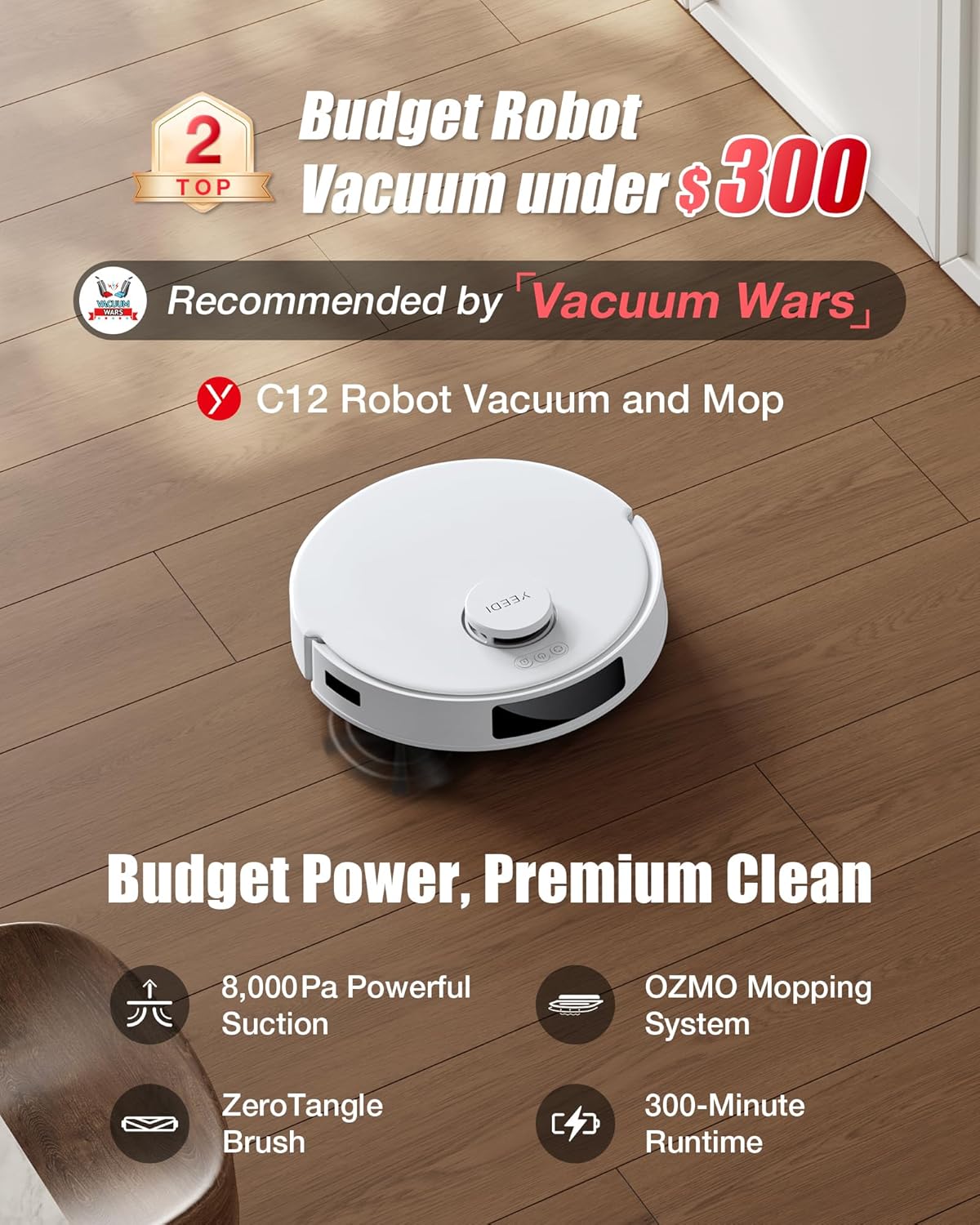
Figure 3.1: Connecting the Yeedi C12 to the mobile application for smart control.
4. Instrukcja obsługi
4.1 Rozpoczęcie cyklu czyszczenia
You can start a cleaning cycle using the button on the robot or through the Yeedi app. Pressing the button on the robot will initiate a standard cleaning cycle. For more advanced options, use the app.
4.2 tryby czyszczenia
The Yeedi C12 offers various cleaning modes to suit your needs:
- Tryb próżni: For dry debris collection. The robot will automatically boost suction on carpets.
- Tryb mopa: For wet mopping. Ensure the water tank is filled and the mopping pad is attached. The robot will avoid carpets in this mode.
- Tryb odkurzania i mopowania: Umożliwia jednoczesne odkurzanie i mycie podłóg.

Figure 4.1: Illustration of the Yeedi C12's dual cleaning modes.
4.3 Regulacja ssania i objętości wody
Through the Yeedi app, you can adjust the suction power (4 levels available) and water volume for mopping to optimize cleaning performance based on floor type and dirt level.
4.4 Inteligentna nawigacja i mapowanie
The TrueMapping technology allows the robot to quickly map your home (typically within 8 minutes) and plan an efficient cleaning path. The app displays the generated map, allowing for customization such as:
- Customized Cleaning Mode: Wybierz konkretne pomieszczenia lub obszary do posprzątania.
- Strefy No-Go: Określ obszary, których robot powinien unikać (np. miski dla zwierząt, delikatne przedmioty).
- Wirtualne ściany: Stwórz niewidzialne bariery ograniczające ruchy robota.

Figure 4.2: TrueMapping technology for precise navigation and multi-level mapping.
4.5 Harmonogramowanie
Set up cleaning schedules through the app to automate daily or weekly cleaning tasks.
4.6 Integracja sterowania głosowego
The Yeedi C12 is compatible with Amazon Alexa and Google Home. You can use voice commands to start, stop, or send the robot back to its charging dock.

Rysunek 4.3: Integracja sterowania głosowego z inteligentnymi asystentami domowymi.
5. Konserwacja
Regular maintenance ensures optimal performance and extends the lifespan of your Yeedi C12. Always power off the robot before performing any maintenance.
5.1 Opróżnianie pojemnika na śmieci
The dustbin should be emptied after each cleaning cycle or when indicated by the app. Press the dustbin release button, remove the dustbin, and empty its contents into a trash bin.
5.2 Czyszczenie filtra
The filter is located inside the dustbin. Tap the filter gently to remove loose debris. For a more thorough cleaning, rinse the filter under running water. Ensure the filter is completely dry before reinserting it into the dustbin. Replace the filter every 3-6 months, depending on usage.
5.3 Cleaning the Main Brush (ZeroTangle)
The ZeroTangle brush is designed to minimize hair entanglement. However, periodic inspection and cleaning are recommended. Remove the main brush cover and then the main brush. Use the cleaning tool provided to cut and remove any hair or debris wrapped around the brush. Reinstall the brush and cover securely.

Figure 5.1: Detail of the ZeroTangle brush technology.
5.4 Czyszczenie szczotki bocznej
Check the side brush regularly for tangled hair or debris. If necessary, remove the side brush by gently pulling it upwards and clean it. Reattach by pressing it firmly into place.
5.5 Cleaning the Mopping Pad and Water Tank
After each mopping session, remove the mopping pad and wash it thoroughly. The mopping pad is washable and reusable. Empty any remaining water from the water tank and rinse it. Allow both to air dry completely before reassembling.
5.6 Czyszczenie czujników i styków ładowania
Wipe the anti-drop sensors, obstacle sensors, and charging contacts on both the robot and the charging dock with a clean, dry cloth. This ensures proper navigation and charging.
6. Rozwiązywanie Problemów
If you encounter issues with your Yeedi C12, refer to the following common problems and solutions:
| Problem | Możliwa przyczyna | Rozwiązanie |
|---|---|---|
| Robot się nie włącza | Niski poziom naładowania baterii; Wyłącz zasilanie | Place robot on charging dock; Ensure power switch is on. |
| Robot nie może ładować | Brudne styki ładowania; stacja dokująca nie jest zasilana | Wyczyść styki ładowania; sprawdź połączenie zasilania ze stacją dokującą. |
| Słaba wydajność czyszczenia | Pełny kosz na śmieci; Szczotki splątane; Filtr zatkany | Opróżnij kosz na śmieci; Wyczyść szczotki główne i boczne; Wyczyść lub wymień filtr. |
| Robot często się zacina | Przeszkody; Nierówne powierzchnie | Clear obstacles; Use No-Go Zones in app; Ensure robot can cross thresholds (up to 0.787in). |
| Robot nie może połączyć się z Wi-Fi | Nieprawidłowe pasmo Wi-Fi; Słaby sygnał | Ensure 2.4GHz Wi-Fi is used; Move robot closer to router. |
| Mycie liści pozostawia smugi | Mopping pad dirty; Water tank empty | Clean or replace mopping pad; Refill water tank. |
If the problem persists after trying these solutions, please contact Yeedi customer support.
7. Specyfikacje
| Funkcja | Szczegół |
|---|---|
| Marka | Yeedi |
| Nazwa modelu | C12 |
| Cechy specjalne | 2 Cleaning Modes, Bagless, OZMO Mopping System, TrueMapping Technology, ZeroTangle Technology |
| Kolor | Biały |
| Wymiary produktu (dł. x szer. x wys.) | 13.9" x 13.82" x 3.78" |
| Typ filtra | Filter Cartridge, Filter Cotton, Filter Mesh |
| Żywotność baterii | 300 minut |
| Tomtage | 110 wolty |
| Pojemność pojemnika na śmieci | 400 mililitrów |
| Źródło zasilania | Zasilany bateryjnie |
| Metoda kontroli | Aplikacja, głos |
| Kompatybilne urządzenia | Amazon Echo, Google Home |
| Waga przedmiotu | 12.23 funta |
| Rok produkcji | 2024 |
8. Gwarancja i wsparcie
8.1 Informacje o gwarancji
The Yeedi C12 comes with a 12-month worry-free warranty, covering manufacturing defects and malfunctions under normal use. Please retain your proof of purchase for warranty claims.
8.2 Polityka zwrotów
A 30-day return policy is typically offered for this product. Please refer to your purchase platform's specific return guidelines for detailed information.
8.3 Obsługa klienta
For technical assistance, warranty claims, or any other inquiries, please visit the official Yeedi website or contact their customer service team. You can find more information and support resources at the Yeedi Store on Amazon.