
UNITOPSCI Acura TSX 2009-2014 Car Stereo Radio
UNITOPSCI Android Car Stereo Radio User Manual
Model: Acura TSX 2009-2014 Car Stereo Radio
1. Wprowadzenie
This manual provides comprehensive instructions for the installation, operation, and maintenance of your UNITOPSCI Android Car Stereo Radio. Please read this manual thoroughly before using the product to ensure proper functionality and to maximize your user experience. This head unit is specifically designed for Acura TSX models from 2009 to 2014, offering advanced features like Wireless CarPlay, Android Auto, GPS Navigation, Bluetooth, Wi-Fi, and HiFi Audio.
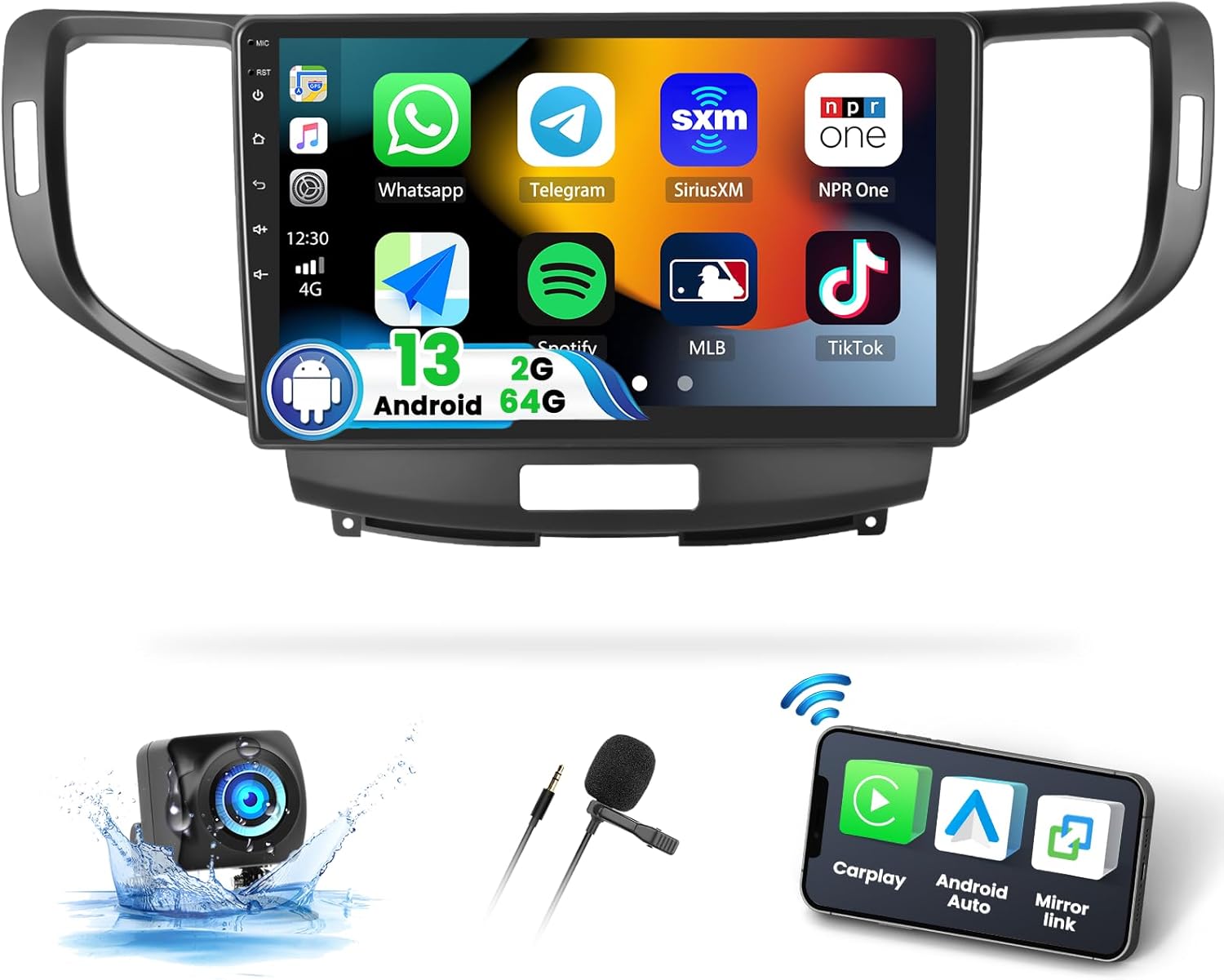
Figure 1.1: UNITOPSCI Android Car Stereo Radio with its main display and included components like the backup camera and microphone.
2. Zawartość opakowania
Po otwarciu opakowania należy sprawdzić, czy znajdują się w nim wszystkie poniższe elementy:
- 1 x Android Car Stereo (assembled with frame)
- 1 x kamera cofania
- 1 x Canbus
- 1 x kabel zasilający
- 1 x antena GPS
- Kabel 2 x RCA
- 1 x Instrukcja obsługi (ten dokument)
- 2 x kabel USB
- 1 x kabel wejściowy kamery tylnej
- 1 x Narzędzie instalacyjne
- 1 x Mikrofon
- Accessories (as applicable)

Figure 2.1: Visual representation of the car stereo dimensions and the complete list of accessories included in the package.
3. Instrukcja instalacji
The UNITOPSCI Android Car Stereo is designed for plug-and-play installation in Acura TSX 2009-2014 models. However, professional installation is recommended.
3.1. Uwagi dotyczące zgodności
To ensure proper fit and wiring harness compatibility, please confirm your car's information:
- Car model and year (e.g., Acura TSX 2010)
- Photo of your car's center console
- Picture of the rear CD connectors of your original car radio
3.2. Okablowanie kamery cofania
Proper wiring of the backup camera is crucial for its functionality. Follow these steps:
- Power Cable for Backup Camera: Connect the red cable to the positive (+) back battery supply and the black cable to the negative (-) battery supply.
- Wejście wideo kamery cofania: Connect the yellow port of the backup camera's video input cable to the "CAM IN" port located on the rear of the car radio.
- Przewód spustowy: Locate the wire labeled "BACK" or "REVERSE" on the car radio's wire harness. This cable needs to connect to the positive power supply of your car's reversing light.
- Kontrola kamery: Once connected, the camera should light up. If the camera lights up but the head unit does not display the reversing image, recheck the trigger wire connection.

Figure 3.1: Detailed wiring diagram for the backup camera, showing connections to the car stereo and the vehicle's power system.
4. Instrukcja obsługi
This section details the various functions and features of your UNITOPSCI Android Car Stereo.
4.1. Bezprzewodowy CarPlay i Android Auto
The head unit supports both Wireless Apple CarPlay and Android Auto, allowing seamless integration with your smartphone for navigation, music, calls, and more.
- Połączenie: Connect your iOS or Android phone via Bluetooth/Wi-Fi for wireless connection, or use a USB cable for wired connection.
- Sterowanie głosowe: Utilize Siri for Apple CarPlay or Google Assistant for Android Auto to control functions hands-free, enhancing driving safety.
- Notatka: The Android Auto function may not work for some Samsung phones.
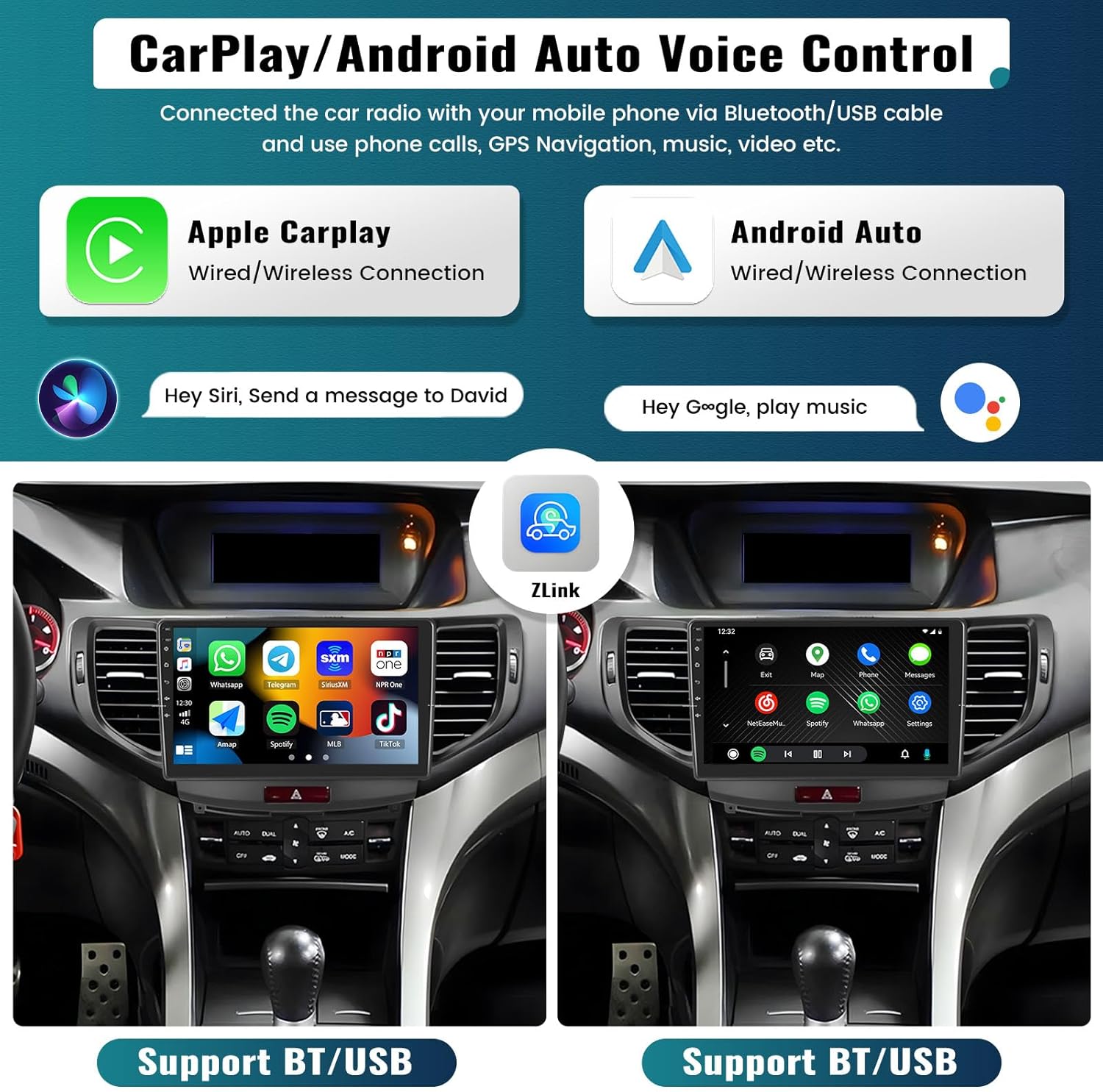
Figure 4.1: The car stereo displaying Apple CarPlay and Android Auto interfaces, highlighting voice control capabilities.
4.2. Nawigacja GPS i Wi-Fi
Navigate with ease using the built-in GPS and stay connected with Wi-Fi.
- Nawigacja: Supports both online and offline maps. The unit comes with pre-installed offline maps via the HERE WEGO application (requires internet to download data initially). It is also compatible with popular navigation apps like Google Maps and Waze.
- Połączenie Wi-Fi: Connect to your smartphone's Wi-Fi hotspot to access online functions, stream videos and music, and download/install Android applications directly on the head unit.

Figure 4.2: The car stereo displaying GPS navigation routes and demonstrating Wi-Fi connectivity for app usage.
4.3. Bluetooth 4.2 i radio FM/RDS
Enjoy hands-free communication and a wide range of radio stations.
- Bluetooth: Features Bluetooth 4.2 for stable signal. Supports hands-free calling, Bluetooth audio streaming (A2DP), and automatic phone book download. Includes a built-in microphone and supports an external microphone (included).
- Radio FM/RDS: Built-in high-performance 8035FM radio chip provides strong FM signals (87.5-108MHz). Save up to 18 preset stations for quick access to news, sports, music, and weather broadcasts.
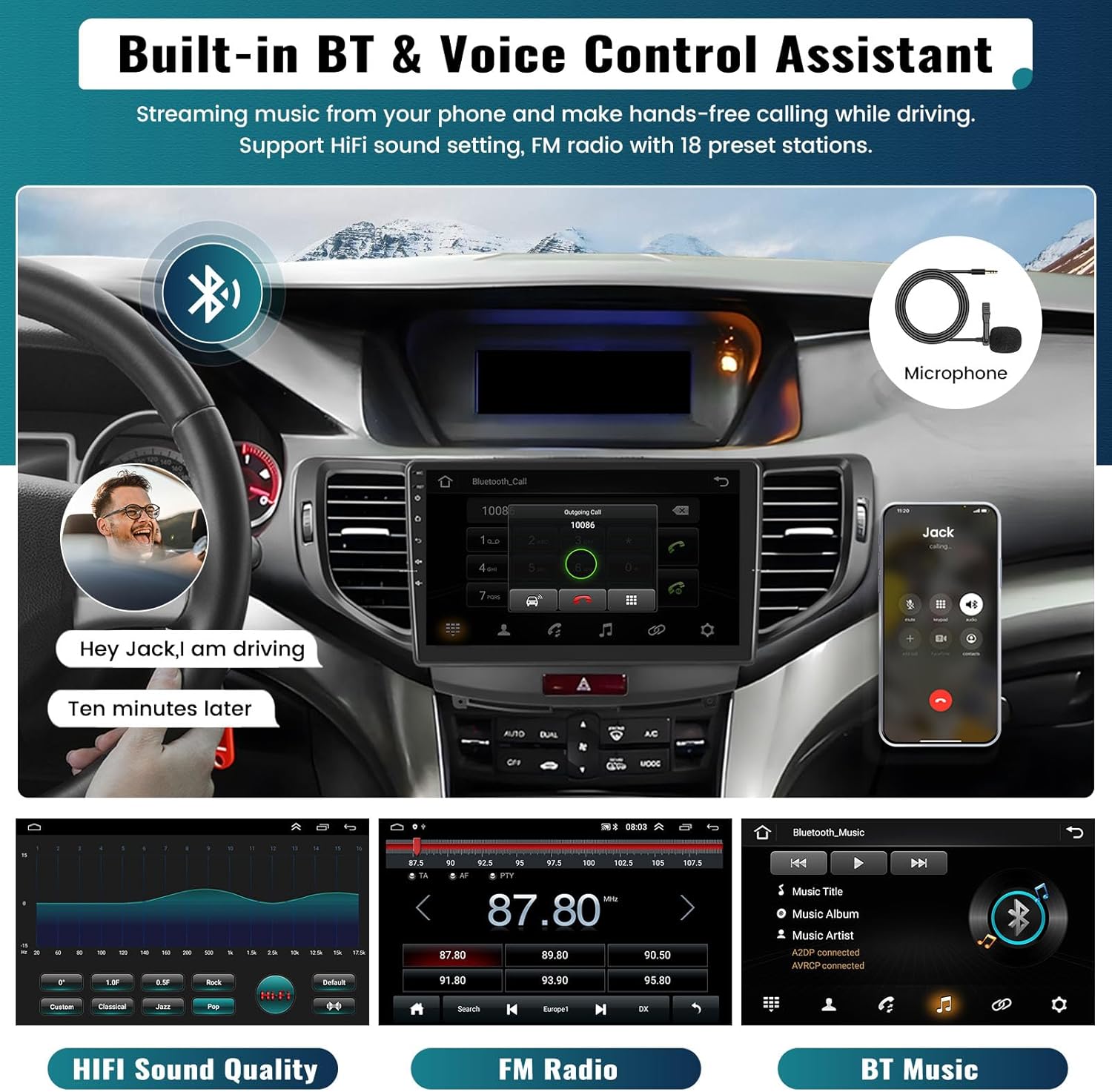
Figure 4.3: The car stereo's interface for Bluetooth calls, FM radio, and Bluetooth music streaming.
4.4. HiFi Audio Effect
Experience superior sound quality with the integrated HiFi audio chip and equalizer, reproducing sound closely to the original source.
4.5. Sterowanie z kierownicy (SWC)
Control essential functions directly from your steering wheel for enhanced safety and convenience. The system supports Canbus protocol settings for various car models.

Figure 4.4: Demonstrating steering wheel control functionality and the automatic display of the clear reversing image.
4.6. Kamera cofania AHD
The included AHD backup camera provides a clear reversing image, automatically displayed on the 9-inch touchscreen when the car is shifted into reverse gear. This feature enhances parking safety. The camera offers night vision, a wide angle, and is waterproof.
4.7. Split Screen & Video Output
- Podzielony ekran: The multimedia player supports split-screen functionality, allowing you to display two applications simultaneously (e.g., navigation and music). Note that only one function can play audio at a time.
- Wyjście wideo: Connect the head unit to backseat monitors via the video output adapter to share entertainment with passengers.

Figure 4.5: The car stereo's split-screen capability and its video output function for external displays.
5. Pielęgnacja i konserwacja
Aby zapewnić długowieczność i optymalną pracę radia samochodowego, należy przestrzegać poniższych prostych wskazówek dotyczących konserwacji:
- Czyszczenie ekranu: Use a soft, lint-free cloth to gently wipe the touchscreen. Avoid abrasive cleaners or solvents that could damage the display.
- Temperatura: Urządzenie należy użytkować w określonym zakresie temperatur roboczych od -20°C do 75°C. Ekstremalne temperatury mogą mieć wpływ na wydajność i żywotność urządzenia.
- Znajomości: Okresowo sprawdzaj wszystkie połączenia kablowe, aby mieć pewność, że są solidne i nie są skorodowane.
6. Rozwiązywanie Problemów
If you encounter issues with your car stereo, refer to the following common problems and their solutions:
6.1. Black Screen Issue
If the car stereo screen goes black, try the following troubleshooting steps:
- Sprawdź kabel taśmowy: Open the rear cover of the unit and locate the screen ribbon cable (the thin cable connecting the screen to the motherboard). Unplug and securely reconnect it.
- Reset or Restart: Turn off the car stereo, unplug its power cord, wait for 5 minutes, then plug it back in and turn it on.
- Force Firmware Update: If the issue persists, a forced firmware update might be necessary. Refer to the user manual (this document) or contact customer support for guidance.
- Sprawdź wyjście audio: Play audio to determine if sound is working even if the screen is black. This helps ascertain if the device is truly faulty or if it's a display-specific issue.
If the problem remains unresolved, please check the product label for the model number and contact UNITOPSCI customer support for assistance.
7. Specyfikacje
| Funkcja | Specyfikacja |
|---|---|
| System | Android 13 |
| Zestaw układów scalonych | 8227L-DEMO |
| Układ radiowy | MT6625 |
| Moc wyjściowa | 4*45W |
| Temperatura pracy | -20℃ do 75℃ |
| Rozmiar ekranu | 9 cali |
| Rozdzielczość ekranu | 1024*600 |
| Pamięć (RAM+ROM) | 2 GB (RAM) + 64 GB (ROM) |
| Moc Ampukład scalony | TDA7388 |
| Technologia łączności | Bluetooth, WiFi |
| Typ mapy | Worldwide, North America (Offline maps via HERE WEGO) |
| Waga przedmiotu | 3.54 funta |
| Wymiary produktu | 1 x 1 x 1 cala |
| Kraj pochodzenia | Chiny |
8. Gwarancja i wsparcie
UNITOPSCI is committed to providing high-quality products and satisfactory services.
- Wymiana: Available within 24 months of purchase.
- Zwroty: 60-days no-worry return policy.
- Wsparcie techniczne: Lifetime after-sales consultation and technical support. Quick responses are typically provided within 16 hours.
For any inquiries, technical assistance, or warranty claims, please contact UNITOPSCI customer support:
E-mail: UNITOPSCI@126.com
Powiązane dokumentyAcura TSX 2009-2014 Car Stereo Radio


Ask a question about this manual
Ask about setup, troubleshooting, compatibility, parts, safety, or missing instructions. Manuals+ will review the question and use this page’s manual context to help answer it.