
Wstęp
Thank you for choosing the EMANER Smart Security Light Motion Sensor. This advanced flood light combines powerful illumination with smart control features, including motion sensing, adjustable color temperature, dimmable brightness, and compatibility with smart home systems like Alexa and Google Home. This manual provides detailed instructions for installation, operation, maintenance, and troubleshooting to ensure optimal performance and safety.
Cechy produktu
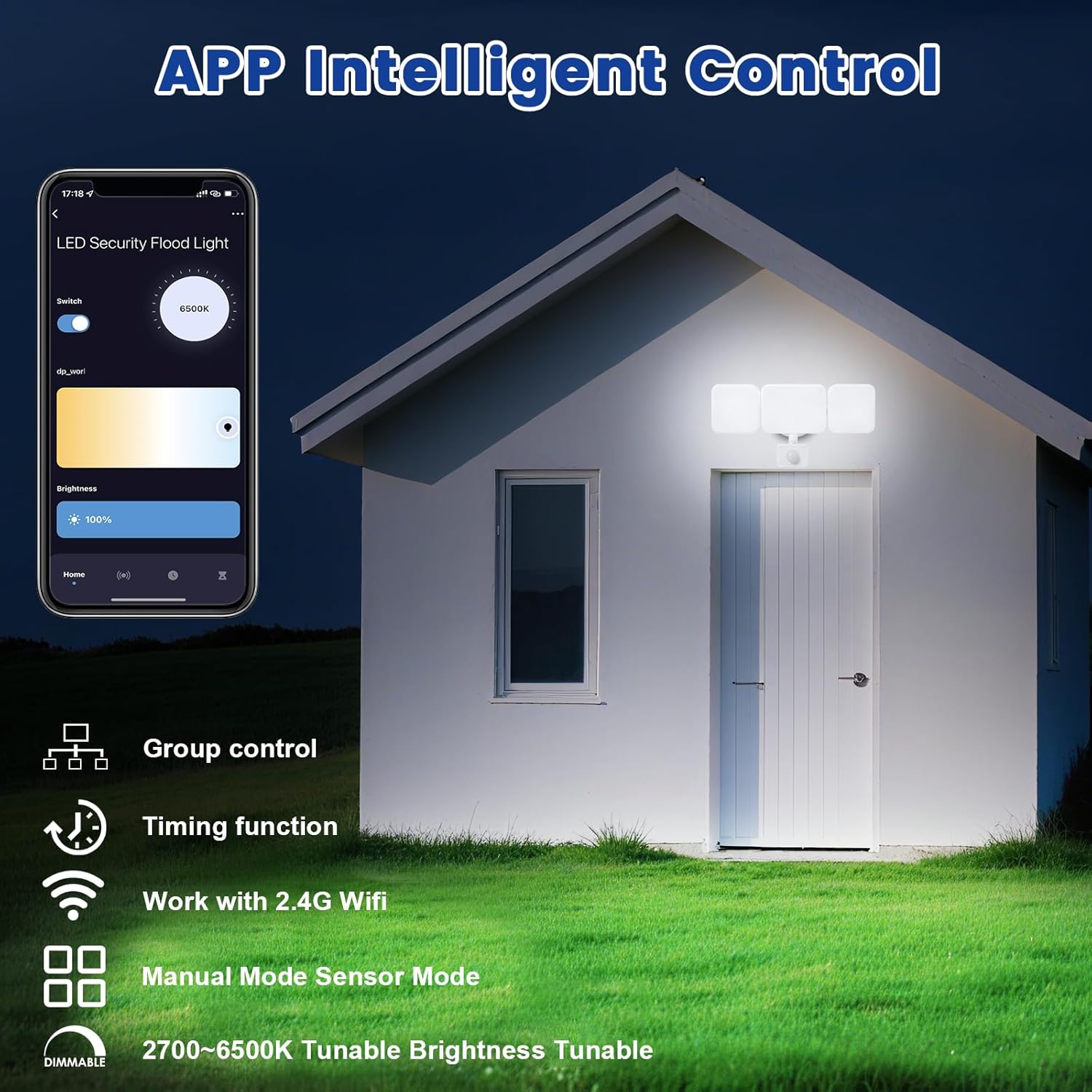
- Zdalne sterowanie aplikacją: Connects to "Smart Life" and "Tu Ya Smart" APP via 2.4Ghz WIFI for comprehensive control over brightness, color temperature, sensing distance, and light duration. Eliminates the need for manual adjustments on the fixture.
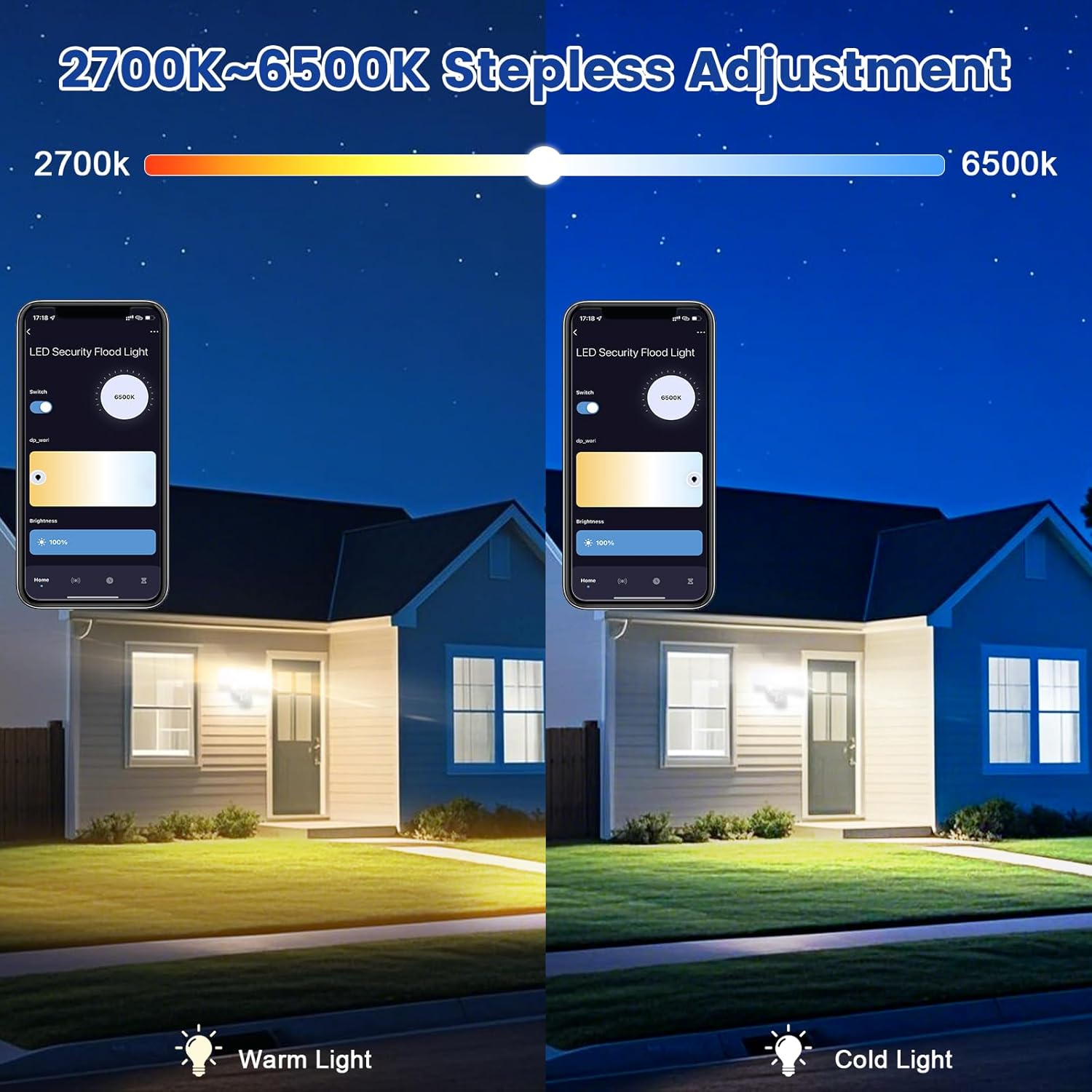
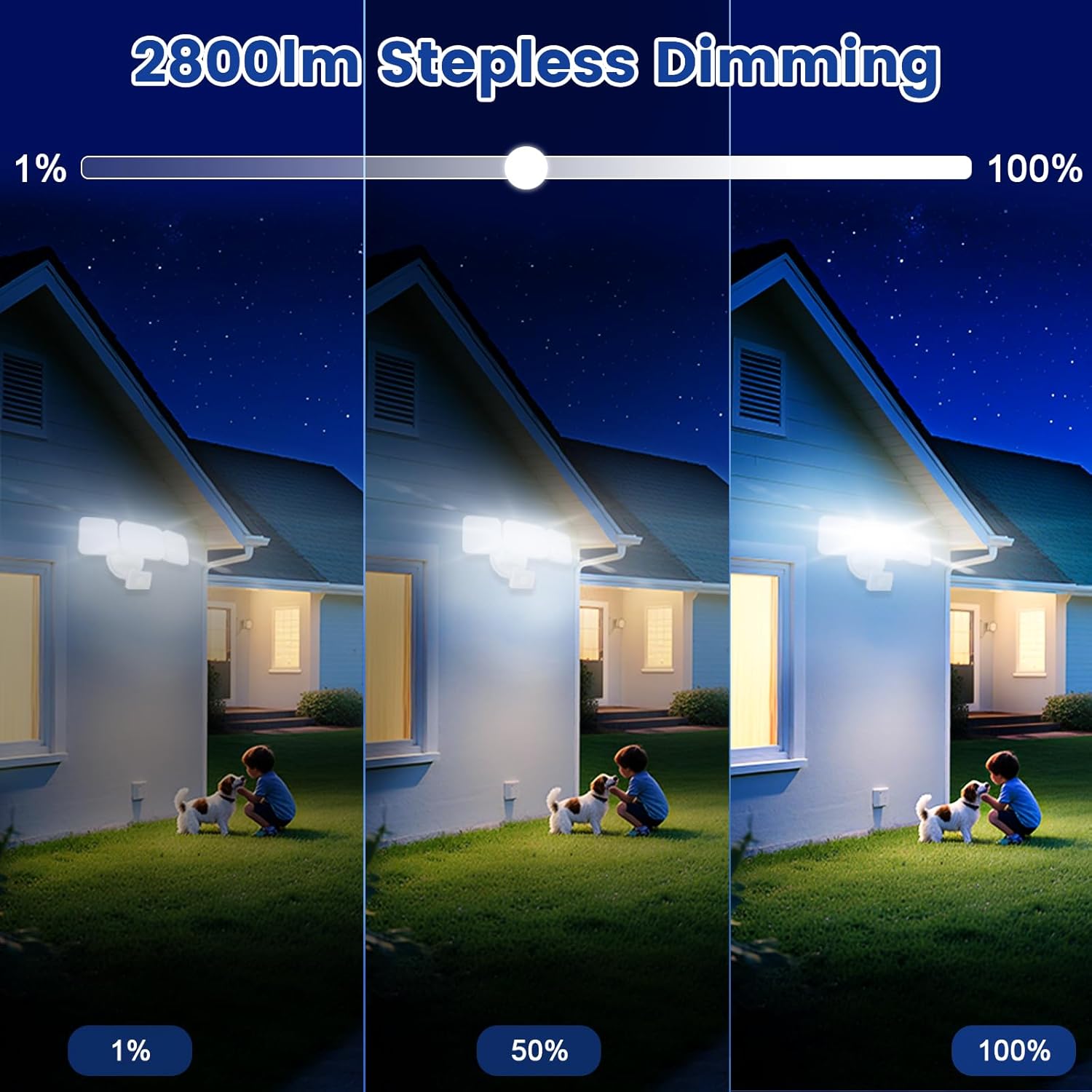
- Tunable White and Dimmable: Stepless adjustment of color temperature from 2700K (Warm White) to 6500K (Cool White). Brightness is adjustable from 1% to 100%. Features a memory function for preferred settings.
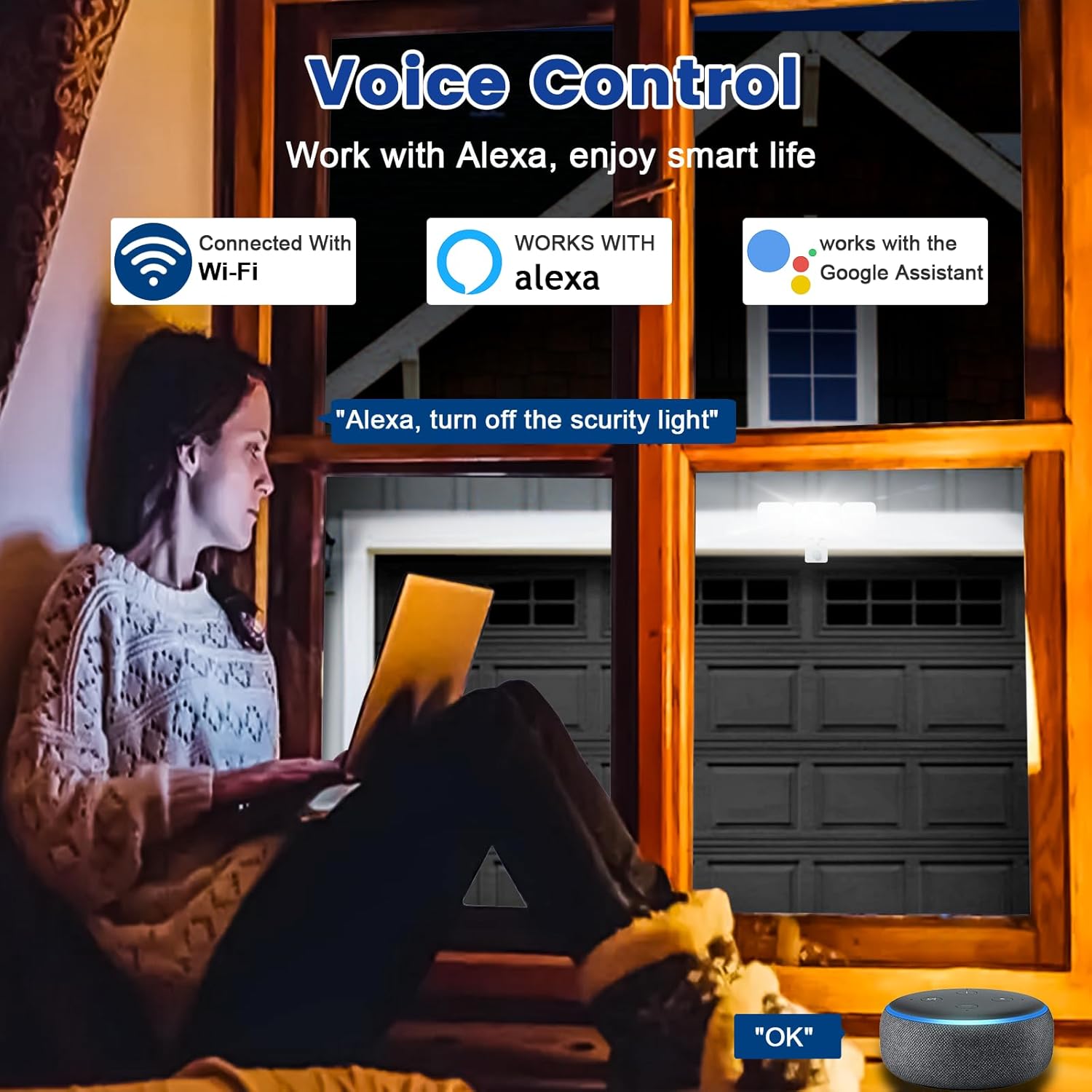
- Zgodność ze sterowaniem głosowym: Works seamlessly with Amazon Alexa (Echo/Dot/Tap) and Google Assistant for hands-free operation using simple voice commands.
- Dwa tryby działania:
- Tryb ręczny: Functions as a normal light, can be set to turn on/off at specific times with adjustable brightness and color temperature.
- Tryb czujnika: Activates the PIR motion sensor, allowing customization of sensor settings via the APP.
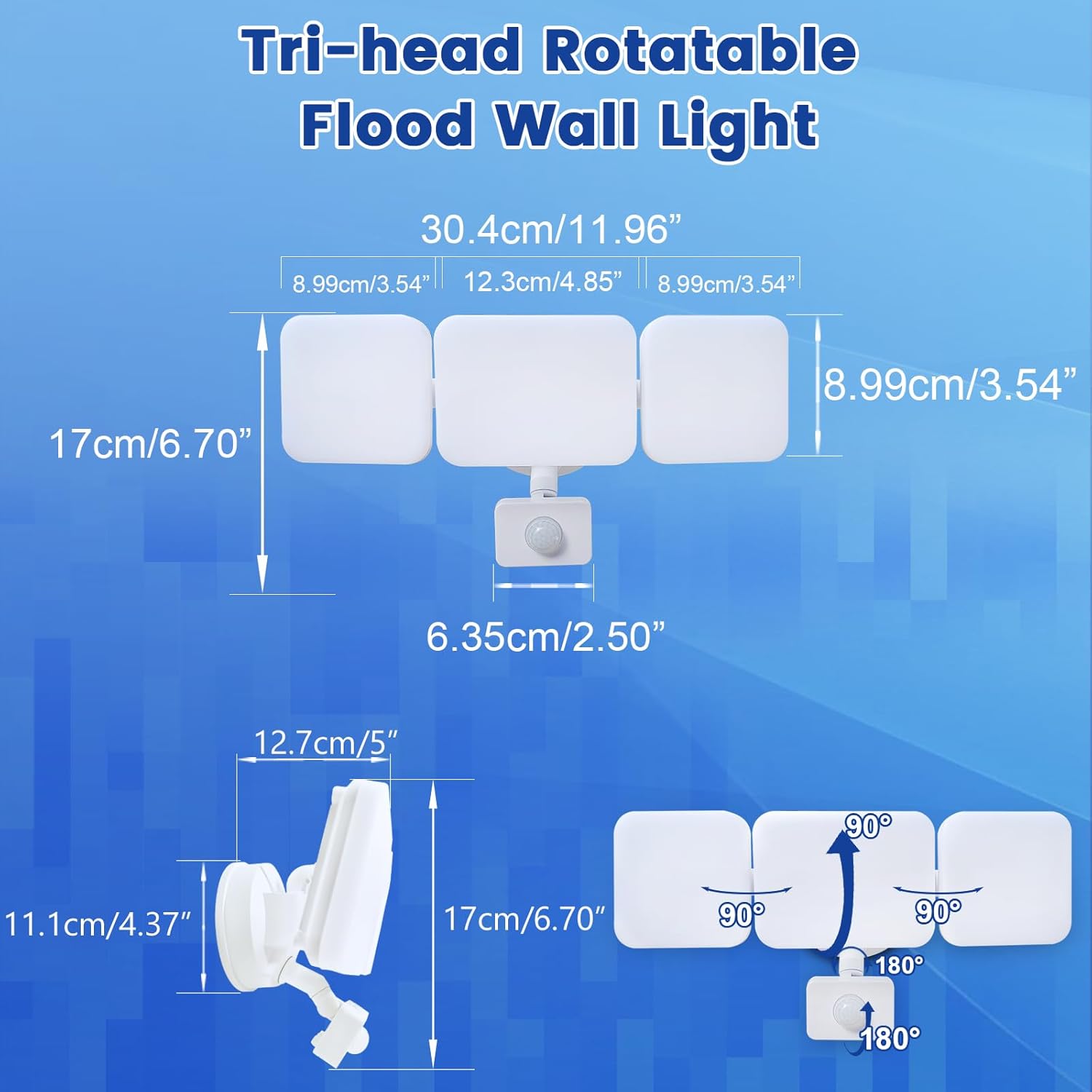
- Motion Sensor & Adjustable Design: PIR sensor detects motion up to 26ft. Full light duration is adjustable from 5 seconds to 60 minutes. The three light heads and motion detector head are flexibly adjustable to desired angles.
- Group Control & Linked Devices: Control multiple lights with one mobile phone and create connections for synchronized operation (e.g., one light activating another). Device pairing can be shared with family members.
- Super Bright & Energy Saving: Delivers a maximum of 2800 lumens at 28W, equivalent to a 150W halogen light, resulting in over 80% electricity savings.
- Easy Installation & Weatherproof: Simple wiring steps for wall, eave, or soffit mounting. IP65 waterproof rating ensures durability against rain, sleet, and snow for outdoor use.
Zawartość opakowania
The EMANER Smart Security Light Motion Sensor package includes the following items:
- EMANER Smart Security Light Motion Sensor (1 unit)
- Instrukcja obsługi (ten dokument)
- Elementy montażowe (śruby, nakrętki itp.)
Specyfikacje
| Specyfikacja | Wartość |
|---|---|
| Marka | EMANER |
| Typ światła | PROWADZONY |
| Funkcja specjalna | Regulowana temperatura barwowa |
| Cotage | 28 watów |
| Kształt żarówki Rozmiar | PAR14 |
| Podstawa żarówki | Kołnierzowy |
| Ekwiwalent żarowy Wattage | 280 watów |
| Konkretne zastosowania produktu | Dom |
| Kolor światła | Biały |
| Tomtage | 120 wolty |
| Liczba jednostek | 1.0 Liczba |
| Temperatura barwowa | 2700K-6500K (regulowana) |
| Liczba elementów | 1 |
| Jasność | Max 2800 lumen (Dimmable) |
| Kształt | Reflektor(R) |
| Tworzywo | Plastikowy |
| Nazwa modelu | White 1Pack |
| Technologia łączności | Wi-Fi (2.4 GHz) |
| Zastosowanie wewnątrz/na zewnątrz | Plenerowy |
| Typ kontrolera | Google Assistant, Amazon Alexa, App |
| Źródło zasilania | Elektryczny przewodowy |
| Wskaźnik oddawania barw | 80 |
| Częstotliwość | 60 Hz |
| Kąt wiązki | 120 stopni |
| Waga przedmiotu | 2 funtów |
| Wymiary produktu | 12" szer. x 6.7" wys. |
Instrukcja instalacji
Before beginning installation, ensure the power supply to the installation area is turned off at the circuit breaker to prevent electrical shock. It is recommended to consult a qualified electrician for installation if you are not familiar with electrical wiring.
- Przygotuj miejsce montażu: Choose a suitable outdoor location such as a wall, under an eave, or soffit. Ensure the surface is stable and can support the light fixture.
- Zamontuj oprawę: Use the provided mounting hardware to securely attach the light fixture to the chosen surface. Ensure all connections are tight and stable.
- Połączenia przewodowe: Connect the light's wires to your household electrical wiring according to local electrical codes. Typically, this involves connecting live, neutral, and ground wires. Use appropriate wire nuts to secure connections.
- Seal the Base: For outdoor use and IP65 waterproofing, ensure the lamp base between the wall and the fixture is properly sealed to prevent water ingress.
- Regulacja głowic i czujnika światła: Once mounted, adjust the three light heads and the motion detector head to cover the desired area. The heads are rotatable for flexible positioning.

Instrukcja obsługi
The EMANER Smart Security Light is primarily controlled via its dedicated mobile application. Basic operation involves powering on the device after installation.
Pierwsze włączenie zasilania
After successful installation and restoring power, the light will typically turn on. Proceed to the "App Control & Voice Control" section to pair your device and customize settings.
App Control & Voice Control
The EMANER Smart Security Light offers extensive control through the "Smart Life" or "Tu Ya Smart" mobile applications, available for both iOS and Android devices. It also integrates with popular voice assistants.
App Pairing and Setup
- Pobierz aplikację: Szukaj "Smart Life" or "Tu Ya Smart" in your device's app store and install it.
- Zarejestruj się/Zaloguj: Utwórz nowe konto lub zaloguj się na istniejące konto.
- Dodaj urządzenie: Follow the in-app instructions to add a new device. Ensure your phone is connected to a 2.4GHz Wi-Fi network. The app will guide you through the pairing process, which may involve putting the light into pairing mode (refer to app for specific steps).
- Dostosuj ustawienia: Once paired, you can adjust all light settings, including:
- Brightness (1% to 100%)
- Color Temperature (2700K Warm White to 6500K Cool White)
- Operating Modes (Manual or Sensor)
- Motion Sensor Sensitivity and Duration
- Harmonogramowanie i timery
- Group Control with other EMANER smart lights
Integracja sterowania głosowego
To enable voice control, link your "Smart Life" or "Tu Ya Smart" account with Amazon Alexa or Google Assistant through their respective apps. Once linked, you can use commands such as:
- "Alexa, turn on the smart security light."
- "Hey Google, set the security light to warm white."
- "Alexa, dim the security light to 50%."
Official Product Video: Outdoor Security Lighting Motion Sensor Dusk to Dawn
Video 1: This video demonstrates the EMANER Smart Security Light's motion sensing capabilities and its performance in outdoor settings, showcasing its ability to illuminate areas from dusk till dawn.
Motion Sensor Configuration
The integrated PIR motion sensor can be configured to suit your security and lighting needs. All adjustments are made through the mobile application.
- Access Sensor Settings: In the "Smart Life" or "Tu Ya Smart" app, navigate to the device settings and select "Sensor Mode".
- Dostosuj odległość wykrywania: Customize the detection range of the motion sensor. The maximum sensing range is approximately 26 feet.
- Set Full Light Duration: Determine how long the light stays on after motion is detected. This duration can be set from 5 seconds to 60 minutes.
- Regulacja czułości: Some app versions may allow for sensitivity adjustments. If the light is triggering too frequently or not enough, adjust this setting.


Konserwacja
Regular maintenance ensures the longevity and optimal performance of your EMANER Smart Security Light.
- Czyszczenie: Periodically clean the light fixture and motion sensor lens with a soft, damp Ściereczką. Nie używaj środków czyszczących ani rozpuszczalników o działaniu ściernym. Przed czyszczeniem upewnij się, że zasilanie jest wyłączone.
- Sprawdź okablowanie: Annually inspect the wiring and connections for any signs of wear, damage, or corrosion. Ensure the lamp base remains properly sealed against the wall to maintain its IP65 rating.
- Aktualizacje oprogramowania: Keep the "Smart Life" or "Tu Ya Smart" app updated to the latest version to ensure compatibility and access to new features or bug fixes.
Rozwiązywanie problemów
If you encounter issues with your EMANER Smart Security Light, refer to the following common troubleshooting steps:
| Problem | Możliwa przyczyna | Rozwiązanie |
|---|---|---|
| Światło się nie włącza. | Brak prądu, luźne okablowanie, uszkodzona oprawa. | Check circuit breaker. Ensure all wiring connections are secure. If problem persists, contact support. |
| Light does not respond to app/voice commands. | Wi-Fi connectivity issue, app not paired, incorrect voice command. | Ensure light is connected to 2.4GHz Wi-Fi. Re-pair device in app. Verify voice command syntax with Alexa/Google Home. |
| Motion sensor not detecting or detecting too often. | Incorrect sensitivity setting, obstruction, environmental factors. | Adjust motion sensor sensitivity in the app. Clear any obstructions from the sensor's field of view. |
| Światło migocze lub jego jasność nieoczekiwanie się zmienia. | Niestabilne zasilanie, problem z podzespołami wewnętrznymi. | Ensure stable power. If problem persists, contact EMANER support. |
Gwarancja i wsparcie
EMANER products are designed for reliability and performance. For warranty information or technical assistance, please contact EMANER customer support.
You can typically find contact information on the EMANER brand store page or through the retailer where you purchased the product. Please have your model number (EMR-8030) and purchase details ready when contacting support.
For additional resources and product information, visit the official EMANER store: EMANER Store on Amazon.