
karuisrc K417
Instrukcja obsługi drona K417 z kamerą 1080P HD
Model: K417 | Marka: karuisrc
1. Wprowadzenie
The karuisrc K417 Drone is a versatile and user-friendly quadcopter designed for both beginners and experienced adults. Equipped with dual 1080P HD cameras and advanced flight features, it offers an immersive aerial photography and videography experience. Its compact, foldable design and included carrying case make it highly portable. This manual provides essential information for safe operation, setup, maintenance, and troubleshooting to ensure optimal performance of your K417 Drone.

Image: The K417 Drone, its remote control, and the included carrying case.
2. Informacje dotyczące bezpieczeństwa
Always prioritize safety when operating the K417 Drone. Failure to follow these guidelines may result in injury, damage to property, or legal consequences.
- Kontrola przed lotem: Przed każdym lotem upewnij się, że dron, pilot zdalnego sterowania i baterie są w dobrym stanie technicznym. Sprawdź śmigła pod kątem uszkodzeń i upewnij się, że są solidnie zamocowane.
- Warunki środowiskowe: Fly in open areas, away from people, animals, buildings, and obstacles. Avoid flying in strong winds (the K417 has Level 4 wind resistance, but caution is advised in adverse conditions), rain, or extreme temperatures.
- Bezpieczeństwo baterii: Use only original or approved batteries. Do not overcharge or puncture batteries. Discontinue use if batteries show signs of swelling or damage.
- Linia wzroku: Podczas lotu zawsze utrzymuj drona w zasięgu wzroku.
- Szanuj prywatność: Należy pamiętać o przepisach dotyczących prywatności i unikać przelotu nad terenem prywatnym bez pozwolenia.
- Zalecany wiek: This drone is recommended for adults. Supervise minors if they are operating the drone.
- Weight and Regulations: The K417 Drone weighs less than 249g, which may exempt it from certain FAA registration requirements in some regions. Always check local regulations before flying.
3. Zawartość opakowania
Sprawdź, czy w zestawie z dronem K417 znajdują się wszystkie elementy:
- Dron K417 x 1
- Pilot zdalnego sterowania x 1
- Batteries x 1 (Lithium Ion)
- Propellers x 4 (Spare)
- Rama ochronna x 4
- Wkrętak x 1
- Kabel USB x 1
- Walizka transportowa x 1
- Instrukcja obsługi x 1
4. Koniec produktuview
4.1. K417 Drone
The K417 Drone features a foldable design for portability, dual 1080P HD cameras, and blue LED lights for enhanced visibility and aesthetics. It is equipped with brushless motors for efficient and stable flight.

Image: The K417 Drone and its remote control unit.
Główne cechy:
- Dwie kamery HD 1080P: Offers 1920x1080p resolution for high-quality aerial photography and videography. The front camera is 90° electrically adjustable, and a bottom camera assists with real-time monitoring and multi-angle shooting.
- Niebieskie diody LED: Enhances visibility during nighttime flights and assists with navigation in low-light environments.
- Silniki bezszczotkowe: Provides efficient, powerful thrust with reduced friction, longer lifespan, and improved wind resistance (Level 4).
- Składana konstrukcja: Increases portability and protects the drone during transport.

Obraz: szczegółowy view of the K417 Drone's 1080P HD camera system.

Image: The K417 Drone with its blue LED lights illuminated, enhancing visibility.
4.2. Pilot zdalnego sterowania
The remote control provides intuitive command over the drone's flight and camera functions. It connects via Wi-Fi and can hold a smartphone for FPV viewing.
5. Konfiguracja
5.1. Ładowanie akumulatora
The K417 Drone uses a modular Lithium Ion battery. Ensure the battery is fully charged before each flight for optimal performance and safety.
- Wyjmij baterię z drona.
- Podłącz akumulator do dostarczonego kabla ładującego USB.
- Podłącz kabel USB do kompatybilnego źródła zasilania USB (np. portu USB komputera, zasilacza ściennego USB).
- The charging indicator light on the battery will show its status (refer to battery instructions for specific light patterns). Charging typically takes [Insert approximate charging time if known, otherwise omit].
- Once fully charged, disconnect the battery and reinsert it into the drone.

Image: Diagram illustrating the modular battery design of the K417 Drone.
5.2. Installing Propellers and Protective Frames
Attach the propellers and protective frames as follows:
- Identify the correct propellers (A and B) and match them to the corresponding motor shafts.
- Securely fasten the propellers using the provided screwdriver.
- Snap the protective frames onto the drone's arms to shield the propellers during flight, especially for beginners.

Image: The K417 Drone equipped with its protective propeller brackets.
5.3. Instalacja i połączenie aplikacji
To unlock full features and FPV viewing, download the K417 drone's dedicated app on your smartphone.
- Scan the QR code in the quick start guide or search for the 'K417' app in your device's app store.
- Zainstaluj aplikację.
- Włącz drona i pilota.
- On your smartphone, go to Wi-Fi settings and connect to the drone's Wi-Fi network (e.g., 'K417-XXXX').
- Open the K417 app. The app should automatically connect to the drone, displaying the live camera feed.
6. Instrukcja obsługi
6.1. Podstawowe sterowanie lotem
Zapoznaj się z funkcjami pilota:
- Start/lądowanie jednym klawiszem: Naciśnij dedykowany przycisk, aby dron automatycznie wystartował lub wylądował.
- Utrzymywanie wysokości: The drone maintains a stable altitude, making it easier for beginners to control.
- Tryby prędkości: Cycle through 3-speed modes (low, medium, high) to match your flying skill level and environment.
- Pozycjonowanie przepływu optycznego: Utilizes a bottom camera to gather image data and calculate displacement, enabling precise hovering and stable flight.

Image: The K417 Drone demonstrating stable hovering, aided by optical flow positioning.
6.2. Zaawansowane funkcje lotu
Explore the K417 Drone's advanced capabilities:
- Flipy 3D: Wykonuj imponujące akrobacje powietrzne za pomocą jednego naciśnięcia przycisku.
- Sterowanie gestami: Use specific hand gestures to trigger photo or video recording, allowing for hands-free operation.
- Niestandardowa ścieżka lotu: Draw a desired flight route on the app screen, and the drone will automatically follow the trajectory.

Image: The K417 Drone executing a dynamic 3D flip maneuver.

Image: Hands positioned to demonstrate gesture control functionality for the drone's camera.

Image: The K417 Drone executing a custom flight path, following a pre-defined route.
6.3. Camera Operation and FPV Transmission
The K417 Drone's dual 1080P cameras provide clear visuals, and 5GHz WiFi transmission ensures real-time FPV (First Person View) streaming to your mobile device.
- Przechwytywanie zdjęć/wideo: Use the dedicated buttons on the remote or the app interface to take photos or start/stop video recording.
- 90° Electric Adjustable Camera: Adjust the angle of the front camera remotely via the app or remote control to capture different perspectives.
- Transmisja FPV: The 5GHz WiFi connection provides fast and precise data transfer, allowing you to view the drone's camera feed in real-time on your smartphone.

Image: A person observing the K417 Drone in flight, highlighting its 5GHz WiFi transmission capability for extended range.
7. Konserwacja
Proper maintenance ensures the longevity and performance of your K417 Drone.
- Czyszczenie: Gently wipe the drone and remote control with a soft, dry cloth after each use. Avoid using harsh chemicals or liquids.
- Kontrola śmigła: Regularnie sprawdzaj śmigła pod kątem pęknięć, wygięć lub odprysków. Uszkodzone śmigła należy natychmiast wymienić, używając dołączonych części zamiennych i śrubokręta.
- Pielęgnacja baterii: Przechowuj baterie w chłodnym, suchym miejscu. Nie przechowuj w pełni naładowanych ani całkowicie rozładowanych baterii przez dłuższy czas. W przypadku długotrwałego przechowywania naładuj je do około 50%.
- Składowanie: When not in use, store the drone and its accessories in the carrying case to protect them from dust, moisture, and physical damage.
8. Rozwiązywanie Problemów
If you encounter issues with your K417 Drone, refer to the following common problems and solutions:
| Problem | Możliwa przyczyna | Rozwiązanie |
|---|---|---|
| Dron się nie włącza | Niski poziom naładowania baterii; Bateria nie została prawidłowo włożona | Charge the drone battery; Ensure battery is securely connected. |
| Pilot nie łączy się | Low remote battery; Not paired correctly | Replace remote batteries; Follow pairing instructions in the quick start guide. |
| Brak transmisji FPV w aplikacji | Not connected to drone's Wi-Fi; App not open or crashed | Verify Wi-Fi connection to drone; Restart app and drone. |
| Dron dryfuje podczas lotu | Not calibrated; Wind interference | Perform gyroscope calibration (refer to quick start guide); Fly in calmer conditions. |
| Słaba jakość aparatu | Lens dirty; Insufficient lighting | Clean camera lens gently; Ensure adequate lighting for optimal recording. |
9. Specyfikacje
Detailed technical specifications for the K417 Drone:
| Funkcja | Specyfikacja |
|---|---|
| Marka | karuisrc |
| Nazwa modelu | K417 |
| Zakres wiekowy (opis) | Dorosły |
| Kolor | Niebieski |
| Rozdzielczość przechwytywania wideo | 1080p (1920x1080 pikseli) |
| Technologia łączności | Wi-Fi (5 GHz) |
| Zawarte komponenty | Camera, Carrying Case, Propeller |
| Waga przedmiotu | 147 gramów (5.2 uncji) |
| Format przechwytywania wideo | MP4 |
| Technologia zdalnego sterowania | Wi-Fi |
| Typ sterowania | Sterowanie gestami |
| Maksymalny zasięg | 0.25 Kilometers (821 ft / 250m) |
| Skład ogniw baterii | Litowo-jonowy |
| Baterie w zestawie | Tak (wymagana 1 bateria litowo-jonowa) |
| Temperatura pracy | 10 stopni Celsjusza |
| Technologia czujnika optycznego | CMOS lub CCD |
| Wymiary produktu | 0.65" dł. x 0.49" szer. x 0.16" wys. |
| Producent | KARUISRC |
| Numer modelu przedmiotu | 2024032105 |
| Data pierwszej dostępności | 21 marca 2024 r. |
10. Gwarancja i wsparcie
For warranty information, technical support, or any inquiries regarding your K417 Drone, please contact karuisrc customer service.
- Producent: KARUISRC
- Sklep firmowy: Visit the karuisrc Store on Amazon
- Telefon: +44 7419 298225
- E-mail: Karuisrc@gmail.com
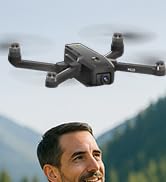
Image: Customer support contact information for karuisrc.
Ask a question about this manual
Ask about setup, troubleshooting, compatibility, parts, safety, or missing instructions. Manuals+ will review the question and use this page’s manual context to help answer it.