
Wstęp
Thank you for choosing the HyperGear Halo Waterproof LED Wireless Speaker. This manual provides essential information for setting up, operating, and maintaining your speaker to ensure optimal performance and longevity. The Halo speaker combines powerful HD sound with a vibrant 360° multicolor LED light show, designed for both indoor and outdoor use. Its IPX6 waterproof rating makes it suitable for various environments, from poolside parties to everyday listening.
Co jest w pudełku
- HyperGear Halo Waterproof LED Wireless Speaker
- Kabel ładujący USB-C
- 3.5mm Aux Cord
Przewodnik po konfiguracji
1. Ładowanie głośnika
Before first use, fully charge your Halo speaker. Connect the included USB-C charging cable to the speaker's charging port and the other end to a USB power adapter (not included). The LED indicator will show charging status and turn off when fully charged.
2. Włączanie/wyłączanie zasilania
Press and hold the Power button on the speaker's top panel to turn it on or off. A sound prompt will indicate the power status.
3. Parowanie Bluetooth
- Sprawdź, czy głośnik jest włączony i czy znajduje się w trybie parowania Bluetooth (co sygnalizuje migająca dioda LED).
- Na swoim urządzeniu (smartfonie, tablecie, komputerze) włącz Bluetooth i wyszukaj dostępne urządzenia.
- Select "HyperGear Halo" from the list.
- Po sparowaniu głośnik wyemituje dźwięk potwierdzający, a dioda LED przestanie migać.
Głośnik automatycznie połączy się z ostatnio sparowanym urządzeniem po włączeniu, jeżeli będzie ono w zasięgu.

The top panel of the HyperGear Halo speaker, showing controls and its connection to a smartphone via Bluetooth.
Instrukcja obsługi
Podstawowe sterowanie
| Przycisk/funkcja | Działanie |
|---|---|
| Przycisk zasilania | Naciśnij i przytrzymaj, aby włączyć/wyłączyć zasilanie |
| Odtwórz/Pauza | Press once to Play/Pause music |
| Zwiększanie głośności (+) | Naciśnij raz, aby zwiększyć głośność |
| Ściszanie (-) | Naciśnij raz, aby zmniejszyć głośność |
| Następny utwór | Press and hold Volume Up (+) |
| Poprzedni utwór | Press and hold Volume Down (-) |
| Odbierz/Zakończ połączenie | Naciśnij przycisk Odtwórz/Pauza raz |
| Odrzuć połączenie | Naciśnij i przytrzymaj przycisk Odtwórz/Pauza |
| Przycisk trybu światła | Naciśnij, aby przełączać się między 6 trybami oświetlenia LED |
Party Mode (Stereo Pairing)
To achieve immersive stereo sound, you can pair two HyperGear Halo speakers together:
- Ensure both Halo speakers are powered on and not connected to any other Bluetooth device.
- On one speaker (this will be the primary speaker), double-press the Power button. It will enter pairing mode for Party Mode.
- Oba głośniki połączą się ze sobą automatycznie. Dźwięk potwierdzenia poinformuje o pomyślnym sparowaniu.
- Now, connect your device to the primary speaker via Bluetooth as described in the 'Bluetooth Pairing' section. Both speakers will play synchronized audio and light shows.

Two HyperGear Halo speakers paired together for Party Mode, offering synchronized audio and light effects.
Alternative Playback Modes

The side panel of the HyperGear Halo speaker, revealing the AUX, microSD, and USB-C ports for versatile connectivity.
- Hormon: Connect your device using the included 3.5mm Aux cord to the speaker's AUX port for a wired audio connection.
- Karta micro sd: Insert a microSD card loaded with audio files into the designated slot. The speaker will automatically play music from the card.
Funkcje Ponadview
- Stopień wodoodporności IPX6: Designed to withstand splashes, rain, and spills, making it ideal for outdoor adventures and poolside use.
- Powerful 5W Front-Firing Sound: Equipped with a 52mm full-range driver for rich, dynamic audio with pulse-pounding bass. The front-firing design ensures clearer sound projection.
- 360° Multicolor LED Lights: Features a vibrant light ring that synchronizes with your music, offering 6 different lighting modes to enhance your listening experience.
- Wbudowany mikrofon: Allows for convenient hands-free calling.
- Technologia Bluetooth 5.3: Provides a stable, stutter-free wireless connection with a range of up to 33 feet.
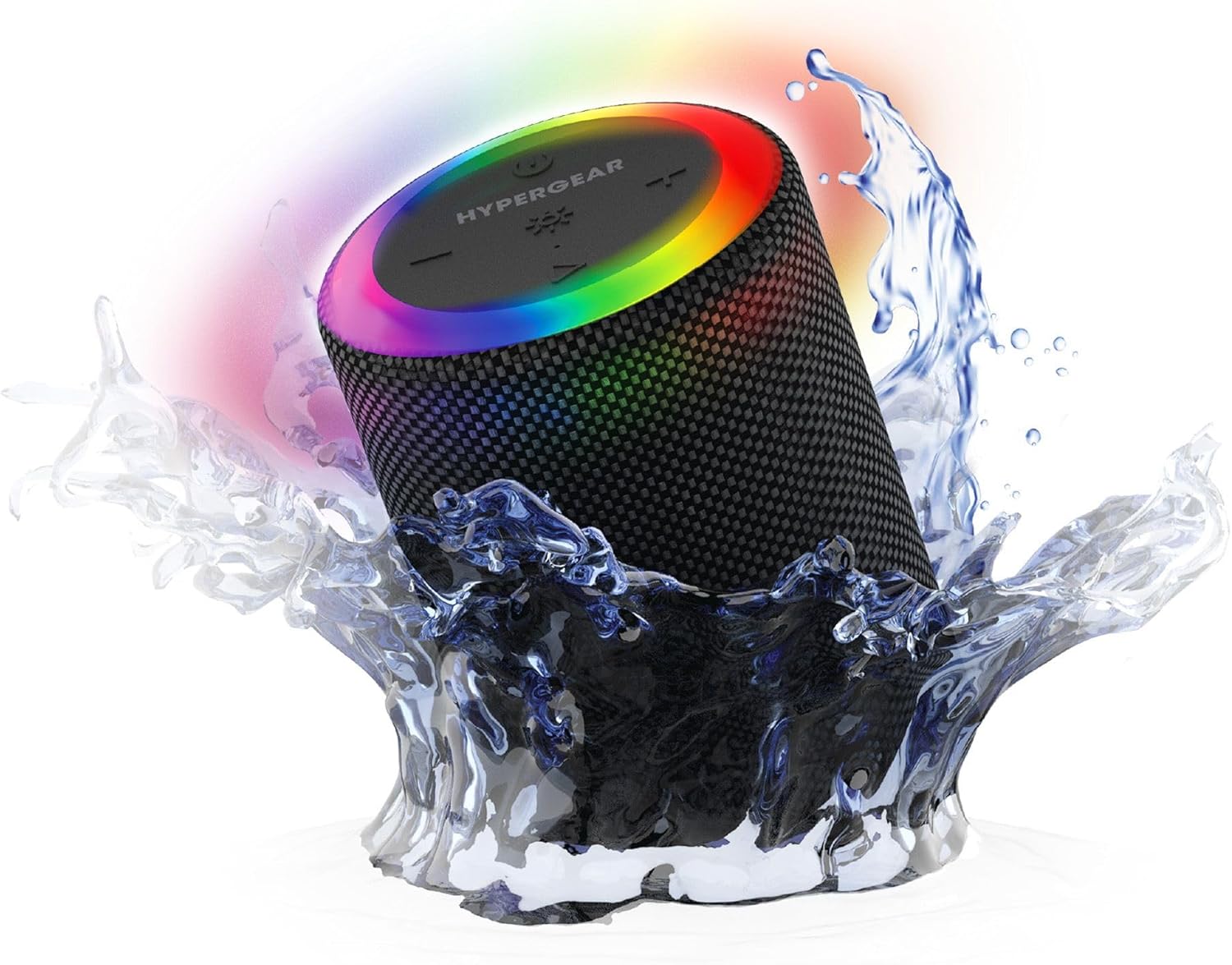
The HyperGear Halo speaker immersed in water, highlighting its robust waterproof design.

Visual representation of the HyperGear Halo speaker's powerful audio features, including its 5W output and 52mm driver.

The HyperGear Halo speaker showcasing its beat-synced 360° multicolor LED light ring with various lighting modes.
Specyfikacje
| Funkcja | Szczegół |
|---|---|
| Nazwa modelu | Halo Waterproof LED Wireless Speaker |
| Typ głośnika | Multimedia |
| Technologia łączności | Bluetooth 5.3 |
| Tryb wyjścia audio | Mono (Stereo with Party Mode) |
| Maksymalna moc wyjściowa głośnika | 5 watów |
| Rozmiar sterownika audio | 52 milimetrów |
| Poziom wodoodporności | Wodoodporność IPX6 |
| Wymiary produktu | 3.27" gł. x 3.27" szer. x 4.13" wys. |
| Waga przedmiotu | 1.05 funta |
| Źródło zasilania | Zasilany bateryjnie |
| Zawarte komponenty | USB-C Charging Cable, 3.5mm Aux Cord |
| Metoda kontroli | Przycisk |
| UPC | 633755158858 |
Konserwacja
- Czyszczenie: Przetrzyj głośnik miękką, damp płótno. Nie używaj ostrych środków chemicznych ani ściernych środków czyszczących.
- Składowanie: Przechowuj głośnik w chłodnym, suchym miejscu, z dala od bezpośredniego światła słonecznego i ekstremalnych temperatur.
- Pielęgnacja baterii: Aby wydłużyć żywotność baterii, unikaj częstego całkowitego rozładowywania głośnika. Ładuj go regularnie, nawet jeśli nie jest używany przez dłuższy czas.
- Wodoodporna uszczelka: Ensure the silicone cover for the charging and AUX ports is securely closed when near water to maintain its IPX6 rating.
Rozwiązywanie problemów
| Problem | Możliwe rozwiązanie |
|---|---|
| Głośnik nie włącza się. | Upewnij się, że głośnik jest naładowany. Podłącz go do źródła zasilania i spróbuj ponownie. |
| Nie można sparować z urządzeniem Bluetooth. | Make sure the speaker is in pairing mode (flashing LED). Turn off and on Bluetooth on your device. Ensure no other devices are connected to the speaker. Move speaker closer to your device. |
| Brak dźwięku z głośnika. | Check volume levels on both the speaker and your device. Ensure the correct input mode (Bluetooth, Aux, MicroSD) is selected. If using Aux, ensure the cable is fully inserted. |
| Party Mode not working. | Ensure both speakers are fully charged and not connected to any other Bluetooth devices. Try resetting both speakers by powering them off and on, then re-attempt Party Mode pairing. |
| Oświetlenie LED nie działa. | Press the Light Mode button to cycle through modes. Ensure the speaker is powered on. |
Gwarancja i wsparcie
The HyperGear Halo Waterproof LED Wireless Speaker comes with a Ograniczona gwarancja. For specific details regarding warranty coverage, duration, and claims, please refer to the warranty card included with your product or visit the official HyperGear website. For technical support or further assistance, please contact HyperGear customer service through their official channels.