
Wstęp
Welcome to your iZEEKER iG500 Solar Trail Camera user manual. This guide provides detailed instructions for setting up, operating, and maintaining your 4G LTE cellular game camera. Designed for robust outdoor use, the iG500 offers 2K HD live streaming, 360° panoramic view, and continuous solar power, making it ideal for wildlife monitoring and remote security.
Co jest w pudełku
- 1 x iG500 Trail Camera; 1 x SIM Card; 1 x Micro SD Card
- 1 x Solar Panel; 1 x User Manual
- 1 x USB Cable; 1 x Outdoor Mount
- 1 x Positioning Sticker; 1 x Installation Bracket
Przewodnik po konfiguracji
Początkowe ładowanie
Before first use, fully charge the iG500 camera for at least 8 hours using the provided USB cable. The charging indicator light will be red while charging and turn blue when fully charged.

Image: The iG500 camera with the USB charging cable connected to its port, showing the charging indicator light.
Instalacja karty SIM i karty SD
The iG500 operates on a 4G LTE network and requires a SIM card for cellular connectivity. A 32GB Micro SD card is included for local storage.
Locate the SIM card and Micro SD card slots on the camera. Insert the provided SIM card and Micro SD card into their respective slots, ensuring correct orientation.

Obraz: Zbliżenie view of the iG500 camera's side compartment, revealing the slots for the SIM card and Micro SD card.
Powering On and Network Connection
Press and hold the power switch for 1-2 seconds to turn on the camera. Wait for the red 4G signal indicator to flash, then the blue LED will light up solid, indicating a successful network connection.
Video: A quick setup guide demonstrating how to power on the iZEEKER iG500 camera and establish a 4G network connection.
App Connection (UBox App)
Download and install the "UBox" application on your smartphone. Open the app, click "Add a Device", and choose "Setup 4G Device". Scan the QR code located on the camera to pair it with your phone.

Image: A smartphone displaying the UBox app interface, showing the process of connecting to the iG500 camera.
Instalacja fizyczna
Select a proper location with sufficient sunlight for the solar panel. Use the positioning sticker to mark drill holes, then screw the camera mount to the tree or desired surface. Adjust the antenna upwards for better network signals and attach the camera to the bracket. Screw the solar panel bracket to the tree and connect the charging cable to the camera.

Image: The iG500 Solar Trail Camera mounted on a tree, with its solar panel positioned to receive sunlight.

Image: A close-up of the iG500 camera mounted on a tree, highlighting its camouflage design and dual antennas.
Instrukcja obsługi
Live Streaming and Remote Control
Access live video feeds and control the camera remotely through the UBox app. Utilize the 336° pan, 90° tilt, and 4X digital zoom features for full coverage.
Image: A user interacting with the UBox app on a smartphone, demonstrating remote control capabilities for the iG500 camera's pan, tilt, and zoom functions.
Tryby noktowizyjne
The iG500 offers two night vision modes:
- No Glow Infrared Mode: Captures detailed black and white videos in complete darkness without disturbing wildlife.
- Tryb reflektora: Activates 4 white light LEDs to capture color videos at night.
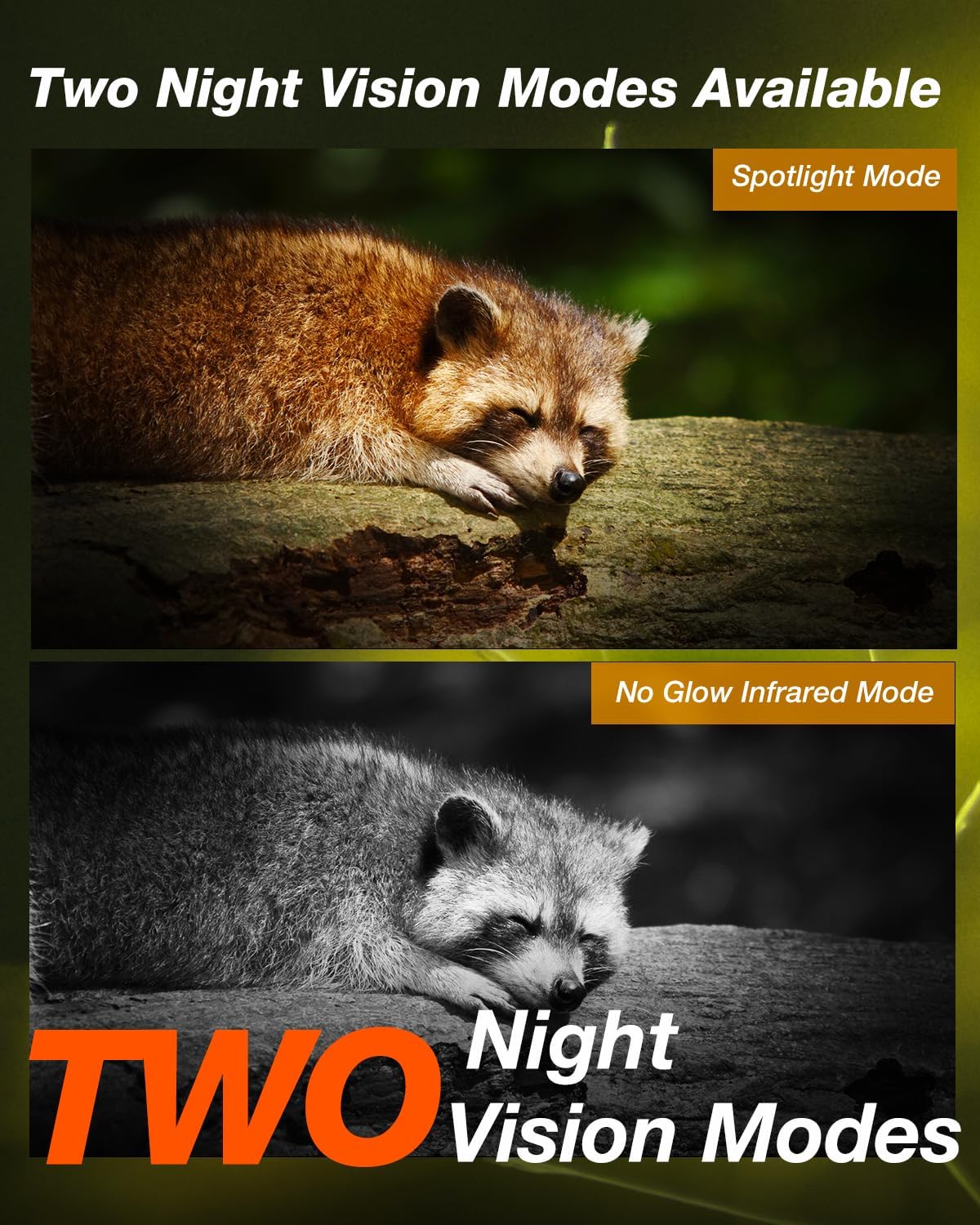
Image: A split image showing two raccoons, one captured in color using spotlight mode and the other in black and white using no-glow infrared night vision.
Wykrywanie ruchu i alerty
The camera features smart motion detection with a 0.1-second trigger speed. Upon detecting motion, the UBox app will immediately send notifications to your phone. Adjust PIR sensitivity settings within the app to reduce false alarms.

Image: A squirrel on a tree with a superimposed smartphone screen showing an iG500 activity detected notification, illustrating real-time alerts.
Dwukierunkowy dźwięk
Engage in real-time two-way communication through the camera's built-in speaker and microphone. This feature allows for remote interaction, such as deterring unwanted visitors or communicating with individuals near the camera.
Konserwacja
Zarządzanie baterią
The 3W solar panel and built-in 8400mAh high-capacity battery provide continuous power. Ensure the solar panel is positioned to receive maximum sunlight for optimal charging and extended battery life (up to 365 days).

Image: The iG500 camera connected to its solar panel, illustrating the continuous power supply for long-term operation.
Wodoodporność
The iG500 is IP65 waterproof, designed to withstand various weather conditions. Ensure all ports and covers are securely closed to maintain its waterproof integrity.
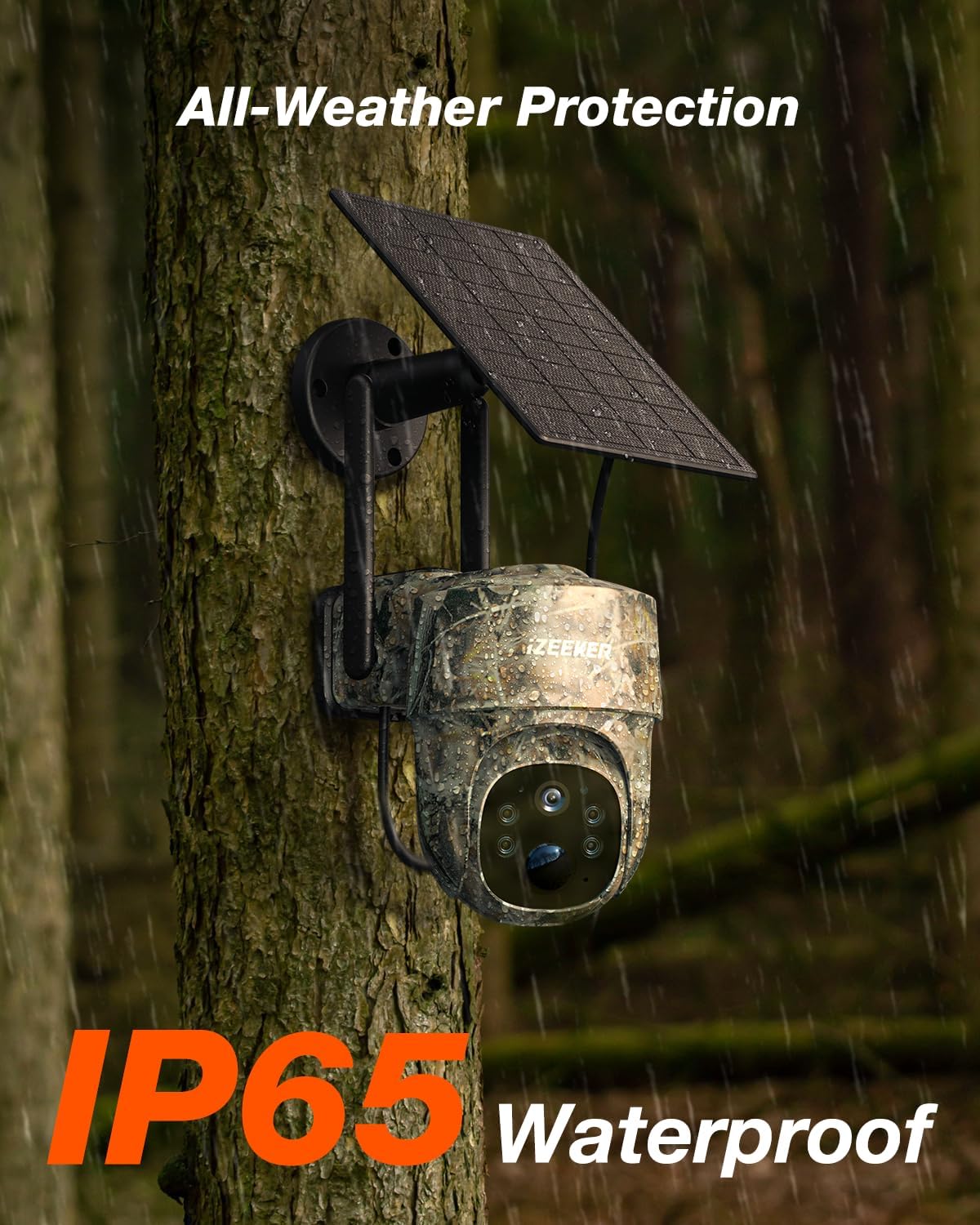
Image: The iG500 camera mounted on a tree during rainfall, demonstrating its IP65 waterproof rating.
Rozwiązywanie problemów
Brak połączenia z siecią
- Sprawdź, czy karta SIM jest prawidłowo włożona i aktywowana.
- Verify 4G LTE signal strength in the camera's location.
- The iG500 does not support Wi-Fi connection.
Fałszywe alerty ruchu
- Adjust the PIR sensitivity settings in the UBox app to a lower level to reduce triggers from minor movements like swaying branches or small animals.
Słaba jakość wideo
- Sprawdź, czy obiektyw kamery nie jest zabrudzony lub zasłonięty. W razie potrzeby wyczyść.
- Ensure adequate lighting for optimal image capture, especially in night vision modes.
Specyfikacje
| Funkcja | Szczegół |
|---|---|
| Zastosowanie wewnątrz/na zewnątrz | Na zewnątrz, Wewnątrz |
| Źródło zasilania | Zasilany energią słoneczną |
| Protokół łączności | Komórkowy |
| Rozdzielczość przechwytywania wideo | 2K |
| Kolor | Gamouflaged |
| Tworzywo | Materiał wodoodporny IP65 |
| Wymiary przedmiotu Dł. x Szer. x Wys. | 5.83 x 4.33 x 5.43 cala |
| Waga przedmiotu | 2.51 funta |
| Numer modelu przedmiotu | iG500 |
| Funkcja specjalna | Remote Phone Access, Solar Powered, PTZ Technology, 2K Live Streaming, Real-Time Alerts, No Glow Night Vision, 2-way Audio |
Gwarancja i wsparcie
iZEEKER offers prompt replies within 24 hours for support inquiries. Enjoy a 30-day hassle-free return and exchange policy. Continuous support is provided for the lifetime of the product.

Image: Icons representing iZEEKER's customer support: 24-hour prompt replies, 30-day hassle-free return/exchange, and lifetime continuous support.
For further assistance, visit the official iZEEKER Store: iZEEKER Store.

