
Wstęp
This manual provides comprehensive instructions for the ASWEE P4 Smart Watch, a versatile fitness tracker with call capabilities, a 1.85" TFT display, and various health monitoring features. Please read this manual thoroughly before using your device.
Co jest w pudełku
- ASWEE P4 Smart Watch
- Kabel ładujący
- Instrukcja obsługi
Produkt ponadview
The ASWEE P4 Smart Watch features a rectangular 1.85-inch TFT-LCD display with a 240x280 resolution. It includes a physical button on the side for navigation and interaction. The watch is designed for comfortable wear and easy access to its functions.
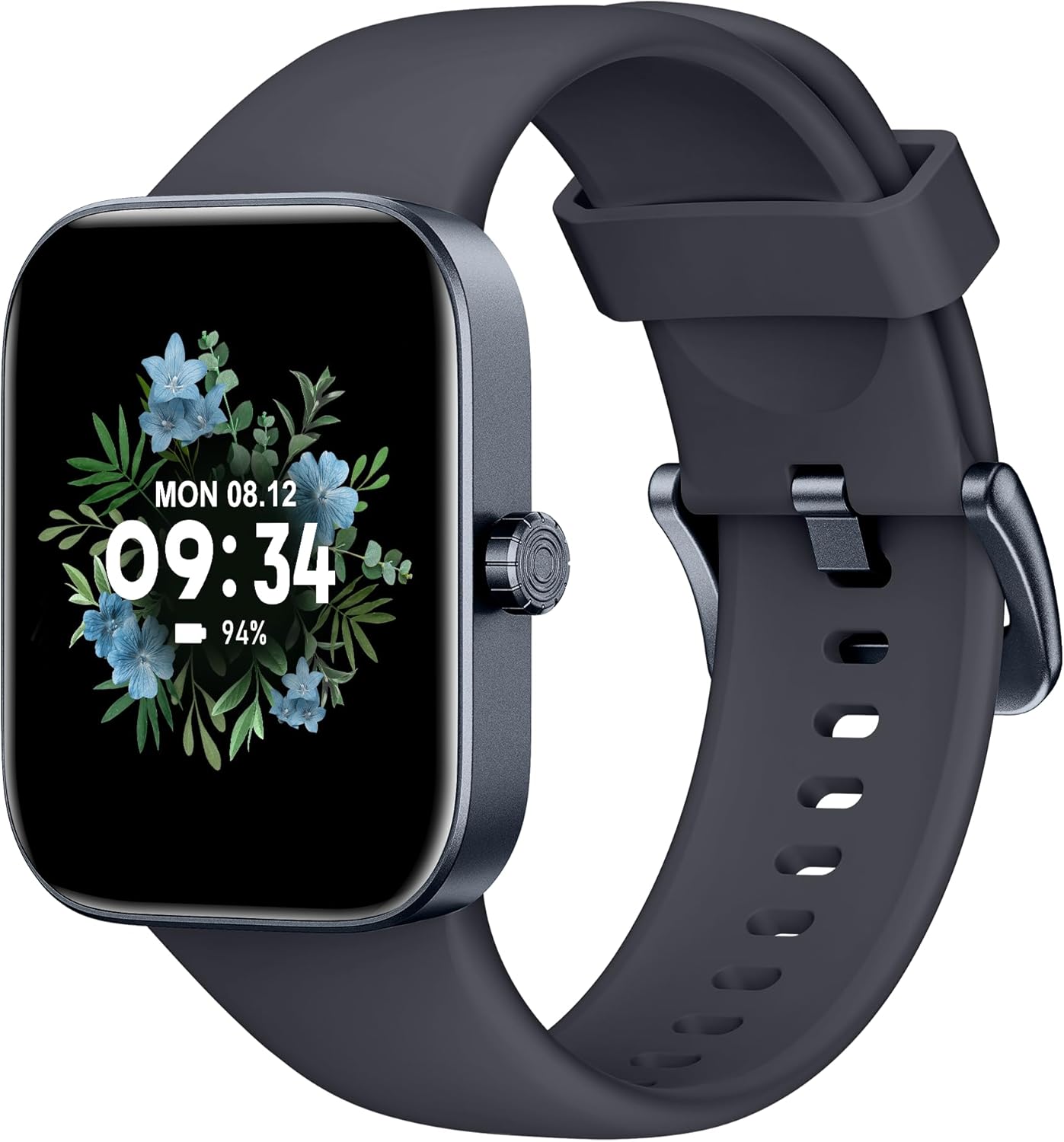
Przód view of the ASWEE P4 Smart Watch, displaying time and date with a floral background.
Organizować coś
Ładowanie urządzenia
The ASWEE P4 Smart Watch comes with a magnetic charging cable. Align the magnetic end of the cable with the charging contacts on the back of the watch. The watch will indicate when it is charging. A full charge typically takes approximately 2 hours and provides up to 7 days of active use or 15 days on standby.

Illustration showing the magnetic charging cable connected to the back of the ASWEE P4 Smart Watch, highlighting battery life indicators.
Instalacja i parowanie aplikacji
To utilize all features of your ASWEE P4 Smart Watch, you need to download and install the "FitPro" application on your smartphone. Scan the QR code provided in the watch's packaging or search for "FitPro" in your device's app store.
Parowanie z iPhonem
Follow these steps to pair your watch with an iPhone:
- Upewnij się, że Bluetooth jest włączony w Twoim iPhonie.
- Open the "FitPro" app.
- Navigate to "Setting" and then "Bind device".
- Select your watch (e.g., KM13Pro) from the scan results.
- Confirm the pairing request by clicking "Pair" and then "Allow" for notifications.
- Go to your iPhone's Bluetooth settings and connect to "KM13Pro Audio" for call functionality.
Video tutorial demonstrating how to bind the ASWEE P4 Smart Watch to an iPhone and how to unbind it.
Pairing with Android Phone
Follow these steps to pair your watch with an Android phone:
- Sprawdź, czy Bluetooth jest włączony w Twoim telefonie z systemem Android.
- Open the "FitPro" app.
- Navigate to "Set" and then "Bind device".
- Select your watch (e.g., KM13Pro) from the scan results.
- Confirm the pairing request by clicking "Pair".
Video tutorial demonstrating how to bind the ASWEE P4 Smart Watch to an Android phone and how to unbind it.
Instrukcja obsługi
Podstawowa nawigacja
The watch features a touch-sensitive screen for navigation. Swipe left/right or up/down to access different functions and menus. The side button typically serves as a home or back button.
Call and Text Functionality
With its built-in speaker and microphone, the ASWEE P4 allows you to answer/dial calls directly from your wrist when connected via Bluetooth. You can also receive SMS text and SNS messages (Facebook, Twitter, WhatsApp, etc.) with vibration alerts.

Image showing the ASWEE P4 Smart Watch on a wrist, with notification icons for various messaging apps, indicating Bluetooth 5.0 connectivity for calls and texts.
Śledzenie zdrowia
The watch provides comprehensive health monitoring:
- Tętno: 24-hour tracking with a high-precision PPG sensor. Stores 7 days of resting heart rate data.
- Tlen we krwi: Measures SpO2 levels using a reflective-light based sensor.
- Monitorowanie snu: Tracks sleep quality through Awake, Light, and Deep sleep stages, helping to improve sleep duration and quality.
- Monitorowanie stresu: Provides insights into stress levels.

Image illustrating the ASWEE P4 Smart Watch's 24-hour data tracking capabilities, including heart rate, stress level, and blood oxygen monitoring.

Image depicting the ASWEE P4 Smart Watch's sleep health assistant feature, showing sleep duration and patterns.
Tryby fitness
The ASWEE P4 supports multiple workout modes, including running, bike riding, basketball, and tennis. It accurately monitors data points like heart rate, time, and calories burned to enhance workout efficiency.

Pokaz obrazuasing the ASWEE P4 Smart Watch's various sports modes, including running, bike riding, basketball, and jumping jack, with activity data like steps, distance, and calories.
Personalizacja
Choose from over 100 stylish watch faces or create your own using photos from your phone gallery.
Konserwacja
Czyszczenie
Regularnie czyść zegarek i pasek miękką, miękką szmatką.amp płótno. Unikaj stosowania ostrych chemikaliów lub materiałów ściernych.
Składowanie
Przechowuj zegarek w chłodnym i suchym miejscu, gdy nie jest używany.
Rozwiązywanie problemów
Zegarek się nie włącza
- Upewnij się, że zegarek jest w pełni naładowany. Podłącz go do kabla ładującego i źródła zasilania na co najmniej 30 minut.
Problemy z parowaniem
- Upewnij się, że w telefonie włączony jest Bluetooth i zegarek znajduje się w zasięgu.
- Uruchom ponownie telefon i zegarek.
- If previously paired, try "forgetting" the device in your phone's Bluetooth settings and re-pairing through the FitPro app.
- Ensure the FitPro app has necessary permissions (Bluetooth, location).
Niedokładne dane dotyczące zdrowia
- Upewnij się, że zegarek ściśle przylega do nadgarstka — nie jest za ciasny, ani za luźny.
- Wyczyść czujnik z tyłu zegarka.
- Na wyniki mogą mieć wpływ czynniki środowiskowe i fizjologia organizmu.
Powiadomienia się nie pojawiają
- Check app permissions for FitPro to ensure it can access notifications.
- Verify that notification push settings are enabled within the FitPro app for desired applications.
- Upewnij się, że zegarek jest połączony z telefonem przez Bluetooth.
Specyfikacje
| Funkcja | Szczegół |
|---|---|
| Nazwa modelu | P4 |
| Marka | ASWEE |
| Rozmiar ekranu | 1.85 cali |
| Technologia wyświetlania | TFT-LCD |
| Rezolucja | 240 x 280 PPI |
| System operacyjny | Noś system operacyjny |
| Łączność | Bluetooth 5.3 |
| Odporność na wodę | IP68, 5 ATM |
| Czas pracy baterii (typowe użytkowanie) | Do 7 dni |
| Czas czuwania | Do 15 dni |
| Czas ładowania | Około 2 godzin |
| Cechy specjalne | Fitness Tracker, Sleep Monitor, Reminders, Multimedia control, Answer/Dial Call, Heart Rate Monitor, Blood Oxygen Monitor, Stress Monitor |
| Waga przedmiotu | 2.89 uncji |
Uwaga: Dane techniczne mogą ulec zmianie bez wcześniejszego powiadomienia.
Gwarancja i wsparcie
For warranty information and technical support, please refer to the official ASWEE webOdwiedź stronę internetową lub skontaktuj się z działem obsługi klienta. Zachowaj paragon jako dowód zakupu.