
1. Wprowadzenie
Thank you for choosing the virtavo Indoor WiFi Security Camera. This manual provides essential information for setting up, operating, and maintaining your camera to ensure optimal performance and home security. Please read this manual thoroughly before using the product and keep it for future reference.
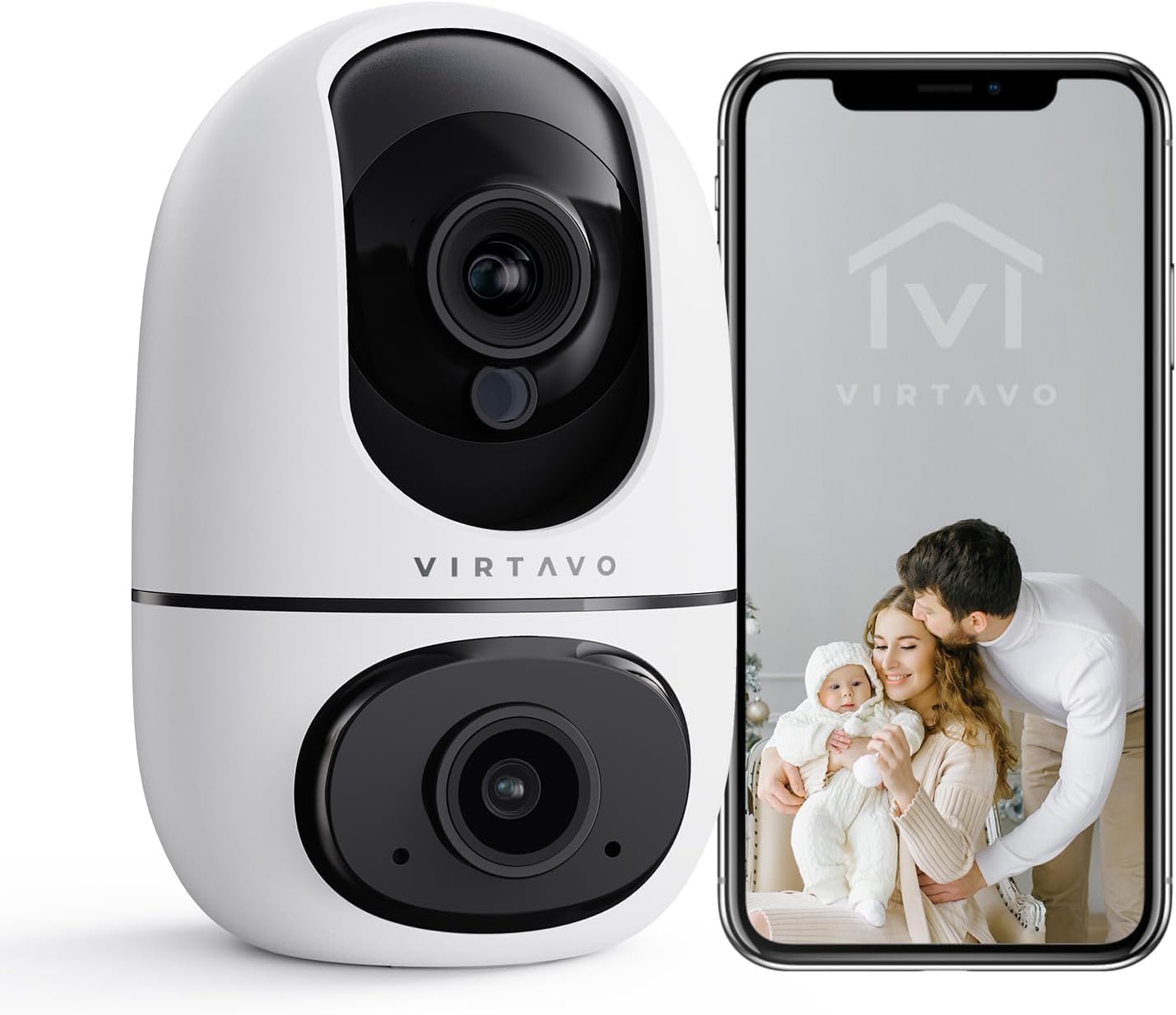
The virtavo Indoor WiFi Security Camera, shown alongside a smartphone displaying its live view, is designed for comprehensive indoor surveillance, offering peace of mind for your home, baby, or pets.
2. Zawartość opakowania
Proszę sprawdzić zawartość opakowania po rozpakowaniu. Jeśli brakuje któregokolwiek elementu lub jest on uszkodzony, prosimy o kontakt z obsługą klienta.
- virtavo Indoor WiFi Security Camera (Model XD1-V124)
- Zasilacz
- Kabel zasilający USB
- Akcesoria montażowe (śruby, kołki rozporowe)
- Instrukcja obsługi (ten dokument)
3. Koniec produktuview
The virtavo Indoor WiFi Security Camera features a dual-lens design, providing enhanced monitoring capabilities. It supports 1080p resolution, pan and tilt functionality for 360-degree coverage, two-way audio, and advanced detection features.

This image highlights the key features of the virtavo camera, including its dual-lens design, 2.4GHz WiFi connectivity, 1080p resolution, extensive pan and tilt range, two-way audio, AI detection, motion tracking, night vision, and video storage capabilities.
Główne cechy:
- Konstrukcja z dwoma soczewkami: For comprehensive monitoring.
- Rozdzielczość Full HD 1080p: Zapewnia wyraźny i szczegółowy obraz wideo.
- 360° Pan & Tilt: Oferuje szeroki viewing angle for complete room coverage.
- Dwukierunkowy dźwięk: Communicate with family or pets remotely.
- AI Detection & Motion Tracking: Intelligently identifies and follows movement.
- Widzenie nocne: Clear visibility even in low light or complete darkness.
- Łączność Wi-Fi 2.4 GHz: Stable wireless connection.
- Przechowywanie lokalne i w chmurze: Options for video recording.
4. Konfiguracja
4.1 Włączanie
- Podłącz kabel zasilający USB do portu zasilania aparatu.
- Podłącz zasilacz do standardowego gniazdka elektrycznego.
- Kamera włączy się i rozpocznie sekwencję autotestu. Poczekaj, aż kontrolka zacznie migać, sygnalizując gotowość do połączenia.
4.2 Instalacja aplikacji i tworzenie konta
- Download the official virtavo app from your smartphone's app store (iOS App Store or Google Play Store).
- Otwórz aplikację i postępuj zgodnie z instrukcjami wyświetlanymi na ekranie, aby utworzyć nowe konto lub zaloguj się, jeśli już je posiadasz.
4.3 Podłączanie kamery do sieci Wi-Fi
- In the virtavo app, tap the "+" icon to add a new device.
- Select "Security Camera" or the specific model if prompted.
- Follow the in-app instructions to connect the camera to your 2.4GHz WiFi network. This typically involves scanning a QR code generated by the app with the camera's lens or entering your WiFi password.
- Once connected, the camera's indicator light will turn solid, and you will hear a confirmation sound.
4.4 Montaż kamery (opcjonalnie)
The camera can be placed on a flat surface (tabletop mounting) or mounted to a wall or ceiling using the provided accessories.
- Umiejscowienie blatu: Simply place the camera on a stable, flat surface within range of your WiFi network and a power outlet.
- Montaż na ścianie/suficie:
- Choose a suitable location, ensuring a clear view i dostęp do władzy.
- Use the mounting template (if provided) or mark the screw holes on the desired surface.
- Drill pilot holes and insert wall plugs if mounting on drywall or masonry.
- Secure the mounting bracket (if applicable) with screws.
- Attach the camera to the mounting bracket, ensuring it is securely locked in place.
5. Obsługa aparatu
5.1 Na żywo View i sterowanie obrotem/pochyleniem
Open the virtavo app and select your camera to access the live view. Use the on-screen controls to pan (horizontal) and tilt (vertical) the camera lens to adjust the viewkąt.

The virtavo camera supports dual-view monitoring, allowing you to see multiple camera feeds or different perspectives from the dual-lens on a single screen for an enhanced split-screen experience.
5.2 Dźwięk dwukierunkowy
Kliknij ikonę mikrofonu na żywo view Aby mówić przez głośnik kamery. Dotknij ikony głośnika, aby słuchać dźwięku z otoczenia kamery.
5.3 Detekcja ruchu i alerty
Enable motion detection in the app settings to receive instant alerts on your smartphone when movement is detected. You can adjust sensitivity levels and set specific activity zones to reduce false alarms.

This feature allows users to define specific activity zones within the camera's view, ensuring that alerts are only triggered by motion in designated areas, reducing unnecessary notifications.
5.4 Widzenie nocne
The camera automatically switches to night vision mode in low-light conditions. It features powerful starlight color night vision for clear images even in complete darkness.

The image demonstrates the superior clarity of the virtavo camera's Starlight Color Night Vision, providing detailed and visible footage even in very low light or complete darkness, compared to a traditional camera.
5.5 Zoom cyfrowy
Uszczypnij, aby powiększyć obraz na żywo view to digitally magnify the image up to 8 times, allowing for closer inspection of details.

This visual illustrates the 8X digital zoom capability of the camera, allowing users to zoom in on specific areas of interest within the live feed for clearer and more detailed viewing.
5.6 Udostępnianie wielu użytkownikom
Share access to your camera's live feed and recordings with family members or trusted individuals through the app. Each user can have their own account and access permissions.

The multi-user sharing feature enables you to securely share your camera's feed with family members, allowing everyone to monitor the home together for enhanced safety and convenience.
5.7 Pozycje predefiniowane
Save specific camera angles as preset positions for quick navigation. This allows you to instantly move the camera to a predefined view za pomocą jednego dotknięcia.

This image illustrates the "My Collections" feature, which allows users to save and quickly recall specific camera positions (presets) within the app, making it easy to monitor different areas of a room.
6. Konserwacja
- Czyszczenie: Delikatnie przetrzyj obiektyw i korpus aparatu miękką, suchą ściereczką. Nie używaj silnych środków chemicznych ani ściernych środków czyszczących.
- Aktualizacje oprogramowania układowego: Regularly check the virtavo app for available firmware updates. Keeping your camera's firmware up-to-date ensures optimal performance, security, and access to new features.
- Stabilność sieci: Ensure your WiFi network is stable and strong where the camera is located to prevent connectivity issues.
7. Rozwiązywanie Problemów
| Problem | Możliwa przyczyna | Rozwiązanie |
|---|---|---|
| Kamera jest offline/Nie można połączyć się z siecią Wi-Fi | Weak WiFi signal, incorrect WiFi password, camera too far from router, 5GHz WiFi network. | Ensure camera is within 2.4GHz WiFi range. Verify WiFi password. Restart camera and router. Re-add camera in the app. |
| Brak alertów o wykryciu ruchu | Motion detection disabled, sensitivity too low, activity zones not set correctly, app notifications off. | Enable motion detection in app. Adjust sensitivity. Configure activity zones. Check phone notification settings for the app. |
| Słaba jakość wideo | Insufficient bandwidth, dirty lens, low light conditions. | Ensure stable internet connection. Clean the camera lens. Verify night vision is active in low light. |
| Dwukierunkowe audio nie działa | Microphone/speaker muted in app, app permissions not granted. | Check audio settings in the app. Grant microphone permissions to the app in your phone settings. |
8. Specyfikacje
| Funkcja | Szczegół |
|---|---|
| Numer modelu | XD1-V124 |
| Rozdzielczość wideo | 1080p Full HD |
| Łączność | Wi-Fi 2.4 GHz |
| Zakres obrotu/pochylenia | 350° Horizontal, 70° Vertical (approx.) |
| Audio | Dwukierunkowy dźwięk |
| Wizja nocna | Infrared, Starlight Color Night Vision |
| Cechy specjalne | AI Detection, Motion Tracking, Digital Zoom (8X), Multi-User Sharing, Preset Positions, Activity Zones |
| Źródło zasilania | Kabel elektryczny (10 watów) |
| Wymiary (dł. x szer. x wys.) | 14.3 x 6.6 x 11.91 cm (w przybliżeniu) |
| Waga | 158.76 grama (w przybliżeniu) |
| Tworzywo | Plastikowy |
| Do użytku wewnątrz/na zewnątrz | Wnętrz |
| Kompatybilne urządzenia | Smartphone, Tablet (Android) |
9. Gwarancja i wsparcie
9.1 Informacje o gwarancji
The virtavo Indoor WiFi Security Camera comes with a standard manufacturer's warranty. Please refer to the product packaging or the official virtavo website for specific warranty terms and conditions. Keep your purchase receipt as proof of purchase for warranty claims.
9.2 Obsługa klienta
For technical assistance, troubleshooting, or warranty inquiries, please contact virtavo customer support through the following channels:
- E-mail: Refer to the virtavo official webadres e-mail pomocy technicznej.
- Webstrona: Visit the official virtavo webwitryna z odpowiedziami na często zadawane pytania, artykułami pomocy i formularzami kontaktowymi.
- Wsparcie w aplikacji: Some issues can be resolved directly through the support section within the virtavo mobile application.
Please have your model number (XD1-V124) and purchase details ready when contacting support.