
Wstęp
Thank you for choosing the litokam 2.5K 4MP QHD Outdoor PTZ Security Camera. This manual provides detailed instructions for setting up, operating, and maintaining your camera to ensure optimal performance and security for your home. This camera features 2.5K 4MP QHD resolution, 360° pan/tilt monitoring, AI motion detection, color night vision, and two-way audio communication.
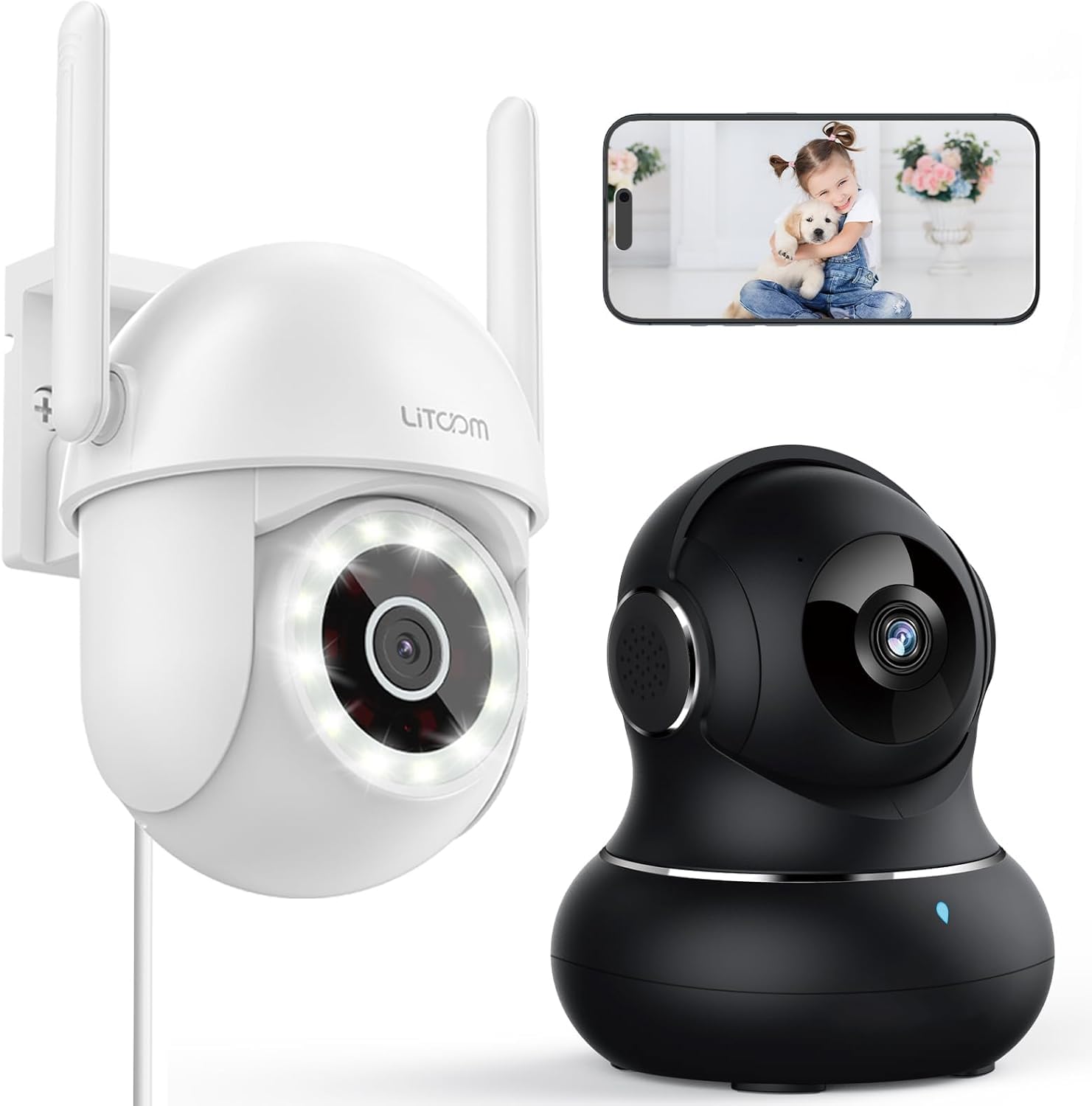
Obraz: Ponadview of the litokam 2.5K 4MP QHD Outdoor PTZ Security Camera.
Przewodnik po konfiguracji
1. Zawartość opakowania
Przed instalacją należy upewnić się, że wszystkie komponenty są obecne:
- litokam 2.5K 4MP QHD Outdoor PTZ Security Camera
- Zasilacz
- Śruby montażowe i kotwy
- Instrukcja obsługi (ten dokument)
2. Włączanie kamery
The camera requires a direct power supply. Connect the provided power adapter to the camera's power input port and then plug it into a standard electrical outlet. Ensure the power source is stable.
3. Montaż kamery
Kamera jest przeznaczona do montażu na ścianie. Wybierz odpowiednie miejsce, które zapewni pożądany viewing angle and is within range of your 2.4GHz Wi-Fi network. Use the included screws and anchors to securely mount the camera.
- Zaznacz punkty wiercenia na ścianie, korzystając z podstawy kamery jako szablonu.
- Wywierć otwory w zaznaczonych punktach.
- Włóż plastikowe kotwy do wywierconych otworów.
- Align the camera base with the holes and secure it with the screws.
4. Instalacja aplikacji i połączenie Wi-Fi
To operate the camera, you need to download the litokam app on your smartphone (compatible with Android and iOS). The camera only works with 2.4GHz Wi-Fi networks.
- Download the litokam app from your device's app store.
- Zarejestruj się lub zaloguj na swoje konto.
- Follow the in-app instructions to add your new camera. This typically involves scanning a QR code on the camera or manually selecting the device type and entering Wi-Fi credentials.
- Ensure your phone is connected to a 2.4GHz Wi-Fi network during the setup process.
Instrukcja obsługi
1. Na żywo View i sterowanie obrotem/pochyleniem
Access the live video feed through the litokam app. The camera offers 360° pan and tilt functionality, allowing you to remotely adjust the viewing angle. Use the on-screen controls in the app to pan horizontally and tilt vertically.

Image: Remote Pan/Tilt/Zoom (PTZ) control via the mobile application, showing 360° horizontal viewing angle and 3X digital zoom.
The camera also supports 3X digital zoom to view details more closely within the live feed.
2. Wykrywanie ruchu i alerty AI
The camera features PIR motion detection and advanced AI analytics to accurately identify and differentiate between people and vehicles, significantly reducing false alarms. When motion is detected, real-time alerts are sent to your phone.

Image: AI analysis detecting a vehicle in the surveillance area, reducing false alarms.

Image: The camera detecting motion, with options for real-time alerts and app notifications.
You can customize alert settings, including siren activation and flashing white light, to deter unwanted visitors.
3. Dwukierunkowa komunikacja audio
With a built-in microphone and speaker, the camera enables two-way audio. Use the app to speak with visitors, family members, or pets directly through the camera, or to warn intruders.

Image: Demonstrating two-way audio, allowing communication with a person at the door.
4. Tryby widzenia nocnego
The camera offers three night vision options for clear monitoring up to 33 feet in low-light conditions:
- Tryb podczerwieni: Standardowa czarno-biała wizja nocna z wykorzystaniem diod LED na podczerwień.
- Tryb pełnokolorowy: Utilizes the built-in LED spotlight to provide full-color video even at night.
- Tryb inteligentny: Automatically switches between infrared and full-color mode based on detected motion or light conditions.

Image: Comparison of standard night vision (left) and full-color night vision (right) with LED spotlight activated.

Image: Visual representation of 4MP HD resolution for clearer images, comparing it to lower resolution.
5. Udostępnianie wielu użytkownikom
The litokam app allows you to share camera access with multiple users, such as family members. This enables several people to view the live feed and receive alerts simultaneously.

Image: The litokam app interface showing multi-user access and sharing capabilities across different devices (Android, iOS, Tablet, PC Software).
Konserwacja
1. Czyszczenie aparatu
To ensure clear image quality, periodically clean the camera lens and housing. Use a soft, damp Ściereczką do usuwania kurzu i brudu. Unikaj stosowania silnych środków chemicznych lub materiałów ściernych, które mogłyby uszkodzić soczewkę lub wykończenie.
2. Aktualizacje oprogramowania sprzętowego
Keep your camera's firmware updated to benefit from the latest features and security enhancements. Check for available updates within the litokam app and follow the on-screen instructions to install them.
3. Odporność na warunki atmosferyczne
The camera has an IP65 rating, indicating it is protected against dust and water jets. This allows for efficient, all-weather operation, withstanding rain, snow, and harsh conditions. No special weather-related maintenance is typically required beyond ensuring the power connection remains secure and protected.
Rozwiązywanie problemów
If you encounter issues with your litokam security camera, refer to the following common solutions:
- Kamera offline:
- Sprawdź, czy kamera jest prawidłowo zasilana, a zasilacz jest pewnie podłączony.
- Verify your Wi-Fi router is working and the camera is within range of a 2.4GHz Wi-Fi signal.
- Uruchom ponownie kamerę, odłączając i ponownie podłączając zasilacz.
- Check the litokam app for any network status indicators or troubleshooting guides.
- Nie można połączyć się z Wi-Fi:
- Sprawdź, czy Twoja sieć Wi-Fi obsługuje częstotliwość 2.4 GHz. Kamera nie obsługuje Wi-Fi 5 GHz.
- Upewnij się, że wpisujesz prawidłowe hasło Wi-Fi.
- Move the camera closer to your Wi-Fi router during the setup process.
- Reset the camera (refer to the app for specific reset instructions, usually a small button).
- Słaba jakość obrazu:
- Oczyść obiektyw aparatu miękką szmatką.
- Upewnij się, że przed obiektywem nie ma żadnych przeszkód.
- Sprawdź prędkość swojego połączenia internetowego. Wolne połączenie może mieć wpływ na jakość przesyłania strumieniowego.
- Wykrywanie ruchu nie działa:
- Verify motion detection settings are enabled in the litokam app.
- Adjust sensitivity levels if necessary.
- Upewnij się, że kamera view nie jest zablokowana.
For further assistance, please contact litokam customer support or refer to the FAQ section within the litokam app.
Specyfikacje
| Funkcja | Szczegół |
|---|---|
| Model | 2.5K 4MP QHD Outdoor PTZ Security Camera |
| Rozdzielczość przechwytywania wideo | 2.5K, 4 MP (2560*1440) |
| Zoom cyfrowy | 3X |
| Zasięg obrotu/pochylenia | 360° |
| Protokół łączności | Wi-Fi (tylko 2.4 GHz) |
| Źródło zasilania | Wired (Direct Power Supply) |
| Wykrywanie ruchu | PIR Motion Detection, Advanced AI Analytics (Person/Vehicle Differentiation) |
| Wizja nocna | Full-Color, Infrared, Smart Mode (up to 33ft visible range) |
| Audio | Dwukierunkowa transmisja dźwięku (wbudowany mikrofon i głośnik) |
| Odporność na warunki atmosferyczne | Oznaczenie IP65 |
| Kompatybilne urządzenia | Smartphone (Android, iOS), PC Software |
| Typ montażu | Montaż ścienny |
| ASIN | B0CX91MDJ4 |
Gwarancja i wsparcie
Informacje o gwarancji
For detailed warranty information, please refer to the warranty card included with your product or visit the official litokam webWarunki gwarancji mogą się różnić w zależności od regionu i daty zakupu.
Obsługa klienta
If you require technical assistance, have questions about your product, or need to report an issue, please contact litokam customer support. You can typically find contact information (email, phone, or support portal) on the official litokam website or within the litokam mobile application.
Proszę podać model produktu i ASIN (B0CX91MDJ4) ready when contacting support for faster service.