
Rosekm KC-KM13S-4L
Rosekm 4.5L Automatic Cool Mist Humidifier User Manual
Model: KC-KM13S-4L
1. Wprowadzenie
Thank you for choosing the Rosekm 4.5L Automatic Cool Mist Humidifier. This device is designed to enhance your indoor environment by maintaining optimal humidity levels, contributing to improved comfort and well-being. This manual provides essential information for the safe and efficient operation, maintenance, and troubleshooting of your humidifier. Please read it thoroughly before use and retain it for future reference.

Image 1.1: Rosekm 4.5L Automatic Cool Mist Humidifier
2. Ważne instrukcje bezpieczeństwa
Aby zmniejszyć ryzyko pożaru, porażenia prądem lub obrażeń ciała, zawsze należy przestrzegać poniższych podstawowych środków ostrożności:
- Przed użyciem urządzenia należy przeczytać całą instrukcję.
- Nawilżacz należy ustawić na stabilnej, płaskiej i wodoodpornej powierzchni w odległości co najmniej 30 cm od ścian i urządzeń.
- Nie należy umieszczać nawilżacza bezpośrednio na dywanie, ręcznikach ani innych chłonnych powierzchniach.
- Zawsze odłączaj nawilżacz od zasilania przed napełnianiem, czyszczeniem lub przenoszeniem.
- Nie używaj nawilżacza z uszkodzonym przewodem lub wtyczką.
- Przechowuj nawilżacz poza zasięgiem dzieci i zwierząt domowych.
- Use only clean, cool tap water. Do not add essential oils directly into the water tank as this may damage the unit.
- The humidifier features an automatic shut-off function when the water level is too low, ensuring safe operation.
3. Zawartość opakowania
Sprawdź, czy w opakowaniu znajdują się wszystkie elementy:
- Rosekm 4.5L Automatic Cool Mist Humidifier
- Szczotka do czyszczenia
- Instrukcja obsługi (ten dokument)
4. Koniec produktuview
The Rosekm 4.5L Humidifier consists of a water tank, a base unit containing the ultrasonic plate and fan, and a control panel for operation.
4.1 Składniki
- Zbiornik na wodę: Transparent tank with 4.5L capacity.
- Dysza mgłowa: Dysza obracana o 360° do kierowania mgiełki.
- Jednostka podstawowa: Houses the power components and ultrasonic plate.
- Panel sterowania: Cyfrowy wyświetlacz i przyciski dotykowe do ustawień.
- Czujnik wilgotności: Integrated for automatic humidity detection.
4.2 Funkcje panelu sterowania
- Przycisk zasilania: Tap to turn on/off.
- Przycisk poziomu mgły: Tap to cycle through Low, Mid, High mist settings.
- Przycisk trybu automatycznego: Activates automatic humidity control.
- Przycisk timera: Ustawia automatyczny wyłącznik czasowy (1–12 godzin).
- Wyświetlacz cyfrowy: Shows current humidity level and selected settings.

Image 4.1: Humidifier dimensions (6.81"D x 6.81"W x 11.65"H)
5. Konfiguracja
Follow these steps to set up your Rosekm humidifier:
- Usuń opakowanie: Ostrożnie usuń wszystkie materiały opakowaniowe z nawilżacza.
- Oddzielne komponenty: Lift the water tank from the base unit.
- Napełnij zbiornik na wodę: Invert the water tank, unscrew the cap, and fill it with clean, cool tap water. Do not exceed the maximum fill line. Securely screw the cap back on.
- Umieść zbiornik na podstawie: Umieść napełniony zbiornik na wodę z powrotem w jednostce bazowej, upewniając się, że jest prawidłowo osadzony.
- Podłącz zasilanie: Podłącz przewód zasilający do odpowiedniego gniazdka elektrycznego.
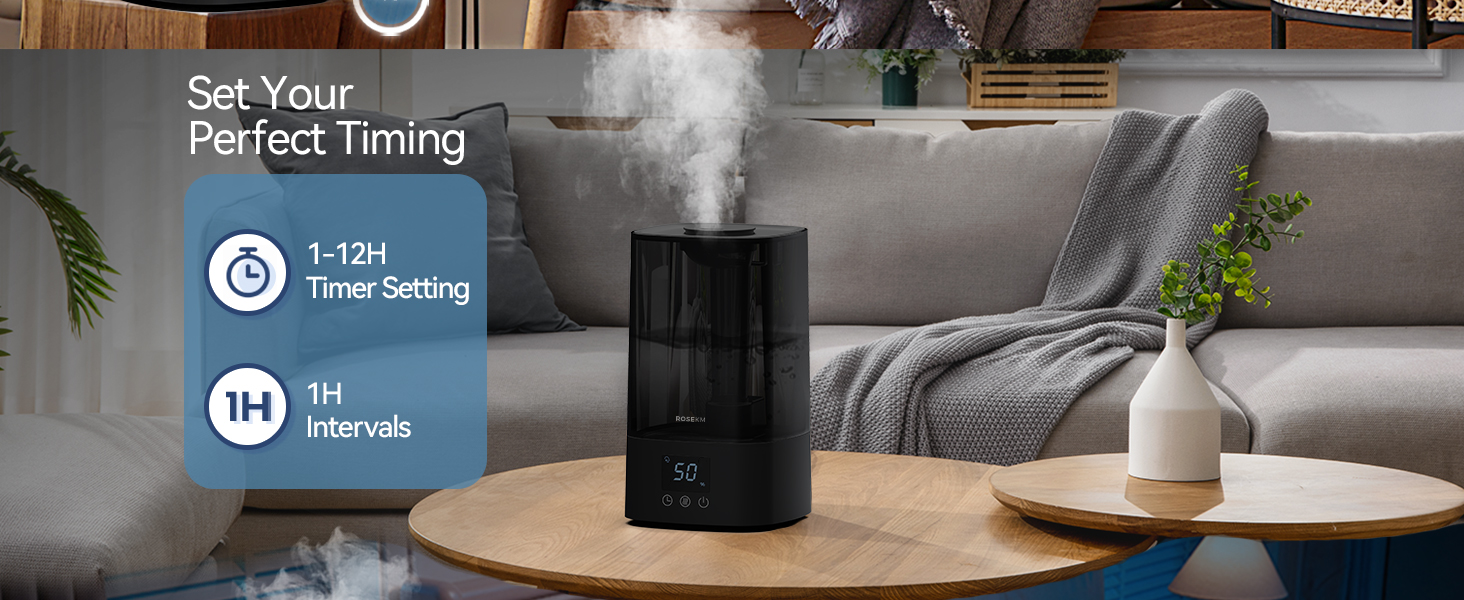
Image 5.1: Visual guide for the 4-step setup process.
6. Instrukcja obsługi
6.1 Włączanie/wyłączanie zasilania
Gently tap the power button on the control panel to turn the humidifier on or off. A beep will confirm your selection.
6.2 Adjusting Mist Levels
After powering on, tap the mist level button to cycle through Low, Mid, and High mist output settings. The digital display will indicate the current setting.

Image 6.1: Demonstrates tapping the control panel to adjust mist levels (Low, Mid, High).
6.3 Tryb automatyczny
Press the Auto Mode button to activate the built-in humidity sensor. The humidifier will automatically adjust mist levels to maintain a comfortable humidity range, and the display will show the current humidity percentage.
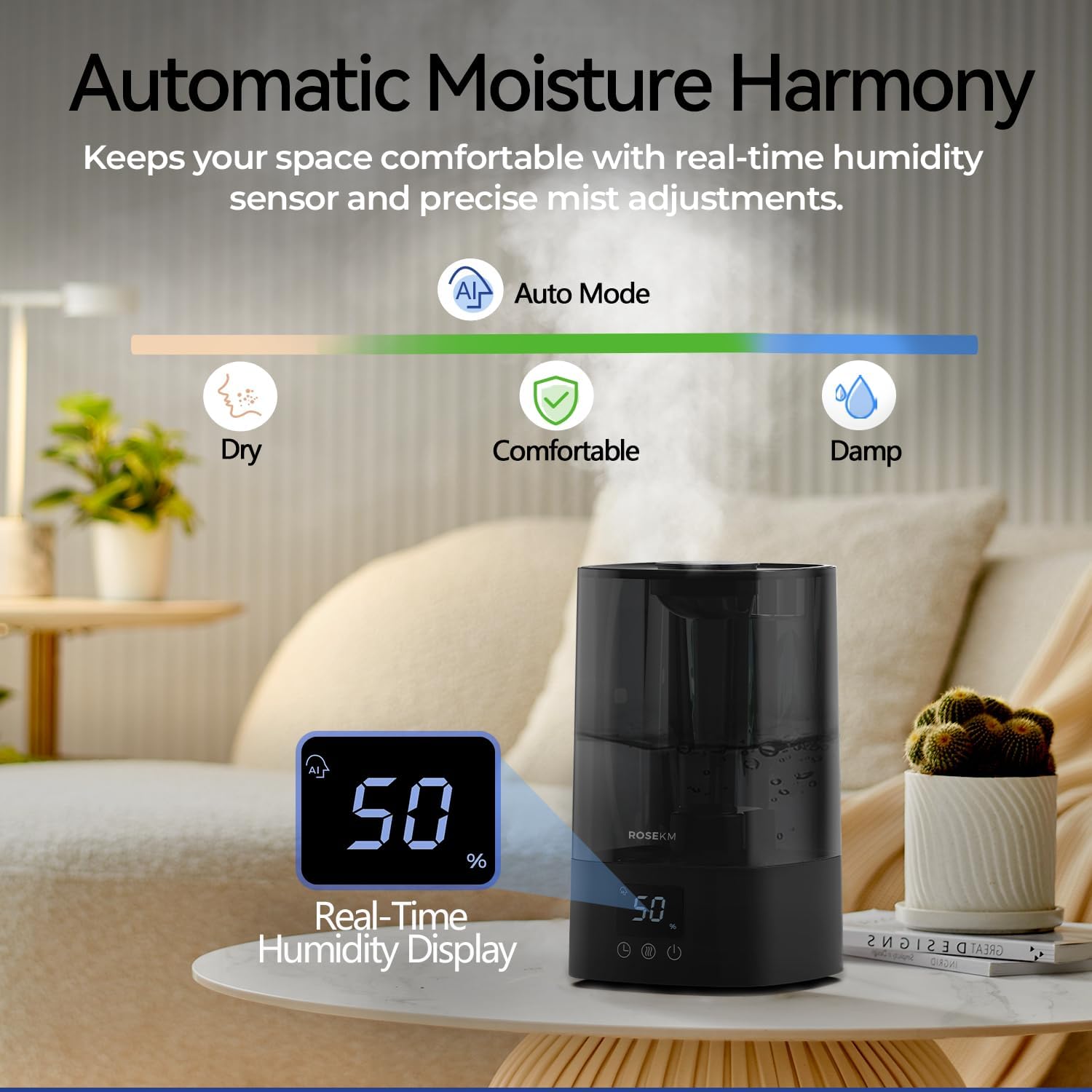
Image 6.2: Illustrates the automatic moisture harmony feature with real-time humidity display.
6.4 Ustawienie timera
Tap the timer button to set an automatic shut-off time from 1 to 12 hours. The humidifier will turn off automatically after the selected duration.

Image 6.3: Shows the humidifier with a visual representation of the 1 to 12-hour timer setting.
6.5 Cicha praca i automatyczne wyłączanie
The humidifier operates at less than 26 decibels for quiet use. The indicator lights turn off automatically after 10 seconds of inactivity. The unit will also automatically shut off when the water level is too low.
7. Konserwacja
Regularne czyszczenie jest niezbędne dla optymalnej wydajności i higieny.
7.1 Codzienna konserwacja
- Codziennie opróżniaj i płucz zbiornik na wodę oraz podstawę.
- Przed ponownym napełnieniem należy odczekać, aż wszystkie części wyschną na powietrzu.
7.2 Cotygodniowe czyszczenie
- Odłącz nawilżacz od zasilania.
- Wyjmij zbiornik na wodę.
- Pour 1 cup (240ml) of white vinegar into the water tank and base. Let it soak for 30 minutes.
- Use the included cleaning brush to gently scrub the ultrasonic plate and other internal surfaces to remove mineral buildup.
- Dokładnie wypłucz wszystkie elementy czystą wodą, aż zapach octu zniknie.
- Przetrzyj powierzchnię zewnętrzną miękką,amp płótno.
- Przed ponownym montażem lub przechowywaniem należy upewnić się, że wszystkie części są całkowicie suche.
Note: Do not immerse the base unit in water.
8. Rozwiązywanie Problemów
Jeśli masz problemy z nawilżaczem, zapoznaj się z poniższymi typowymi problemami i rozwiązaniami:
| Problem | Możliwa przyczyna | Rozwiązanie |
|---|---|---|
| Brak mgły lub jej mała ilość | Niski poziom wody Nagromadzenie minerałów na płycie ultradźwiękowej Jednostka nie została prawidłowo zmontowana | Uzupełnij zbiornik na wodę Clean ultrasonic plate with vinegar and brush Ensure water tank is correctly seated on the base |
| Humidifier does not turn on | Brak zasilania Zbiornik na wodę jest pusty Przycisk zasilania nie został prawidłowo wciśnięty | Sprawdź podłączenie zasilania i gniazdko Uzupełnij zbiornik na wodę Gently tap the power button with your fingertip; a beep confirms activation |
| Blinking lights on control panel | Poziom wody jest zbyt niski Awaria jednostki | Refill water tank. If problem persists after refilling, unplug and re-plug the unit. If still blinking, contact customer support. |
| Niereagujące sterowanie dotykowe | Niewłaściwy dotyk Wilgoć na panelu | Ensure your fingertip aligns with the button for successful operation. Wipe the control panel dry. |
| Niezwykły hałas | Jednostka nie jest umieszczona na płaskiej powierzchni Obcy przedmiot w zbiorniku na wodę | Umieść nawilżacz na stabilnej, płaskiej powierzchni Check water tank for any foreign objects and remove them |
If the problem persists after attempting these solutions, please contact Rosekm customer support.
9. Specyfikacje
- Marka: Rosekm
- Nazwa modelu: KC-KM13S-4L
- Pojemność: 4.5 litra (1.2 galona)
- Wydajność mgły: Do 250 ml/h
- Czas trwania: Up to 18 hours (High setting), Up to 40 hours (Low setting)
- Poziom hałasu: < 26 dB
- Obszar zasięgu: Do 430 stóp kwadratowych
- Wymiary produktu: 6.81" gł. x 6.81" szer. x 11.65" wys.
- Waga przedmiotu: 2.65 funtów
- Tomtage: 110 V (AC)
- Cotage: 18 watów
- Cechy szczególne: Adjustable Humidity Control, Auto Mode, Digital Display, Low Water Indicator, Timer
- Zawartość zestawu: Humidifier, Cleaning Brush, User Manual
10. Gwarancja i wsparcie
10.1 Informacje o gwarancji
The Rosekm 4.5L Automatic Cool Mist Humidifier is covered by a five-year warranty from the date of purchase. This warranty covers defects in materials and workmanship under normal use. It does not cover damage resulting from misuse, accidents, unauthorized modifications, or failure to follow the instructions in this manual.
10.2 Obsługa klienta
For warranty claims, technical assistance, or any questions regarding your product, please contact Rosekm customer service. Have your model number (KC-KM13S-4L) and proof of purchase ready when contacting support.
You can visit the official Rosekm store for more information: Rosekm Store on Amazon
Ask a question about this manual
Ask about setup, troubleshooting, compatibility, parts, safety, or missing instructions. Manuals+ will review the question and use this page’s manual context to help answer it.