
1. Wprowadzenie
This manual provides detailed instructions for the installation, operation, and maintenance of your Rimoody 4G+64G Android 15 Car Stereo. Please read this manual thoroughly before using the product to ensure proper function and safety. This car stereo is designed for specific vehicle models: Ford Escape, Kuga, and Mazda Tribute manufactured between 2007 and 2012.
2. Co znajduje się w pudełku
Ostrożnie rozpakuj pudełko i upewnij się, że wszystkie elementy są obecne i w dobrym stanie. Jeśli któregokolwiek z nich brakuje lub jest uszkodzony, skontaktuj się z obsługą klienta.
- Car radio unit
- Antena GPS
- Kamera cofania
- Dekoder Canbus
- Mikrofon
- Kabel zasilający
- Kabel USB
- Kabel RCA
- Linia odwrotna
- Radio Antenna
- Narzędzie instalacyjne
- Instrukcja obsługi

Figure 2.1: Included components and a visual comparison of the car interior before and after installation.
3. Główne cechy
3.1. 9-inch In-Cell Touchscreen Display
The car stereo features a 9-inch 1280×720 In-Cell touchscreen. This technology integrates the touch panel directly into the LCD, resulting in a thinner screen with brighter display and responsive touch control, minimizing lag during interaction.
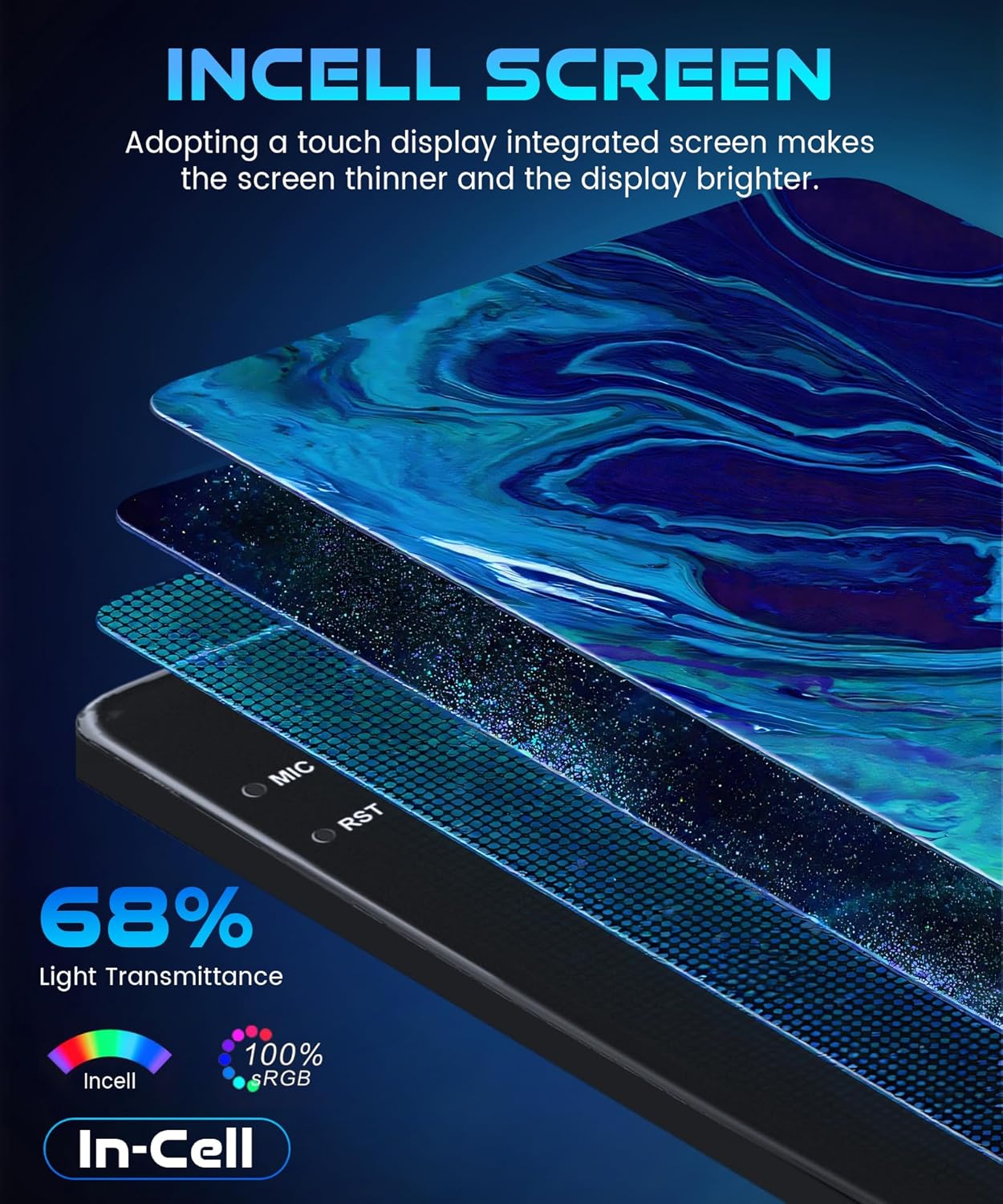
Figure 3.1: In-Cell screen technology for enhanced display quality.
3.2. Performance and Android 15 System
Equipped with 4GB RAM and 64GB ROM, this system ensures smooth operation and sufficient storage for applications. Powered by Android 15, it supports multitasking, allowing simultaneous use of applications like GPS navigation and music playback without performance degradation.
3.3. Wireless Connectivity: CarPlay, Android Auto, and Mirror Link
The head unit supports wireless CarPlay and Android Auto, enabling seamless integration with your smartphone for hands-free calling, access to contacts, emails, notifications, map navigation, and music. Mirror Link functionality is also available for both iOS and Android devices, allowing you to mirror your smartphone screen via USB or Wi-Fi to the car's display for app access, music, and video playback.

Figure 3.2: Wireless connectivity options including CarPlay, Android Auto, and Mirror Link.
3.4. GPS Navigation and Built-in Wi-Fi
The system includes built-in GPS for both online and offline maps, offering real-time traffic updates and voice guidance. This ensures reliable navigation even in areas with limited cellular reception. Integrated Wi-Fi allows connection to a mobile hotspot for internet access, enabling streaming of music/videos and downloading applications directly to the stereo.

Figure 3.3: GPS navigation capabilities and internal memory specifications.
3.5. FM/RDS Radio and Bluetooth 5.0
Enjoy high-quality FM radio with various preset stations, allowing you to save favorites for news, traffic, music, and programs. Bluetooth 5.0 provides stable connectivity for hands-free calls, phonebook synchronization, and wireless audio streaming, contributing to a safer driving experience.

Figure 3.4: Audio features including Bluetooth, FM/RDS Radio, and Equalizer.
3.6. AHD Backup Camera and Steering Wheel Control (SWC)
The included AHD backup camera provides a clear rear view, assisting with safe parking and obstacle avoidance when reversing. The system supports steering wheel controls, allowing convenient operation of various stereo functions without diverting attention from the road.

Figure 3.5: AHD Backup Camera and Steering Wheel Control functionality.
4. Konfiguracja i instalacja
Installation of the Rimoody car stereo requires technical knowledge and should ideally be performed by a qualified professional. Incorrect installation can lead to damage to the unit or your vehicle. Refer to the included wiring diagrams and your vehicle's service manual for specific instructions.
4.1. Kontrola przed instalacją
- Verify vehicle compatibility (Ford Escape, Kuga, Mazda Tribute 2007-2012).
- Upewnij się, że wszystkie elementy wymienione w rozdziale 2 są obecne.
- Przed rozpoczęciem instalacji należy odłączyć akumulator pojazdu.
4.2. Ogólne kroki instalacji
- Remove the original car radio unit from the dashboard.
- Connect the power cable, GPS antenna, and other necessary cables to the new Rimoody unit. Ensure all connections are secure.
- If installing a backup camera, route the camera cable to the rear of the vehicle and connect it to the appropriate input on the stereo.
- Zamontuj nowe radio samochodowe solidnie w desce rozdzielczej.
- Podłącz ponownie akumulator pojazdu.
- Włącz urządzenie i przeprowadź początkową konfigurację i testy.
For detailed wiring diagrams and vehicle-specific instructions, consult the supplementary installation guide or contact customer support.
5. Instrukcja obsługi
5.1. Podstawowa obsługa
- Włączanie/wyłączanie: Naciśnij i przytrzymaj przycisk zasilania (jeśli jest dostępny) lub włącz/wyłącz zapłon pojazdu.
- Nawigacja na ekranie dotykowym: Tap icons to open applications, swipe to navigate menus, and use pinch-to-zoom for maps.
- Regulacja głośności: Adjust using the physical knobs/buttons on the unit or steering wheel controls.
- Przycisk Home: Powrót do głównego ekranu głównego.
5.2. Bezprzewodowe połączenie CarPlay
Aby bezprzewodowo podłączyć iPhone'a do CarPlay:
- On the car stereo, open the 'S-Play' application.
- Upewnij się, że Bluetooth jest włączony w Twoim iPhonie.
- On your iPhone, go to Bluetooth settings and select the car stereo's Bluetooth name (e.g., 'BLINK_UNW2652').
- Potwierdź prośbę o sparowanie na obu urządzeniach.
- Once connected via Bluetooth, a prompt may appear on your iPhone to 'Connect to CarPlay'. Tap to confirm.
- CarPlay will launch automatically on the car stereo display.
5.3. Bezprzewodowe automatyczne połączenie z Androidem
Aby bezprzewodowo połączyć telefon z systemem Android z aplikacją Android Auto:
- On the car stereo, open the 'S-Play' application.
- Sprawdź, czy Bluetooth jest włączony w Twoim telefonie z systemem Android.
- On your Android phone, go to Bluetooth settings and select the car stereo's Bluetooth name (e.g., 'BLINK_UNW2652').
- Potwierdź prośbę o sparowanie na obu urządzeniach.
- Once connected via Bluetooth, Android Auto will launch automatically on the car stereo display.
5.4. Wireless Jlink (Mirror Link) Connection
To use the Wireless Jlink feature for screen mirroring:
- On the car stereo, open the 'Jlink' application.
- Connect the car stereo to your mobile phone's hotspot via Wi-Fi. Go to the car stereo's Wi-Fi settings, find your phone's hotspot, and enter the password.
- For the first-time connection, you may need to download the Jlink mobile client. Click the provided link within the Jlink app on the stereo and scan the QR code with your phone to download.
- On your mobile phone, open the Jlink application and initiate screen casting/broadcast.
- Your phone's screen will be mirrored on the car stereo display.
Video 5.1: Demonstrates wireless CarPlay, Android Auto, and Jlink (Mirror Link) connection procedures. The video shows step-by-step pairing of a smartphone via Bluetooth for CarPlay and Android Auto, and connecting via Wi-Fi hotspot for Jlink screen mirroring.
6. Konserwacja
Regularna konserwacja pomaga zapewnić długowieczność i optymalną pracę radia samochodowego.
- Czyszczenie ekranu: Delikatnie przetrzyj ekran dotykowy miękką, niepozostawiającą włókien ściereczką. W przypadku uporczywych plam delikatnie przetrzyj.ampPrzetrzyj ściereczkę wodą lub środkiem do czyszczenia ekranów. Unikaj silnych środków chemicznych i materiałów ściernych.
- Aktualizacje oprogramowania: Okresowo sprawdzaj dostępność aktualizacji oprogramowania za pomocą ustawień systemowych lub strony producenta. webaby mieć pewność, że masz dostęp do najnowszych funkcji i poprawek błędów.
- Połączenia kablowe: Upewnij się, że wszystkie kable są solidnie podłączone i nieuszkodzone. Luźne połączenia mogą powodować sporadyczne problemy.
- Warunki środowiskowe: Unikaj wystawiania urządzenia na działanie ekstremalnych temperatur, długotrwałego bezpośredniego światła słonecznego i nadmiernej wilgoci.
7. Rozwiązywanie Problemów
Jeśli masz problemy z radiem samochodowym, zapoznaj się z poniższymi typowymi procedurami rozwiązywania problemów:
| Problem | Możliwa przyczyna | Rozwiązanie |
|---|---|---|
| Urządzenie nie włącza się | Luźne połączenie zasilania, przepalony bezpiecznik, problem z akumulatorem pojazdu | Check power cables, inspect vehicle fuses, ensure battery is charged. |
| Brak dźwięku | Volume too low, mute activated, speaker wiring issue | Zwiększ głośność, sprawdź stan wyciszenia, zweryfikuj połączenia głośników. |
| Ekran dotykowy nie reaguje | Błąd oprogramowania, zakłócenia ze strony osłony ekranu | Restart the unit, remove and reapply screen protector if applicable. |
| Utracony lub niedokładny sygnał GPS | GPS antenna obstruction, poor satellite reception | Upewnij się, że antena GPS ma czyste pole widzenia view nieba, sprawdź połączenie antenowe. |
| Bluetooth/CarPlay/Android Auto connection issues | Incorrect pairing, Bluetooth/Wi-Fi off on phone/unit, software issue | Re-pair devices, ensure Bluetooth/Wi-Fi is active, restart both devices. |
| Kamera cofania nie jest wyświetlana | Camera cable loose, camera power issue, incorrect gear selection | Check camera connections, ensure vehicle is in reverse gear. |
If the problem persists after attempting these solutions, please contact Rimoody customer service for further assistance.
8. Specyfikacje
| Funkcja | Szczegół |
|---|---|
| Marka | Rimoody |
| Model | 4 Core 4G+64G Incell Screen |
| System operacyjny | Android 15 |
| BARAN | 4 GB |
| ROM | 64 GB |
| Rozmiar ekranu | 9 cali |
| Rozdzielczość ekranu | 1280×720 |
| Technologia łączności | Bluetooth 5.0, USB, Wi-Fi (5G-WiFi compatible) |
| Cechy specjalne | Wireless CarPlay, Wireless Android Auto, Mirror Link, GPS Navigation, FM/RDS Radio, EQ, AHD Backup Camera Support, Steering Wheel Control (SWC) |
| Zgodny typ pojazdu | Ford Escape, Kuga, Mazda Tribute (2007-2012) |
| Zawarte komponenty | Car radio, GPS Antenna, Backup camera, Canbus, Microphone |
| Typ mapy | Na całym świecie (online/offline) |
9. Gwarancja i obsługa klienta
Rimoody provides a 2-letnia gwarancja producenta for this product. We are committed to providing excellent customer service and technical support.
9.1. Zakres gwarancji
- 30-dniowa gwarancja zwrotu pieniędzy: Jeśli nie jesteś zadowolony z zakupu, możesz go zwrócić w ciągu 30 dni i otrzymać pełny zwrot pieniędzy.
- Wymiana co 12 miesięcy: For manufacturing defects or malfunctions within 12 months of purchase, a free replacement will be provided.
- 2-year Manufacturer Warranty: Covers defects in materials and workmanship for two years from the date of purchase.
9.2. Wsparcie techniczne
Our professional technical team is available to assist you with any installation or usage questions. We aim to respond to inquiries within 24 hours.
Aby skontaktować się z obsługą klienta:
- Visit the product page on Amazon.
- Click on the seller name (Rimoody Tech).
- Select 'Ask a question' to send an email to our support team.