
Wstęp
This manual provides essential instructions for the setup, operation, and maintenance of your Arcade1Up Star Wars Digital Pinball machine and Arcade1Up 32-inch Screen Infinity Game Table. Please read this manual thoroughly before assembly and use to ensure proper function and longevity of your products.
Produkt ponadview: Arcade1Up Star Wars Digital Pinball
The Arcade1Up Star Wars Digital Pinball machine offers a 3/4 scale pinball experience with digital gameplay. It features a dedicated LCD playfield and score screen, providing an authentic pinball feel with modern digital advantagt.j.
Główne cechy:
- 23.8-inch LCD playfield for immersive gameplay.
- 7.5-inch LCD score screen for clear score tracking.
- Haptic touch flippers with real-feel feedback for responsive control.
- Two playfield knock-overs utilizing solenoid modules for realistic ball feedback.
Dołączone gry:
The digital pinball machine includes 10 Star Wars-themed pinball tables:
- Boba Fett
- A New Hope
- Ahch-To Island
- Battle of Mimban
- Darth Vader
- Masters of the Force
- Star Wars: Rebels
- Han Solo
- The Force Awakens
- The Empire Strikes Back

Obraz: Przód view of the Arcade1Up Star Wars Digital Pinball Machine.
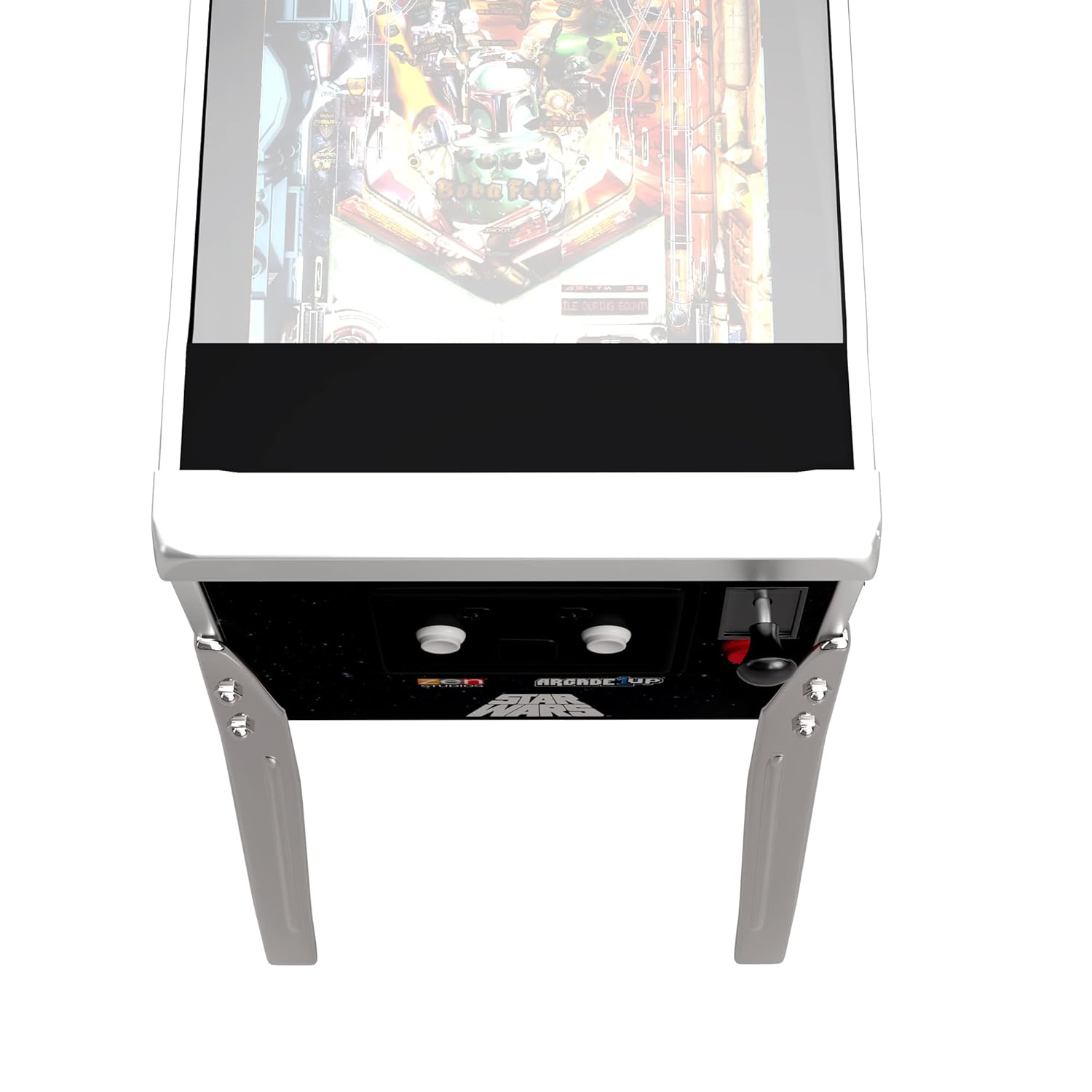
Image: Close-up of the control panel on the Arcade1Up Star Wars Digital Pinball Machine, showing power, volume, and launch buttons.
Produkt ponadview: Arcade1Up 32" Screen Infinity Game Table
The Arcade1Up 32-inch Screen Infinity Game Table offers a modernized gaming experience with a large, high-resolution digital screen. It provides access to a vast library of digital games and activities, supporting both local and remote multiplayer interactions.
Główne cechy:
- Hi-Resolution Screen for detailed and vibrant game visuals.
- Social Play+ for connecting with other players worldwide, featuring Safe Connect for up to six players.
- Tactile Feedback and Dynamic Zoom with haptic sensors for immersive gameplay.
- Impact and Water Resistant surface, designed to withstand spills and everyday impacts.
- Removable legs for flexible tabletop play options.
Biblioteka gier:
The Infinity Game Table provides access to a continuously expanding library of digital versions of classic games, including:
- Hasbro’s Monopoly
- Bazgrać
- Trywialne Pościg
- Chutes and Ladders
- Candy Land
- Yahtzee
- Zagadki
- Card games
- Coloring books
- Mini-gry

Obraz: kątowy view of the Arcade1Up 32-inch Screen Infinity Game Table.

Image: Four individuals gathered around the Arcade1Up Infinity Game Table, engaged in gameplay.
Instrukcje konfiguracji
Notatki Zgromadzenia Ogólnego:
- Ensure all components are present before beginning assembly. Refer to the packing list provided with your product.
- Do montażu mogą być potrzebne dwie osoby dorosłe.
- Use appropriate tools as indicated in the product-specific assembly guide.
Arcade1Up Star Wars Digital Pinball Setup:
- Carefully unpack all components, including the main cabinet, legs, and backbox.
- Attach the legs to the main cabinet using the provided hardware. Ensure they are securely fastened.
- Mount the backbox to the main cabinet according to the specific instructions in your product's assembly guide.
- Connect any internal cables as directed.
- Plug the power adapter into the machine and then into a wall outlet.
Arcade1Up 32" Screen Infinity Game Table Setup:
- Unpack the Infinity Game Table and its legs.
- Attach the legs to the table base. The legs are removable for tabletop play, so ensure they are firmly attached if using as a standalone table.
- Connect the power adapter to the table and then to a wall outlet.
- Follow on-screen prompts for initial setup, including Wi-Fi connection and software updates.
Instrukcja obsługi
Arcade1Up Star Wars Digital Pinball Operation:
- Włączanie: Locate the power button (often labeled ON/OFF) on the control panel and press it to turn on the machine.
- Regulacja głośności: Use the volume buttons (usually labeled VOL+ and VOL-) to adjust the audio level.
- Wybór gry: Use the left and right flipper buttons or dedicated navigation buttons to browse through the 10 available Star Wars pinball tables.
- Rozpocznij grę: Once a game is selected, press the 'Launch' or 'Start' button to begin.
- Launching Ball: Pull back and release the spring-loaded plunger or press the dedicated launch button to send the ball into play.
- Flipper Control: Use the left and right flipper buttons on the side of the cabinet to control the in-game flippers.
- Popychanie: Gently nudge the cabinet to influence ball movement, but avoid excessive force to prevent tilt warnings or damage.
- Ustawienia: Hold both flipper buttons pressed simultaneously to access game settings.
Arcade1Up 32" Screen Infinity Game Table Operation:
- Włączanie: Press the power button to activate the table.
- Nawigacja: Use the touch screen interface to navigate menus, select games, and interact with applications.
- Dostęp do gry: Access the online store to download new games and activities.
- Wieloosobowa: Utilize Social Play+ to connect with other players. Ensure a stable internet connection for remote play.
- Informacja zwrotna dotykowa: Experience haptic feedback during gameplay for enhanced immersion.
- Dynamiczny zoom: Games may feature automatic zoom for optimal viewpodczas gry.
Konserwacja
- Cleaning Screens: Use a soft, lint-free cloth and a screen-safe cleaner to wipe down the LCD screens. Avoid abrasive materials or harsh chemicals.
- Czyszczenie powierzchni: Wipe down the cabinet and table surfaces with a damp cloth. For the Infinity Game Table, its water-resistant surface allows for easy cleaning of spills.
- Zasypka: Regularnie odkurzaj wszystkie powierzchnie, aby zapobiec gromadzeniu się kurzu.
- Kontrola przewodu zasilającego: Periodically check power cords for any signs of damage.
- Aktualizacje oprogramowania: For the Infinity Game Table, ensure software is kept up-to-date for optimal performance and access to new features.
Rozwiązywanie problemów
Typowe problemy i rozwiązania:
- Brak zasilania:
- Upewnij się, że przewód zasilający jest prawidłowo podłączony do urządzenia i do sprawnego gniazdka ściennego.
- Sprawdź, czy gniazdko jest zasilane, podłączając do niego inne urządzenie.
- Brak obrazu/dźwięku:
- Verify the unit is powered on.
- Sprawdź ustawienia głośności.
- For pinball, ensure internal display cables are properly connected (refer to assembly guide).
- Game Freezes/Crashes (Infinity Game Table):
- Restart the table.
- Upewnij się, że oprogramowanie jest zaktualizowane do najnowszej wersji.
- Check internet connection if issues occur during online play or downloads.
- Flippers Unresponsive (Digital Pinball):
- Sprawdź, czy nie ma żadnych przeszkód fizycznych.
- Ensure all internal connections related to controls are secure.
If issues persist after attempting these solutions, please contact Arcade1Up customer support.
Specyfikacje
Arcade1Up Star Wars Digital Pinball:
- Playfield Screen: 23.8-calowy wyświetlacz LCD
- Score Screen: 7.5-calowy wyświetlacz LCD
- Wymiary (przybliżone): 59.5 cala (wysokość) x 36 cala (długość) x 20.5 cala (szerokość)
- Flipper Height: 35 inches (at front of waist)
- Informacja zwrotna: Haptic touch flippers, solenoid modules for playfield knock-overs
Arcade1Up 32" Screen Infinity Game Table:
- Rozmiar ekranu: 32-inch Hi-Resolution Touch Screen
- Łączność: Social Play+ for online multiplayer
- Informacja zwrotna: Tactile feedback sensors
- Trwałość: Impact and water-resistant surface
- Ruchliwość: Removable legs for tabletop use
Gwarancja i wsparcie
For detailed warranty information and customer support, please refer to the documentation included with your product or visit the official Arcade1Up webZachowaj dowód zakupu na wypadek roszczeń gwarancyjnych.


