
Wstęp
The Yesido YSP13 Air Conduction Bluetooth Earphones are designed to provide a comfortable and secure audio experience without blocking your ear canals. Featuring Bluetooth 5.3 for stable connectivity, an ear hook design for active use, and IPX4 waterproofing, these earphones are suitable for various activities. The included charging case offers extended battery life and a digital display for convenience.
Organizować coś
1. Ładowanie słuchawek i etui ładującego
Przed pierwszym użyciem należy w pełni naładować słuchawki i etui ładujące.
- Umieść słuchawki w etui ładującym. Upewnij się, że są prawidłowo włożone, aby rozpocząć ładowanie.
- Podłącz etui ładujące do źródła zasilania za pomocą dostarczonego kabla USB.
- Cyfrowy wyświetlacz na etui ładującym wskazuje poziom naładowania baterii.
- Charging time for the earphones is approximately 1 hour. The charging case takes approximately 2.5 hours to fully charge.
- A fully charged earphone battery provides about 6 hours of music/call time. The charging case has a capacity of 600mAh, allowing for multiple earphone recharges.

Obraz: Earphones inside the charging case, showing the digital battery display. This display indicates the current charge level of the case and the charging status of the earbuds.
2. Parowanie Bluetooth
Follow these steps to pair your Yesido YSP13 earphones with your device:
- Sprawdź, czy słuchawki są naładowane.
- Otwórz etui ładujące. Słuchawki automatycznie przejdą w tryb parowania.
- Na smartfonie lub urządzeniu z włączoną funkcją Bluetooth przejdź do ustawień Bluetooth.
- Szukaj available devices and select "YSP13" (or similar name) from the list.
- Po nawiązaniu połączenia zostanie odtworzony dźwięk potwierdzenia, a słuchawki będą gotowe do użycia.
- Słuchawki wykorzystują technologię Bluetooth 5.3, która zapewnia szybkie i stabilne połączenie.
Obraz: Earphones shown next to a smartphone, illustrating quick connection and readiness for music playback.
Instrukcja obsługi
1. Noszenie słuchawek
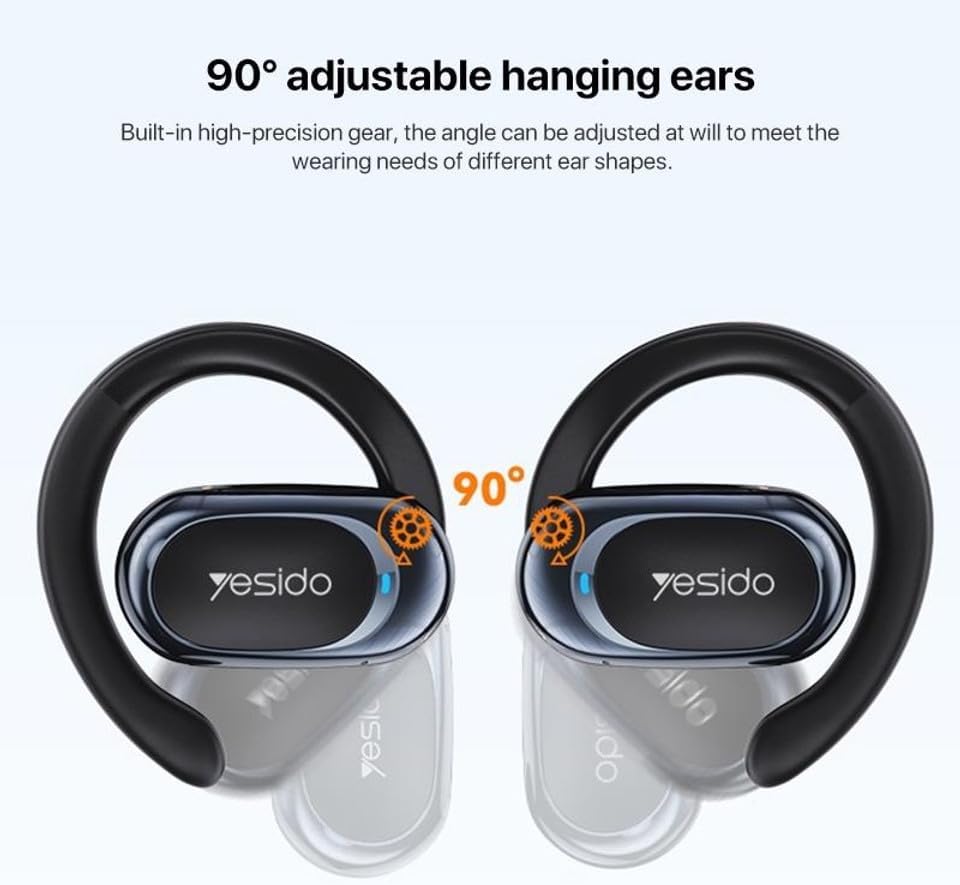
The Yesido YSP13 earphones feature a rotatable ear hook design for a secure and comfortable fit.
- Gently place the earphone over your ear, positioning the main body in front of your ear canal.
- Adjust the ear hook to fit snugly and comfortably around the back of your ear. The ear hooks are 90° adjustable to accommodate different ear shapes.
- The air conduction technology allows you to hear your audio while remaining aware of your surroundings.

Obraz: Illustration showing the 90° adjustable ear hooks, highlighting their flexibility for a custom fit.

Obraz: An earphone positioned on an ear, illustrating the adaptive directional sound transmission technology.
2. Sterowanie dotykowe
The earphones feature intuitive touch controls for managing audio playback and calls. The specific touch functions are typically:
- Odtwórz/Pauza: Pojedyncze dotknięcie dowolnej słuchawki.
- Następny utwór: Kliknij dwukrotnie prawą słuchawkę.
- Poprzedni utwór: Kliknij dwukrotnie lewą słuchawkę.
- Odbieranie/kończenie połączeń: Pojedyncze dotknięcie dowolnej słuchawki podczas połączenia przychodzącego lub aktywnego połączenia.
- Odrzuć połączenie: Naciśnij i przytrzymaj jedną ze słuchawek podczas połączenia przychodzącego.
- Asystent głosowy: Triple tap on either earphone (functionality may vary by device).
Note: Specific touch control mappings may vary slightly. Refer to the quick start guide included in your product packaging for precise instructions.
3. Sound Quality and Calls
The Yesido YSP13 earphones deliver HiFi sound quality through master-level tuning, providing a balanced audio experience with clear highs, rich mids, and strong lows. The built-in microphone ensures clear voice transmission for hands-free calls.

Obraz: An exploded diagram illustrating the internal components responsible for the high-fidelity sound production.
Konserwacja
1. Czyszczenie
To maintain optimal performance and hygiene, regularly clean your earphones.
- Wytrzyj słuchawki i etui ładujące miękką, suchą i niepozostawiającą włókien ściereczką.
- W przypadku uporczywych zabrudzeń, należy użyć lekkiego detergentu.amp cloth can be used, ensuring no moisture enters any openings.
- Unikaj stosowania materiałów ściernych, rozpuszczalników i silnych środków chemicznych.
2. Wodoodporność
The Yesido YSP13 earphones feature an IPX4 waterproof design, providing protection against splashing water from any direction.
- This makes them suitable for workouts and light rain.
- Nie zanurzaj słuchawek w wodzie ani nie wystawiaj ich na działanie silnych strumieni wody.
- Ensure the earphones are dry before placing them back into the charging case to prevent damage.
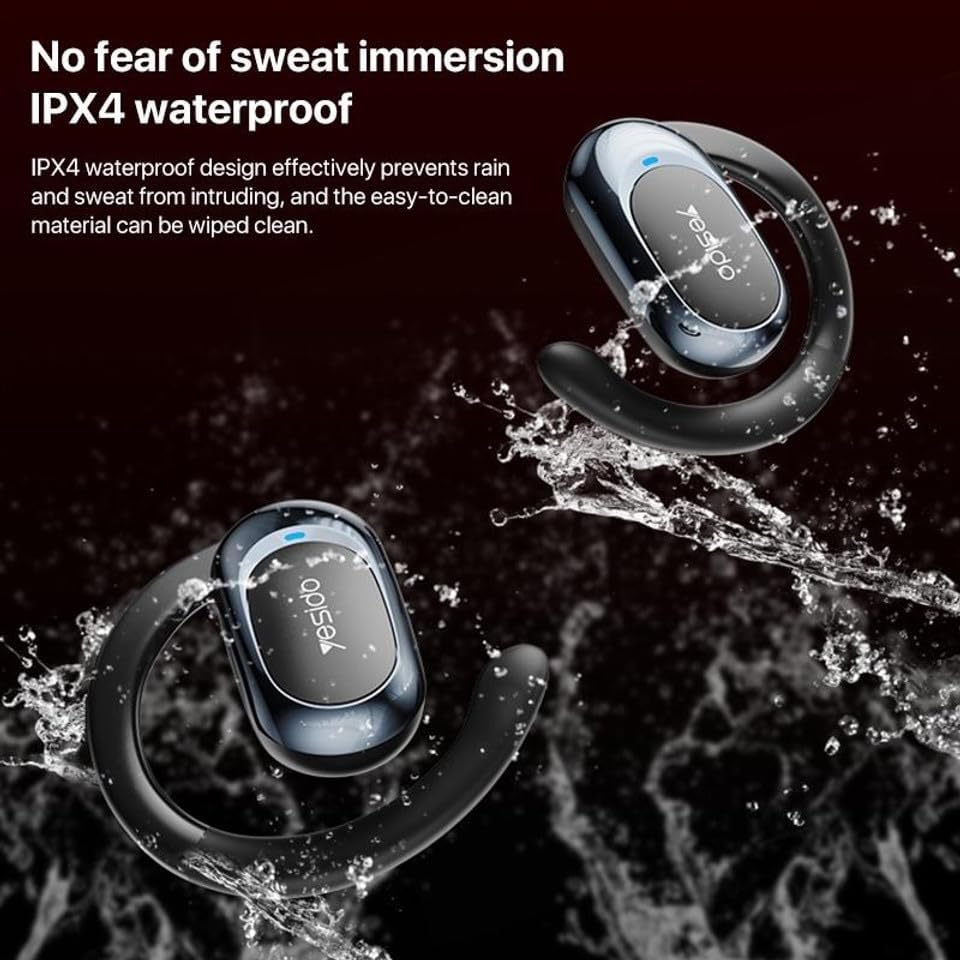
Obraz: Earphones shown with water splashing, demonstrating their IPX4 waterproof capability against sweat and light rain.
3. Przechowywanie
Store the earphones in their charging case when not in use to protect them from dust, damage, and to keep them charged.
Rozwiązywanie problemów
If you encounter issues with your Yesido YSP13 earphones, try the following solutions:
- Brak dźwięku/Nie można połączyć:
- Sprawdź, czy słuchawki są naładowane.
- Upewnij się, że Bluetooth jest włączony w Twoim urządzeniu.
- Check if the earphones are paired with another device. Disconnect and re-pair if necessary.
- Try resetting the earphones (refer to specific reset instructions if available in the product's quick start guide, otherwise, place them in the case and close/open).
- Zbliż się do urządzenia, aby upewnić się, że znajdujesz się w zasięgu 10 metrów Bluetooth.
- Jedna słuchawka nie działa:
- Place both earphones back into the charging case and then take them out again.
- Sprawdź, czy obie słuchawki są naładowane.
- Spróbuj ponownie sparować słuchawki z urządzeniem.
- Problemy z ładowaniem:
- Sprawdź, czy kabel ładujący i adapter działają prawidłowo.
- Sprawdź, czy styki ładowania w słuchawkach i wewnątrz etui są czyste i wolne od zanieczyszczeń.
- Check the digital display on the charging case for charging indicators.
- Słaba jakość połączeń:
- Upewnij się, że mikrofon nie jest zasłonięty.
- Przenieś się do cichszego otoczenia.
- Sprawdź sygnał sieciowy swojego urządzenia.
Specyfikacje
| Marka | YESIDO |
| Nazwa modelu | YSP13 (Model Number: BUF58) |
| Technologia łączności | Bezprzewodowa (Bluetooth 5.3) |
| Wersja Bluetooth | BT8926B2 V5.3 |
| Zasięg Bluetooth | Do 10 metrów |
| Pojemność baterii słuchawek | 50mAh x 2 |
| Pojemność akumulatora skrzynki ładującej | 600mAh |
| Muzyka/Czas połączenia | Około 6 godzin |
| Czas ładowania słuchawek | Około 1 godziny |
| Czas ładowania skrzynki ładującej | Około 2.5 godzin |
| Poziom wodoodporności | IPX4 (wodoodporny) |
| Metoda kontroli | Dotykać |
| Tworzywo | PC+ABS+Electroplating UV |
| Współczynnik kształtu | On Ear (Ear Hook Design) |
| Dodatkowe funkcje | Air Conduction Technology, Digital Display, Built-in Microphone |
Informacje o gwarancji
The product comes with a manufacturer's warranty. For detailed information regarding the warranty period and terms, please refer to the warranty card included in your product packaging or contact your retailer. Please retain your proof of purchase for any warranty claims.
Obsługa klienta
For further assistance, technical support, or inquiries, please visit the official YESIDO webodwiedź witrynę lub skontaktuj się z działem obsługi klienta swojego sprzedawcy.