
Wstęp
This manual provides detailed instructions for the installation, operation, and maintenance of your LongPlus 2K Battery Powered WiFi Security Camera. Please read this manual thoroughly before using the product to ensure proper functionality and safety. This camera is designed for both indoor and outdoor home security, offering high-quality video surveillance with advanced features.
Co jest w pudełku
Sprawdź, czy w opakowaniu znajdują się wszystkie komponenty:
- Security Camera with Bracket
- Zestaw śrub
- Zresetuj igłę
- Kabel USB
- Szybki przewodnik
Główne cechy
The LongPlus Security Camera is equipped with several advanced features to enhance your home security:
- 2K QHD Resolution and Color Night Vision: Captures high-quality 2K video and images, offering 50% higher definition than 1080P. Provides both full-color and infrared night vision up to 33ft.
- Rechargeable and IP65 Waterproof: 100% wireless design with a rechargeable battery providing 1 to 5 months of use per charge. IP65 waterproof rating ensures operation in various weather conditions.
- PIR Motion Detection with AI Analysis: Advanced AI motion detection intelligently recognizes people, vehicles, pets, and packages, sending real-time notifications to your phone.
- Two-Way Talk & Smart Instant Siren: Features a built-in microphone and speaker for real-time communication. Includes a siren and flashing white light for deterrence.
- Cloud/SD Storage Options: Supports local storage via Micro SD card (up to 128GB, not included) and complimentary 3-day rolling cloud storage.
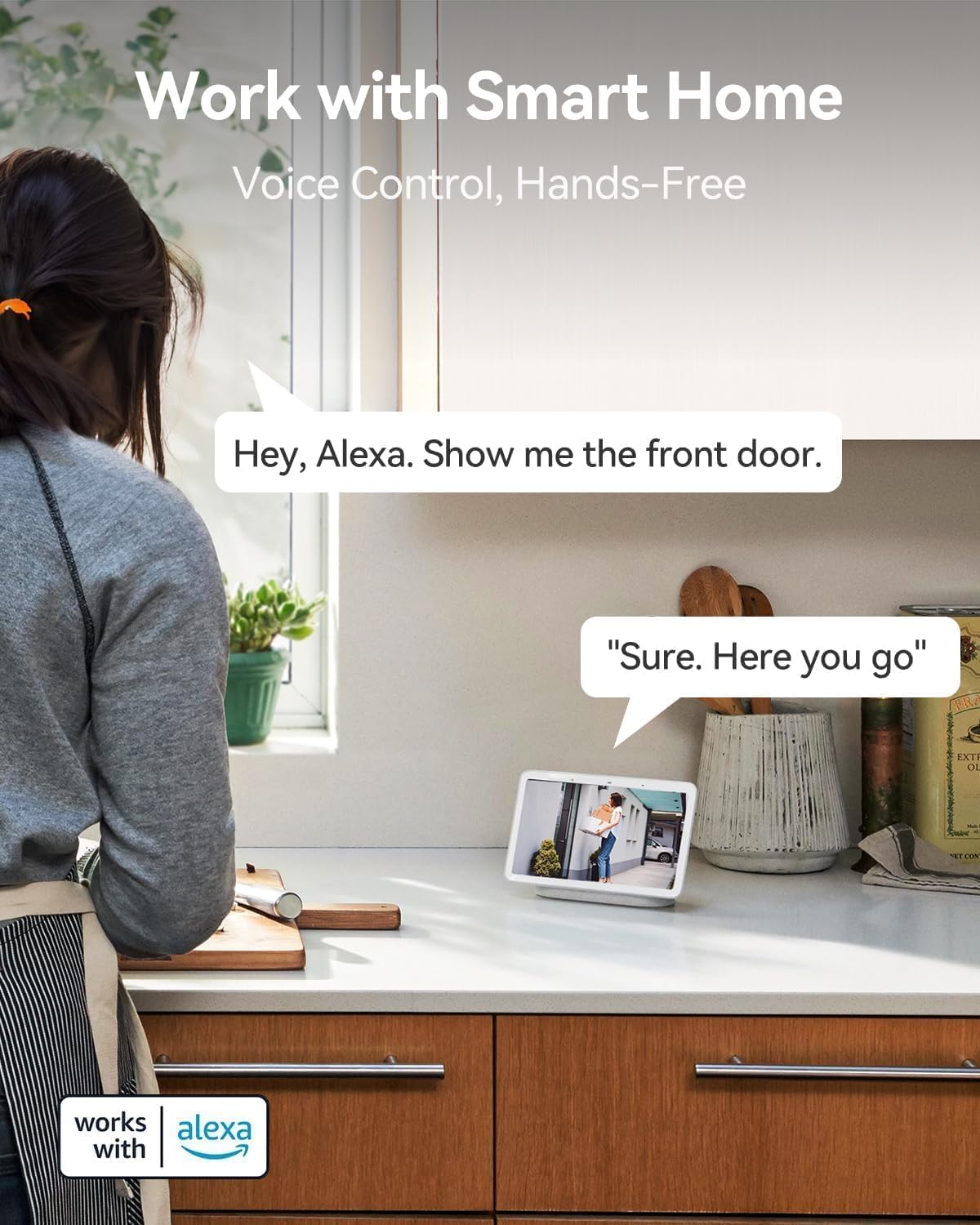
- Działa z Alexą: Seamless integration with Amazon Alexa for voice control and hands-free monitoring.


Przewodnik po konfiguracji
Follow these steps to set up your LongPlus Security Camera:
- Naładuj aparat: Before first use, fully charge the camera using the provided USB cable. The charging indicator will show its status.
- Pobierz aplikację: Szukaj "Vicohome" in your smartphone's app store (iOS or Android) and download the application.
- Utwórz konto: Open the Vicohome app and follow the on-screen instructions to create a new user account.
- Dodaj urządzenie: W aplikacji dotknij ikony „+”, aby dodać nowe urządzenie. Wybierz model aparatu z listy.
- Połącz się z Wi-Fi: Postępuj zgodnie z instrukcjami aplikacji, aby połączyć kamerę z siecią Wi-Fi 2.4 GHz. Note: This camera exclusively supports 2.4GHz Wi-Fi.
- Zamontuj kamerę: Choose a suitable location for installation. Use the provided bracket and screws to securely mount the camera. Ensure the camera has a clear field of view i znajduje się w zasięgu Wi-Fi.
- Włóż kartę SD (opcjonalnie): If you wish to use local storage, insert a Micro SD card (up to 128GB) into the designated slot on the camera. Format the SD card through the app settings.
Instrukcja obsługi
Once set up, you can utilize the camera's features through the Vicohome app:
Na żywo View
Open the Vicohome app and select your camera from the device list to access the live video feed. You can view foo w czasie rzeczywistymtage from anywhere, at any time.
Dwukierunkowy dźwięk
Na żywo view, tap the microphone icon in the app to enable two-way talk. You can speak through your phone, and your voice will be projected through the camera's speaker. Listen to audio from the camera through your phone's speaker.
Wykrywanie ruchu i alerty
The camera's PIR sensor detects motion. When motion is detected, the camera will record an event and send a notification to your phone. You can customize motion detection sensitivity and alert zones within the app settings.
Tryby noktowizyjne
The camera supports both full-color night vision and infrared night vision. You can switch between these modes in the app settings based on your preference and lighting conditions.
Zarządzanie magazynem
Recorded events are stored either on the inserted Micro SD card or in the cloud. You can access and review nagrano footage through the "Library" section of the Vicohome app. The free 3-day rolling cloud storage automatically overwrites older footage.
Integracja inteligentnego domu
The camera works with Amazon Alexa. To enable this feature, link your Vicohome account with your Alexa app. You can then use voice commands like "Alexa, show me the front door" to view the camera feed on compatible Alexa devices.
Konserwacja
Regularna konserwacja zapewnia optymalną wydajność i długowieczność Twojego aparatu:
- Ładowanie akumulatora: Monitor the battery level in the Vicohome app. Recharge the camera promptly when the battery is low to avoid interruptions in surveillance.
- Czyszczenie: Okresowo czyść obiektyw i obudowę aparatu miękką,amp Ściereczką usuń kurz, brud i smugi, które mogą wpłynąć na jakość obrazu. Nie używaj silnych środków chemicznych.
- Aktualizacje oprogramowania układowego: Check the Vicohome app regularly for available firmware updates. Install updates to ensure your camera has the latest features, security patches, and performance improvements.
- Zarządzanie kartami SD: If using an SD card, periodically check its status in the app. Consider backing up important footage before the card fills up or if you plan to replace it.
Rozwiązywanie problemów
If you encounter issues with your LongPlus Security Camera, refer to the following common problems and solutions:
| Problem | Możliwa przyczyna | Rozwiązanie |
|---|---|---|
| Kamera nie łączy się z siecią Wi-Fi | Nieprawidłowe hasło Wi-Fi; Kamera znajduje się zbyt daleko od routera; Dostępne jest tylko Wi-Fi 5 GHz. | Ensure correct 2.4GHz Wi-Fi password. Move camera closer to router. Verify your router supports 2.4GHz Wi-Fi. |
| Niska jakość obrazu | Brudny obiektyw; Słabe warunki oświetleniowe; Problemy z przepustowością sieci. | Clean the camera lens. Ensure adequate lighting or enable night vision. Check your Wi-Fi signal strength. |
| Detekcja ruchu nie działa lub jest zbyt czuła | Incorrect sensitivity settings; Obstructions in detection zone; Environmental factors. | Adjust motion detection sensitivity in the app. Clear any obstructions. Define specific alert zones to reduce false alarms. |
| Krótki czas pracy baterii | Częste zdarzenia ruchowe; Na żywo view usage; Cold weather. | Zmniejsz czułość lub częstotliwość wykrywania ruchu. Ogranicz transmisję na żywo. view access. Battery performance can be affected by extreme cold. |
| Nie mogę view nagrano footage | SD card not inserted/formatted; Cloud storage expired; Network issues. | Ensure SD card is correctly inserted and formatted. Check cloud storage subscription status. Verify stable internet connection. |
| Dwukierunkowe audio nie działa | Microphone/speaker disabled in app; Volume too low; Network delay. | Check app settings to ensure microphone and speaker are enabled. Adjust volume levels. Ensure strong Wi-Fi signal. |
If the problem persists, please contact LongPlus customer support for further assistance.
Specyfikacje
Detailed technical specifications for the LongPlus Security Camera (Model X84):
| Funkcja | Specyfikacja |
|---|---|
| Numer modelu | X84 |
| Rezolucja | 2K QHD (1440p), 3 MP Effective Still Resolution |
| Łączność | Bezprzewodowa (tylko Wi-Fi 2.4 GHz) |
| Źródło zasilania | Zasilanie bateryjne (w zestawie 1 bateria litowo-jonowa) |
| Zastosowanie wewnątrz/na zewnątrz | Wewnątrz, Na zewnątrz |
| Stopień wodoodporności | IP65 |
| Zakres noktowizora | Do 33 stóp |
| Viewing kąt | 130 stopni |
| Opcje przechowywania | Micro SD (do 128 GB), przechowywanie w chmurze |
| Dwukierunkowy dźwięk | Tak |
| Wykrywanie ruchu | PIR with AI Analysis (People, Vehicles, Pets, Packages) |
| Kompatybilne urządzenia | Smartphone (Vicohome App), Amazon Alexa |
| Wymiary (dł. x szer. x wys.) | 4 x 2 x 5 cala |
| Waga przedmiotu | 12.6 uncji |
| Szybkość klatek | 15 klatek na sekundę |
| Tomtage | 5 wolty |
| Cotage | 1 watów |
Gwarancja i wsparcie
LongPlus provides a 2-letnia gwarancja for this product, ensuring peace of mind regarding manufacturing defects and performance issues. Additionally, dożywotnie wsparcie techniczne is available for all customers. If you have any inquiries, require assistance with setup, operation, or troubleshooting, or need to claim warranty service, please do not hesitate to contact LongPlus customer support. Refer to the Quick Start Guide or the Vicohome app for specific contact information.