
iRobot Q012020
iRobot Roomba Vac Essential Robot Vacuum (Q0120) User Manual
Model: Q012020
1. Wprowadzenie
The iRobot Roomba Vac Essential robot is designed to simplify floor cleaning. This robot features a 3-Stage Cleaning System with powerful suction, smart navigation, and an Edge-Sweeping Brush to meticulously clean various floor types, including hard-to-reach areas. It is controlled via the iRobot Home App or directly from the robot.
2. Konfiguracja
2.1 Rozpakowanie i początkowe rozmieszczenie
Carefully remove all components from the packaging. Place the Home Base charging station against a wall in an open, uncluttered area, ensuring at least 1.5 feet (0.5 meters) of clear space on each side and 4 feet (1.2 meters) in front. Plug the Home Base into a power outlet.

The Roomba Vac Essential robot and its Home Base charging station.
2.2 Ładowanie robota
Place the Roomba robot onto the Home Base, ensuring the metal charging contacts on the robot align with those on the Home Base. The light indicator on the robot will illuminate to confirm charging. Allow the robot to fully charge before its first use, which typically takes a few hours.
2.3 Łączenie z aplikacją iRobot Home
Download the iRobot Home App from your device's app store. Follow the in-app instructions to connect your Roomba Vac Essential robot to your home Wi-Fi network. The robot requires a 2.4 GHz network for setup and operation. Once connected, you can manage cleaning schedules, view Clean Map reports, and monitor robot health.
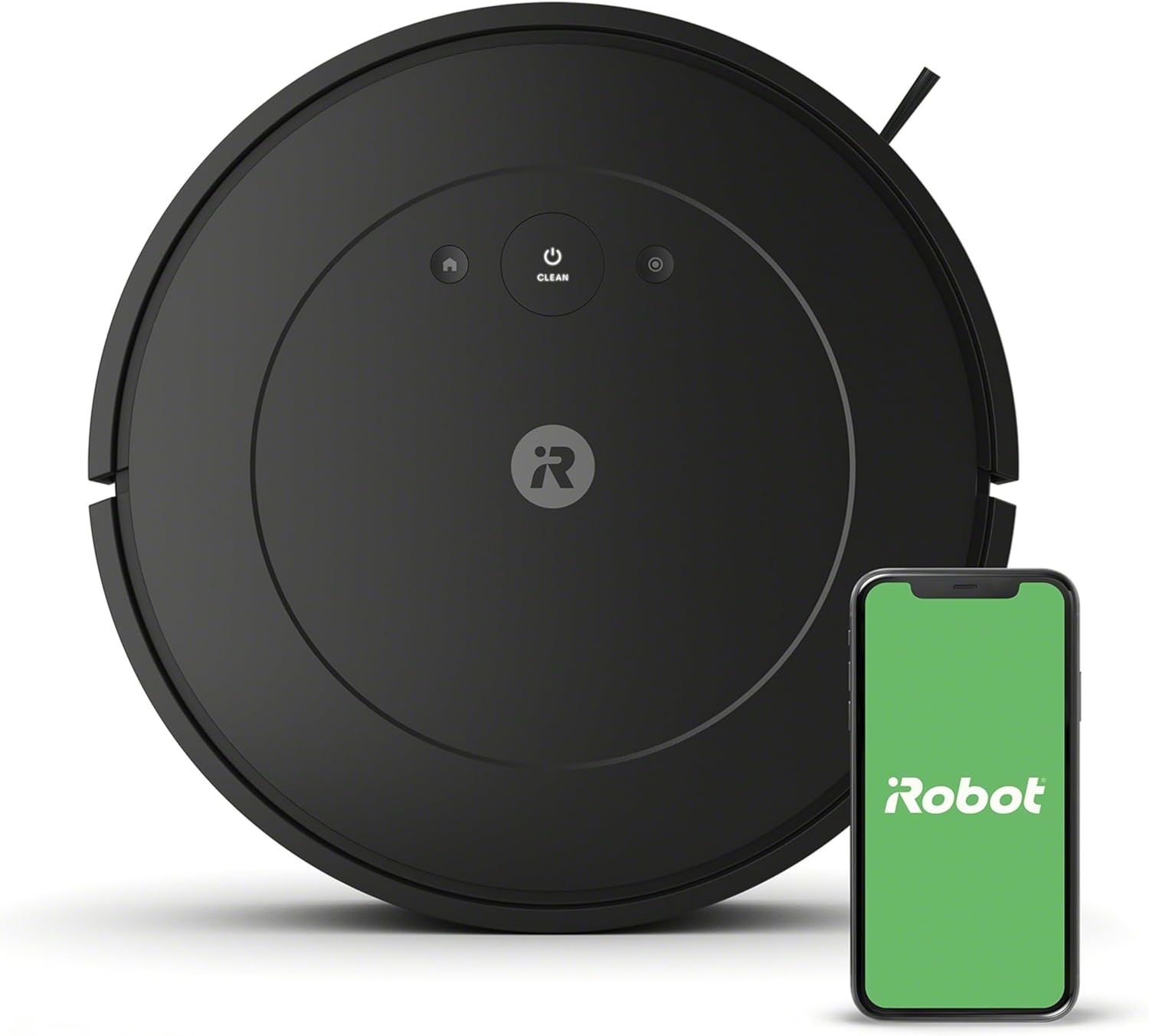
The iRobot Home App provides convenient control and monitoring of your robot.

The robot is designed for easy setup and immediate use.
3. Działanie
3.1 Rozpoczęcie cyklu czyszczenia
Press the CLEAN button on the robot or use the iRobot Home App to start a cleaning cycle. The robot will automatically navigate and clean your floors. It methodically cleans in neat rows, using sensors to navigate around furniture and avoid stairs.

The robot's low-profile design allows it to navigate under and around furniture.
3.2 3-StagSystem czyszczenia
The Roomba Vac Essential utilizes a 3-Stage Cleaning System for thorough cleaning:
- Szczotka do czyszczenia krawędzi: Sweeps debris from edges and corners into the robot's path.
- Pędzel w kształcie litery V: Agitates and lifts dirt from carpets and hard floors.
- Mocne ssanie: Draws in dirt, dust, and debris into the dust bin.

Components of the Powerful 3-Stage Cleaning System.

The Edge-Sweeping Brush ensures thorough cleaning of corners and edges.
3.3 Poziomy ssania
The robot offers three power levels, allowing you to choose between quieter cleaning or more powerful vacuuming depending on your needs.

Select from three suction levels for customized cleaning.
3.4 Czyszczenie punktowe
For concentrated cleaning of small, dirty areas, use the spot cleaning feature. The robot will spin in place, cleaning a specific spot for up to 2 minutes.

Utilize spot cleaning for localized messes.
3.5 Żywotność baterii i ładowanie
The Roomba Vac Essential can clean for up to 120 minutes on a single charge. When the battery is low, the robot automatically returns to its Home Base to recharge.

The robot automatically recharges itself when the battery is low.
3.6 Smart Features via iRobot Home App
The iRobot Home App enhances your cleaning experience with features such as:
- Sprzątaj, gdy mnie nie ma: Zaplanuj cykle sprzątania, które będą uruchamiane, gdy nie ma Cię w domu.
- Sugerowane harmonogramy sprzątania: Receive recommendations for optimal cleaning times.
- Clean Map Reports: View detailed reports of where your robot has cleaned, including coverage and duration.
- Sterowanie głosowe: Pair with Amazon Alexa or Google Assistant-enabled devices to start cleaning with voice commands.

Set your robot to clean automatically when you leave home.

Clean Map Reports provide insights into your robot's cleaning coverage.

Control your Roomba with voice commands using compatible smart devices.
4. Konserwacja
Regular maintenance ensures your Roomba Vac Essential robot operates at peak performance. The iRobot Home App provides a Health dashboard to monitor your robot's components.

Monitor your robot's health and component lifespan through the iRobot Home App.
4.1 Opróżnianie pojemnika na kurz
The dust bin should be emptied regularly, ideally after each cleaning cycle, especially in homes with pets or high traffic. To empty, press the bin release button and slide out the bin. Open the bin door and discard debris.
4.2 Czyszczenie filtra
Remove the filter from the dust bin and tap it against a trash can to remove debris. Do not wash the filter. Replace the filter every few months, or as indicated by the app, to maintain optimal suction.
4.3 Czyszczenie szczotek i kół
Periodically remove and clean the V-shaped brush and Edge-Sweeping Brush to remove tangled hair and debris. Also, wipe down the charging contacts on both the robot and the Home Base with a clean, dry cloth. Check the front caster wheel and side wheels for any trapped debris and clean as necessary.
5. Rozwiązywanie Problemów
If your Roomba Vac Essential robot encounters an issue, consult the iRobot Home App for specific error messages and troubleshooting steps. Below are common issues and general solutions:
- Robot nie ładuje się: Ensure the Home Base is plugged in and the charging contacts on both the robot and Home Base are clean and aligned.
- Robot się blokuje: Clear obstacles from the cleaning area. The robot may get stuck on loose cables, rugs with long fringes, or tight spaces.
- Słaba skuteczność czyszczenia: Empty the dust bin, clean the filter, and remove any tangled hair from the brushes. Ensure the brushes are properly installed.
- Problemy z łącznością Wi-Fi: Verify your home network is 2.4 GHz. Restart your router and the robot. If issues persist, try re-connecting the robot through the iRobot Home App.
- Robot wydaje nietypowe dźwięki: Check brushes and wheels for debris. If a foreign object is caught, remove it carefully.
For further assistance, refer to the iRobot Home App's help section or visit the official iRobot support webstrona.
6. Specyfikacje
| Funkcja | Szczegół |
|---|---|
| Marka | iRobot |
| Nazwa modelu | Essential Vac |
| Numer modelu | Pytanie 012020 |
| Funkcja specjalna | Edge Cleaning, Auto-Docking |
| Kolor | Czarny |
| Wymiary produktu | 13" dł. x 13" szer. x 3.15" wys. |
| Zawarte komponenty | Filter, Battery, Docking Station |
| Typ filtra | Nabój |
| Żywotność baterii | 120 minut |
| Tomtage | 110.22 wolty |
| Źródło zasilania | Zasilany bateryjnie |
| Baterie w zestawie | Tak (1 bateria litowo-jonowa) |
| Metoda kontroli | Aplikacja |
| Kompatybilne urządzenia | Echo Amazona |
| Współczynnik kształtu | Robotyczny |
| UPC | 885155041753 |
| Waga przedmiotu | 5.84 funta |
| Producent | iRobot |
7. Gwarancja i wsparcie
iRobot provides a limited warranty for its products. For specific warranty terms and conditions, please refer to the documentation included with your product or visit the official iRobot website. It is important to note that iRobot does not certify the quality or authenticity of products purchased from non-authorized resellers and will only cover warranty claims for products purchased from authorized sellers.
For customer support, technical assistance, or to purchase genuine iRobot accessories and replacement parts, please visit the official Sklep iRobot lub ich urzędnik webstrona.

Ensure product authenticity and warranty coverage by purchasing from authorized resellers.
Ask a question about this manual
Ask about setup, troubleshooting, compatibility, parts, safety, or missing instructions. Manuals+ will review the question and use this page’s manual context to help answer it.